Queue-Inspection-Manual-REV-G-2.pdf - 第6页
Queue/In spectio n Revision G / January 2022 Page 6 of 21 Safety Cer tain war ning symb ols are a ffixed to t he machi ne and correspon d to no tatio ns in this man ual. Be fore oper ating th e system, ident ify these wa…
Queue/Inspection
Revision G / January 2022
Page 5 of 21
Introduction
Before you operate this system, read the operation and setup manual. This will help you to
become familiar with the product and ensure successful operation. If any questions or
problems arise, contact PVA’s Technical Support.
This manual gives information on the common options and configurations for the PVA
Queue/Inspection module. If the manual refers to an option that was not purchased, ignore
that section. Refer to the configuration section of the Operating Guide for more information
on additional options.
PVA Contact Information
Main Office PVA
6 Corporate Drive
Halfmoon, NY 12065
Tel +1-518-371-2684
Fax +1-518-371-2688
Website: http://www.pva.net
Email: info@pva.net
Technical Support
Tel +1-844-734-0209
Email: cs@pva.net
Document History
Revision
Revision Date
Reason for Changes
REV G
January 2020
Exhaust requirements and air velocity test points added
REV F
April 2019
Maintenance table
REV E
March 2016
UV warning
Rev D
June 2014
Template and STE updated
REV C
Nov 2000
Procedure updates
Note: All photographs and CAD model representations in this document are a “general
representation” of the system and its components. The actual appearance of the
system and its components can differ based upon customer specific configuration.
Queue/Inspection
Revision G / January 2022
Page 6 of 21
Safety
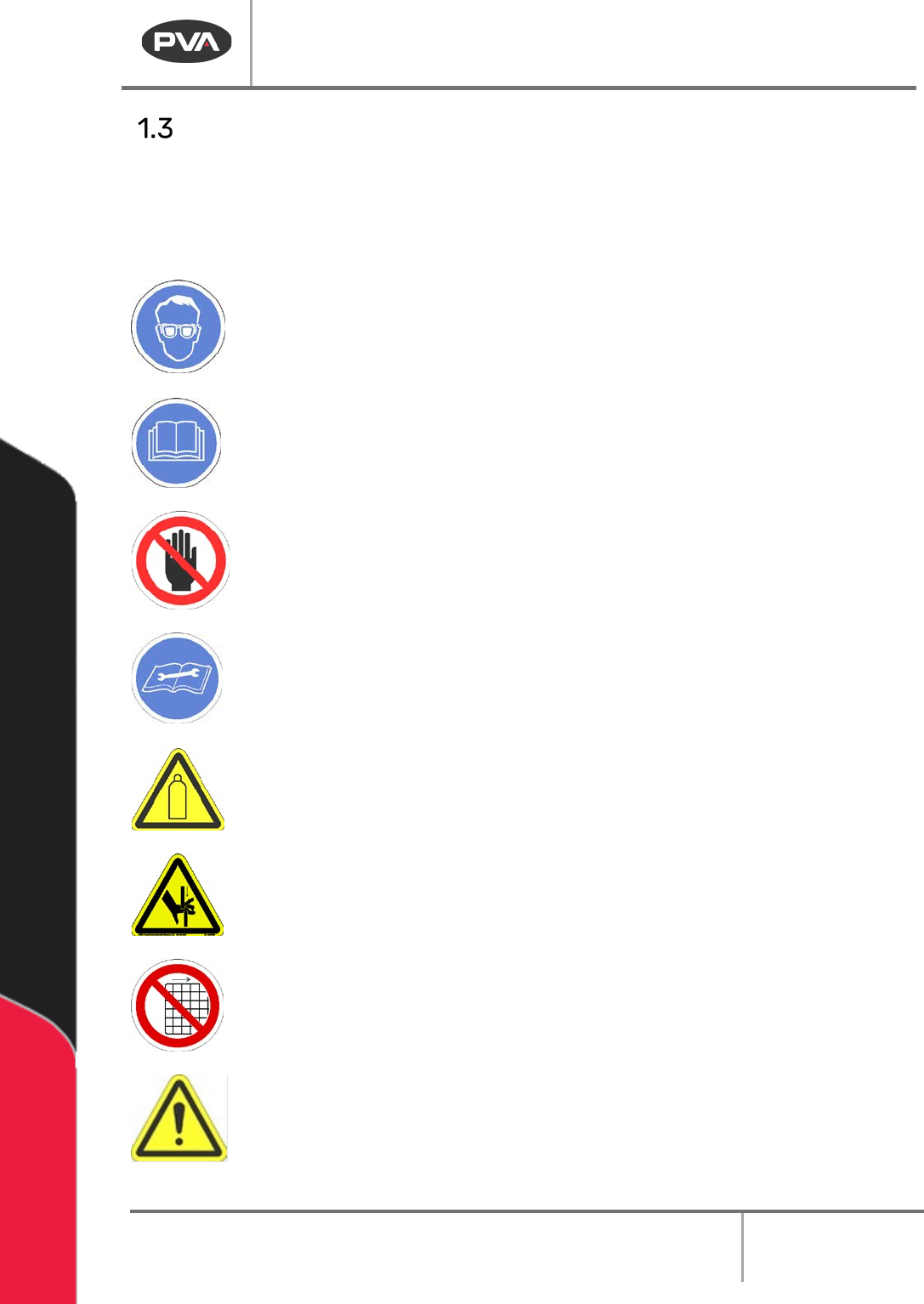
Certain warning symbols are affixed to the machine and correspond to notations in this
manual. Before operating the system, identify these warning labels and read the notices
described below. Not all labels may be used on any specific system.
Always wear approved safety glasses when you operate or work near the
workcell.
Before you operate the system, read and understand the manuals provided
with the unit.
Never put hands or tools in areas with this symbol when the machine is in
operation. A dangerous condition may exist.
Read and understand the manuals provided with the unit before any repairs
or maintenance is done. Only a qualified individual should do service.
Use caution when there are pressurized vessels. Find and repair any leaks
immediately. Always wear appropriate safety equipment when you work
with pressurized vessels or vessels that contain chemicals
Shear hazard from moving parts. Avoid contact.
Do not remove protective guarding.
In situations where inattention could cause either personal injury or damage
to equipment, a warning notice is used.
Queue/Inspection
Revision G / January 2022
Page 7 of 21
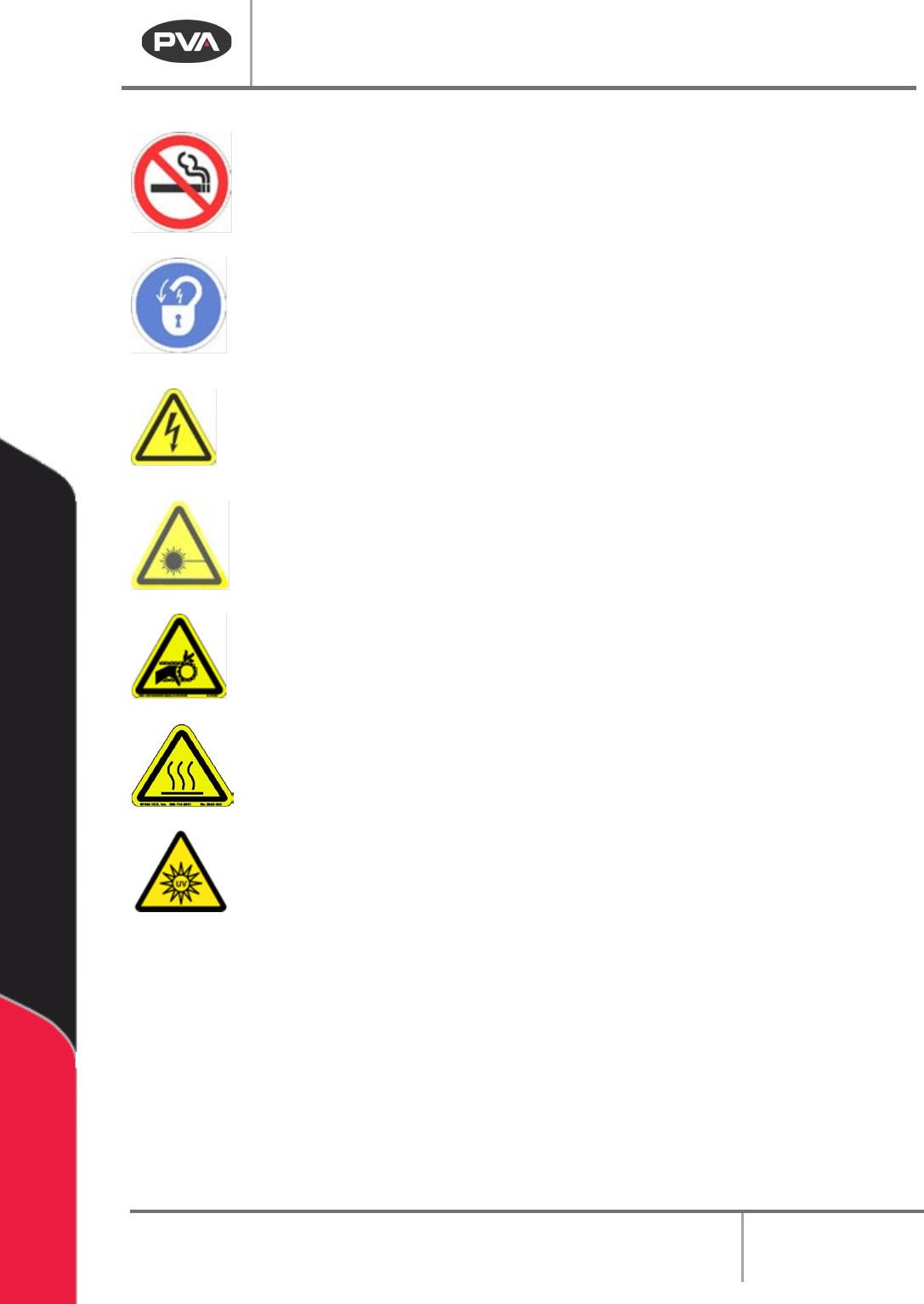
Do not smoke near the machine. Always have a fire extinguisher available
for emergency use.
Before performing any repairs or maintenance to the system, turn off power
and lock out the power disconnect switch.
Warning notices are used to emphasize that hazardous voltages, current,
temperatures, or other conditions that could cause personal injury exist in
this equipment or may be associated with its use. Only qualified personnel
should enter areas designated with this symbol.
Laser light source present. Do not stare directly into the beam. Do not use in
the presence of highly reflective surfaces
Pinch hazard from moving parts. Avoid contact.
Hot surface. Avoid contact.
Warning, Ultraviolet (UV) light hazard. Do not look directly at the UV light
source.