205020 OTS Standalone Manual.pdf - 第32页
OVER THE TO P SNUGGER (OTS) ADJUSTMENTS AND SETTINGS 1.20 Over the Top Snuggers (OTS) Manual Chapt er Issue 3 A ug 14

OVER THE TOP SNUGGER (OTS)
ADJUSTMENTS AND SETTINGS
Chapter Issue 3 Aug 14 Over the Top Snuggers (OTS) Manual 1.19
23. Select Auto Board and ensure the board runs through the entire length of
the rail system for 10 complete cycles, without jamming or excessive clicking
of the board edges.
24. Select Stop.
25. Exit Diagnostics.

OVER THE TOP SNUGGER (OTS)
ADJUSTMENTS AND SETTINGS
1.20 Over the Top Snuggers (OTS) Manual Chapter Issue 3 Aug 14
PROGRAMMING
MACHINE SETUP
Chapter Issue 3 Aug 14 Over the Top Snuggers (OTS) Manual 2.1
CHAPTER 2 PROGRAMMING
MACHINE SETUP
Set up the machine to run a product as required; the only additional software
parameters that need to be considered are: Clamp Type, Clamping Pressure,
Snugging Pressure and OTS Retain Mode.
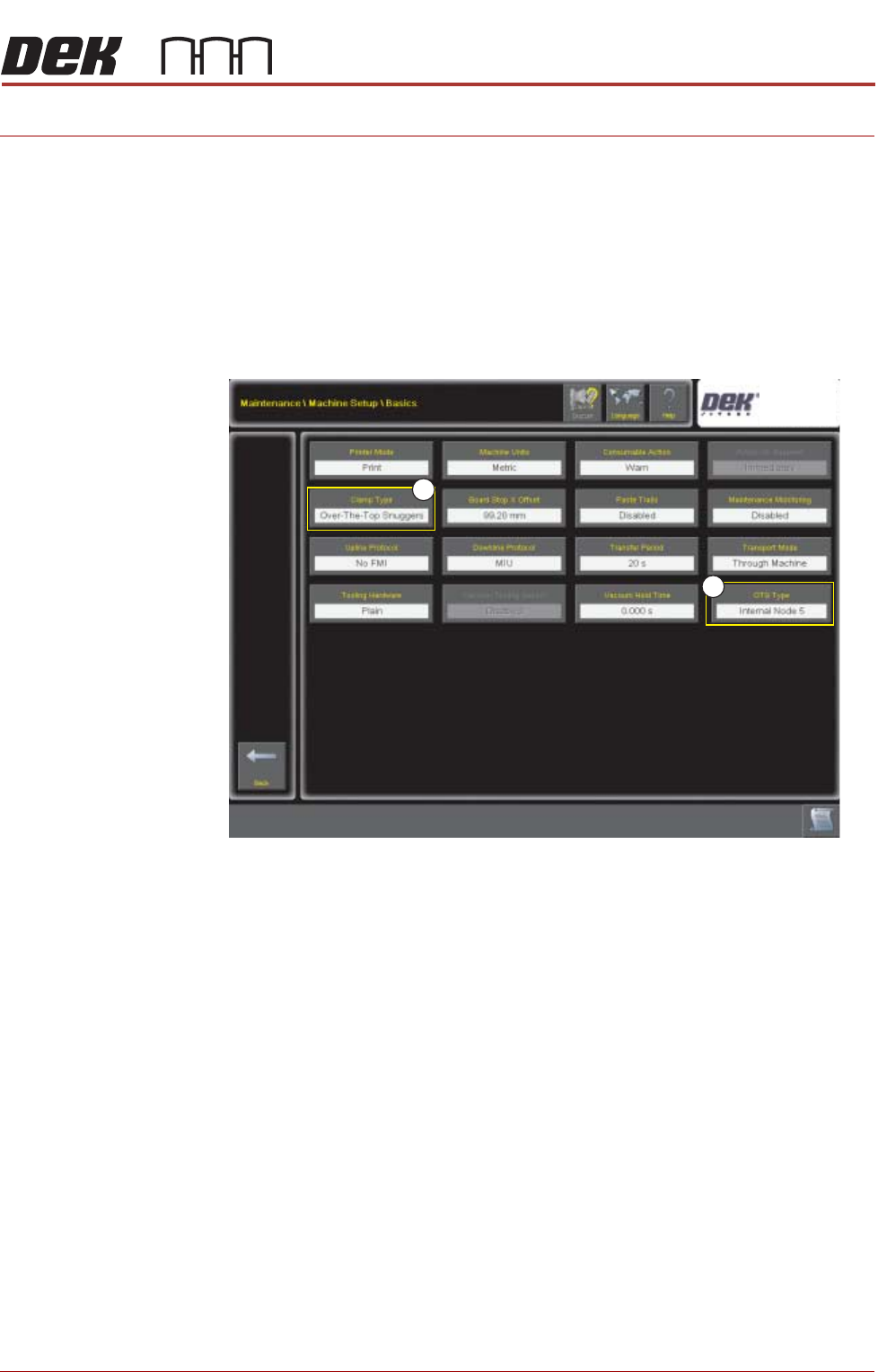
Setup OTS Select Maintenance\Machine Setup\Basics and set the Clamp Type (1) to
Over The Top Snuggers. See Clamp Type Auto Detection for clamp type
identity detail.
1
2