205020 OTS Standalone Manual.pdf - 第38页
PROGRAMMING DIAGNOSTICS 2.6 Over the Top Snuggers (OTS) Manual Chapter Issue 3 Aug 1 4 Scroll down to any of the OTS diagnostic functions. T ogg le OTS Over T op Clamp This functi onality moves the top clamp forward or b…
PROGRAMMING
DIAGNOSTICS
Chapter Issue 3 Aug 14 Over the Top Snuggers (OTS) Manual 2.5
DIAGNOSTICS
The diagnostic function is an aid to the user to allow individual access and
control of motors and modules. It allows the user to control the sequence of
the machine so that a particular module can be exercised.
Rapid Transit
Conveyor/MTR
Rail Diagnostics
The OTS diagnostics have been grouped under the rapid transit conveyor
diagnostics.
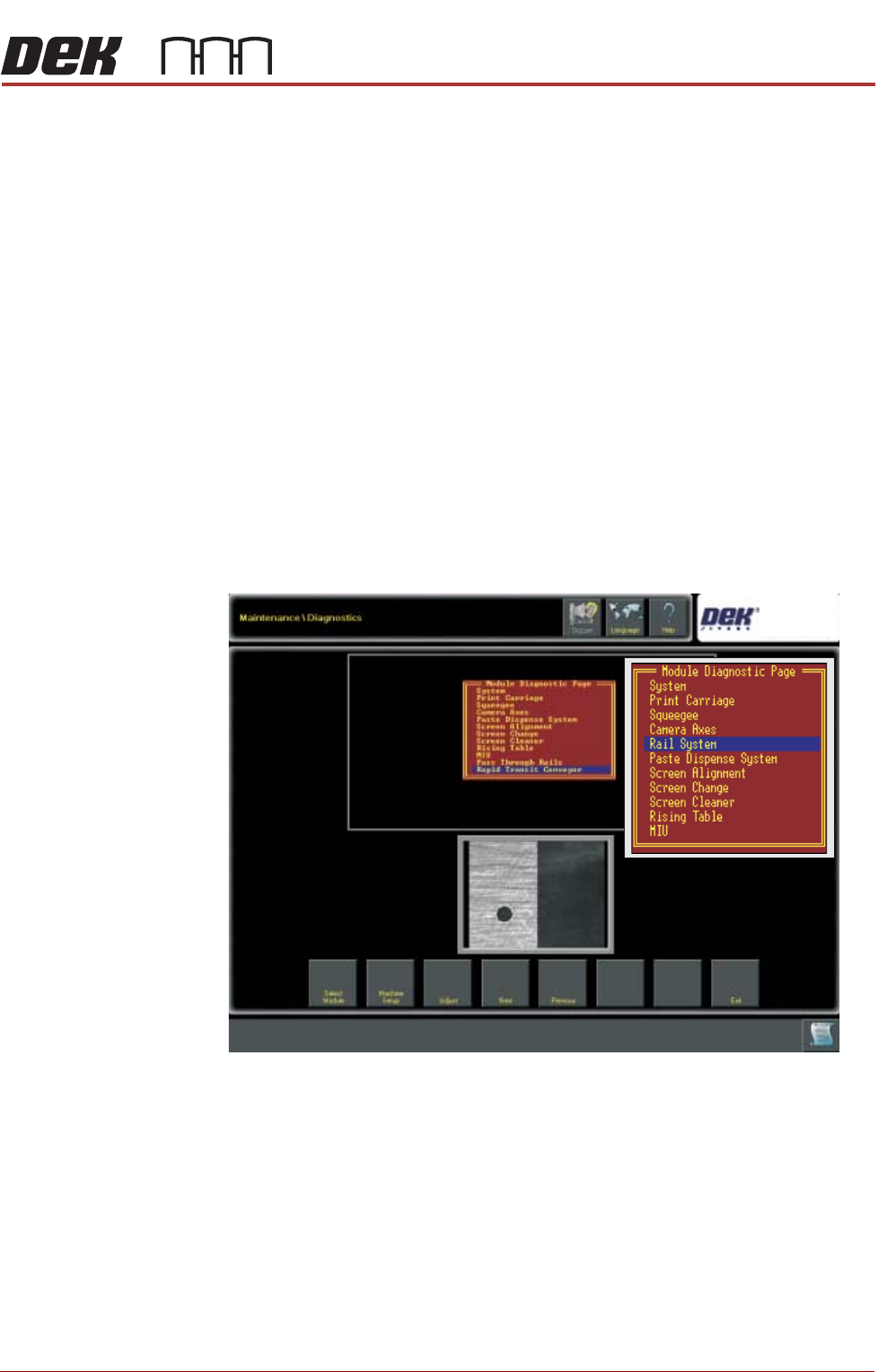
1. Select Maintenance
2. Select Diagnostics
3. Using the Next/Previous buttons select Print Carriage
4. Select Select Module
5. Using the Next/Previous buttons select Drive Carriage To Rear Position
6. Select Run Diagnost
7. Select Exit
8. Using the Next/Previous buttons select Rapid Transit Conveyor or MTR
(See inset).
NOTE
The Clamp Type and OTS Types can be set by selecting the Adjust button.
PROGRAMMING
DIAGNOSTICS
2.6 Over the Top Snuggers (OTS) Manual Chapter Issue 3 Aug 14
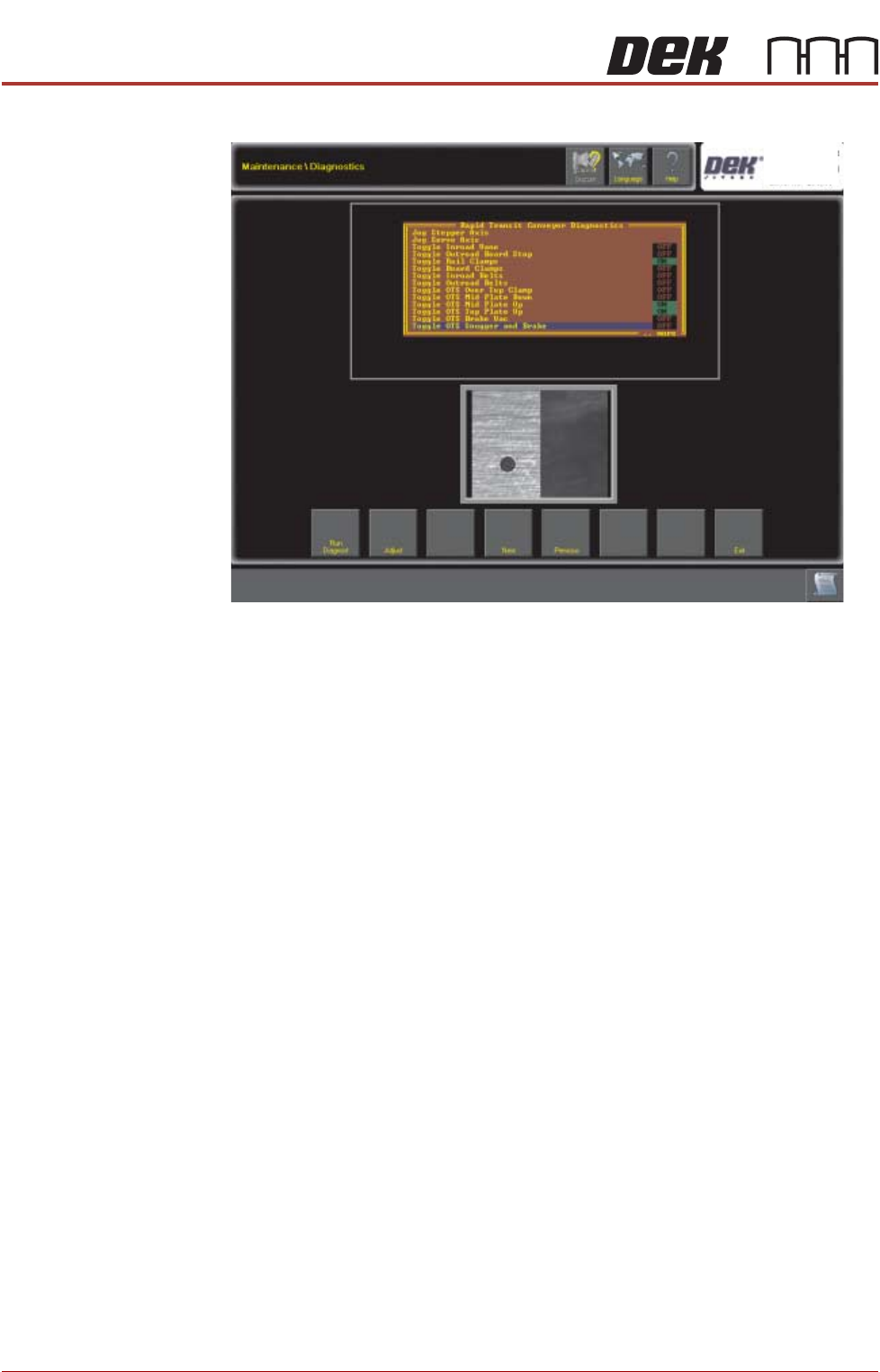
Scroll down to any of the OTS diagnostic functions.
Toggle OTS Over
Top Clamp
This functionality moves the top clamp forward or backward.
Toggle OTS Mid
Plate Down/Up
This functionality controls the mid plate operation either Up or Down; If both
the mid plate up and mid plate down are ON or both are OFF the mid plate is
uncontrolled.
Toggle OTS Over
Top Plate Up
This functionality moves the top clamp up.
Toggle OTS Brake
Vac
This functionality switches the vacuum on/off, the vacuum is used to retract the
brakes, only if the snugger/brake valve is OFF.
Toggle OTS
Snugger and
Brake
This functionality moves the snugger forward and applies the brake or retracts
the brake and moves the snugger back.
Selecting an item to toggle switches it on (indicator turns green with ON text)
or off (indicator turns black with OFF text)
PROGRAMMING
DIAGNOSTICS
Chapter Issue 3 Aug 14 Over the Top Snuggers (OTS) Manual 2.7
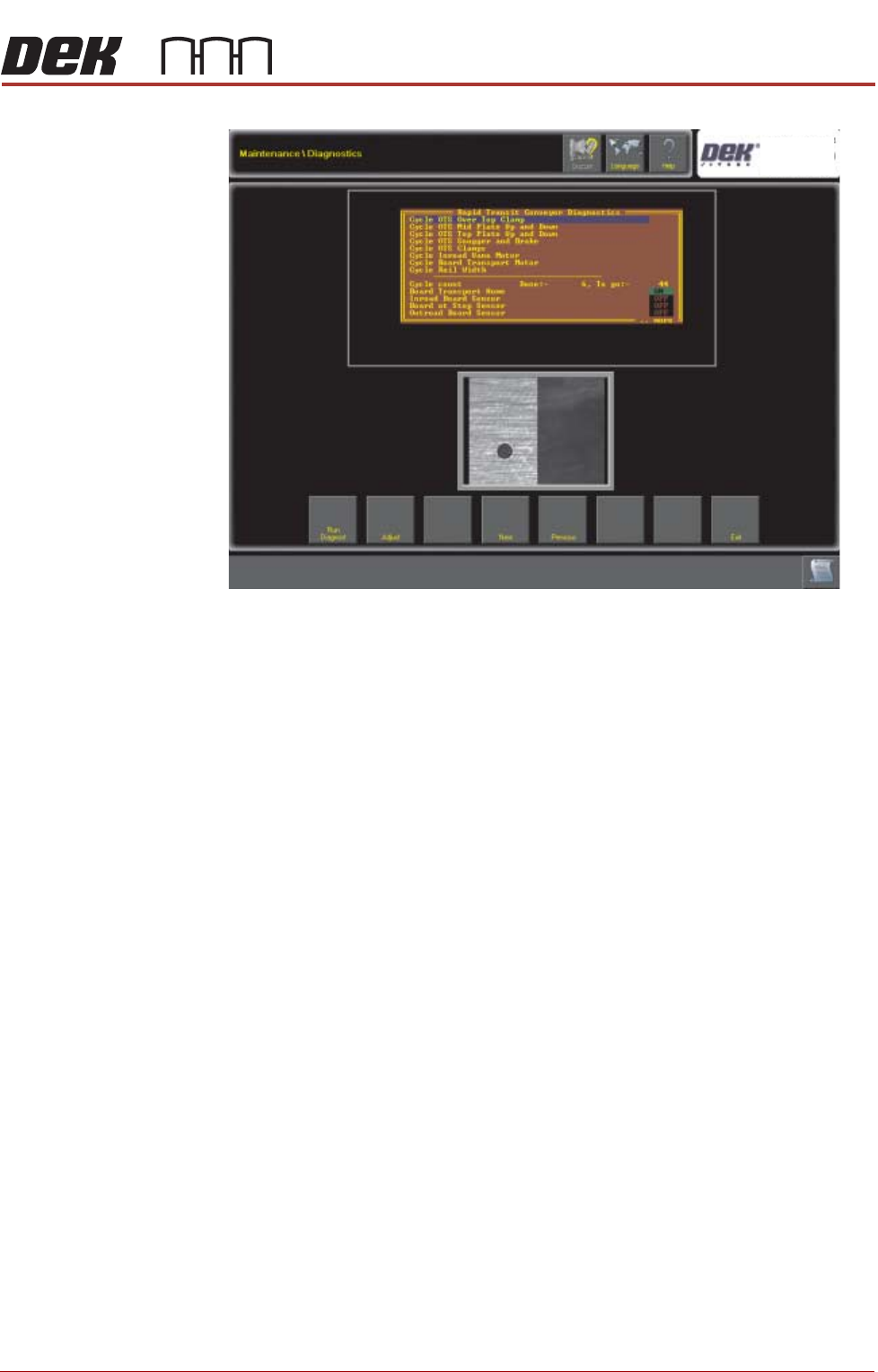
Cycle OTS Over
Top Clamp
This functionality moves the top clamp forward and backward in a repeating
cycle.
Cycle OTS Mid
Plate Up and
Down
This functionality moves the mid plate up and down in a repeating cycle.
Cycle OTS
Snugger and
Brake
This functionality moves the snugger in and brings the brake on, and takes the
brake off and the snugger out in a repeating cycle.
Cycle OTS Top
Plate Up and
Down
This functionality moves the top plate up and down in a repeating cycle.
Cycle OTS
Clamps
This functionality allows all of the parts in the OTS to move in a repeating
cycle, synchronised together.
NOTE
The system sets the number of cycles to be performed from the cycle count;
when the number of cycles is reached the diagnostic stops.
Using the Adjust button, the following can be set:
• Board Width
• Clamp Pressure
• Snug Pressure
• Retain Board
• Cycle Count (from 1 to 999999)