ISM-1100_INM.pdf - 第24页
Quick reference handbook Barcode Reader software Quick reference handbook Barcode Reader software rev_6 Edition 06/2017 - Reproduction forbidden Page 24 To recognize the presen ce of material, the barcode reader module c…
Quick reference handbook Barcode Reader software
Quick reference handbook Barcode Reader software rev_6 Edition 06/2017 - Reproduction
forbidden
Page 23
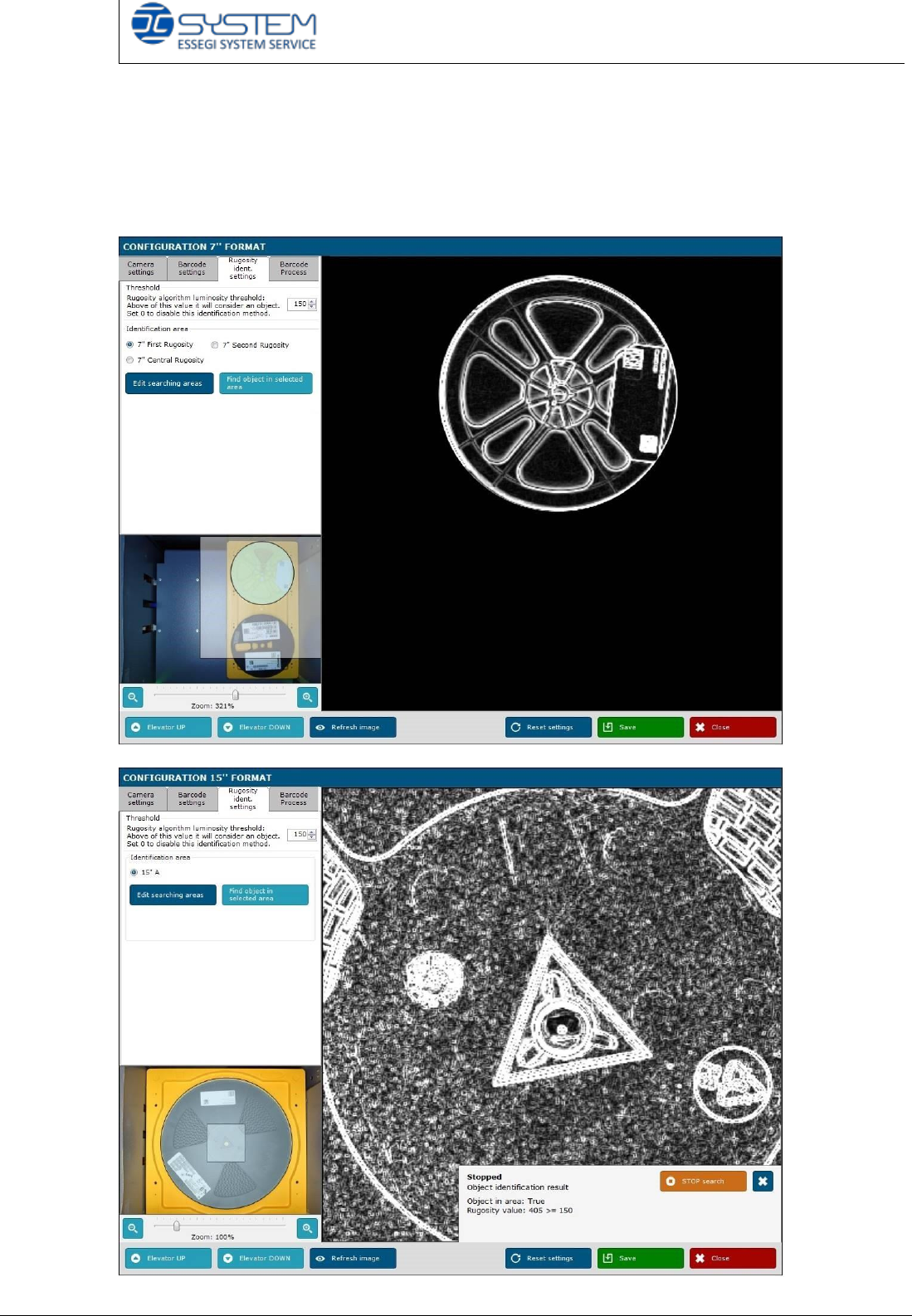
RUGOSITY IDENT. SETTINGS TAB (only for 1800/3600 machine)
To check the presence of material, the program will check the roughness of the
material. As default, the roughness algorithm brightness threshold is 150: if the
value is higher than 150, for the barcode reader there is a reel.
Quick reference handbook Barcode Reader software
Quick reference handbook Barcode Reader software rev_6 Edition 06/2017 - Reproduction
forbidden
Page 24
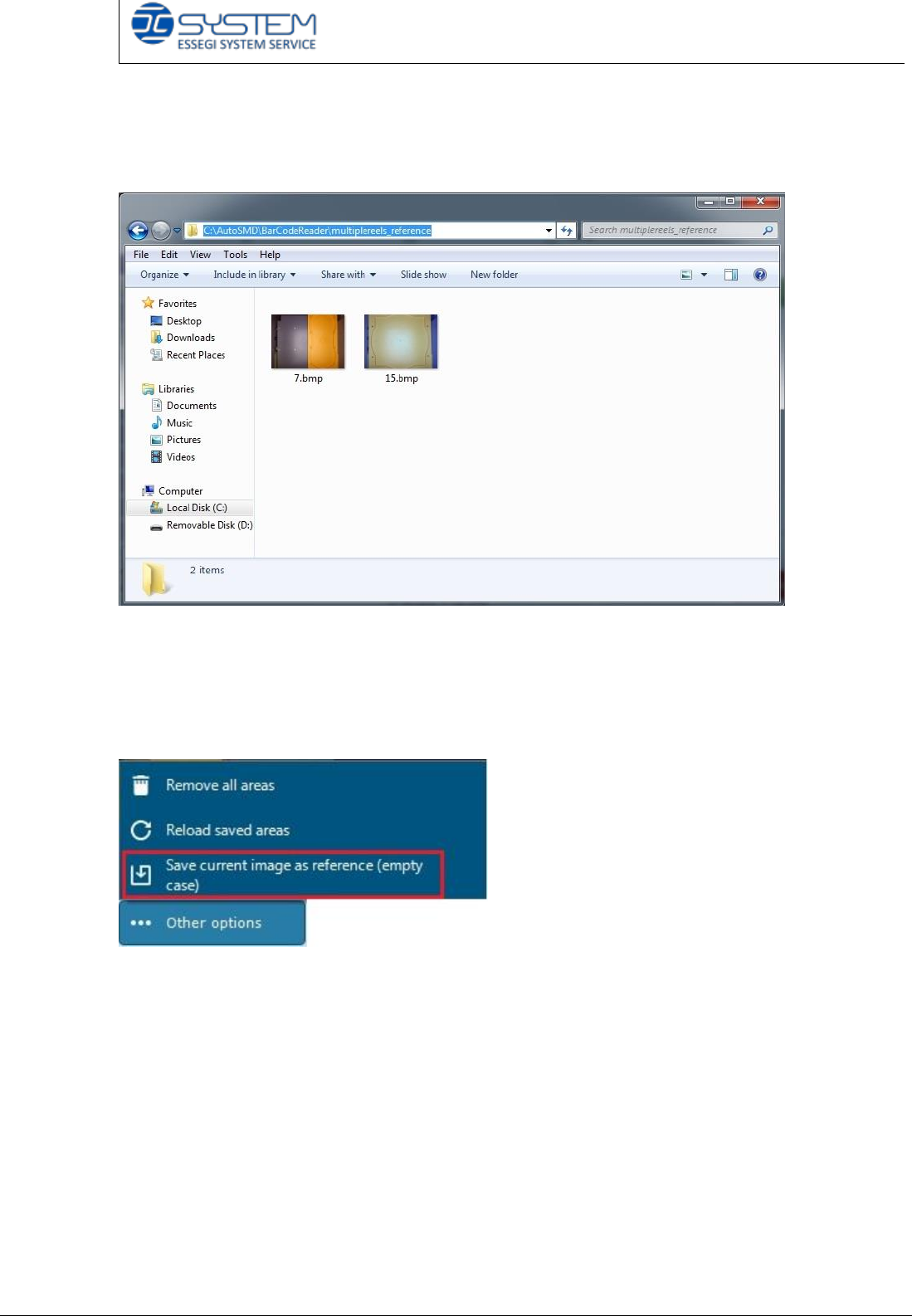
To recognize the presence of material, the barcode reader module compares with
the pictures just taken to images saved in this following path:
C:\AutoSMD\BarCodeReader\multiplereels_reference
If there are any pictures as reference, it is necessary to save them following these
steps:
- insert a, empty case into the accumulator
- move up the lift
- select “Save current image as reference”
In case of Ultraflex 7+15, at the end of the operation, the technician should find:
- 1 reference image for 7” empty case
- 1 reference image for 15” empty case
Quick reference handbook Barcode Reader software
Quick reference handbook Barcode Reader software rev_6 Edition 06/2017 - Reproduction
forbidden
Page 25
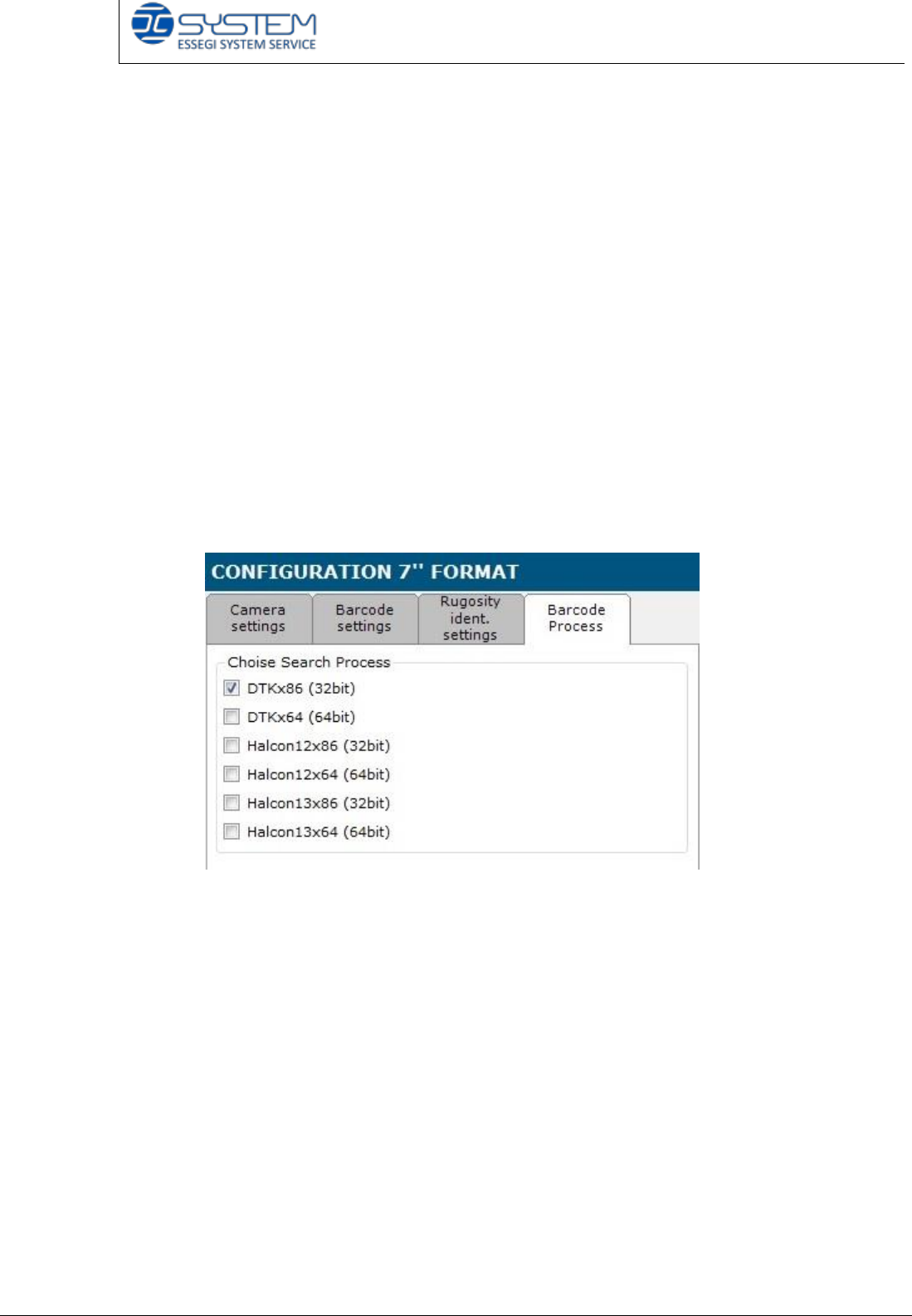
BARCODE PROCESS TAB
The new version of the Barcode reader module (2.0.2.4) is a multi-process
version: this version allows the technician to install an only version to work both
DTK and Halcon library.
From the 2.0.1.8 Barcode reader version, a technician can change technology (for
example from DTK x 64 to Halcon 13x64) with a single click.
At the moment, it is no possible to use more than one technology at the same
time.
On Barcode Process tab, it is possible to select the correct version depending on
the features of the pc (32 or 64 bit).
At present, the processes could be:
- DTK
- Halcon 12
- Halcon 13
Please refer to the following guide to install the new barcode reader:
How to install the Multi process barcode reader