TK26620.Feeder Maintenance Notice.pdf - 第11页
SMT Software Engineering Group IM Operations Y AMAHA MOTOR CO., L TD MDOC-SOFT50282 11/17 4. Setting Method 4.1 Sof tware Set ting T o enable this f unction, open the [ Software Setting ] – [Hist ory] – [Uni…
SMT Software Engineering Group
IM Operations YAMAHA MOTOR CO., LTD
MDOC-SOFT50282
10/17
3.3 Production Monitor screen
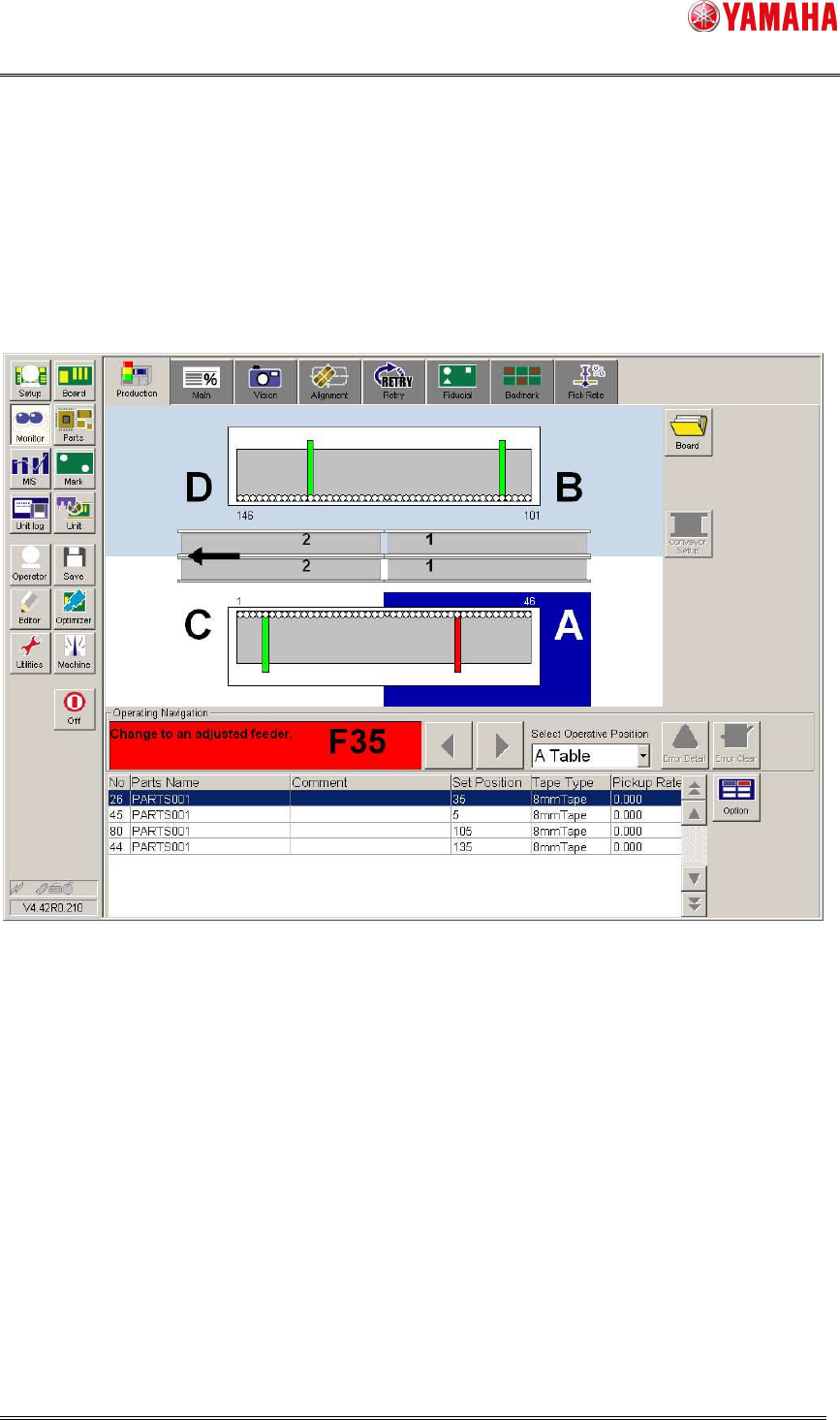
On the [Monitor] – [Production] screen, feeders of stop level are displayed in Red.
Only the feeders attached and used for production are displayed.
Maintenance stop function is enabled on Machine Setting(4.2 See Machine Setting).
In initial setting, maintenance stop function is disabled.
Also, when there is a feeder that reaches stop level, auto-running cannot start.
Exchange target feeder to adjusted feeder or adjust on SS Tune-up Station.
Fig 3.8 the [Monitor] – [Production] screen
SMT Software Engineering Group
IM Operations YAMAHA MOTOR CO., LTD
MDOC-SOFT50282
11/17
4. Setting Method
4.1 Software Setting
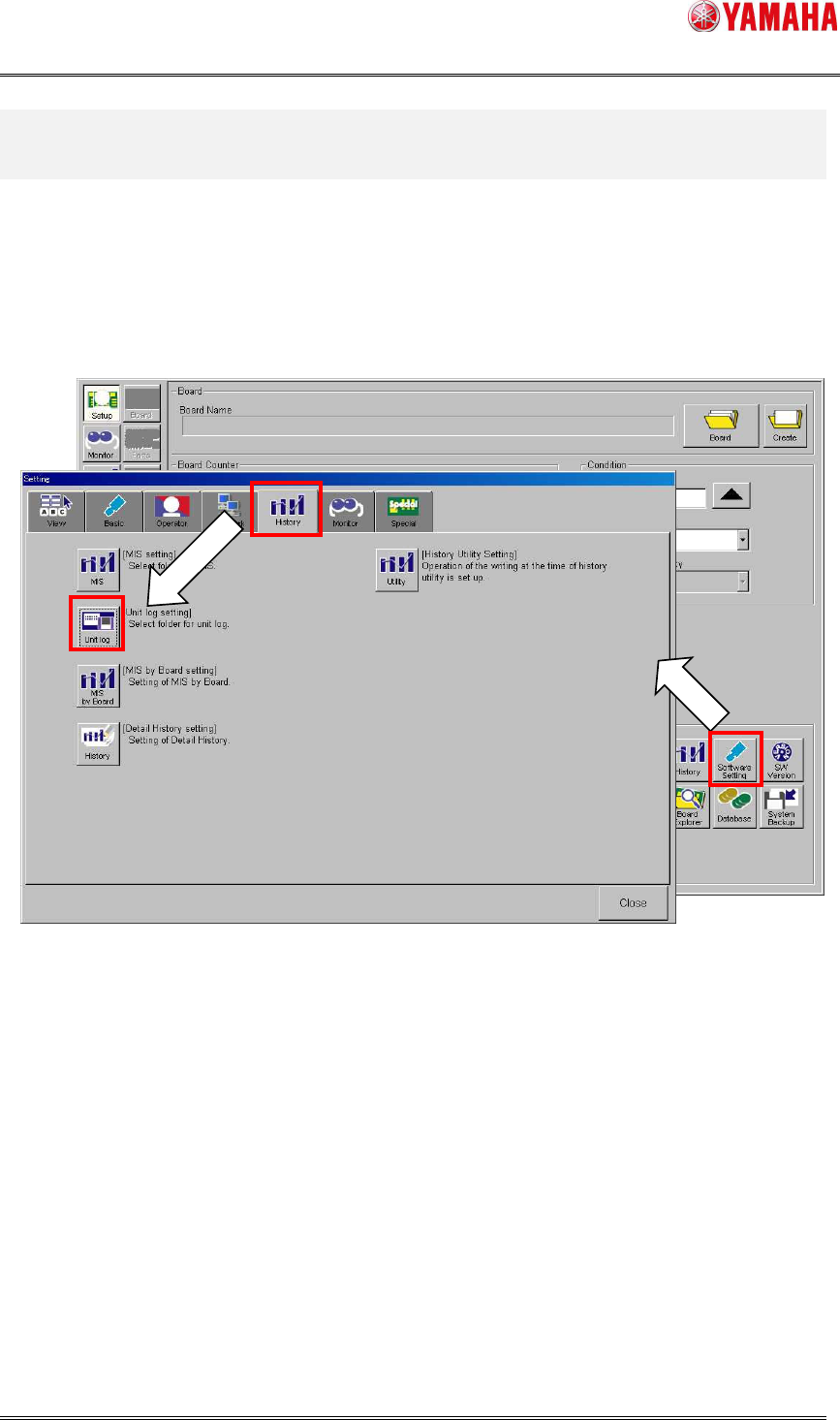
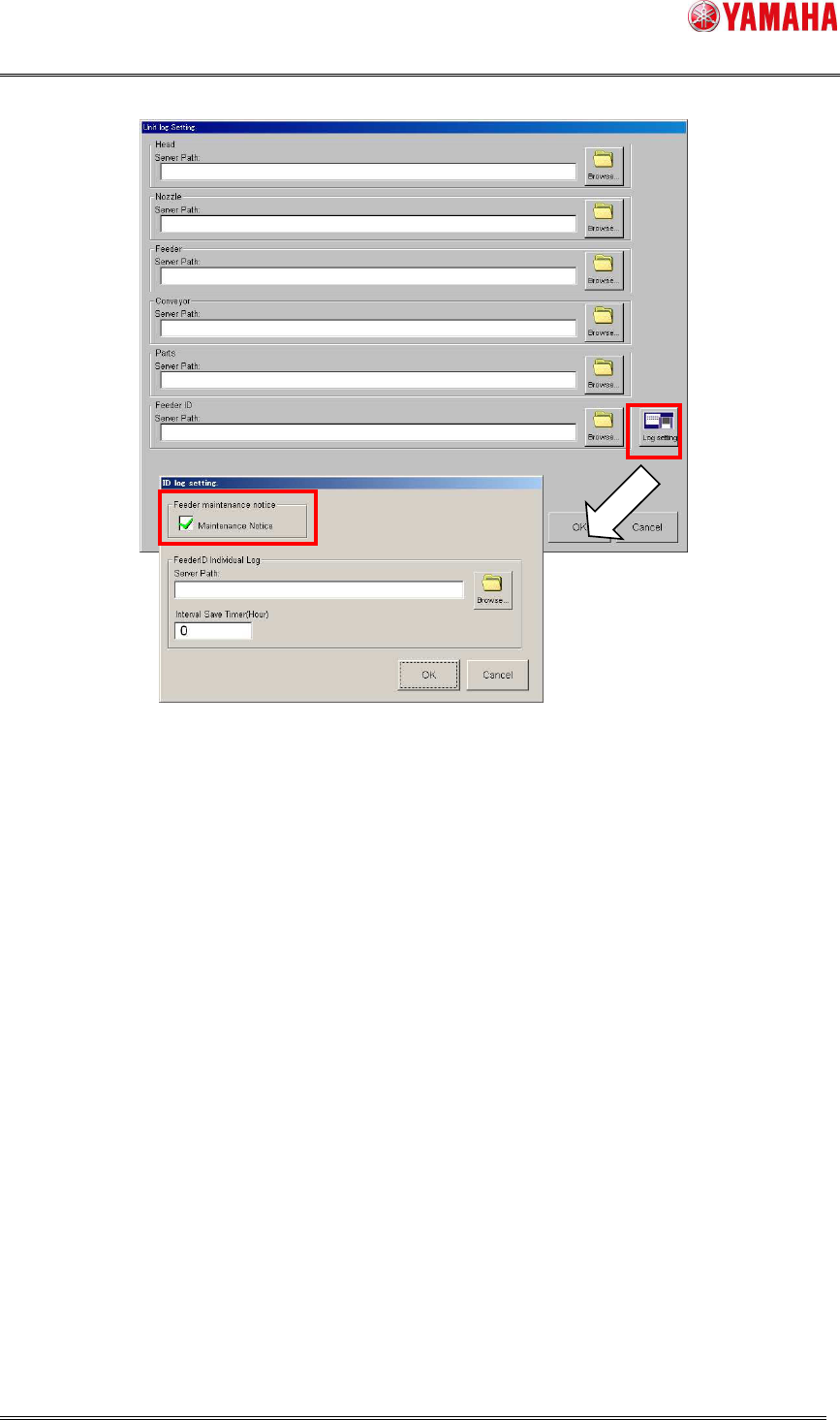
To enable this function, open the [Software Setting] – [History] – [Unit log] – [Log Setting]
– [Management of ID log] screen, and check the [Maintenance Notice] check box.
When this item is unchecked, this function doesn’t work.
Fig 4.1 Software Setting screen [History] tab
SMT Software Engineering Group
IM Operations YAMAHA MOTOR CO., LTD
MDOC-SOFT50282
12/17
Fig 4.2 the [Unit log] screen and [Management of ID log] screen
- When you use maintenance notice based on pickup error rate, it is recommended to set
[Server Path]. By setting [Server Path], individual log file is saved for each Feeder ID, and
the information is taken over at power OFF/ON and shared among other machines.