TK26620.Feeder Maintenance Notice.pdf - 第12页
SMT Software Engineering Group IM Operations Y AMAHA MOTOR CO., L TD MDOC-SOFT50282 12/17 Fig 4.2 the [Unit log] scr een and [Management of ID log] screen - When you use mai ntenance notice based on pick up …
SMT Software Engineering Group
IM Operations YAMAHA MOTOR CO., LTD
MDOC-SOFT50282
11/17
4. Setting Method
4.1 Software Setting
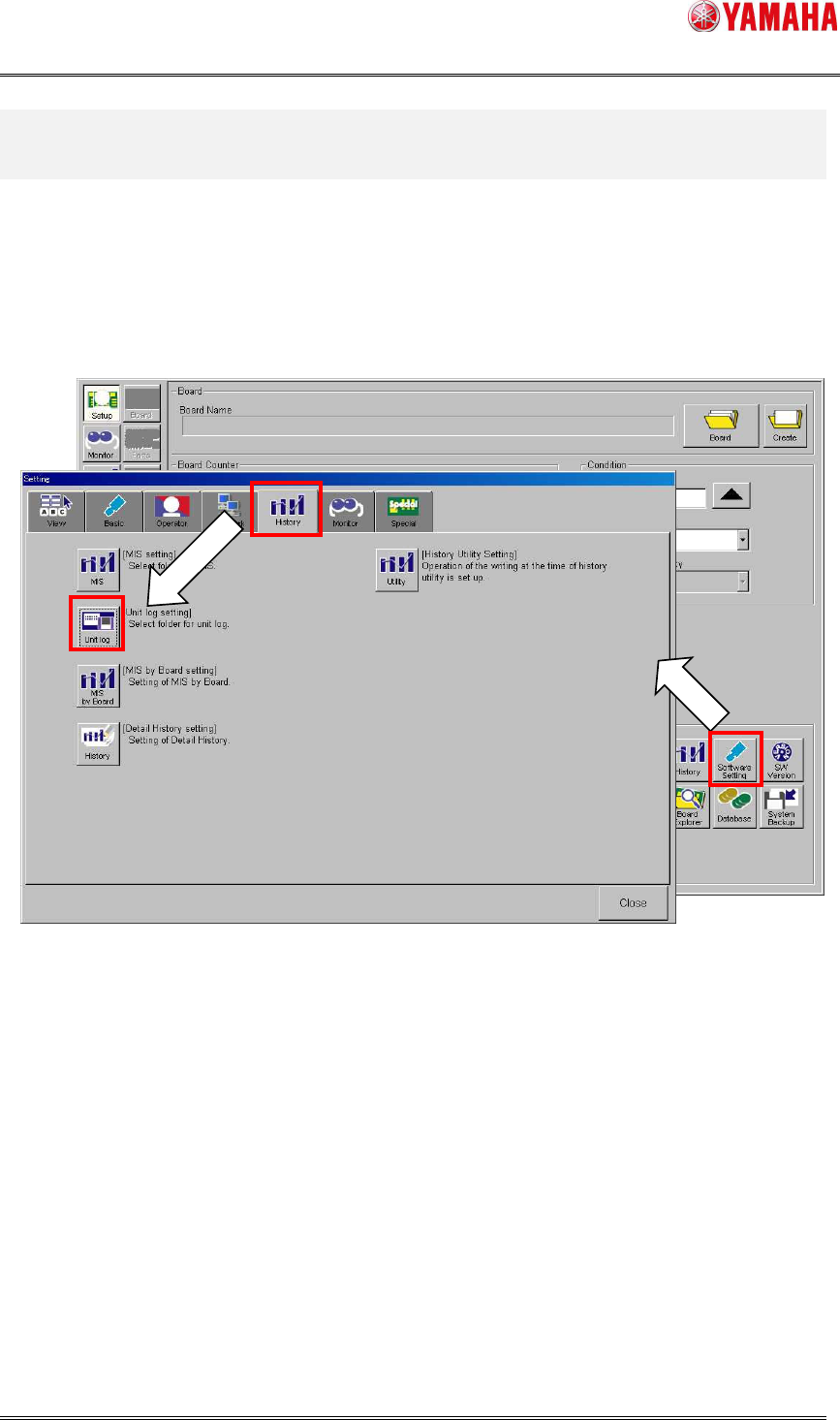
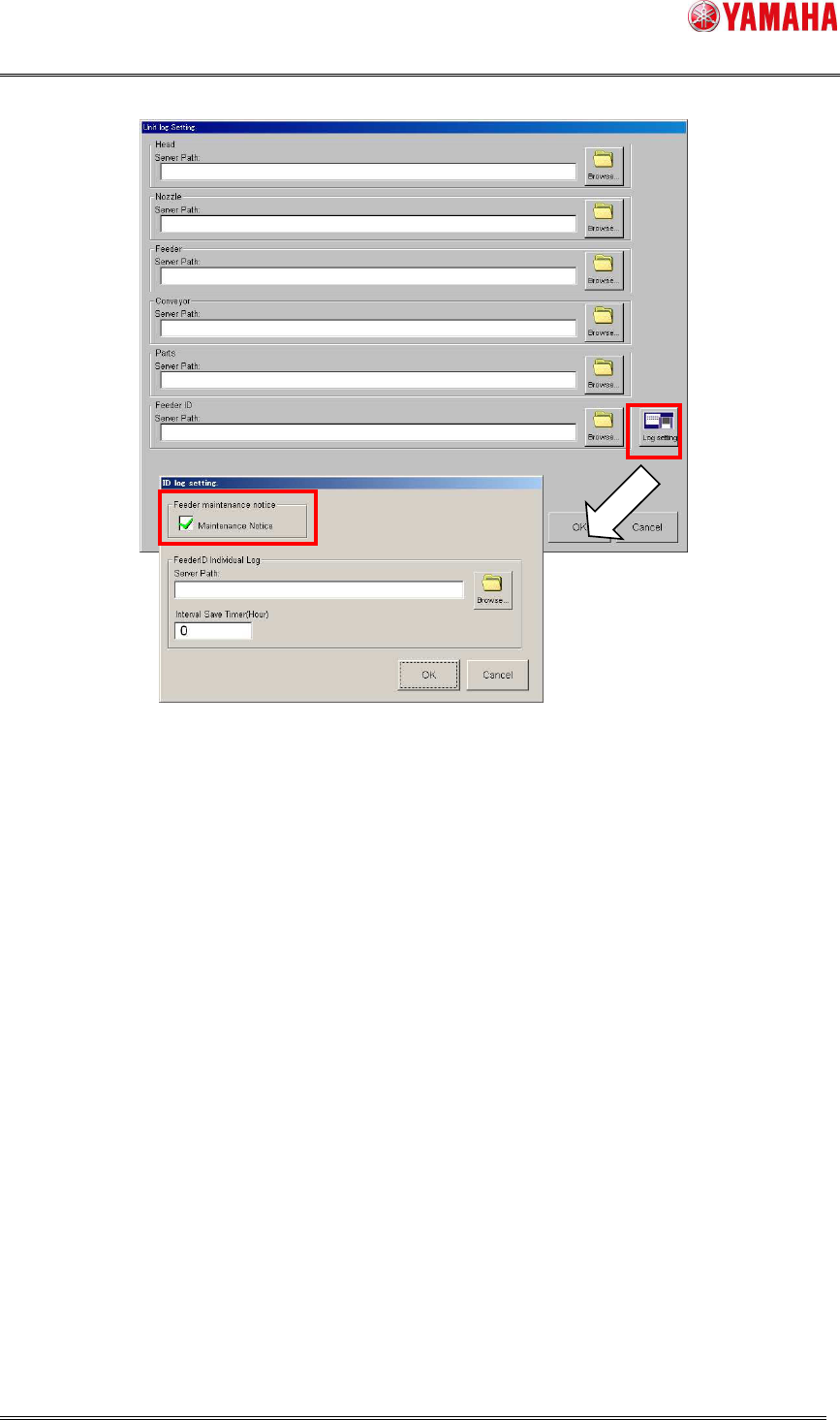
To enable this function, open the [Software Setting] – [History] – [Unit log] – [Log Setting]
– [Management of ID log] screen, and check the [Maintenance Notice] check box.
When this item is unchecked, this function doesn’t work.
Fig 4.1 Software Setting screen [History] tab
SMT Software Engineering Group
IM Operations YAMAHA MOTOR CO., LTD
MDOC-SOFT50282
12/17
Fig 4.2 the [Unit log] screen and [Management of ID log] screen
- When you use maintenance notice based on pickup error rate, it is recommended to set
[Server Path]. By setting [Server Path], individual log file is saved for each Feeder ID, and
the information is taken over at power OFF/ON and shared among other machines.
SMT Software Engineering Group
IM Operations YAMAHA MOTOR CO., LTD
MDOC-SOFT50282
13/17
4.2 Machine Setting
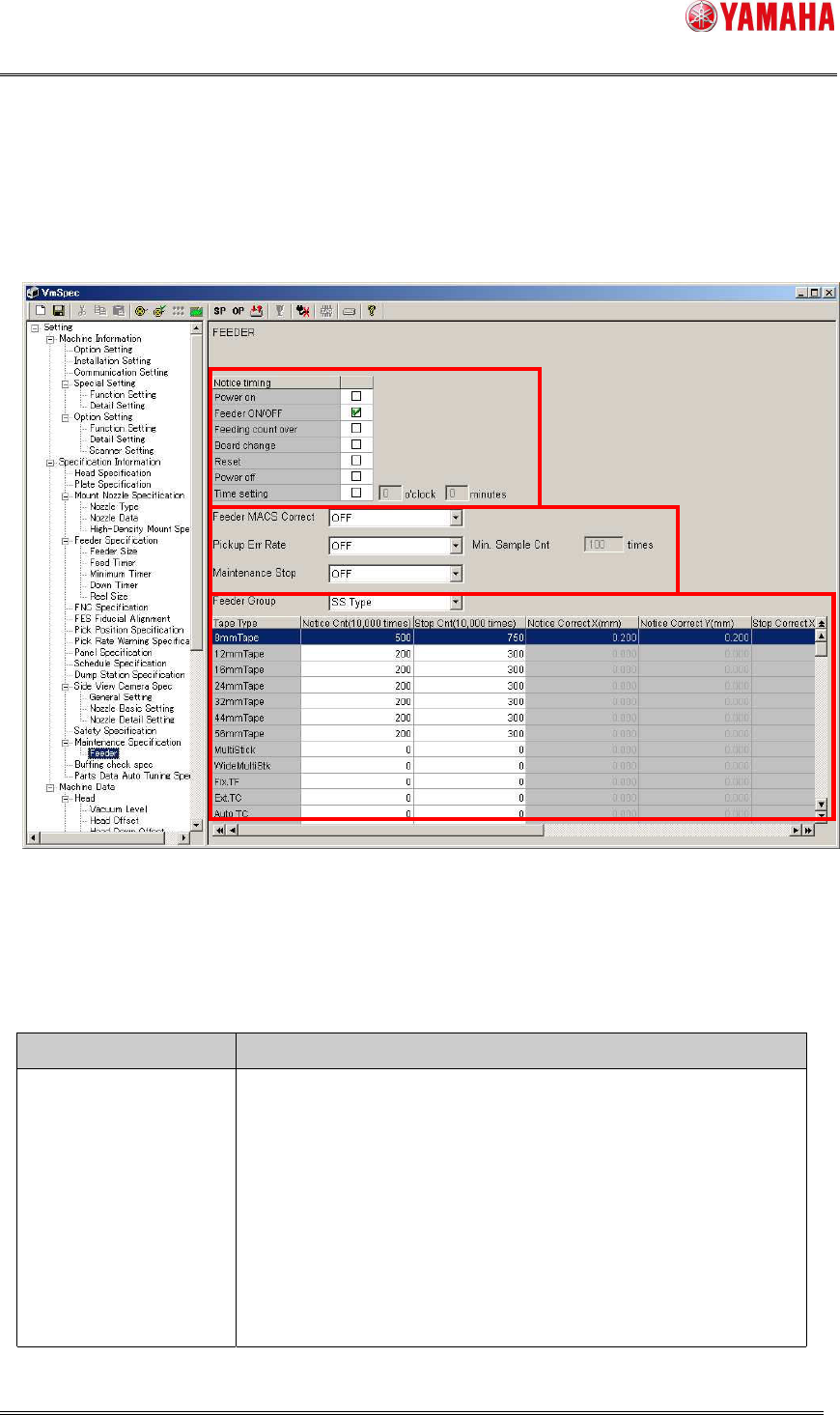
It is possible to change the timing to display the notification message on [Machine] –
[Specification Information] - [Maintenance Specification] – [Feeder].
Fig 4.3 the [Machine] – [Specification Setting] - [Maintenance Specification] – [Feeder]
screen
Table 4.1 items on [Machine]–[Specification Information]-[Maintenance
Specification]–[Feeder]
Item Function
Notice timing Timing to display the maintenance notice message or stop
error.
You can take multiple selections. For details of each item,
refer to Table 4.2.
When no item is selected, the message is not displayed.
By default, only “Feeder ON/OFF” is selected.