TK26620.Feeder Maintenance Notice.pdf - 第8页
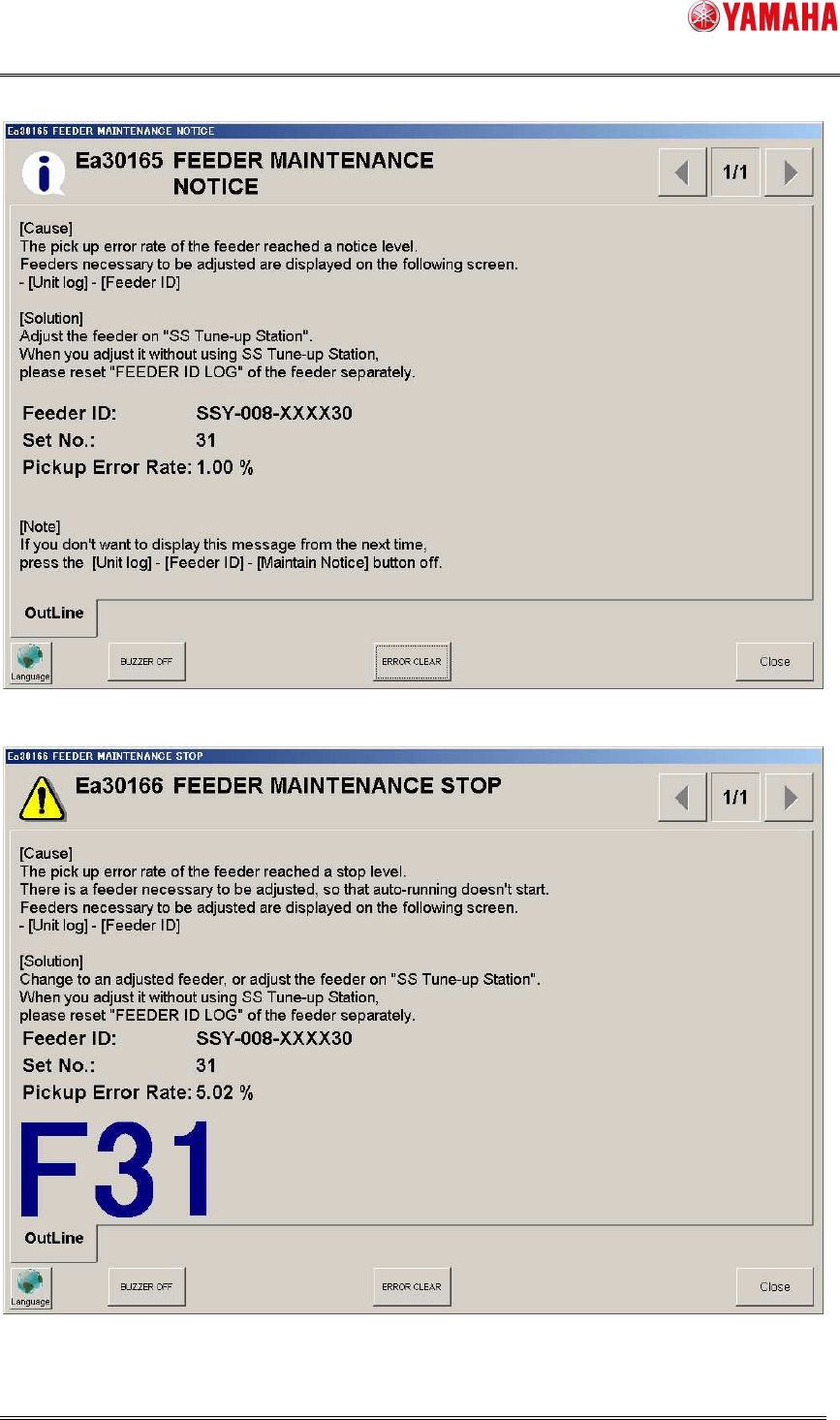
SMT Software Engineering Group IM Operations Y AMAHA MOTOR CO., L TD MDOC-SOFT50282 8/17 Fig 3.5 Feeder Maintenance Notice (error rate) Fig 3.6 Feeder Maintenance S top (error rate)
SMT Software Engineering Group
IM Operations YAMAHA MOTOR CO., LTD
MDOC-SOFT50282
7/17
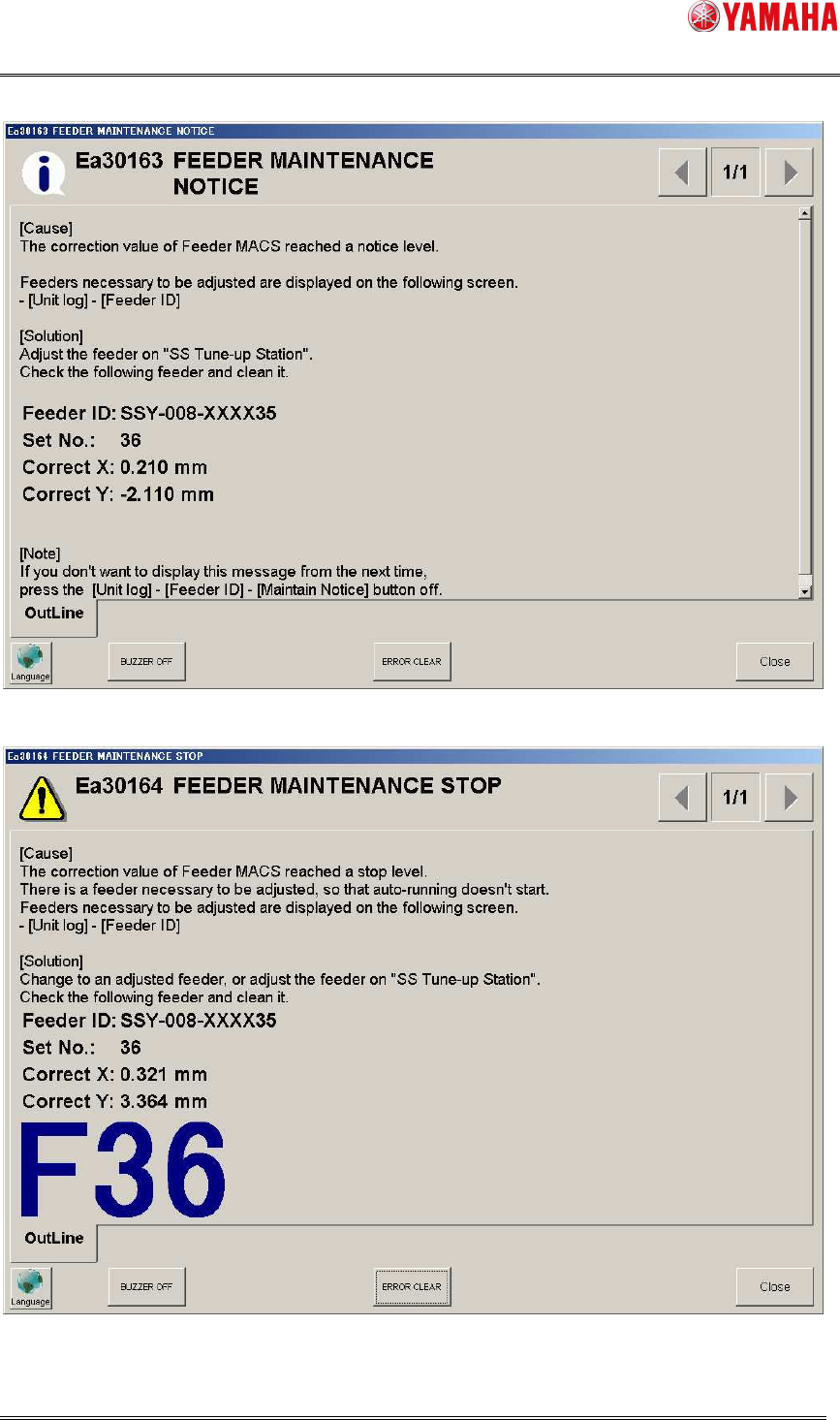
Fig 3.3 Feeder Maintenance Notice (correction value)
Fig 3.4 Feeder Maintenance Stop (correction value)
SMT Software Engineering Group
IM Operations YAMAHA MOTOR CO., LTD
MDOC-SOFT50282
8/17
Fig 3.5 Feeder Maintenance Notice (error rate)
Fig 3.6 Feeder Maintenance Stop (error rate)
SMT Software Engineering Group
IM Operations YAMAHA MOTOR CO., LTD
MDOC-SOFT50282
9/17
3.2 Notification on the Feeder ID Log screen
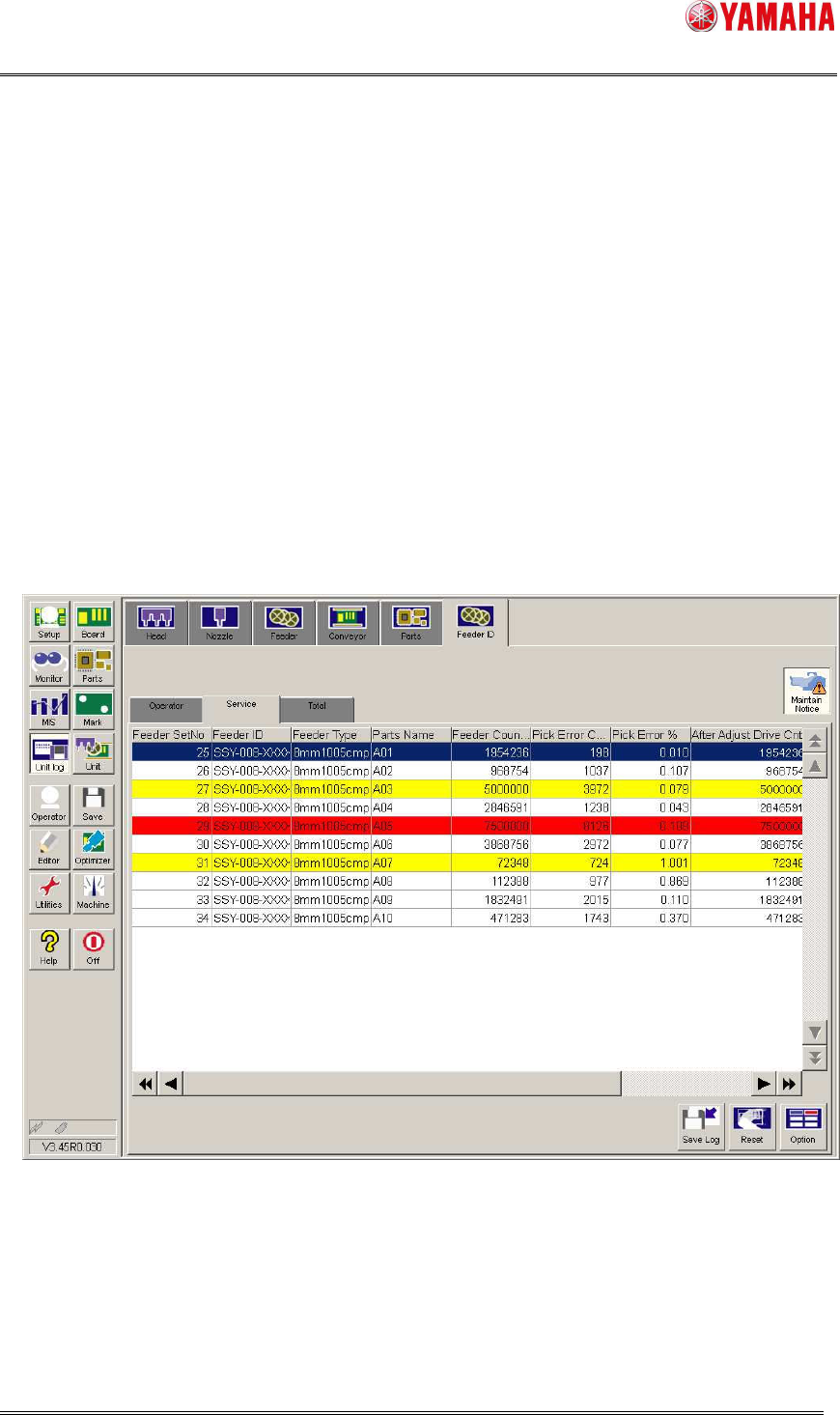
On the [Unit log] – [Feeder ID] screen (the [Operator] tab and the [Service] tab), feeders
of the maintenance level are displayed in different colors.
・ Yellow means that the feeder has reached “Notice Cnt”, “Notice Correct X”, “Notice
Correct Y”, and “Notice Err Rate”.
・ Red means that the feeder has reached “Stop Cnt”, “Stop Correct X”, “Stop Correct Y”,
and “Stop Err Rate”.
If you don’t need this notification, release the [Maintain Notice] button, so that feeder
maintenance notice is not displayed. However, feeder maintenance stop is still displayed.
- This function refers to the pickup error rate only on the [Service] tab.
Fig 3.7 the [Unit log] – [Feeder ID] screen
“After Adjust Drive Cnt”, “After Adjust Drive Cnt” and “Feeder MACS Correct” are not
initialized by the [RESET] button on the [Operator]/[Service] tab.