SOM-1740-001.pdf - 第12页
11 Tg0934-PM-SO 0310-001 6.2 Recovery Procedure from Error Display (7) Restore the "Emergency Stop" condition. Refer to "V olume 1, Section 4, 3.1 [EMERGENCY STOP] Switch Pressed" in the instruction m…
10 Tg0934-PM-SO0310-001
6.2 Recovery Procedure from Error Display
6.2 Recovery Procedure from Error Display
(1) Press the [Clear Alarm] button.
The buzzer sound will be stopped.
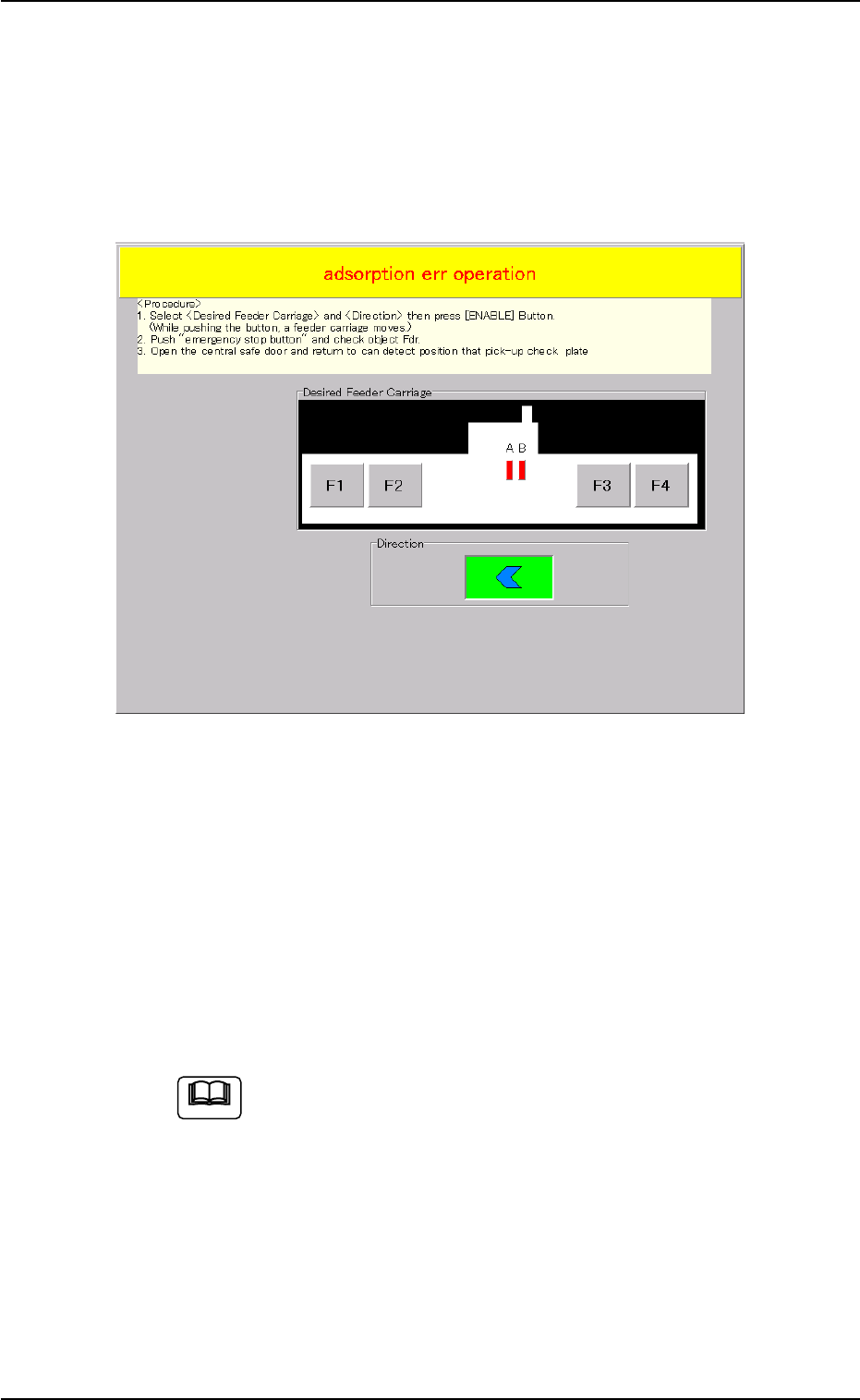
(2) Press the [RETURN] button and open the "Adsorption Err Opera-
tion" window.
Fig. 5 Front Touch Screen Operation Window
(3) Select the feeder carriage (to be operated) [F1], [F2], [F3] or [F4]
where the tape feeder with the pick-up error component is to be
removed, and the direction of the movement. Then, press the [EN-
ABLE] button to move the feeder carriage to a position enabling
operation.
(4) Press the [Emergency Stop] button.
(5) Open the feeder work area safety door (component supply section)
and check the feeder to be operated.
• Remove the pick-up error component on the subject feeder.
When a pick-up error occurs in [F4] (With TCM-X100J it
will be in [F2]), the feeder cannot be moved to the feeder
work area safety door. In that case, open the central safety
door (feeder carriage cover) and check the subject feeder.
(6) Open the central safety door (feeder carriage cover) and return the
pick-up error confirmation plate to its original position, where detec-
tion will be available.
• Return the pick-up error confirmation plate to a position parallel
with the tape supply direction of the tape feeder.
Note

11 Tg0934-PM-SO0310-001
6.2 Recovery Procedure from Error Display
(7) Restore the "Emergency Stop" condition.
Refer to "Volume 1, Section 4, 3.1 [EMERGENCY STOP] Switch
Pressed" in the instruction manual for the Main Machine on how to
reset the [Emergency Stop] switch.

12 Tg0934-PM-SO0310-001