TR7500_Hardware_en.pdf - 第75页
74 6 . 6 . 2 . 3 E x p a n s i on D e v i ce L i n k Fu n c t i on l W h e n E z L i n k c o m p l e t e s i t s Ma s t e r de v i c e s c a n , t he p r o g r a m en d w il l be c o m e a w a r e o f t h e s t a t u s o…
73
l EzLink is designed as a support tool for setting up a system. Through this tool suite, it is
possible to identify whether the error is in the hardware or software.
6.6.2.2 Overview of Functions
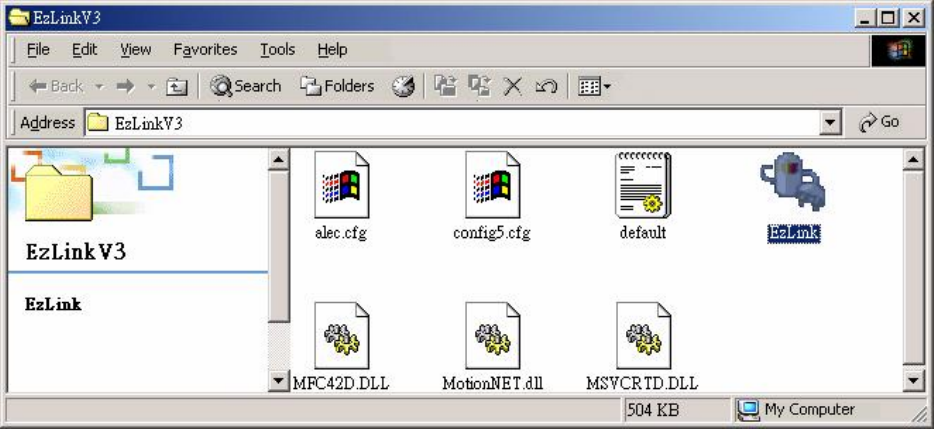
l As shown in the picture below, once you launch D:\SYNTEK\EzLinkV3\Ezlink
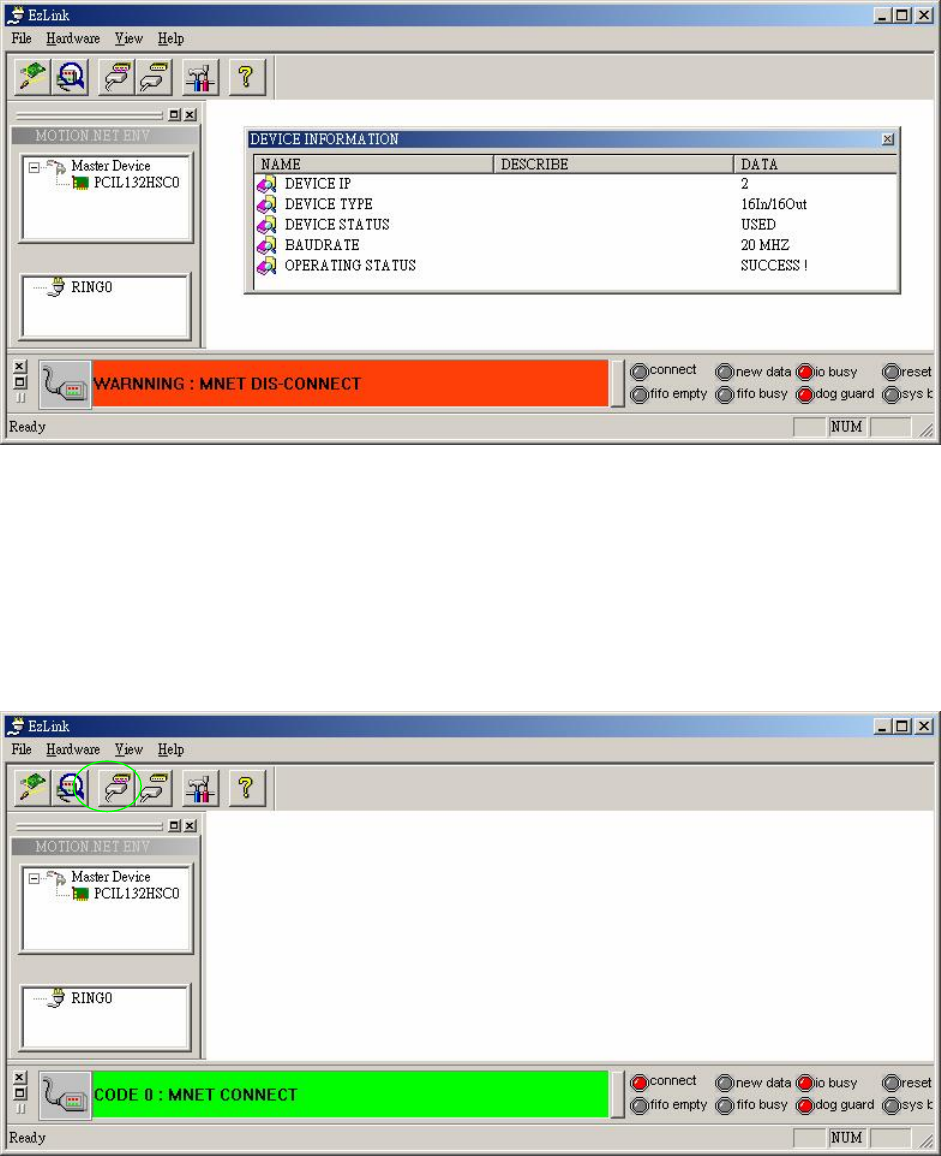
l the system will automatically scan the PC system to identify all currently installed Motion.Net
Master units and their status. When the Master device scan has been completed, the status
of the detected devices will be shown in the device listing as shown in the picture below.
From this it is possible to discover the number of Master devices and their current status
within the PC system.
l In the program display, at the very top is the function menu area. Part of the main window is
the SDI operational mode, and in this region dialog windows for related data will be shown.
At the top of the display region is the tool bar, and this allows for basic operations. The left
side displays the Master system and the expansion function module listing, while the right is
for showing the basic information on the expansion functions and for displaying the control
dialog. The bottom of the display is used to display the system status, and apart from the
basic connection status of the system, it will also show details of the connection.
74
6.6.2.3 Expansion Device Link Function
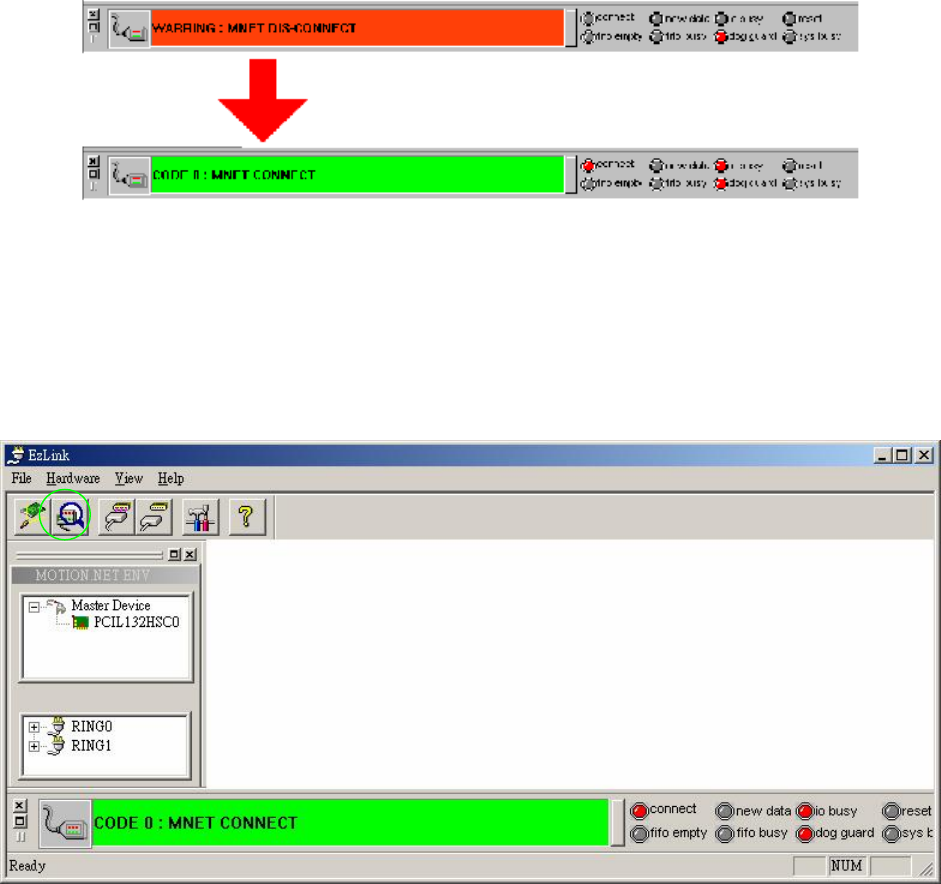
l When EzLink completes its Master device scan, the program end will become aware of the
status of Master devices installed on the PC system. It will then use the expansion device
link function to operate each Master device and make them link to devices. The device
going from unconnected to connected status can be seen in the status display in the bottom
of the screen. The changes during the process can be seen in the picture below.
75
6.6.2.4 Expansion Device Scanning Function
l After confirming that the serial communications mechanism is operating and connected,
next a scan must be conducted to determine how many serial expansion modules are
currently online and in use. The expansion device scanning function is used to determine
the number of modules online available for use or in operation, as well as the characteristics
of these modules.
6.6.2.5 Expansion Device Connection Message
l Once the user has completed the scanning of the Master devices, the Master device will
connect to the expansion modules and conduct a scan. As shown in the picture below, in the
device listing on the left side of EzLink the status of device connections and allocations will
be shown automatically.