TR7500_Hardware_en.pdf - 第84页
83 6 . 7 P LC E RR O R l I f t he P LC ’ s E R R O R l i gh t is li t , p l e a s e c h e c k i f t h i s w a s c au s ed b y p r o c e d u r e 1 . 2- 1 . 3 . 1 . 4. I f no t , r e s ta r t a n d r e - t e s t. If e r r …
82
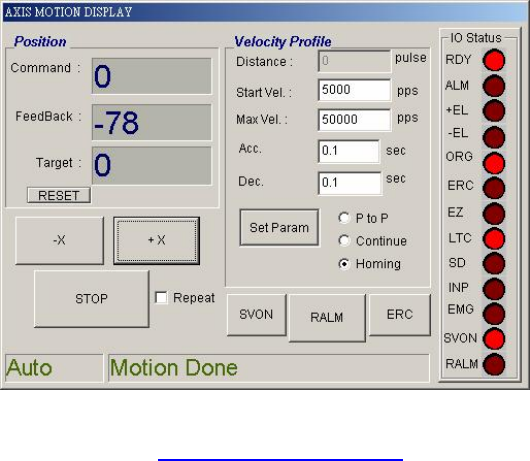
l Please refer to 錯誤! 找不到參照來源。 DSP Motion Wiring and Dip Switch Settings
83
6.7 PLC ERROR
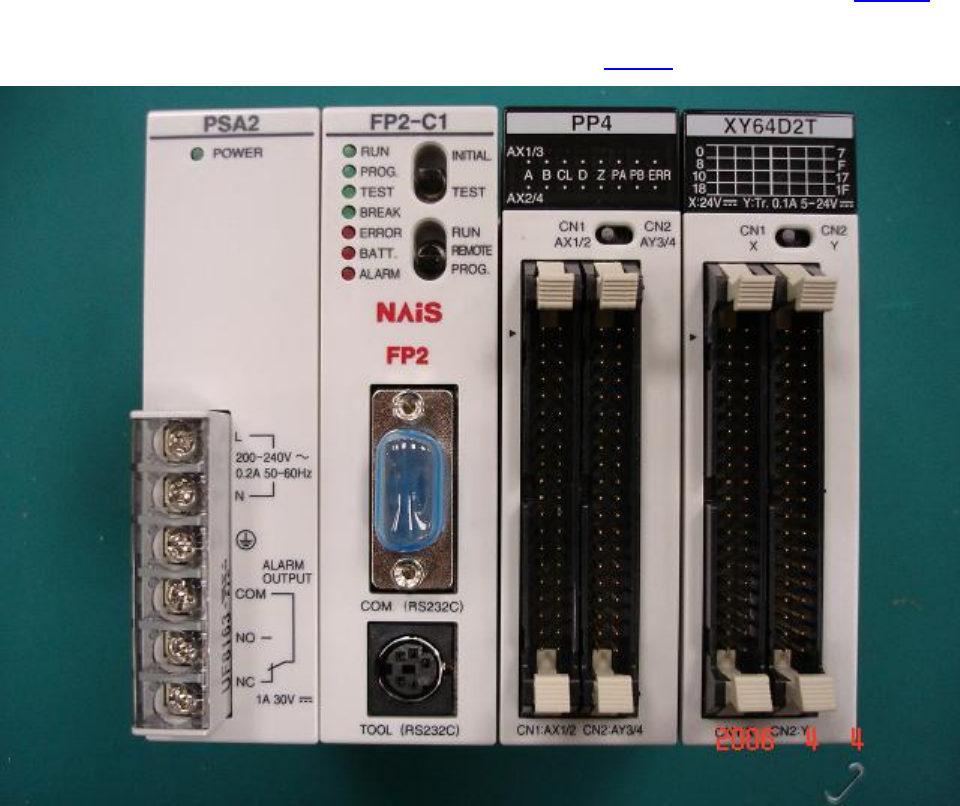
l If the PLC’s ERROR light is lit, please check if this was caused by procedure 1.2-1.3.1.4. If
not, restart and re-test. If error persists, please inquire with the appropriate personnel. For
an explanation of the PLC indicator light please refer to 1.6.1.1 Status Indicator LEDs.

84
l There is a PLC self checking function for TR7500. TR7500 Software can show the error codes; refer
the following table to do trouble shooting.
Error Code Description Steps to Take
ERR E 01
A Program with a syntax error has been
written
Change to PROG. mode and correct the
error
ERR E 02
Two or more OT (OUT) instructions and
KP(Keep) instructions are programmed
using the same relay.
Chang to PROG. Mode and correct the
program so that one relay is not used for
two or more OT instructions and KP
instructions. Or set the duplicated output to
“enable (K1)” in system register20.
ERR E 03
For instructions which must be used in a
pair such as jump (JP and LBL), one
instruction is either missing or in an
incorrect position.
Change to PROG. Mode and enter the two
instructions which must be used in a pair in the
correct positions.
ERR E 04
An instruction has been written which
does not agree with system register
settings. For example, the number
setting in a program does not agree with
the timer/ counter range setting.
Change to PROG. Mode, check the system
register settings, and change so that the
settings and the instruction agree.
ERR E 05
An instruction which must be written to
a specific area (main program area or
subprogram area) has been written to a
different area.
Change to PROG. Mode and enter the
instruction into the correct area.
ERR E 08
There is an incorrect operand in an
instruction which requires specific
combination operands (for example, the
operands must all be of a certain type).
Enter the correct combination of operands.
ERR E 20 CPU error Please contact your dealer.
ERR E 21 RAM error Please contact your dealer.
ERR E 22 RAM error Please contact your dealer.
ERR E 23 RAM error Please contact your dealer.
ERR E 24 RAM error Please contact your dealer.