00197044-03_IM_706_1_SP1_705_05_SP1_DE_EN.pdf - 第43页
Station S oftware 70 6. 1 SP1 /705.05 S P1 / Install ation Manual Ausgabe 02/2013 E dition 43 The user settings ar e displayed. Figure 7-3 : Changing activity level ► Click the M achine servic e button a nd enter t he pa…
Station Software 706.1 SP1/705.05 SP1 / Installation Manual Ausgabe 02/2013 Edition
42
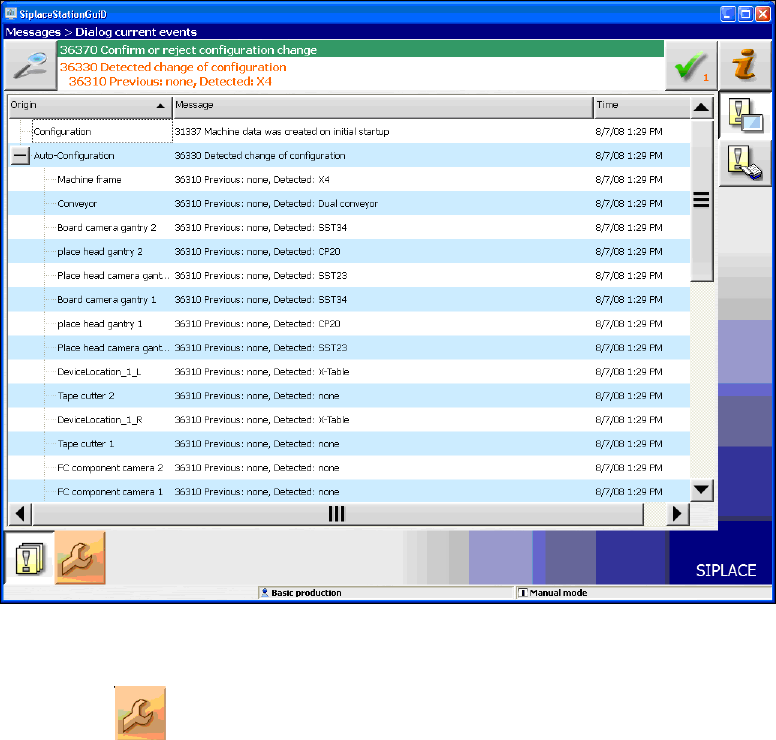
Figure 7-2: Used hardware components
The Machine service activity level is required to execute the Auto-configuration.
► Click the icon to call the user settings.
Station Software 706.1 SP1/705.05 SP1 / Installation Manual Ausgabe 02/2013 Edition
43
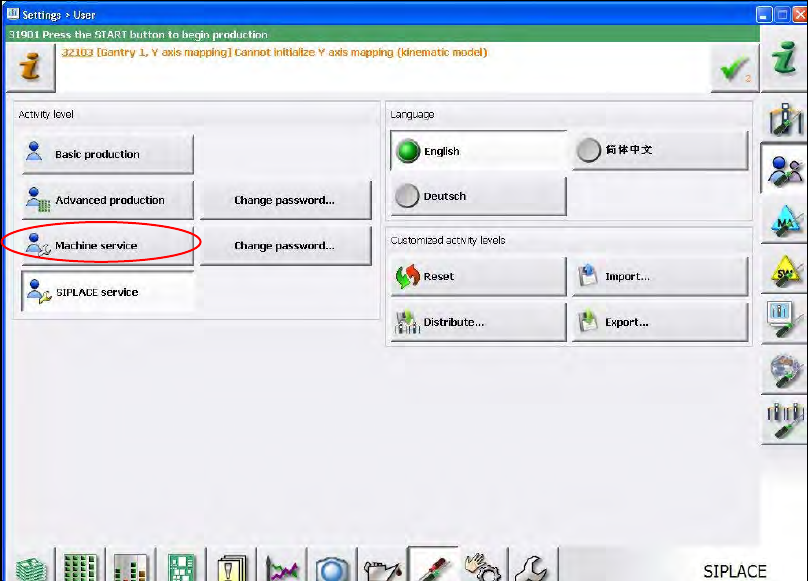
The user settings are displayed.
Figure 7-3: Changing activity level
► Click the Machine service button and enter the password to change into this activity level.
Station Software 706.1 SP1/705.05 SP1 / Installation Manual Ausgabe 02/2013 Edition
44
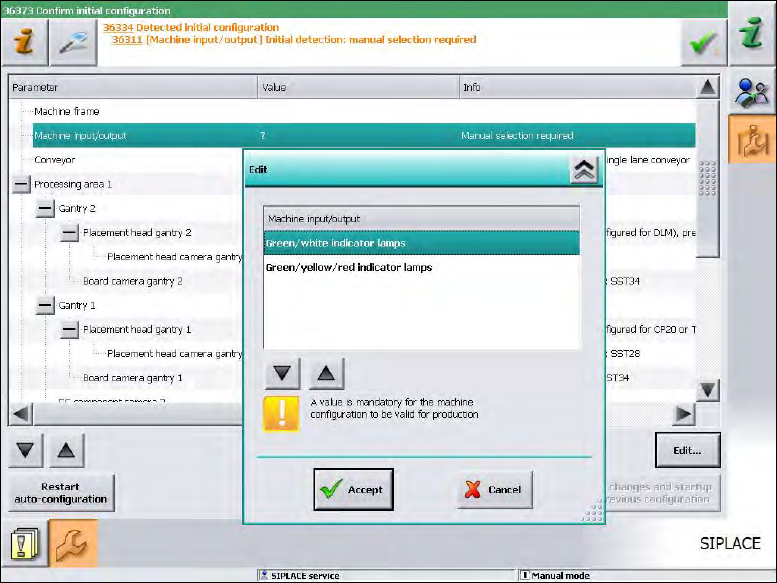
As of station software version 705.03 you will have to set, whether the lamp indicators on the
placement machine towers shall be displayed two-colored (green / white) or three-colored (green /
white / red) for all placement machines of the SX-series and DX-series. More information about the
two lamp indicator systems can be found in the version description of the 705.03 station software,
item number 00196770-01.
Figure 7-4: Setting lamp indicators
► Select the desired lamp indicators and click the Accept button.