Nordson-EFD-PM100-Operating-Manual.pdf - 第12页
ProcessMate 100 Vacuum Pick-Up System 12 www.nordsonefd.com info@nordsonefd.com +1-401-431-7000 Sales and service of Nordson EFD dispensing systems are available worldwide. a d Unpack the Unit Unpack the contents of the …
11www.nordsonefd.com info@nordsonefd.com +1-401-431-7000 Sales and service of Nordson EFD dispensing systems are available worldwide.
ProcessMate 100 Vacuum Pick-Up System
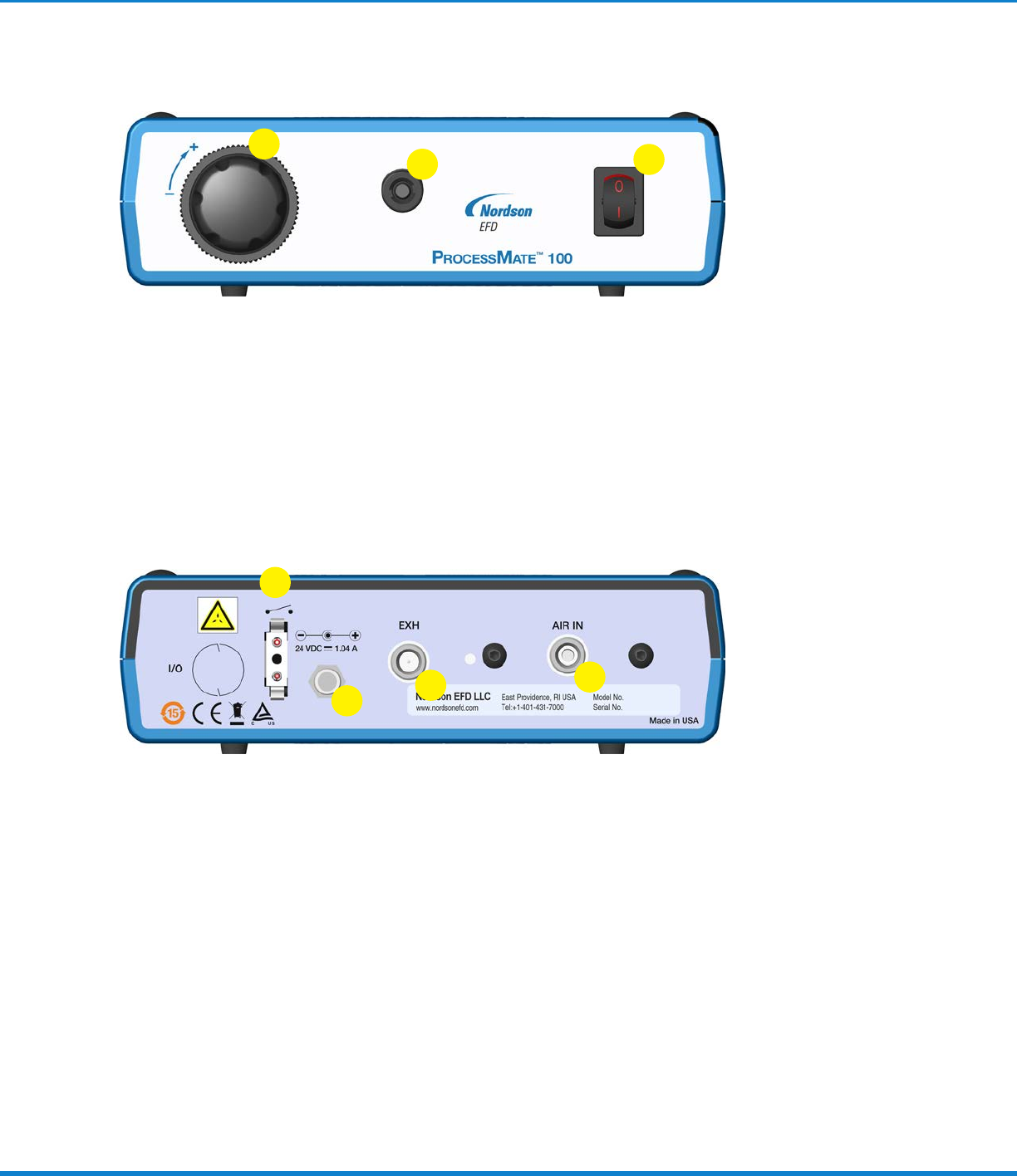
Operating Features
1. Vacuum air regulator adjustment knob — Controls vacuum level
2. Output quick connector — Vacuum pickup pen / wand connection
3. Power switch — Main DC power control switch
2
1
3
4. Foot pedal / finger switch connector — Connection for actuating device
5. Power input jack — DC power input
6. Vacuum exhaust port — vacuum air exit
7. Air input push-in fitting — Main filtered air supply input
4
5
7
6
ProcessMate 100 Vacuum Pick-Up System
12 www.nordsonefd.com info@nordsonefd.com +1-401-431-7000 Sales and service of Nordson EFD dispensing systems are available worldwide.
a
d
Unpack the Unit
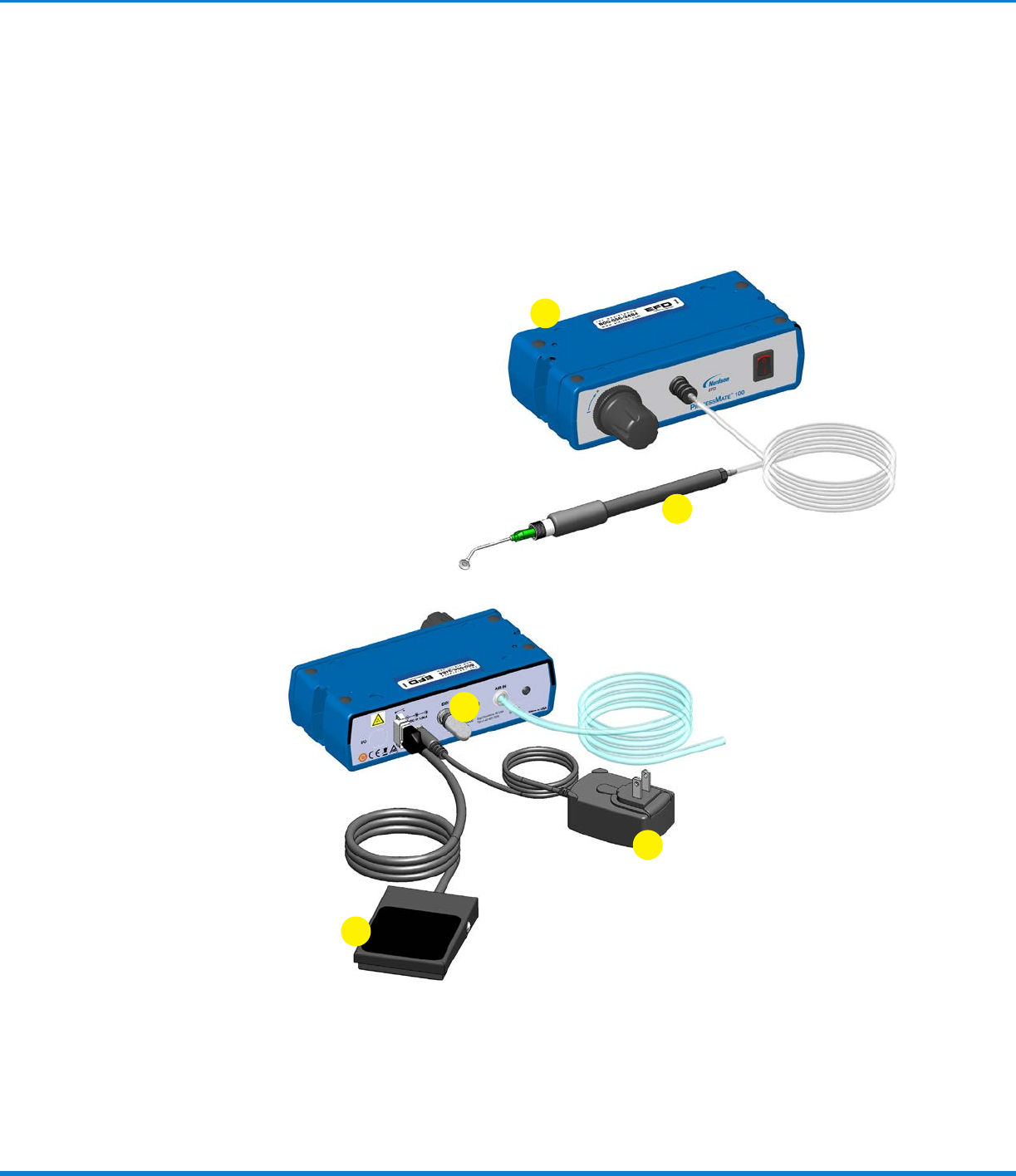
Unpack the contents of the package and lay them out on a clean
workbench. The following items should be included with your
ProcessMate100 vacuum pickup system:
a. Vacuum unit
b. Foot pedal assembly
c. Power supply
d. Vacuum pickup pen / wand assembly
e. Muffler
1
Installation
b
c
e
13www.nordsonefd.com info@nordsonefd.com +1-401-431-7000 Sales and service of Nordson EFD dispensing systems are available worldwide.
ProcessMate 100 Vacuum Pick-Up System
2
Connect Air Supply
NOTE: Clean, dry filtered factory air is required to meet
warranty. If your air supply is not filtered, order the EFD
5-micron filter / regulator (#7002002).
a. Turn the air regulator adjustment knob to zero before
connecting the main air input to the ProcessMate100.
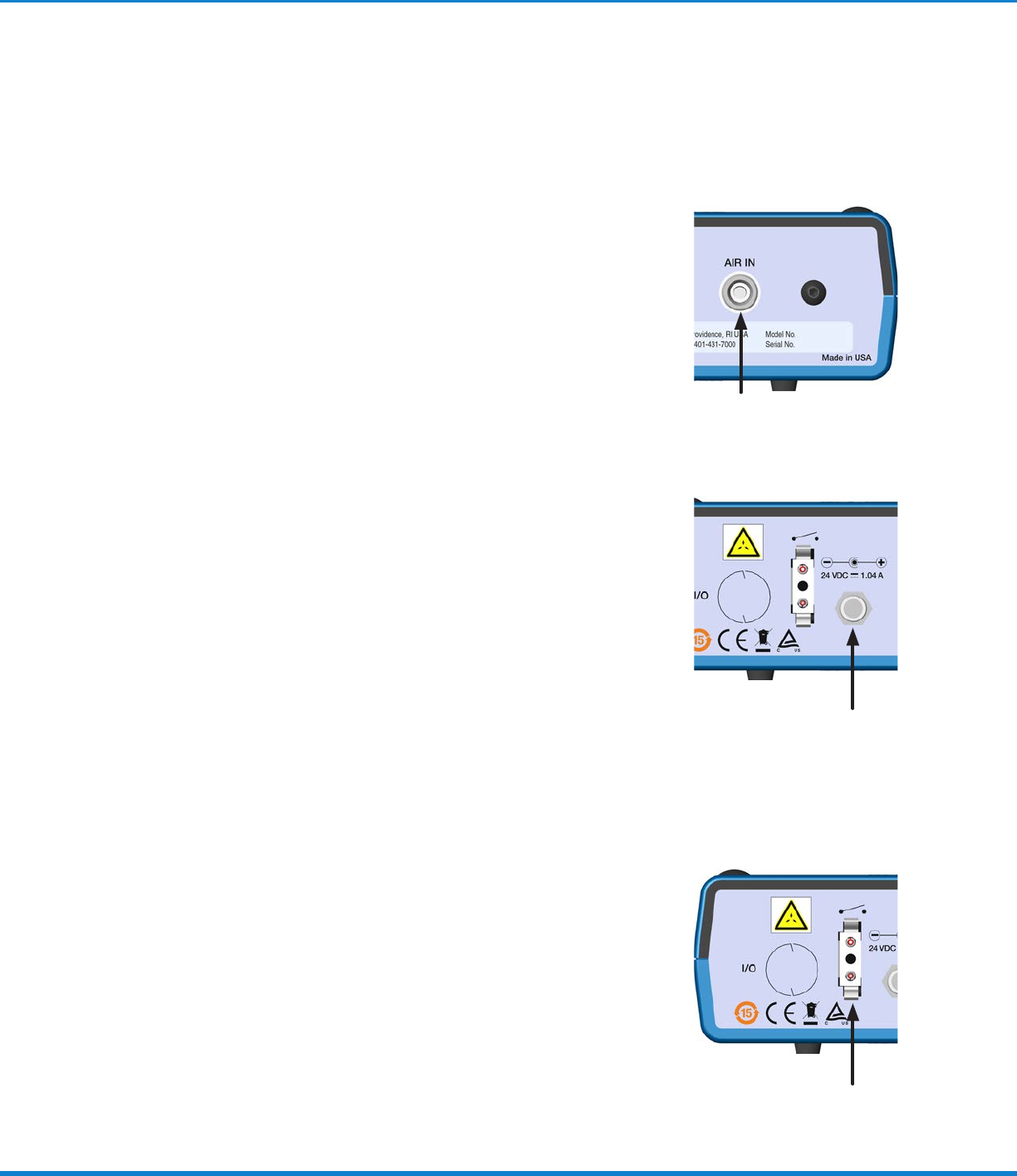
b. Push one end of the 6 mm air input hose into the AIR IN
input fitting on the back of the ProcessMate100.
c. Connect the other end of the hose to your plant air
supply.
d. Set the plant air supply from 5.5–6.9 bar (80–100 psi).
3
Connect Power
a. Locate the DC input connection on the back of your
ProcessMate100 vacuum pickup system.
b. Insert the DC Plug securely into the input connection.
c. Select the proper adapter from the power supply plug kit
and then connect the power supply to a grounded power
source.
NOTE: The power supply is multi-voltage, therefore no
external adjustments are required.
4
Connect Foot Pedal
The ProcessMate100 comes equipped with a foot pedal
cycle actuation device.
• Connect the foot pedal to the back of the
ProcessMate100.
NOTE: If you prefer, you can also operate the
ProcessMate100 with an optional finger switch (#7016718).
Installation (continued)