00195487_Install_SQL2005Server_manual.pdf - 第10页
Installation of SQL Server 2005 Edition 02/2011 US 10 / 48 Fig. 3-5: Welcome → Click the button Next > .
Installation of SQL Server 2005 Edition 02/2011 US
The following dialog is displayed:
9 / 48
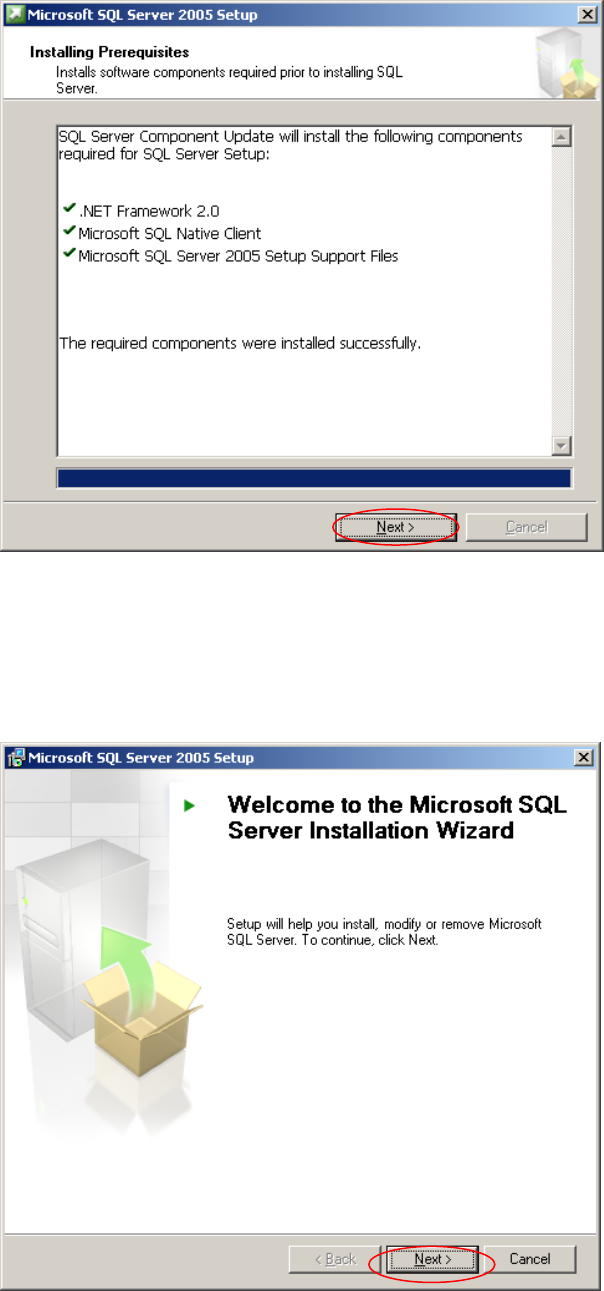
Fig. 3-4: Install Prerequisites - completed
→ Click the button Next >.
Wait until The following dialog is displayed:
Installation of SQL Server 2005 Edition 02/2011 US
10 / 48
Fig. 3-5: Welcome
→ Click the button Next >.
Installation of SQL Server 2005 Edition 02/2011 US
The following dialog is displayed:
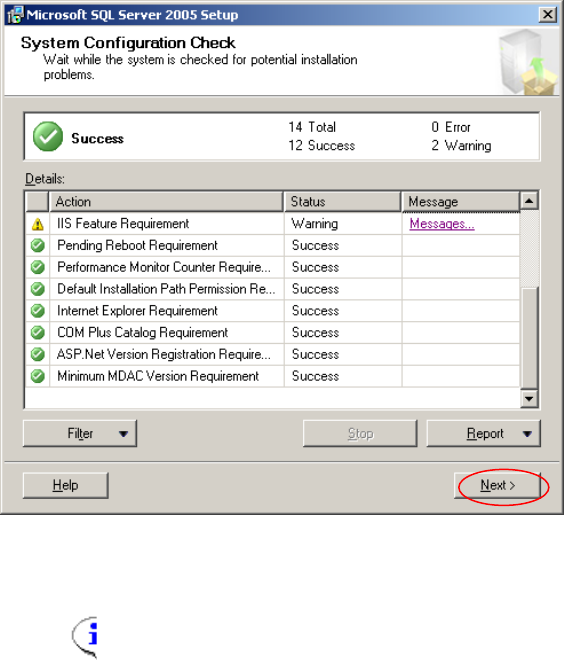
Fig. 3-6: System Configuration Check
Note:
“IIS Feature Requirement” Warning: This message warns you about specific SQL
Server features, which will not be available without IIS. You may ignore this warning. If
the SIPLACE Product you plan to install needs IIS, you will be advised elsewhere.
→ Check for possible Errors.
→ Click the button Next >.
After a few seconds, The following dialog is displayed:
11 / 48