00195487_Install_SQL2005Server_manual.pdf - 第7页
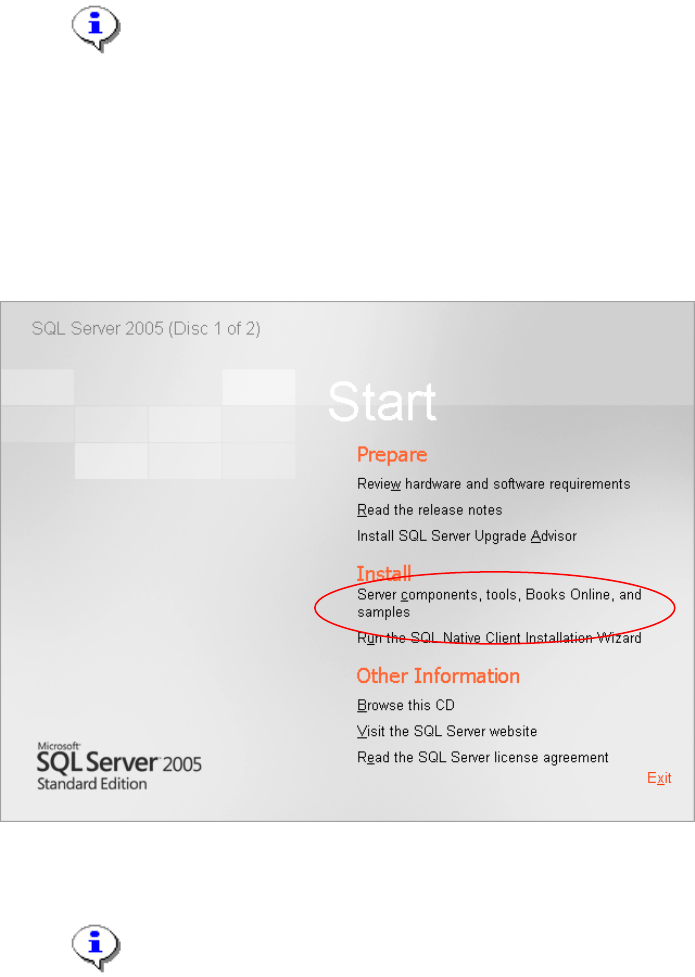
Installation of SQL Server 2005 Edition 02/2011 US 7 / 48 → Click Install (Server component s, tools, Books Online, and samples).
Installation of SQL Server 2005 Edition 02/2011 US
3 Installation
3.1 Installation of SQL Server 2005
Please follow the instructions below for the manual installation of SQL Server 2005.
→ SQL Server 2005 requires Microsoft Windows Installer 3.1 or later.
You have to install this package manually if it is missing before you start with the SQL Server
installation. It is provided on the SIPLACE Net Support Media in the directory
<DVD-Drive>\Updates\Windows Installer\3.1.
Note:
Close all other applications before you start with the installation of SQL Server
2005.
You also need to have administrative privileges to proceed.
→ Insert the first installation CD into your drive.
The following dialog is displayed:
Fig. 3-1: SQL Server 2005
Note:
If the dialog does not appear start your Windows Explorer, browse to the file
splash.hta on the SQL Server 2005 installation CD and double-click it .
6 / 48
Installation of SQL Server 2005 Edition 02/2011 US
7 / 48
→ Click Install (Server components, tools, Books Online, and samples).
Installation of SQL Server 2005 Edition 02/2011 US
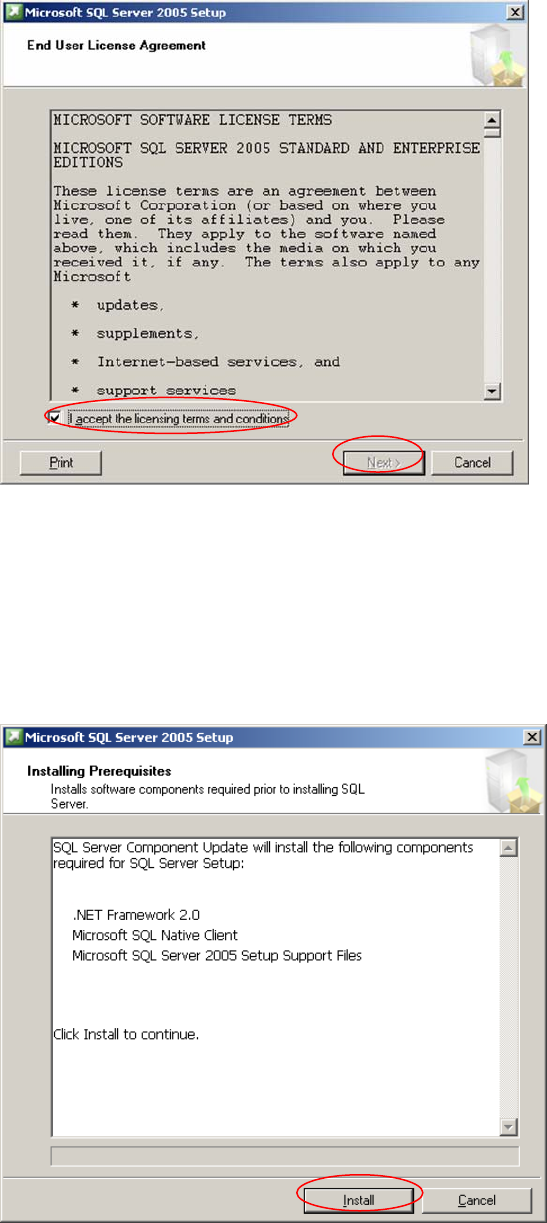
The following dialog is displayed:
2
Fig. 3-2: License Agreement
→ Read the EULA.
→ Activate the option “I accept the licensing terms and conditions”.
→ Click Next.
8 / 48
The following dialog is displayed:
2
Fig. 3-3: Install Prerequisites
→ Click the button Install and wait until the prerequisites are installed.