TS555R-UserGuide.pdf - 第25页
25 7. SOFTWARE UPGRAD E Note: For future software upgrade, follow the instructions below. 1. Download the latest software version from Techcon website and copy it to a blank USB thumb drive . Note: Do not put the softwar…
24
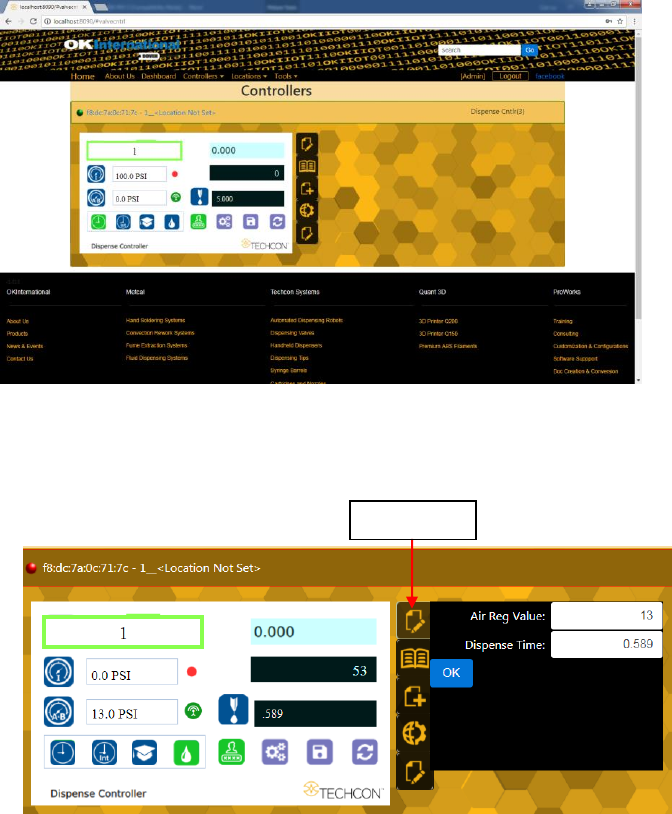
The controller screen will be displayed in the webserver as shown below.
The controller parameters such as pressure and dispense time can be adjusted
from the webserver.
5. Click on the “Edit” icon
6. The parameter screen will appear as shown below:
Proceed to make changes
Click “OK” button to save
The new parameters will be displayed on the controller
“Edit” icon
25
7. SOFTWARE UPGRADE
Note: For future software upgrade, follow the instructions below.
1. Download the latest software version from Techcon website and copy it to
a blank USB thumb drive. Note: Do not put the software file inside a
folder
2. Make sure that the unit is turned off
3. Insert the USB drive to the USB port located in the back of the unit
4. Turn on the unit
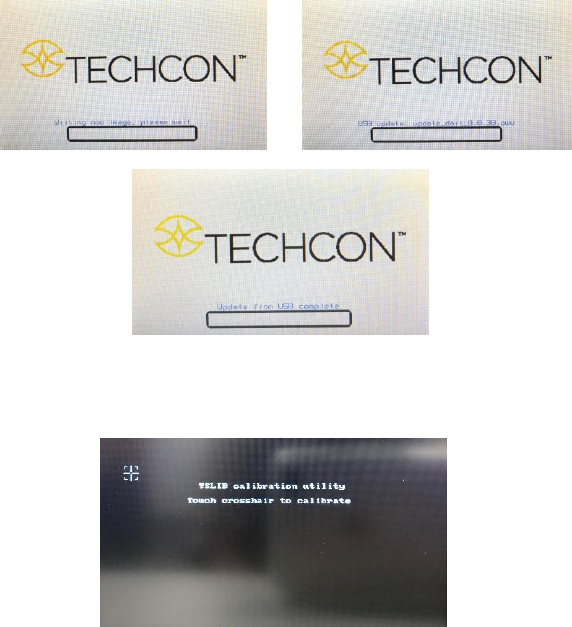
5. Wait while the system is loading the new software. This process can take
a few minutes
6. Wait until the system completes the software update from the USB drive
and the first touch-screen calibration is displayed
7. Remove the USB drive from the USB port before proceeding to the next
step
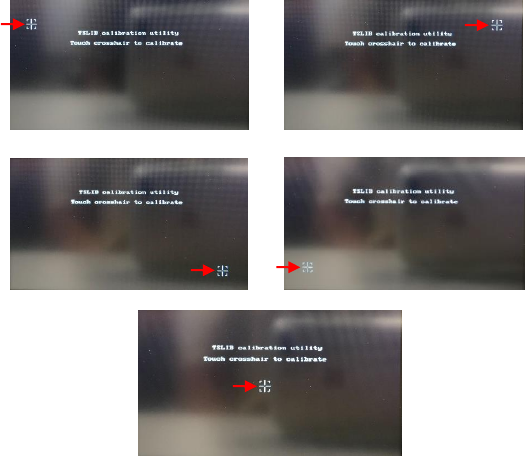
8. Follow the instructions on the display to calibrate the touch screen by
touching the crosshair at five different points. Note: In order to
accurately calibrate the touch screen, it’s recommended that the stylus
pen is used
26
9. Wait until the system completes the rebooting sequence and the home
screen is displayed
10. Repeat sections 5.1.1 and 5.1.2 to re-calibrate the air pressure