Service Manual SIPLACE SmartFeeder.pdf - 第162页
7 Repairs to SmartFeeder 8 mm X / Xi 7.17 Foil container 162 Service Manual SIPLACE SmartFeeder 4 - 8 mm X / Xi SIPLACE SmartFeeder 2 x 8 mm X / Xi 11/2020 7.17 Foil container 7.17.1 Foil box Spare part required Fig.54:…
7 Repairs to SmartFeeder 8 mm X / Xi
7.16 Control board
Service Manual SIPLACE SmartFeeder 4 - 8 mm X / Xi SIPLACE SmartFeeder 2 x 8 mm X / Xi 11/2020 161
7.16.3 Performing a reference run
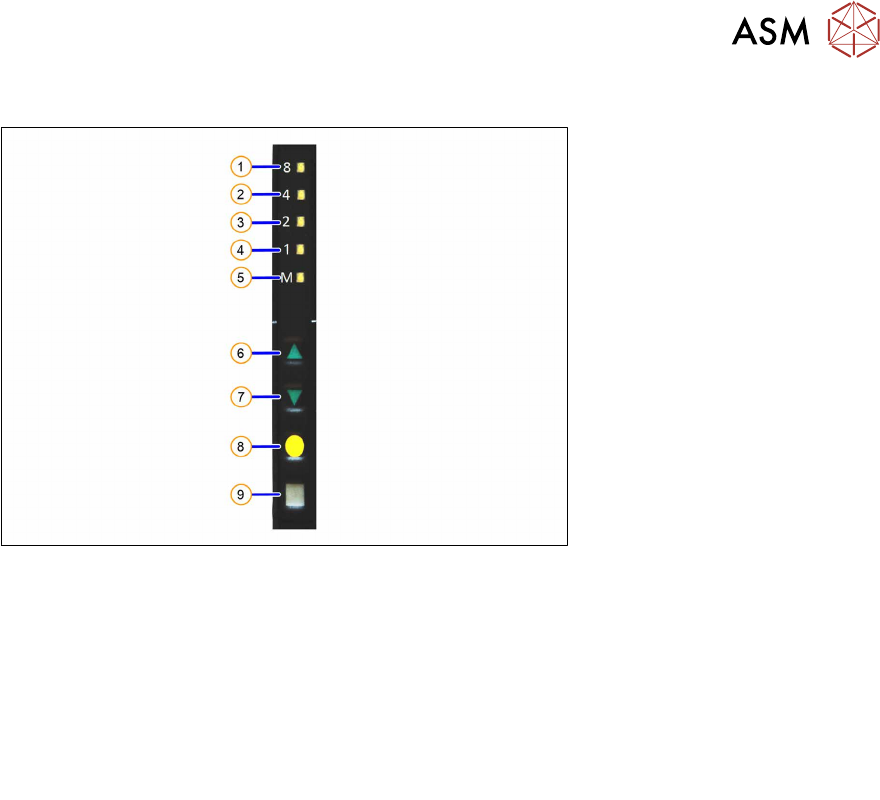
Fig.53: Control panel
1. LED 8 – 8mm pitch
(active only on SmartFeeder 8mmX)
6. FORWARDS button
2. LED 4 – 4mm pitch 7. BACKWARDS button
3. LED 2 – 2mm pitch 8. FOIL button
4. LED 1 – 1mm pitch 9. SET button
5. LED M – menu
Shines when an operator menu is active
► Place the feeder module on a single slot EDIF or on a changeover table for X feeders which is
connected to a placement machine.
► Press and hold the gray SET button(9) until the reference run is enabled.
► Press the yellow foil button three times briefly(8).
After the first press of the FOIL button, the LEDM will switch on.
After the second press, LED1 will also be switched on.
After the third press, LED2 will also be switched on.
The menu for enabling the reference run has now been selected.
► In addition to the SET button, also press the FORWARDS button(7).
LED8(1)
should now flash rapidly. If LED8 and LED4(2) flash, this indicates that there is a
feeder module error present (e.g. foil is tensioned or tape drive has an error) and the refer-
ence run can not be performed.
► Release the FORWARDS button.
The reference run will start.
► Release the SET button.
The reference run will be automatically finished. The control panel will then switch over to the
pitch display.
7 Repairs to SmartFeeder 8 mm X / Xi
7.17 Foil container
162 Service Manual SIPLACE SmartFeeder 4 - 8 mm X / Xi SIPLACE SmartFeeder 2 x 8 mm X / Xi 11/2020
7.17 Foil container
7.17.1 Foil box
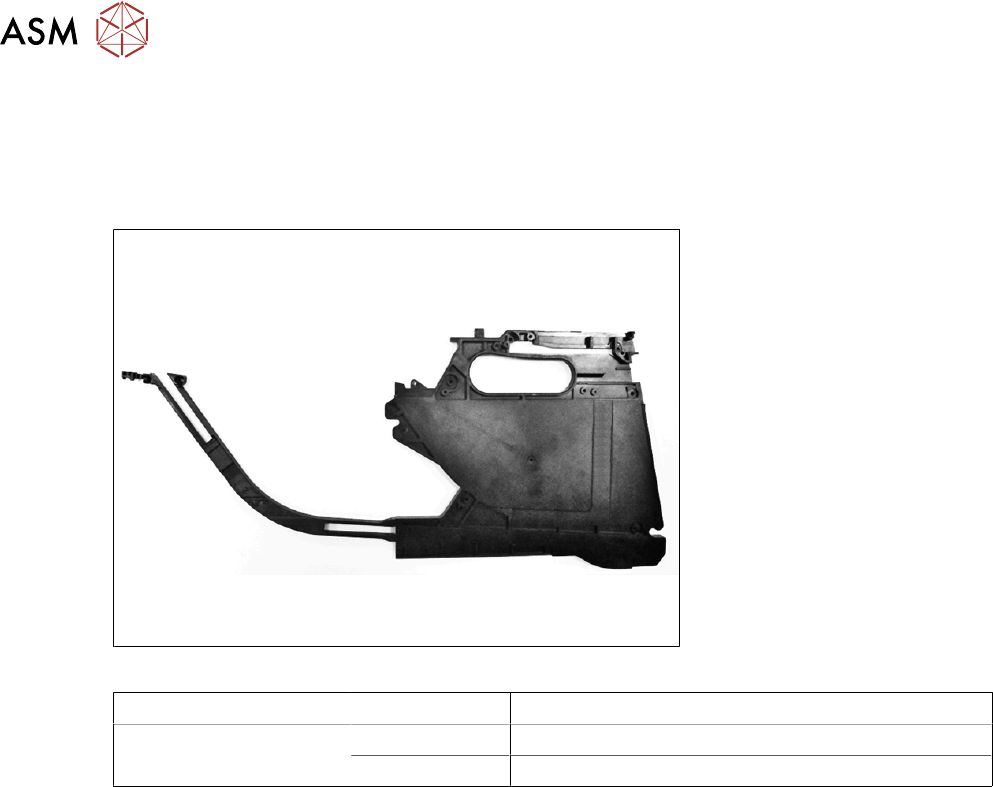
Spare part required
Fig.54: Foil box
Feeder module Item no. Designation
SmartFeeder 8mmX
SmartFeeder 8 mm Xi
03100963-xx Foil box with tape duct X8Smart
03100995-xx Foil box sheet for cover foil stuffing unit X8Smart
Tools required
●
Phillips screwdriver 0.9Nm
●
TORX screwdriver 0.6Nm, size T8
●
Flat-bladed screwdriver size 1
●
Tweezers
7 Repairs to SmartFeeder 8 mm X / Xi
7.17 Foil container
Service Manual SIPLACE SmartFeeder 4 - 8 mm X / Xi SIPLACE SmartFeeder 2 x 8 mm X / Xi 11/2020 163
7.17.1.1 Removing the foil box
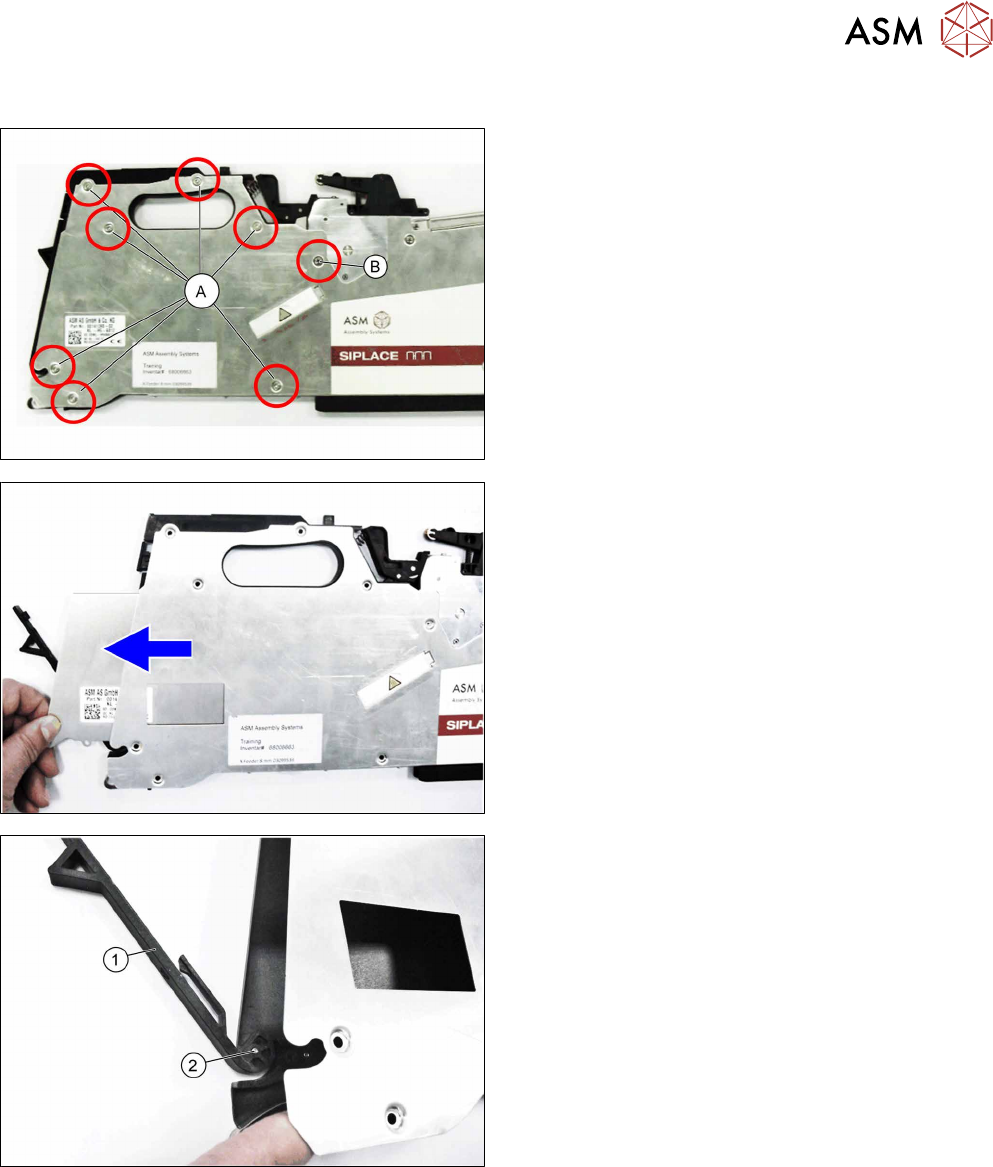
► Carefully place the feeder module with the left
side down on a stable, level and clean surface.
► Loosen the screws marked A with a TORX
screwdriver.
► Loosen the screw marked B with a Phillips
screwdriver.
► Slightly lift the right side cover at the back.
► Pull the foil box sheet towards the back and out
of the feeder module.
► Slightly lift the right side cover at the back.
► Pull the flap (1) vertically upwards and off the
shaft (2)
.
► Remove the shaft.