00193908-02.pdf - 第25页
Installation Manual for Windows 2000 Prof essional (manual setup) Edition 10/2005 US Fig. 2-33: Hardware updat e wizard → Select the option “Search for a suitabl e driver for my device (re commended)”. → Select the butto…
Installation Manual for Windows 2000 Professional (manual setup) Edition 10/2005 US
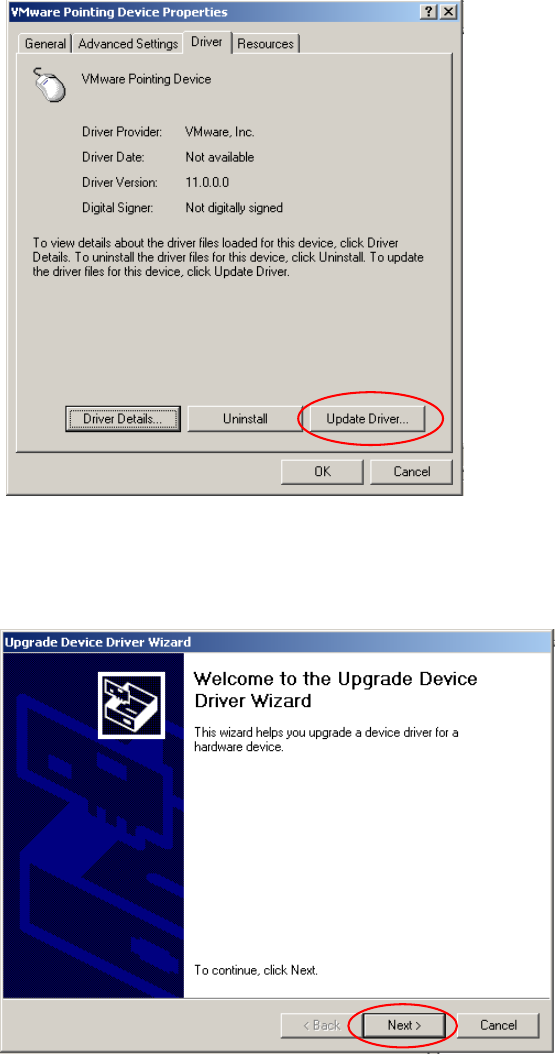
In the next dialog, you can change software configuration
Fig. 2-31: Driver settings
→ Select Update Driver…
A wizard is started to help you through the process of installing a new driver software.
Fig. 2-32: Welcome screen of wizard
→ Select the button Next>.
24
Installation Manual for Windows 2000 Professional (manual setup) Edition 10/2005 US
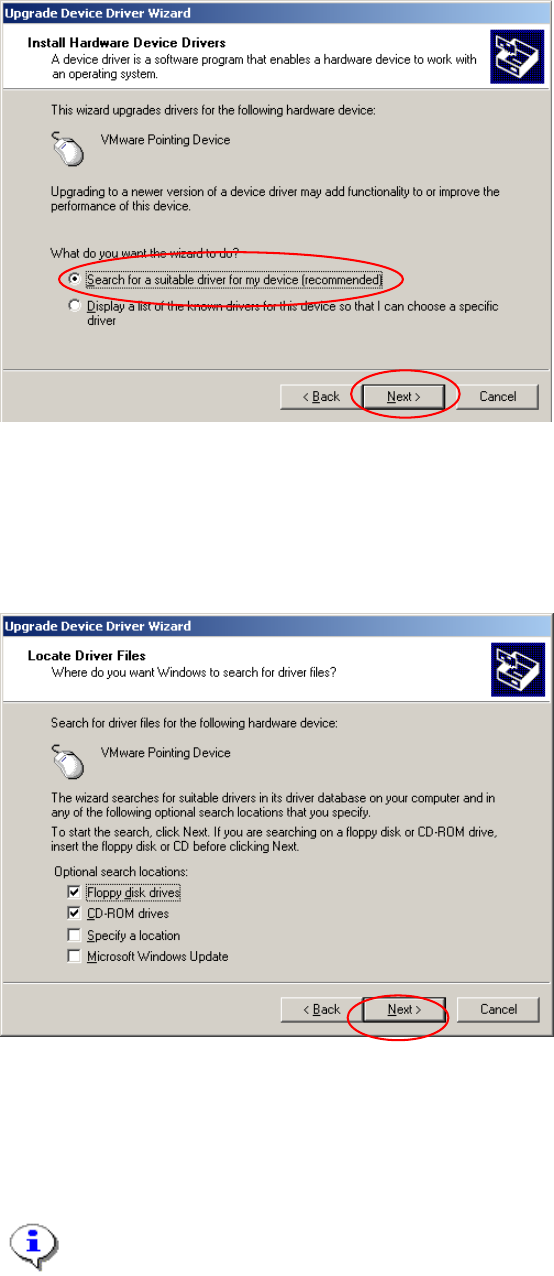
Fig. 2-33: Hardware update wizard
→ Select the option “Search for a suitable driver for my device (recommended)”.
→ Select the button Next>.
In the next dialog, you can define where new software should be searched for. Now you should use a
floppy or CD from you hardware vendor.
Fig. 2-34: Specify location for driver software
→ Insert floppy or CD with driver software
→ Select the button Next>.
→ Accept changes in the last dialog and finish procedure.
Note:
You will be informed if Windows could find new driver software or if it will use the previous
software versions.
25