00195813-09_IM_SSW_605_03_SP5_DE EN.pdf - 第45页
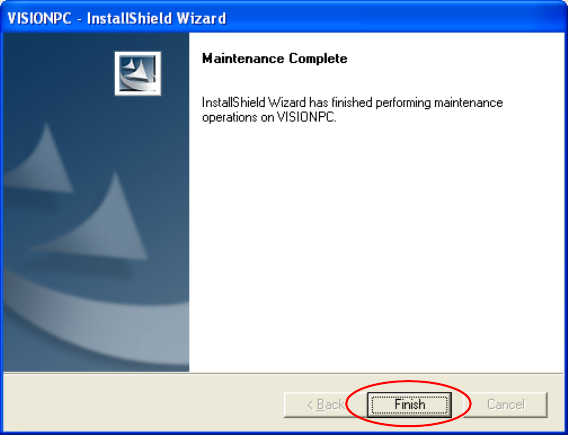
Station S oftware 60 5.03 SP5 / Ins tallation M anual Ausgabe 11/2013 E dition 45 Figure 8-3 : Finalizing uninstal lation ► C lick the Finish butt on. The Visio n computer software has now bee n uninstall ed correctl y.
Station Software 605.03 SP5 / Installation Manual Ausgabe 11/2013 Edition
44
8 Uninstalling the Vision Computer Software
If it is necessary to uninstall the Vision computer software manually, this must be done in one of the
ways described below.
NOTICE
You must be logged in as administrator to uninstall the software.
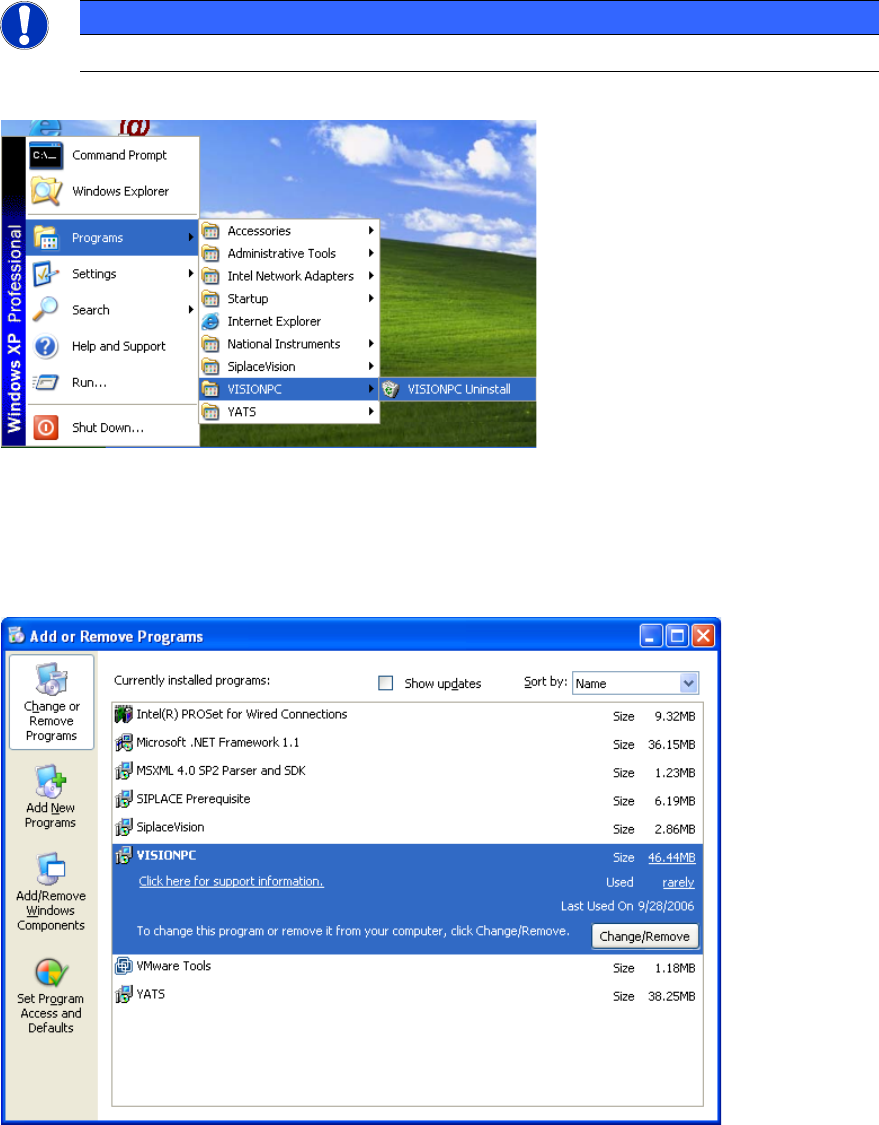
► Open the Start menu and choose Programs VISIONPC VISIONPC Uninstall.
Figure 8-1: Starting uninstallation (alternative 1)
Or:
► Open the Start menu and choose Settings Control Panel.
► Double-click Add/Remove Programs.
Figure 8-2: Starting uninstallation (alternative 2)
► Select VISIONPC from the list of installed programs.
► Click the Change/Remove button.
Station Software 605.03 SP5 / Installation Manual Ausgabe 11/2013 Edition
45
Figure 8-3: Finalizing uninstallation
► Click the Finish button.
The Vision computer software has now been uninstalled correctly.
Station Software 605.03 SP5 / Installation Manual Ausgabe 11/2013 Edition
46