00196056-0102 RI Shutterless 3x8 SL.pdf - 第30页
Introduction Display Features 30 Nachrüstanleitung / Retrofit In structions Feeder Module 3x8 mm S 0201/0402 to
Introduction
Spare Parts
Nachrüstanleitung / Retrofit Instructions Feeder Module 3x8 mm S 0201/0402 to Shutterless (3X8 mm SL)
29
5.3 Spare Parts
The following spare parts can be ordered for the shutterless tape duct:
Pickup window 3x8mm S – SL, Item No. 03054425-01
Tape support 3x8mm SL (spacer), Item No. 03014273-01
5.4 Safety Instructions
5.5 Display Features
Convention for the Use of Hazard Symbols
CAUTION:
The safety instructions in the documentation of the feeder which is to be converted to a
shutterless feeder take precedence.
Always observe the applicable accident prevention regulations and the special safety
regulations in your country for handling laboratory equipment or assemblies outside the
machine.
X
Indicates actions to be performed by the user
Bold lettering Indicates entries on the graphical user interface of the software Set-SL-ID
NOTE:
Is, for the purposes of this manual, key information about the product or part of the conversion
guide, which needs to be highlighted.
CAUTION:
Is, for the purposes of this conversion manual, a note indicating that minor injuries or damage
to property can occur, if the cautionary measures concerned are not observed.
Introduction
Display Features
30 Nachrüstanleitung / Retrofit Instructions Feeder Module 3x8 mm S 0201/0402 to
Installing the Software
System Requirements
Nachrüstanleitung / Retrofit Instructions Feeder Module 3x8 mm S 0201/0402 to Shutterless (3X8 mm SL)
31
6 Installing the Software
After the conversion, the information which converts the feeder into a shutterless feeder needs to be
saved in the EEPROM of the feeder. The feeder is assigned a new feeder ID. To do this, you need to
connect the feeder to a PC, on which the software for reprogramming the EEPROM is installed: Set-SL-
ID.
The following description outlines how to install the Set-SL-ID software.
6.1 System Requirements
To install and operate the Set-SL-ID software, your PC must fulfill the following minimum requirements:
6.2 Starting the Installation
X Place the software CD in the CD drive of your computer.
X In the File Explorer, switch over to the CD drive and double-click on the file setup_3x8mm_sl.exe.
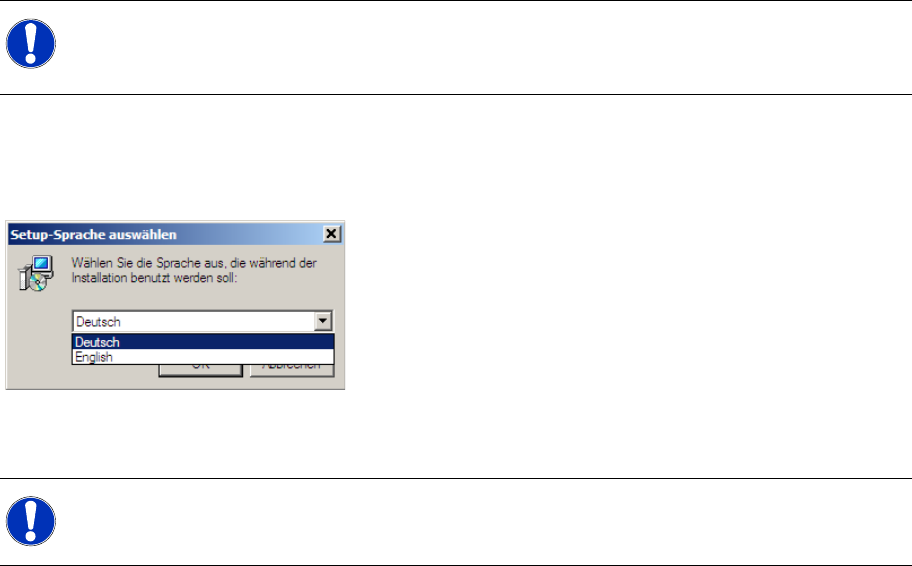
The installation procedure will begin and the following dialog box will open.
X Select the required language for the user interface of the installation program and confirm your
choice with OK.
Operating system: Windows 98 or higher
Memory capacity: 1.4 MB memory
Interfaces: 1 free COM port (RS-232)
NOTE:
Before you can begin the installation of the Set-SL-ID software, close all other applications.
To install the Set-SL-ID software, you need to have administrator rights for your PC.
NOTE:
The user interface of the Set-SL-ID software itself is in English and can not be changed.