00196056-0102 RI Shutterless 3x8 SL.pdf - 第34页
Installing the Software Changing the COM Port Setting 34 Nachrüstanleitung / Retrofit In structions Feeder Module 3x8 mm S 0201/0402 to 6.5 Changing the COM Port Setting If you have NOT connected the interface unit to CO…
Installing the Software
Checking the Connection
Nachrüstanleitung / Retrofit Instructions Feeder Module 3x8 mm S 0201/0402 to Shutterless (3X8 mm SL)
33
6.4 Checking the Connection
As a standard, the installation procedure for the SET-SL-ID software sets COM port 1 for the
communication between the PC and feeder. To check whether this connection functions properly,
proceed as follows. If necessary, you can set another COM port with SET-SL-ID, for communication to
the feeders.
X Connect the interface unit to the PC.
(See
section ( 8.1 Connecting the Interface Unit [J43]) )
X Connect a 3x8 mm feeder to the interface unit.
(See
section ( 8.2 Connecting the Feeder [J44]) )
X Switch on the power pack and the interface unit.
X To start the SET-SL-ID software, click on the corresponding icon on your desktop.
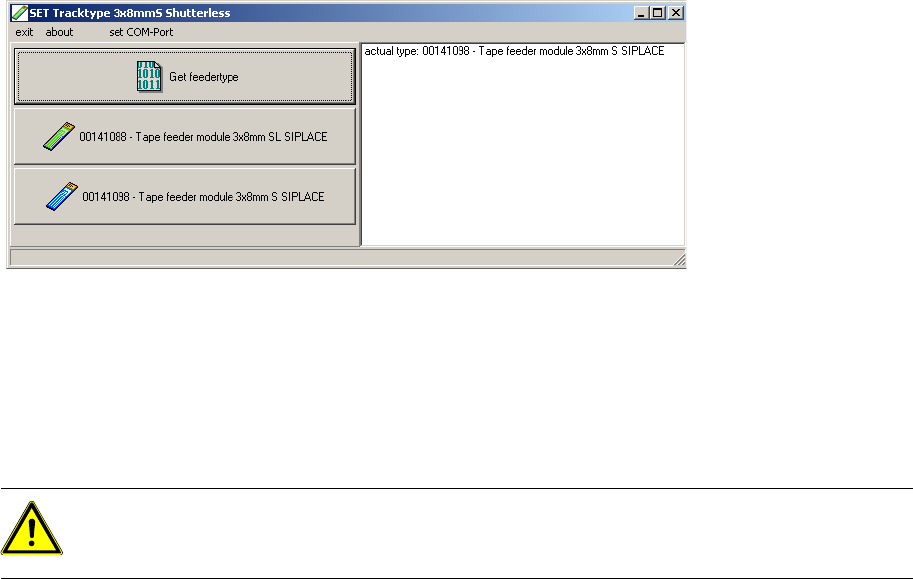
When you start the SET-SL-ID software, it immediately tries to read out data from the connected feeder.
If all devices have been correctly connected, the output field on the right-hand side of the dialog box will
show the ID of the feeder, plus the full text.
If an error message is shown in the output field, check whether all cables have been correctly connected
and whether the interface unit has been connected to COM port 1.
If you have connected the interface unit to another COM port (not COM port 1), change the COM port
setting in the Set-SL-ID software.
CAUTION:
The software described here is only suitable for processing 3x8 mm feeders. Make sure that you
only use 3x8 mm feeders with this software.
Installing the Software
Changing the COM Port Setting
34 Nachrüstanleitung / Retrofit Instructions Feeder Module 3x8 mm S 0201/0402 to
6.5 Changing the COM Port Setting
If you have NOT connected the interface unit to COM port 1, you will need to change the COM port
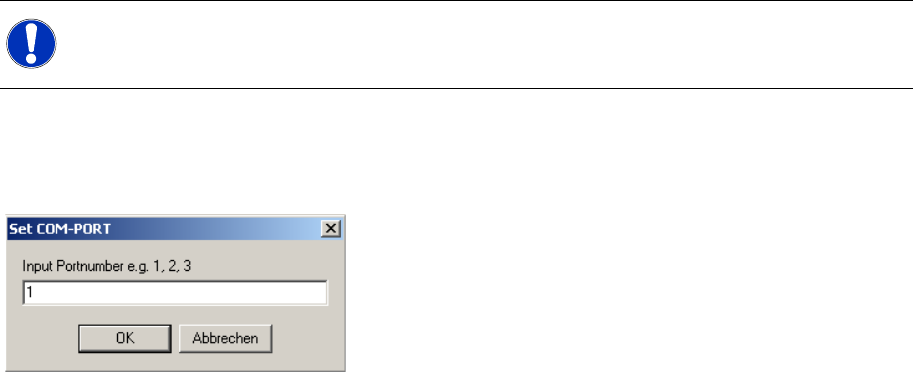
setting in Set-SL-ID accordingly. To do this, click on set COM-Port in the dialog box.
The following dialog box will be shown:
X Enter the number of the COM port to which the interface unit is connected.
X Click on the OK button.
X To check whether the connection to the feeders can be established properly, click on the
Get feedertype button.
NOTE:
In order to use this function, you require administrator rights.
Replacing the Tape Duct
Removing the Right-Hand Side Plate Dismantling the Tape Duct
Nachrüstanleitung / Retrofit Instructions Feeder Module 3x8 mm S 0201/0402 to Shutterless (3X8 mm SL)
35
7 Replacing the Tape Duct
7.1 Dismantling the Tape Duct
7.1.1 Removing the Right-Hand Side Plate
7.1.2 Removing the Front Protective Cover
NOTE:
Please note that various different screws need to be loosened before you can dismantle the tape
duct. Make sure that when you fit these parts together again, later on, all screws are replaced
in their original positions.
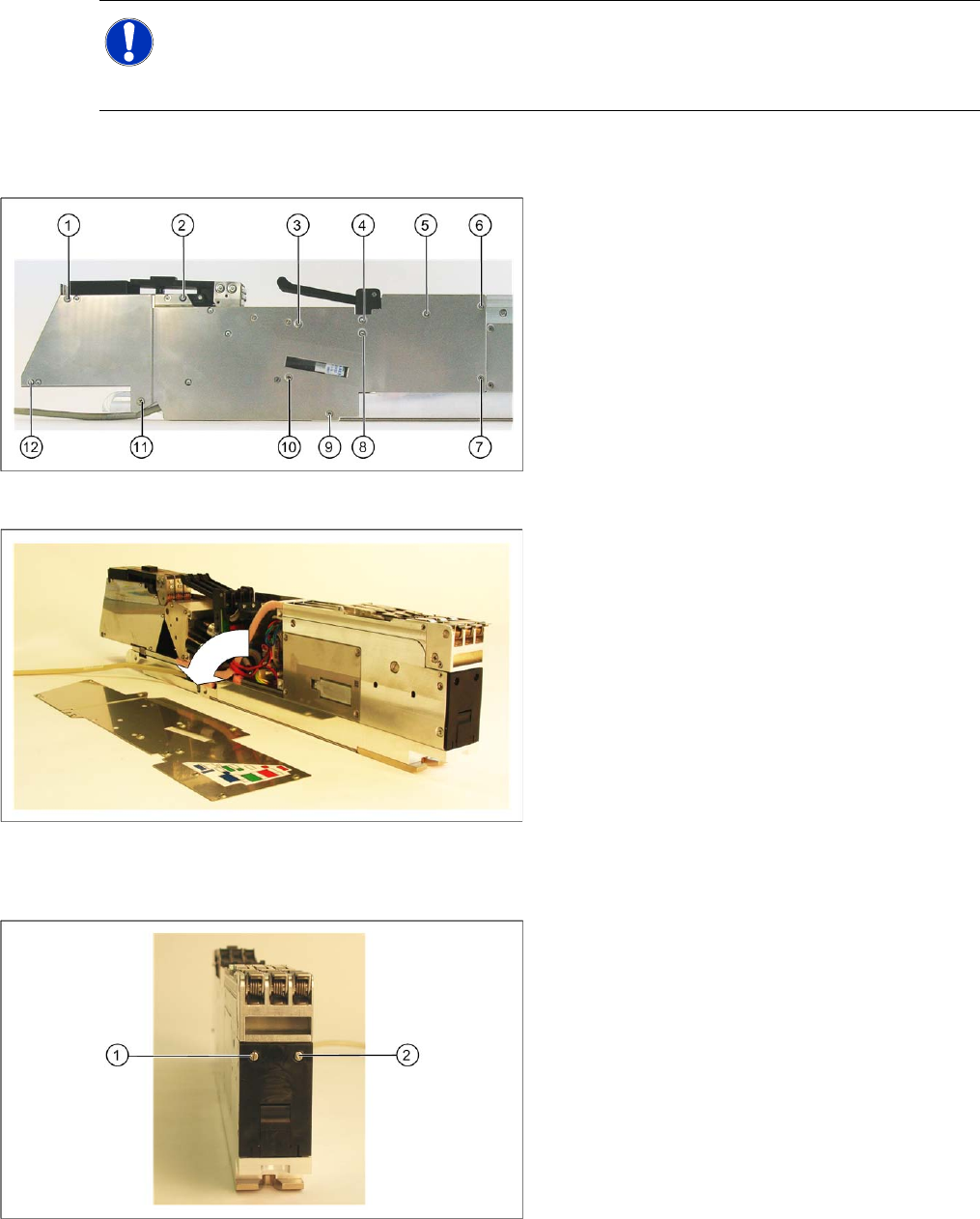
X Loosen the screws marked in the diagram (1-
12), on the right-hand side of the feeder.
X Remove the right-hand side plate.
X Loosen the two screws (1 and 2) fixing the
protective cover to the front of the feeder.