TM5650.Production Lot Operations for APCO.pdf - 第11页
Y AMAHA MOTOR CO. , L TD. IM Business Unit SMT Softw are Engi neering Group Edit the information to link to the program. Input a lot name into the [Production Lot] column. >> By this setting, you can choose the lin…
YAMAHA MOTOR CO., LTD.
IM Business Unit
SMT Software Engineering Group
Create a Program List
This section explains the method to create a Program List and link the Production Lot to
program name.
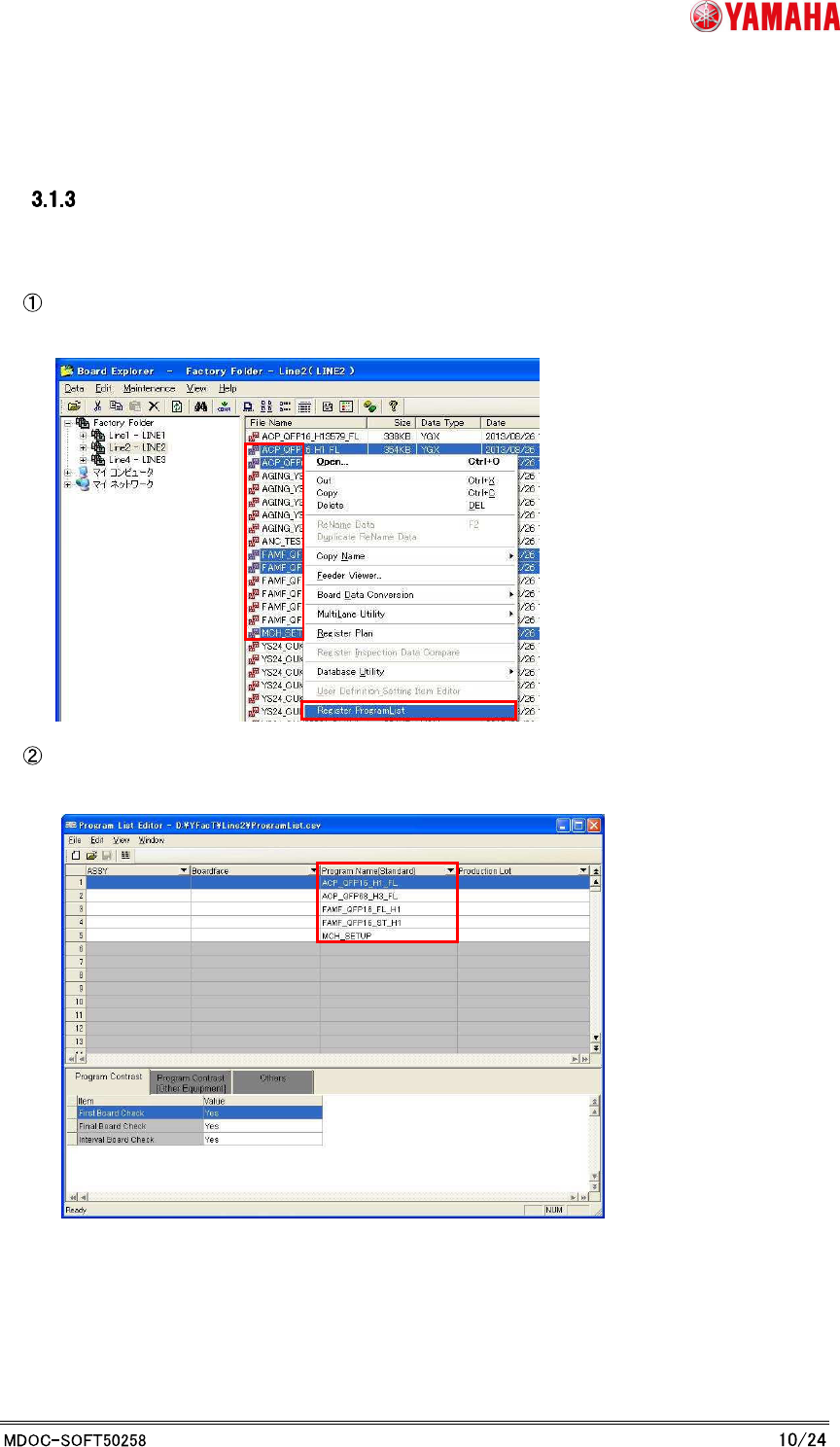
Select a program that you want to register. And launch Program List Editor by "Launch
with the program name registration”.
Program List Editor launches with a Program List. Your choosing file names are registered
to the [Program Name] columns in the Program List.
YAMAHA MOTOR CO., LTD.
IM Business Unit
SMT Software Engineering Group
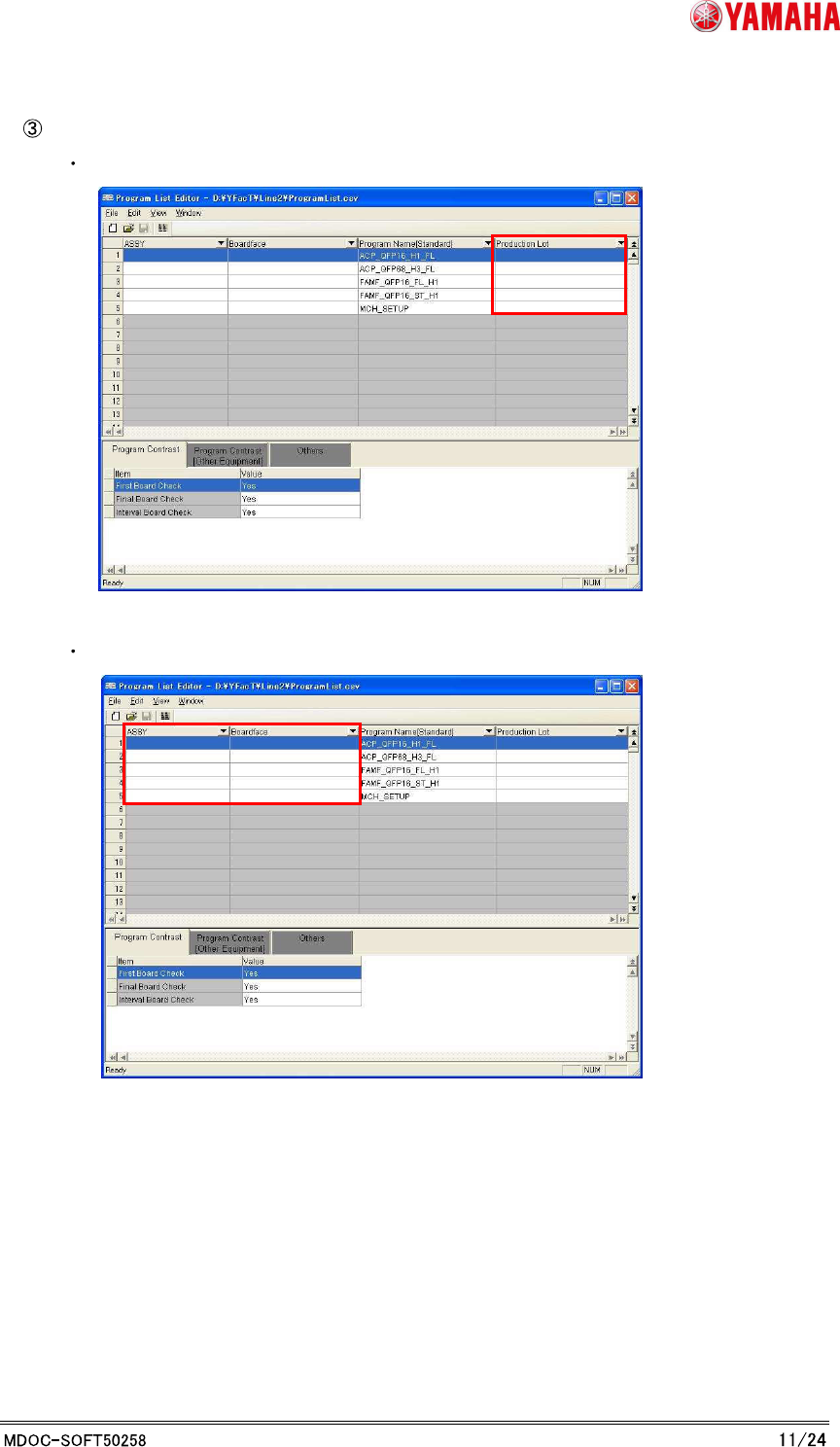
Edit the information to link to the program.
Input a lot name into the [Production Lot] column.
>> By this setting, you can choose the linked program by Production Lot.
Input the “ASSY” and ”Board face” information of production model if necessary.
YAMAHA MOTOR CO., LTD.
IM Business Unit
SMT Software Engineering Group
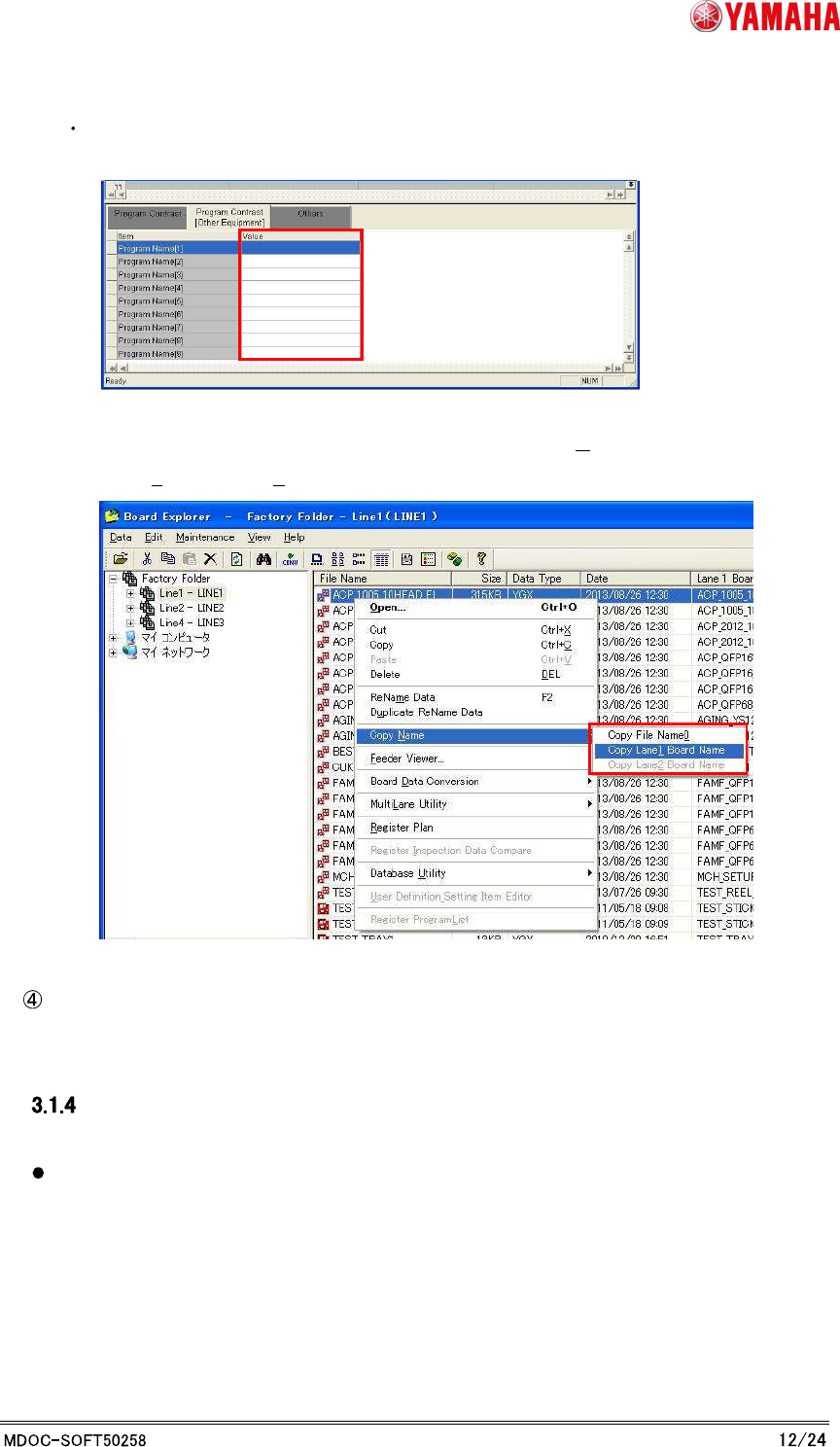
Input the program name per machines as necessary to the [Program Name [1] to [9]]
on the “Program Contrast [Equipment]” tab.
* You can copy the program name to the clipboard by the following method.
Choose a board by Board Explorer, and choose “[Copy Name]-[Copy File
Name0]([Copy Lane1 Board Name])” from the right click menu.
Choose the “Save Program list as ...” at file menu.
Caution
Be careful in the following registrations to avoid a trouble.
When the record is the same “ASSY” and the same “Board face”, please set an unique
value to the Production Lot.