TM5650.Production Lot Operations for APCO.pdf - 第15页
Y AMAHA MOTOR CO. , L TD. IM Business Unit SMT Softw are Engi neering Group 4.1.1.2 Setting Program List reference setting In order to be able to see in the " OP003: APCO" Prog ram L ist that you created in &qu…
YAMAHA MOTOR CO., LTD.
IM Business Unit
SMT Software Engineering Group
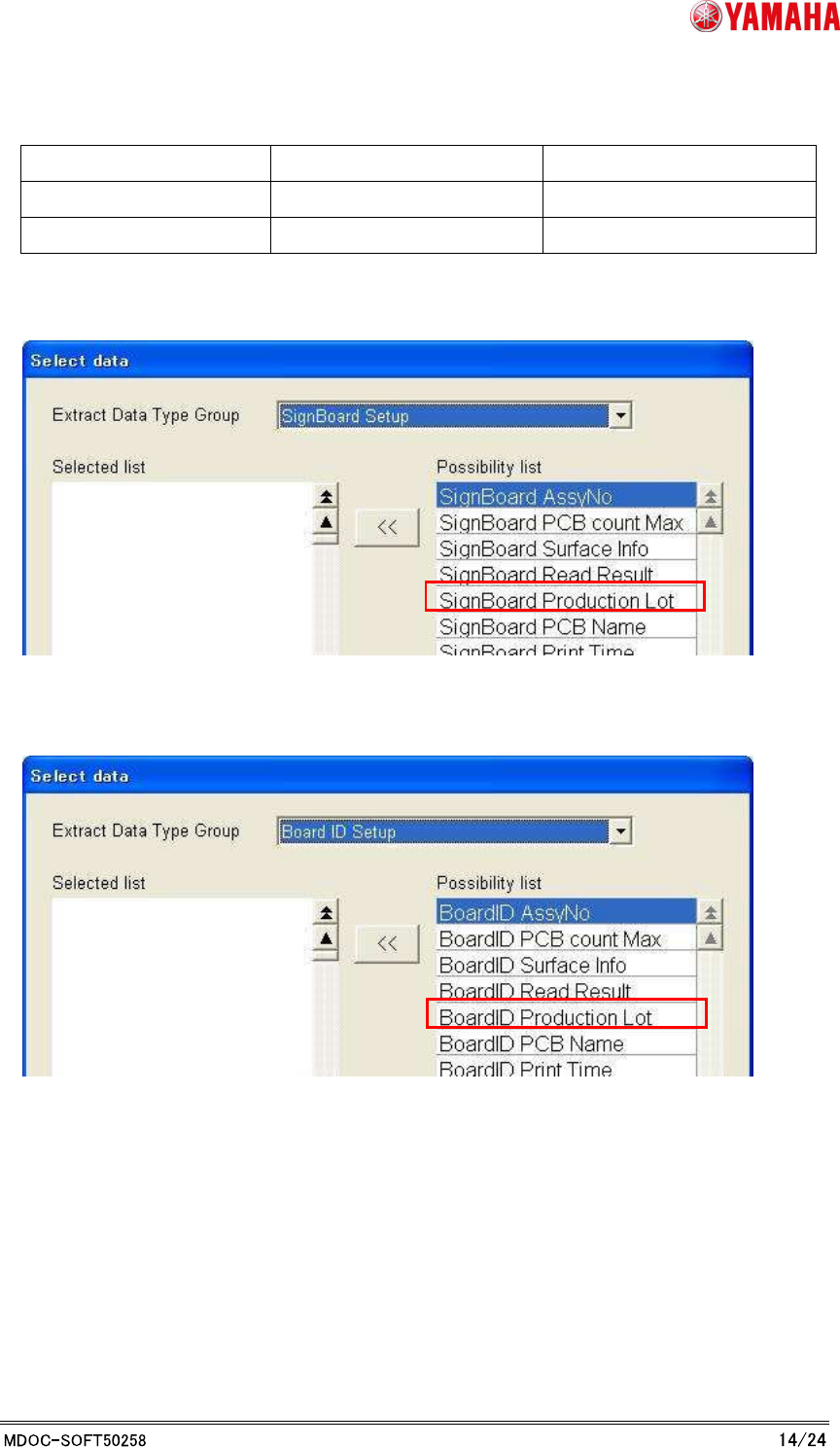
* Extract data type name for APCO barcode format was renamed.
Extract Data Type New name Old name
Sign Board Setup Sign Board Production Lot Sign Board Lot No
Board ID Setup Board ID Production Lot Board ID Lot No
[ID Editor]-[Register ID Format]-[Specify Reading data]-[Select data]-[Sign Board Setup]
[ID Editor]-[Register ID Format]-[Specify Reading data]-[Select data]-[Board ID Setup]
YAMAHA MOTOR CO., LTD.
IM Business Unit
SMT Software Engineering Group
4.1.1.2 Setting
Program List reference setting
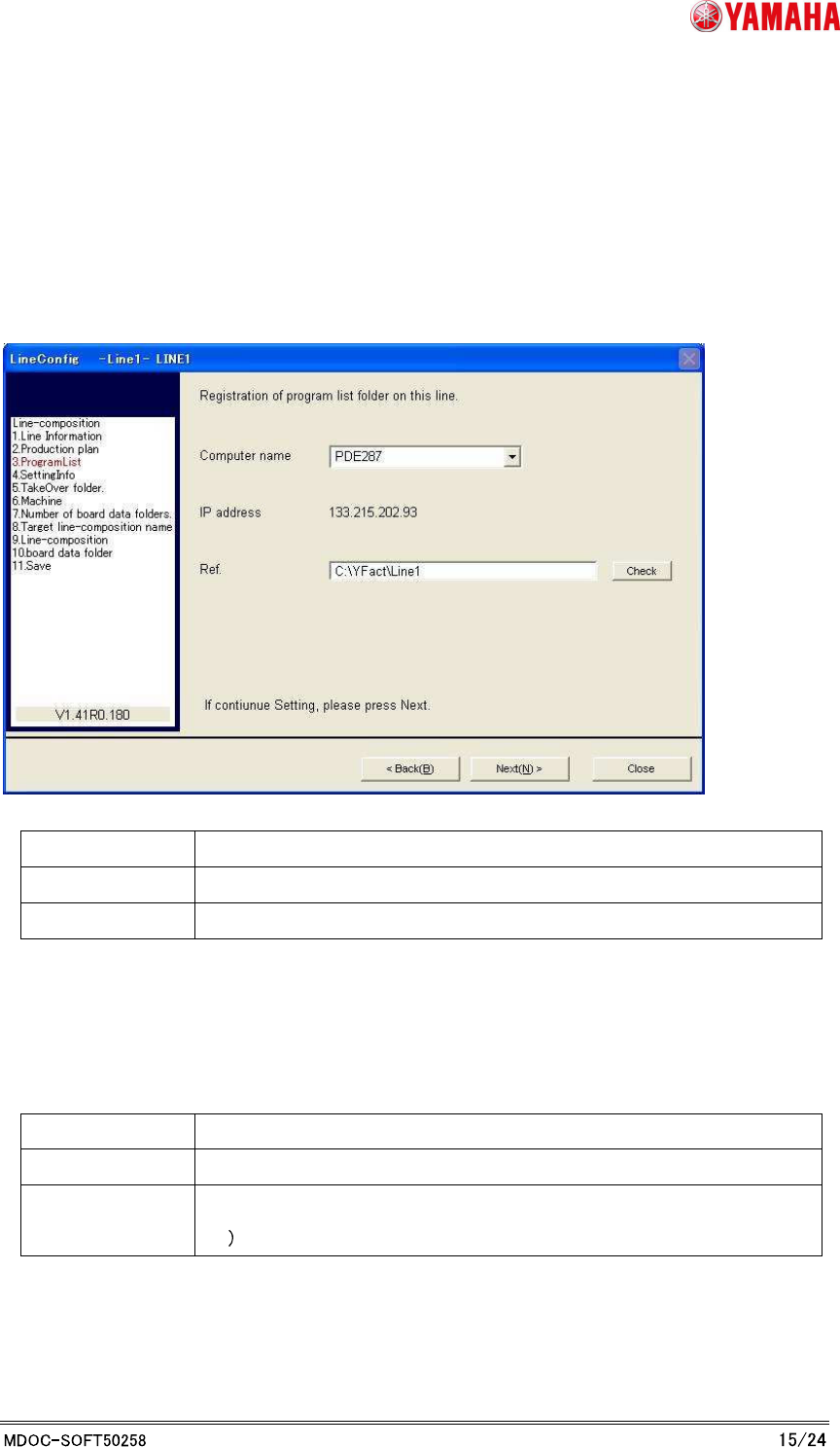
In order to be able to see in the "OP003: APCO" Program List that you created in "3. P-Tool:
Program List Editor", you can set the program list references for each line in the "Line Config".
* Refer to "Server Utility Software User's Manual" for details of “Line Config”.
Item name Content
Computer name Computer name of the PC to store the Program List
Ref. Local path to the folder where the Program List is stored
In order to select the computer name, ensure that your PC is registered in "Line Config".
To register the PC in "Line Config", t is necessary to install "IT-System Client" in there.
* Refer to "IT-System construction manual" for details.
Recommended setting
Item name Content
Computer name Computer name of the PC that P-Tool is installed
Ref. Line folder of pertinent line in installation folder
Ex C:¥YFacT¥Line1
Program List Editor of P-Tool makes Program List in a line folder.
It is possible to use it by synchronizing by specifying the line folder of P-Tool.
YAMAHA MOTOR CO., LTD.
IM Business Unit
SMT Software Engineering Group
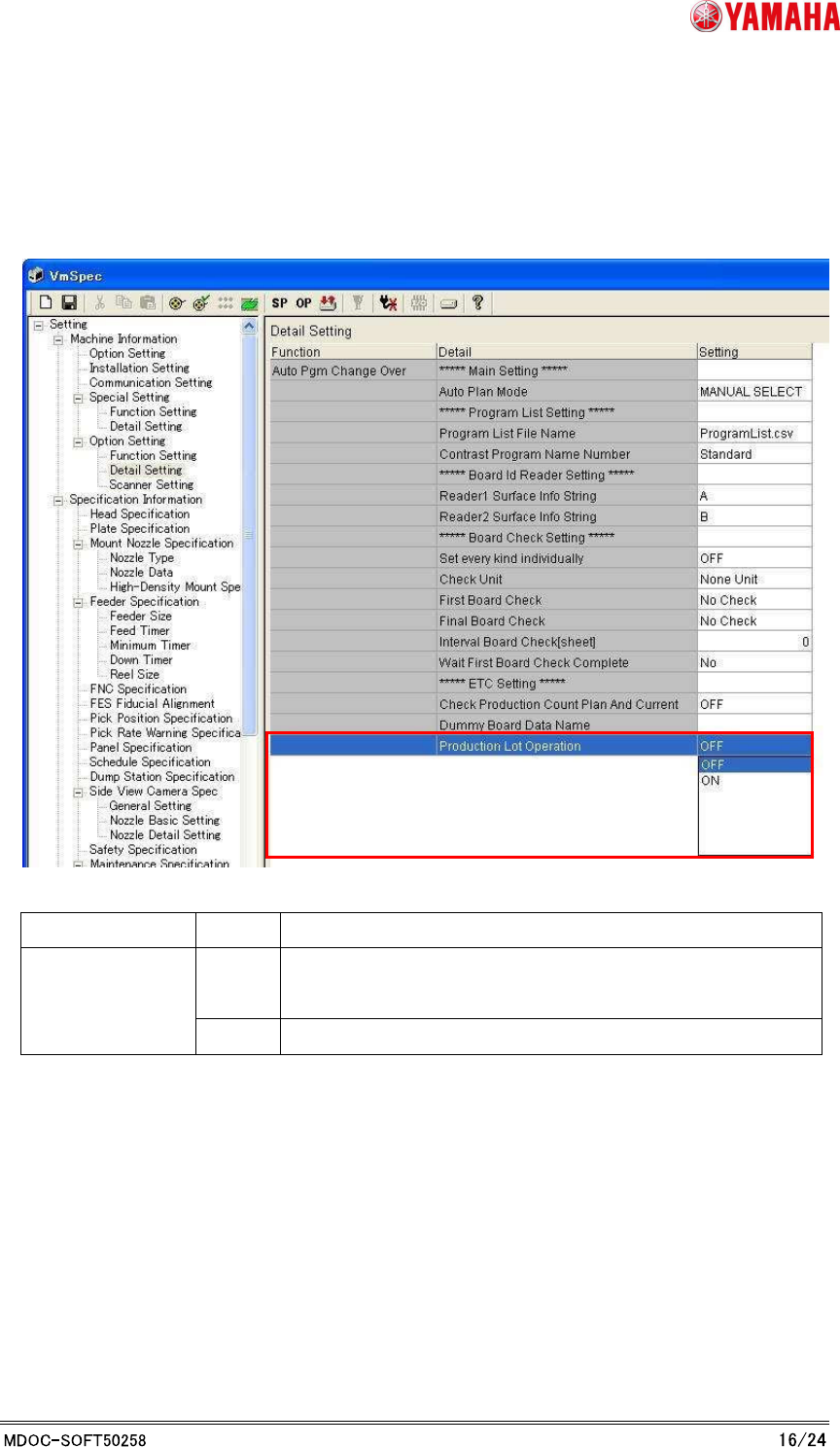
Production Lot Operation Setting
When you use the Production Lot for program searching, sets “ON” to [Machine
Information]-[Option Setting]-[Detail Setting]-[Production Lot Operation].
Item Setting
Note
OFF You not use the Production Lot for program search condition.
* Existing action
Production Lot
Operation
ON You use the Production Lot for program search condition.