TM5650.Production Lot Operations for APCO.pdf - 第5页
Y AMAHA MOTOR CO. , L TD. IM Business Unit SMT Softw are Engi neering Group 2.3 Chapters over view Refer to each chapter for Production Lot Operati on . Refer to “3. P-T ool: Program List Editor” Refer to “4. Production:…
YAMAHA MOTOR CO., LTD.
IM Business Unit
SMT Software Engineering Group
2. Production Lot Operation
2.1 Outline
This function allows you to operate YAMAHA machines by using your own production lot.
Without this function, you need to rename the program name according to the direction sheet.
But with this function, you don’t need to do that because it is possible to link the Yamaha program
from the production lot.
By using this the function, you can use only one program name throughout a production, from
off-line setup to mounting.
As mentioned, you don’t need to make a lot of similar program names, so that you will avoid
selecting a wrong program.
Moreover, you also can classify programs by more detailed conditions.
* e.g. Classify productions by parts type, lank, condition, lot, supplier etc.
2.2 Introduction
Before using this function, please read the following sections.
Preparation
Production lot
Issue a lot as operation unit.
Program (Board Data)
Prepare a program (board data) to use for production.
Program list
You need to create a list to link Production Lot and program. For more details, refer to the
Chapter “3. P-Tool: Program List Editor”.
P-Tool
To create a program list, you have to have Program List Editor in P-Tool.
Therefore, P-Tool’s Program List Editor is a prerequisite to use this fucntion.
Setting
Set up to be able to see Program List over the local network.
* Refer the chapter 4.1, if you use an OP003:APCO.
YAMAHA MOTOR CO., LTD.
IM Business Unit
SMT Software Engineering Group
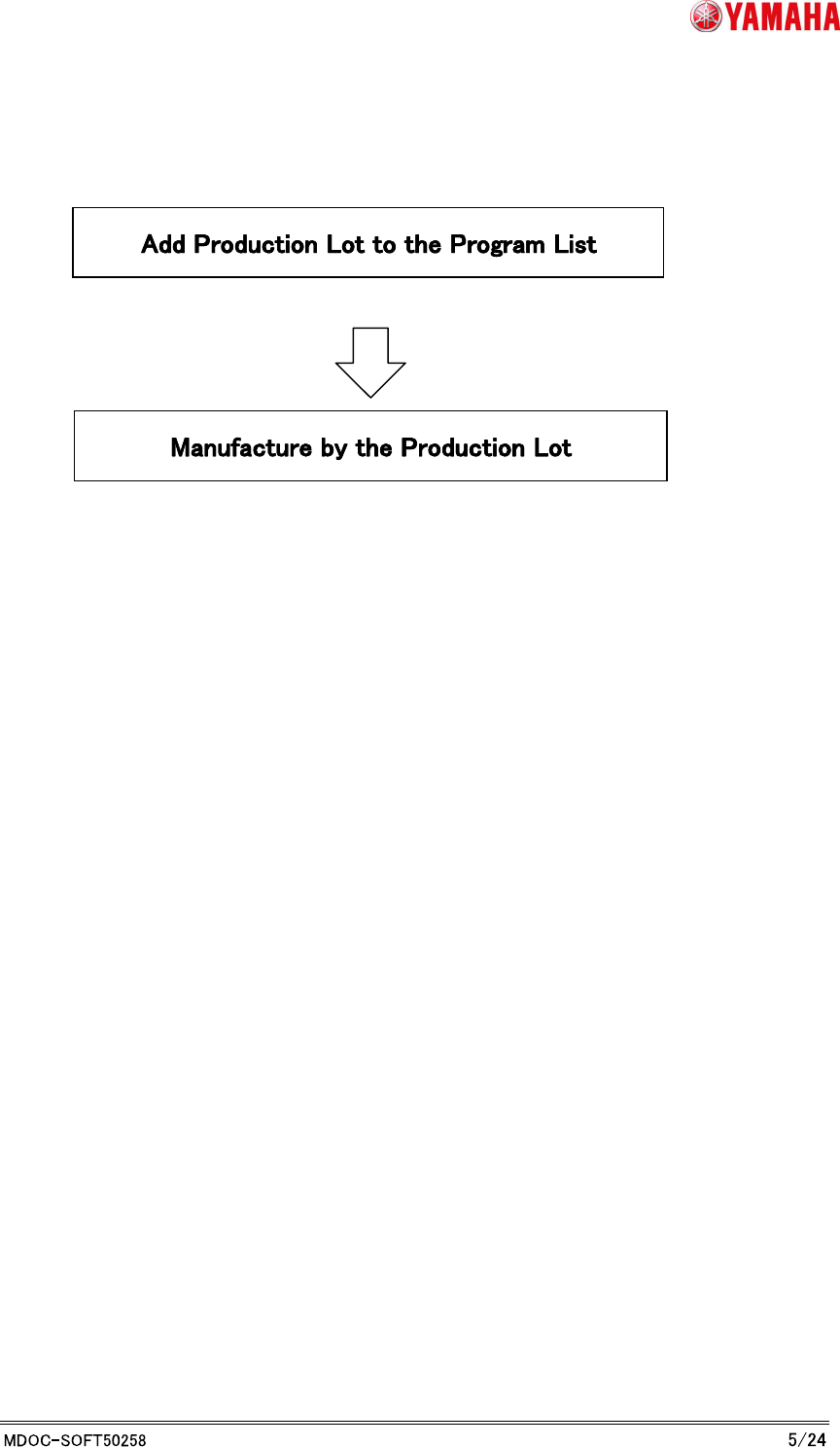
2.3 Chapters over view
Refer to each chapter for Production Lot Operation.
Refer to “3. P-Tool: Program List Editor”
Refer to “4. Production: Mounter”
YAMAHA MOTOR CO., LTD.
IM Business Unit
SMT Software Engineering Group
3. P-Tool: Program List Editor
3.1 Make Program List
When you operate to the Production Lot, you have to link the Production Lot and the program
(board data). This information of the link is used to find the corresponding program from the
Production Lot that is selected on the machine.
* Refer to "Y.FacT standard function manual" about how to use the Program List Editor's more
details. This script explains about link of Production Lot and program.
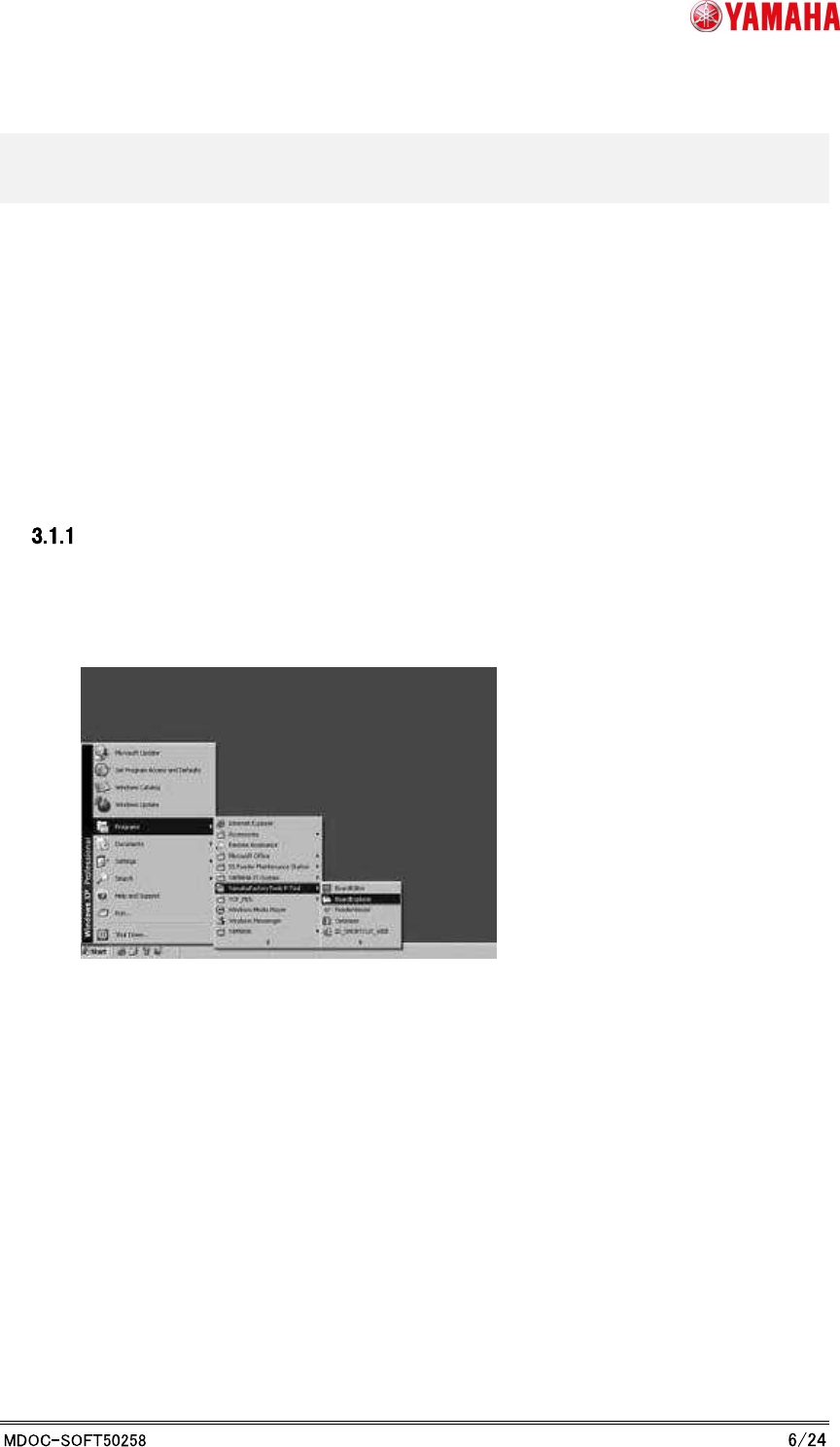
Launch Board Explorer
To edit the program list, launch Program List Editor from Board Explorer. From the start menu,
select any “YAMAHA Factory Tools” P or M or S-Tool, then select Board Explorer.