TM5650.Production Lot Operations for APCO.pdf - 第12页
Y AMAHA MOTOR CO. , L TD. IM Business Unit SMT Softw are Engi neering Group Input th e program name per machines as ne cessary to the [Program Name [1] to [9]] on the “Program Contrast [Equipment]” t ab . * Y ou can copy…
YAMAHA MOTOR CO., LTD.
IM Business Unit
SMT Software Engineering Group
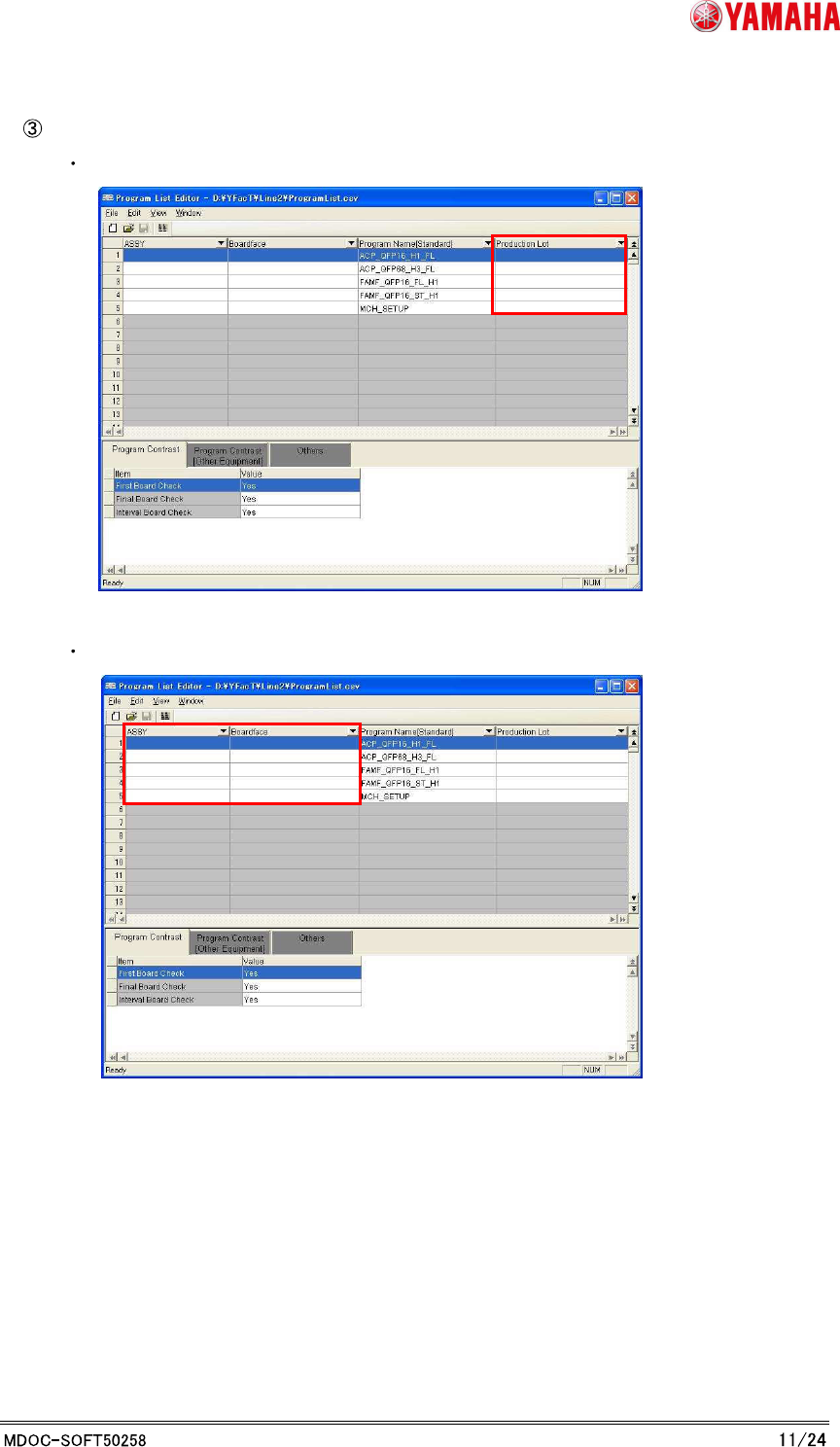
Edit the information to link to the program.
Input a lot name into the [Production Lot] column.
>> By this setting, you can choose the linked program by Production Lot.
Input the “ASSY” and ”Board face” information of production model if necessary.
YAMAHA MOTOR CO., LTD.
IM Business Unit
SMT Software Engineering Group
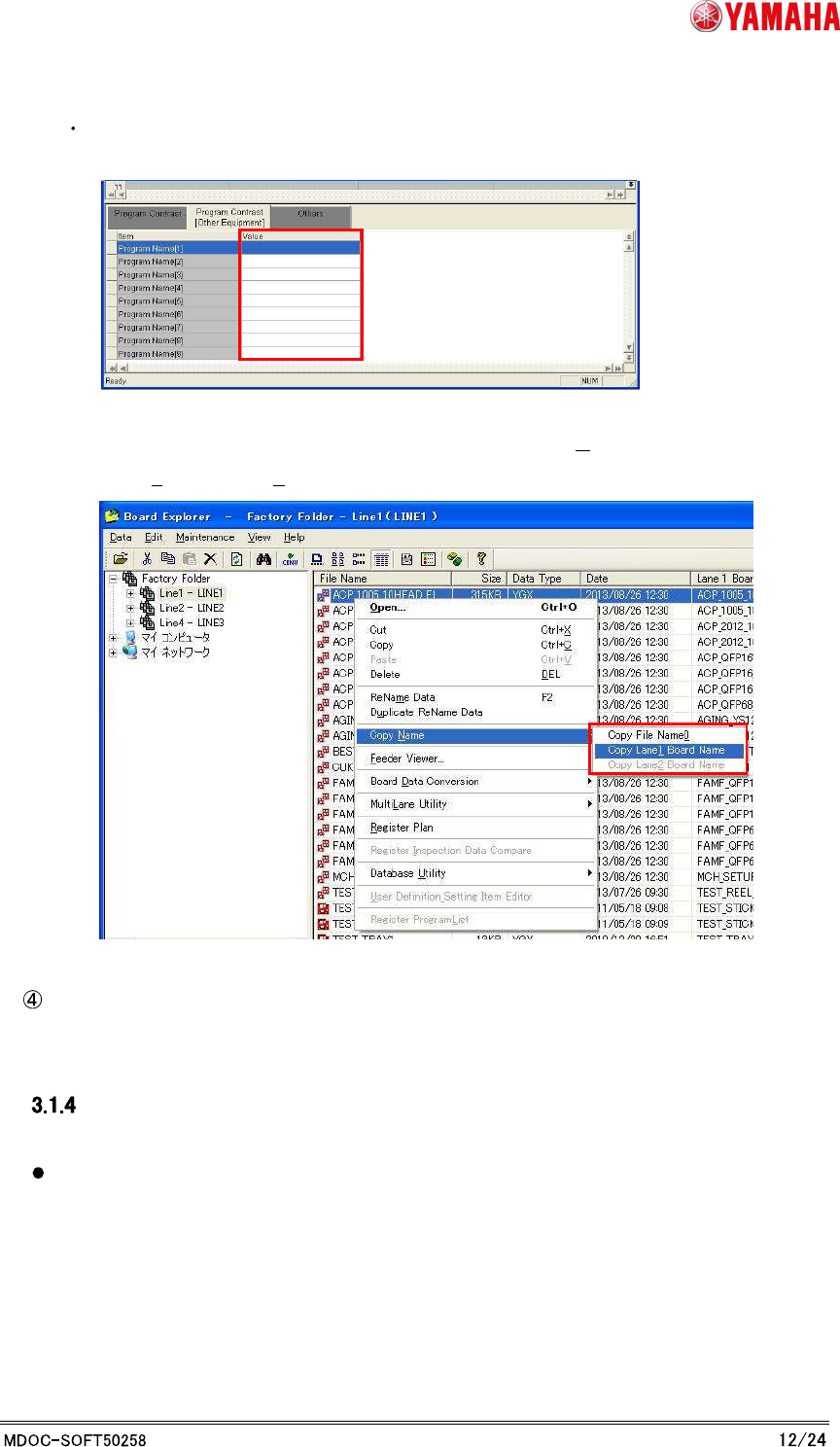
Input the program name per machines as necessary to the [Program Name [1] to [9]]
on the “Program Contrast [Equipment]” tab.
* You can copy the program name to the clipboard by the following method.
Choose a board by Board Explorer, and choose “[Copy Name]-[Copy File
Name0]([Copy Lane1 Board Name])” from the right click menu.
Choose the “Save Program list as ...” at file menu.
Caution
Be careful in the following registrations to avoid a trouble.
When the record is the same “ASSY” and the same “Board face”, please set an unique
value to the Production Lot.
YAMAHA MOTOR CO., LTD.
IM Business Unit
SMT Software Engineering Group
4. Production: Mounter
4.1 [OP003: Auto Program Change Over (APCO)] by Production
Lot
You can change programs by using Production Lot on APCO.
“Production lot” has been added to “Search Condition.”
Search condition Search result
Production lot Matched program with Production Lot.
ASSY + Board face + Production lot Matched program with ASSY and Board face and
Production lot
ASSY + Board face Matched program with ASSY and Board face
* Existing action
It is searched from top of list.
If more than one program is found, the first one is used.
* For more details about APCO, please refer to the users manual.
Introduction
4.1.1.1 Preparation
When you use the Production Lot, it need a supported optional file (OP003.ini).
* If you use the earlier version, you cannot change the setting for Production Lot
Operation. In this case, it works with Production Lot Operation “OFF”.
If you use Production Lot, you need to add Production Lot to Program List.
* Refer to [3. P-Tool: Program List Editor] about addition of Production Lot to Program
List.
If you use Production Lot, you need to add Production Lot to barcode format for the APCO.
* Refer to "Server Utility Software User's Manual" about change of barcode format.