TM5650.Production Lot Operations for APCO.pdf - 第6页
Y AMAHA MOTOR CO. , L TD. IM Business Unit SMT Softw are Engi neering Group 3. P-T ool: Program List Editor 3.1 Make Progra m List When you op erate to the Production Lot, you h ave to link the Production Lot and the pro…
YAMAHA MOTOR CO., LTD.
IM Business Unit
SMT Software Engineering Group
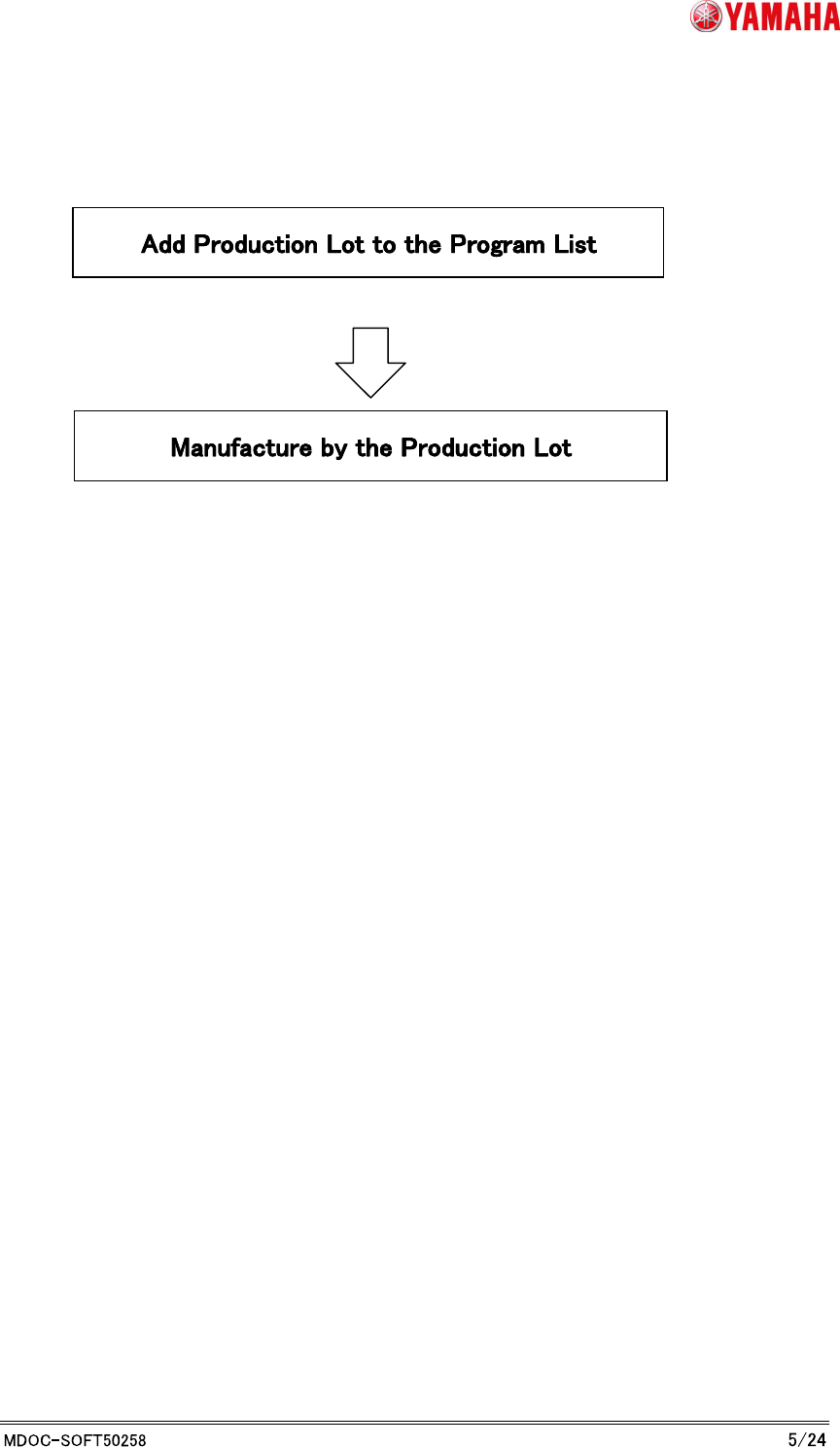
2.3 Chapters over view
Refer to each chapter for Production Lot Operation.
Refer to “3. P-Tool: Program List Editor”
Refer to “4. Production: Mounter”
YAMAHA MOTOR CO., LTD.
IM Business Unit
SMT Software Engineering Group
3. P-Tool: Program List Editor
3.1 Make Program List
When you operate to the Production Lot, you have to link the Production Lot and the program
(board data). This information of the link is used to find the corresponding program from the
Production Lot that is selected on the machine.
* Refer to "Y.FacT standard function manual" about how to use the Program List Editor's more
details. This script explains about link of Production Lot and program.
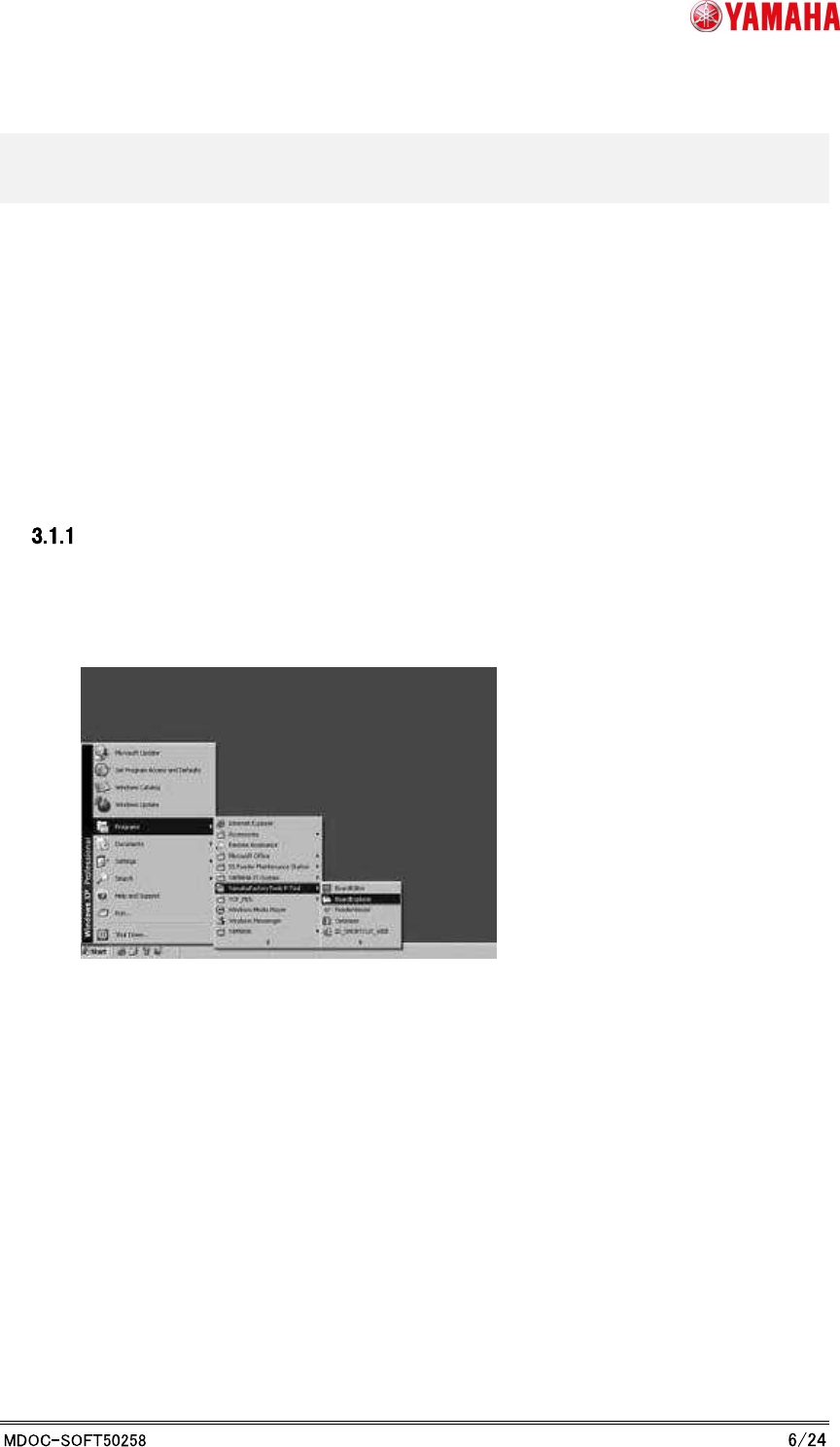
Launch Board Explorer
To edit the program list, launch Program List Editor from Board Explorer. From the start menu,
select any “YAMAHA Factory Tools” P or M or S-Tool, then select Board Explorer.
YAMAHA MOTOR CO., LTD.
IM Business Unit
SMT Software Engineering Group
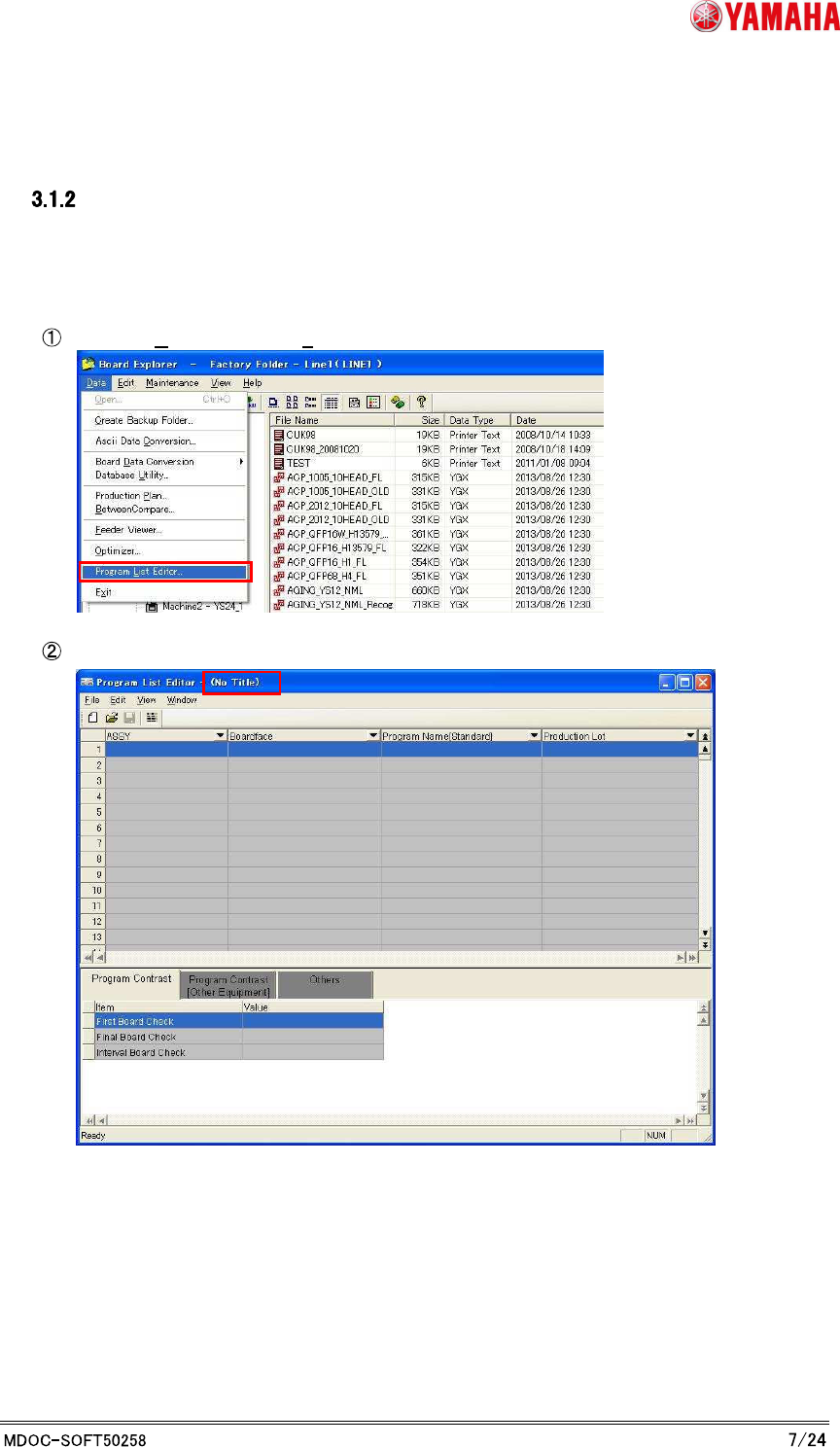
Launch Program List Editor
There are three methods to launch Program List Editor, “Launch with no line designation”,
“Launch with line designation”, and “Launch with program name registration”.
1. “Launch with no line designation”
Choose [Data] - [Program List Editor…].
Program List Editor is launched without any list loaded.