TM5650.Production Lot Operations for APCO.pdf - 第8页
Y AMAHA MOTOR CO. , L TD. IM Business Unit SMT Softw are Engi neering Group 2. “Launch with line designation” Select a line and view the right click menu , t h en click “Program List Editor…” Program List Editor launches…
YAMAHA MOTOR CO., LTD.
IM Business Unit
SMT Software Engineering Group
Launch Program List Editor
There are three methods to launch Program List Editor, “Launch with no line designation”,
“Launch with line designation”, and “Launch with program name registration”.
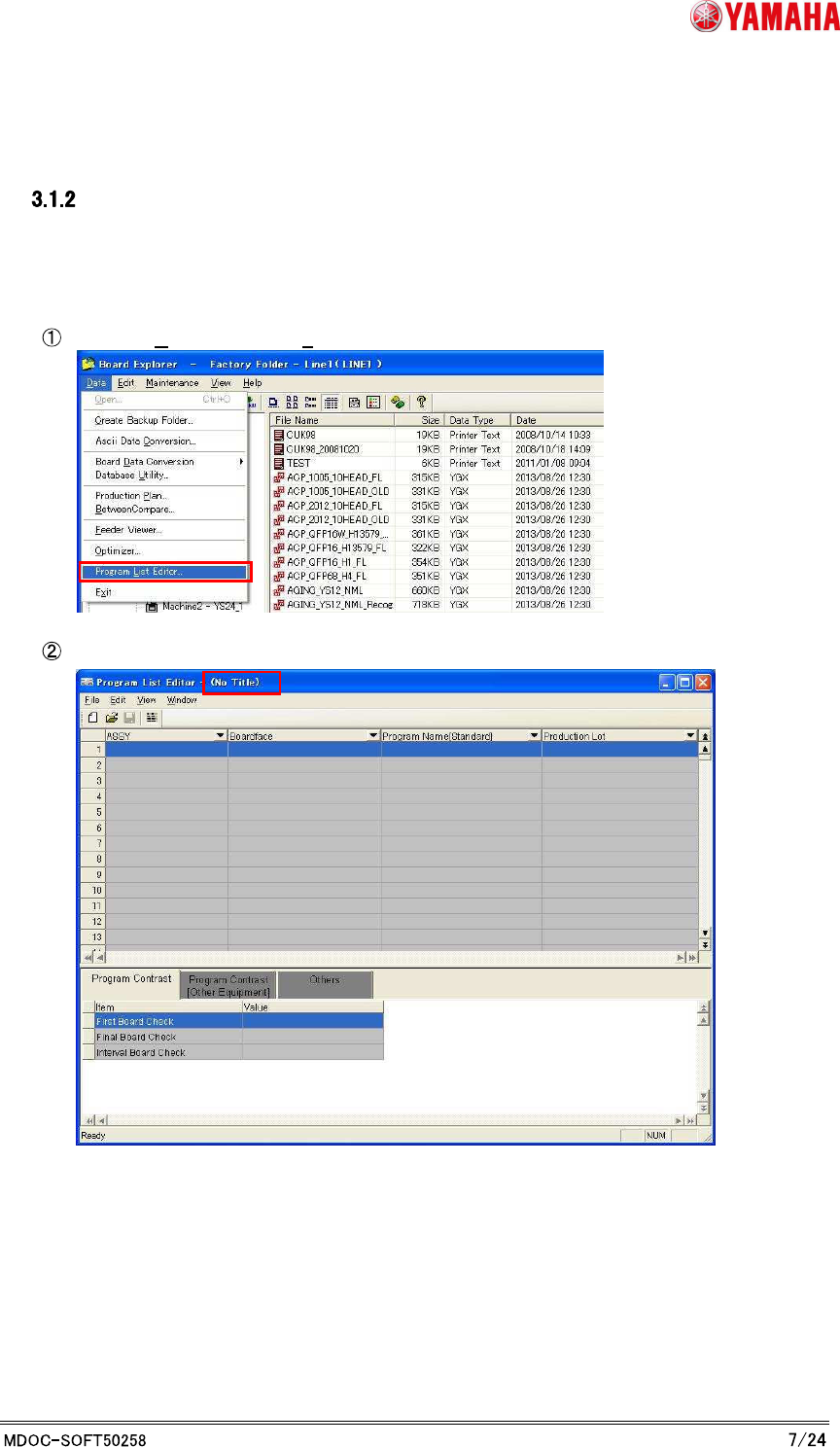
1. “Launch with no line designation”
Choose [Data] - [Program List Editor…].
Program List Editor is launched without any list loaded.
YAMAHA MOTOR CO., LTD.
IM Business Unit
SMT Software Engineering Group
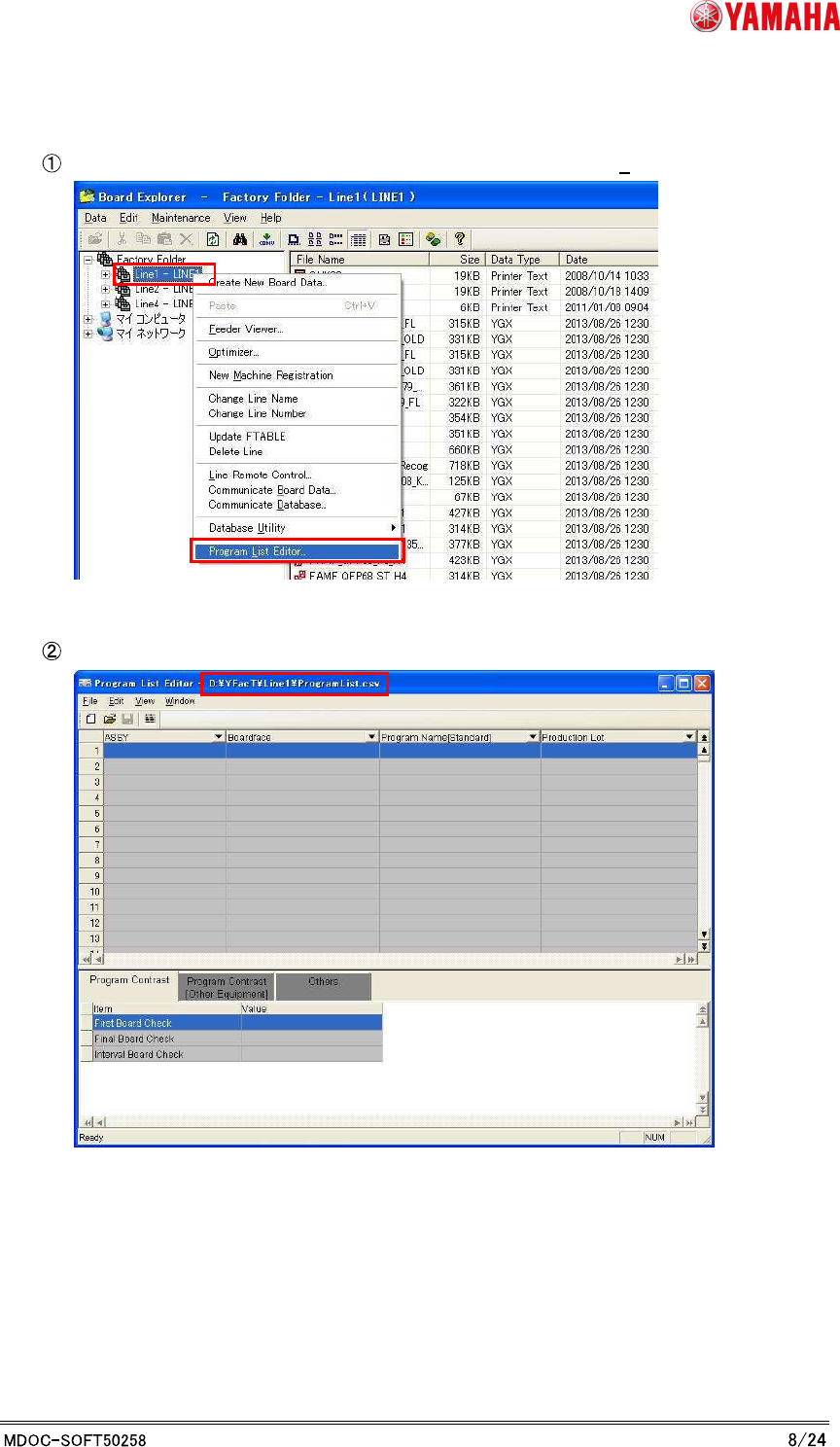
2. “Launch with line designation”
Select a line and view the right click menu, then click “Program List Editor…”
Program List Editor launches with the line's Program List that you selected.
YAMAHA MOTOR CO., LTD.
IM Business Unit
SMT Software Engineering Group
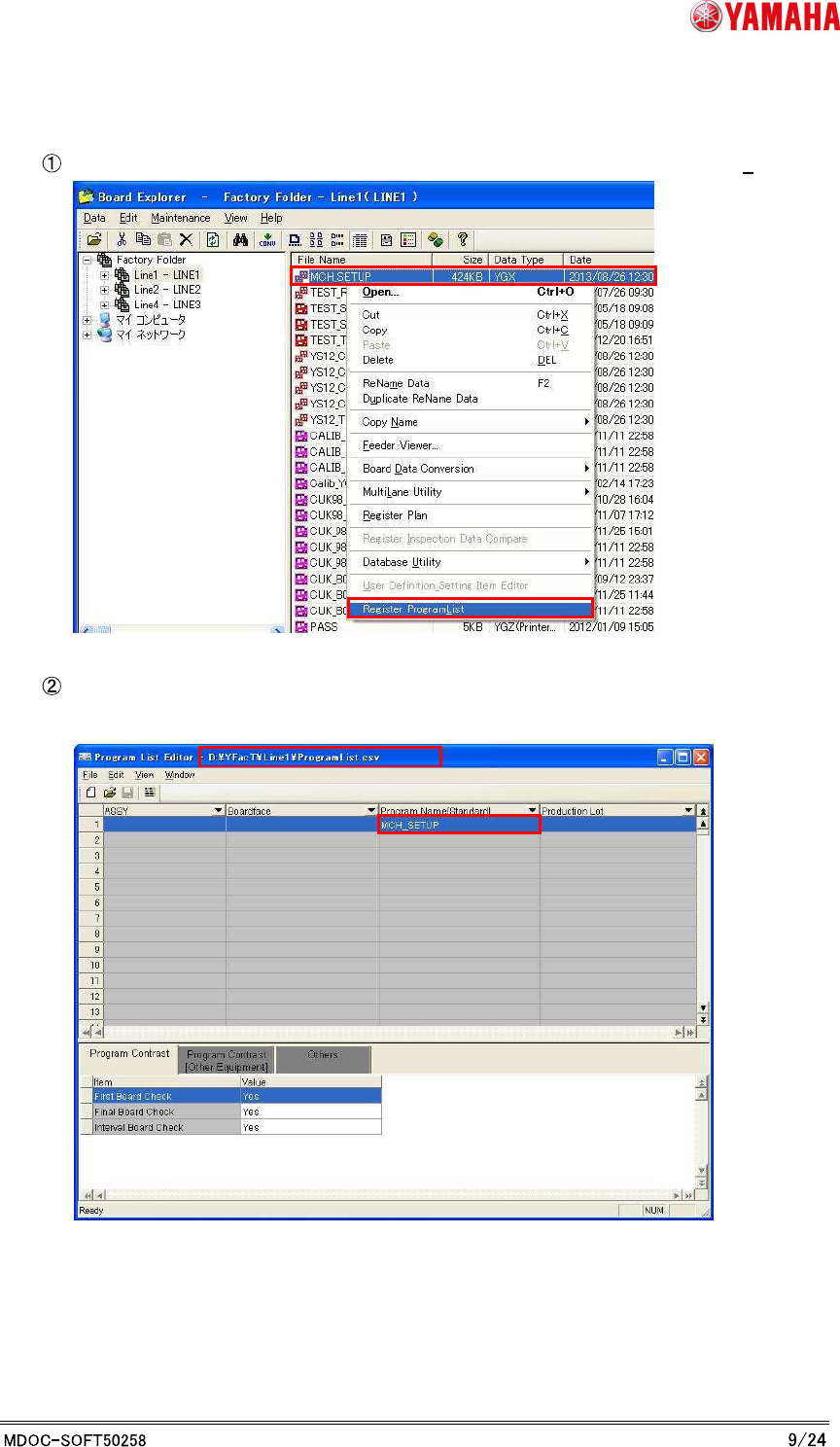
3. "Launch with the program name registration”
Select board data and view the right click menu, then click “Register Program List”.
Program List Editor launches with the line's Program List. Your choosing file name is
registered to the [Program Name] column in the Program List.