00195044-15_UM_VisionTeachStation_DE EN.pdf - 第121页
Vision Teach Station User Manual 5 Installing the cameras 10/2015 Edition 5.1 Installing stationary cameras, type 25, 33 and 36 121 Fig. 5.1 - 4 DIP switch settings on the stationary cameras (version with 6 switches) CAU…
03040355-W2
X12
03040355-W1
(1)
(2)
X4
X10
X5
5 Installing the cameras Vision Teach Station User Manual
5.1 Installing stationary cameras, type 25, 33 and 36 10/2015 Edition
120
5
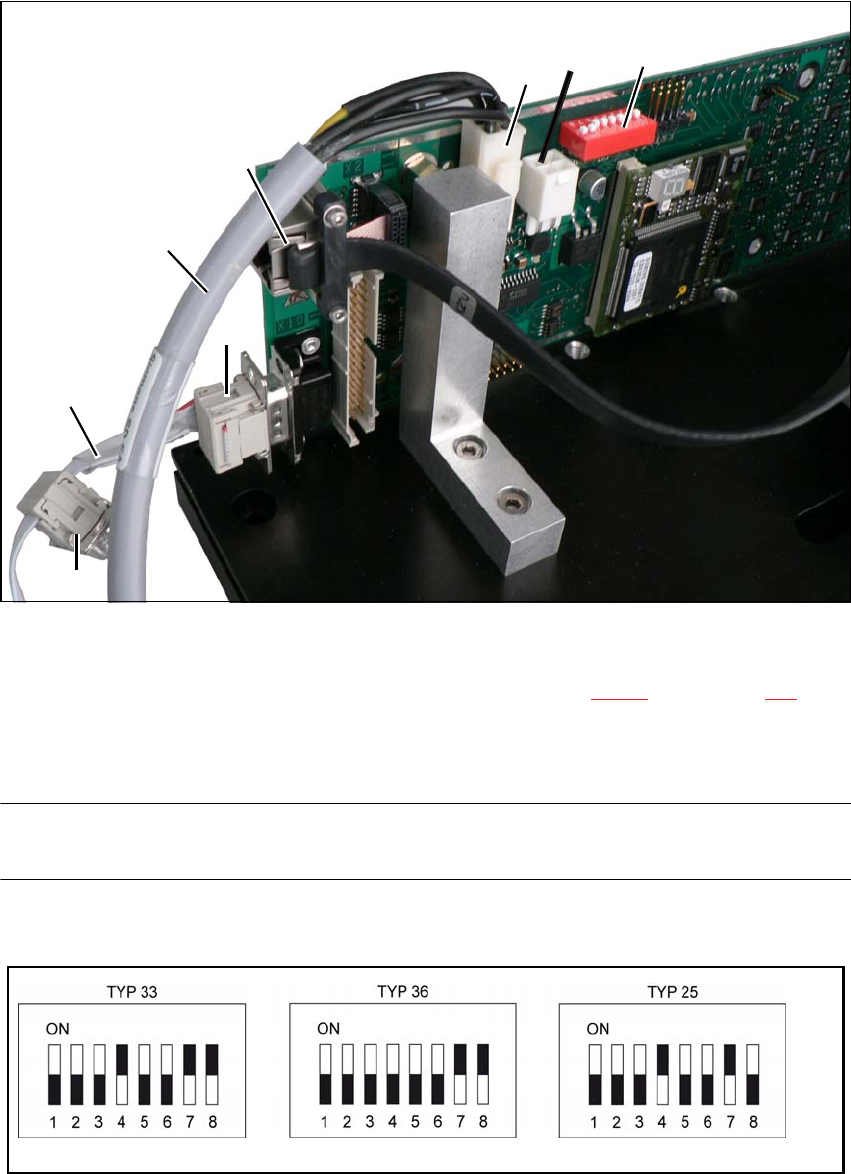
Fig. 5.1 - 2 Connecting cable set 03040355-xx
(1) DIP switches for camera type and location address
(2) Camera connector for camera cable direct to the PC (see Fig. 4.3 - 2, no. 1, page 117)
X4, X5 power supply connection, connected in parallel
X10 CAN bus connection
NOTE 5
Fit the camera to the base module before you connect the camera bus cable.
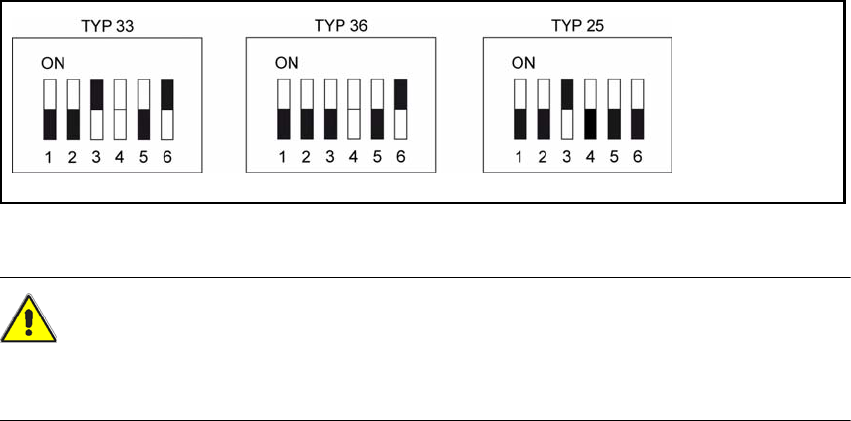
Check the DIP switch settings on the cameras.
Fig. 5.1 - 3 DIP switch settings on the stationary cameras for the vision teach station (version with 8 switches)
Vision Teach Station User Manual 5 Installing the cameras
10/2015 Edition 5.1 Installing stationary cameras, type 25, 33 and 36
121
Fig. 5.1 - 4 DIP switch settings on the stationary cameras (version with 6 switches)
CAUTION 5
In the version with 6 switches, switch no. 4 must NOT be changed, as this might cause malfunc-
tion of the LED self test.
5
5 Installing the cameras Vision Teach Station User Manual
5.1 Installing stationary cameras, type 25, 33 and 36 10/2015 Edition
122
5.1.1.3 Assembling the camera
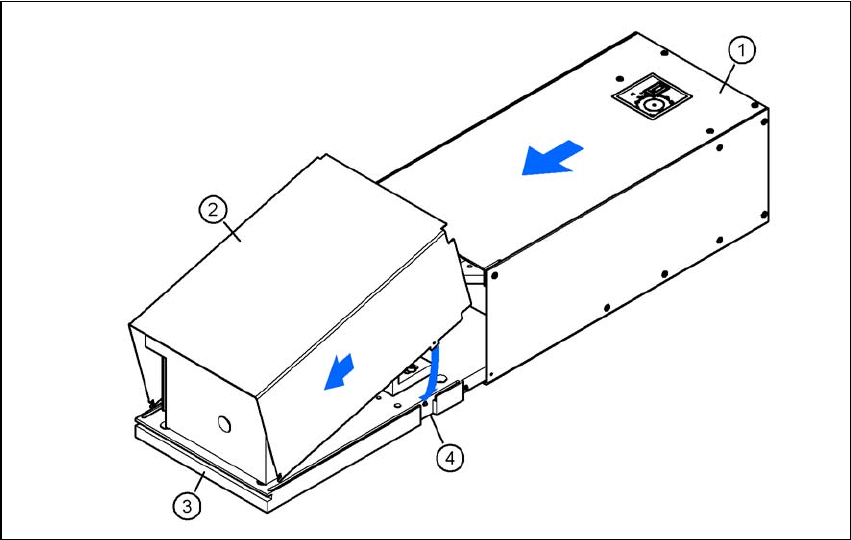
Slide the cover (item 2) nose-first into the base plate (item 3).
Swivel the cover down until it engages on the ball catch (item 4) in the base plate (item 3).
Slide the illumination head (item 1) back until it engages.
5
Fig. 5.1 - 5 Assembling the camera