Micron Maintenance Manual.pdf - 第81页
3 VACUUM FILTRATION UNITS 3.1 FILTER REPLACEMENT MAINTENANCE MANUAL MICRON 11/2017 81 5. Carefully slide the vacuum filtration unit out of the printer ensuring that the cables do not snag and place the unit on the floor.…
3 VACUUM FILTRATION UNITS
3.1 FILTER REPLACEMENT
80 MAINTENANCE MANUAL MICRON 11/2017
3.1.3 VF30 Vacuum Filtration Unit
MANDATORY
TOXIC CHEMICALS MAY BE PRESENT. SAFETY GLOVES MUST BE WORN.
MANDATORY
TOXIC CHEMICALS MAY BE PRESENT. EYE PROTECTION MUST BE WORN.
To replace any of the filters in the vacuum filtration unit, carry out the following:
NOTE
Numbers in brackets e.g. (1), refer to the numbers in the graphics in the procedure.
1. Ensure the printer is switched OFF.
2. Remove the printer front panel.
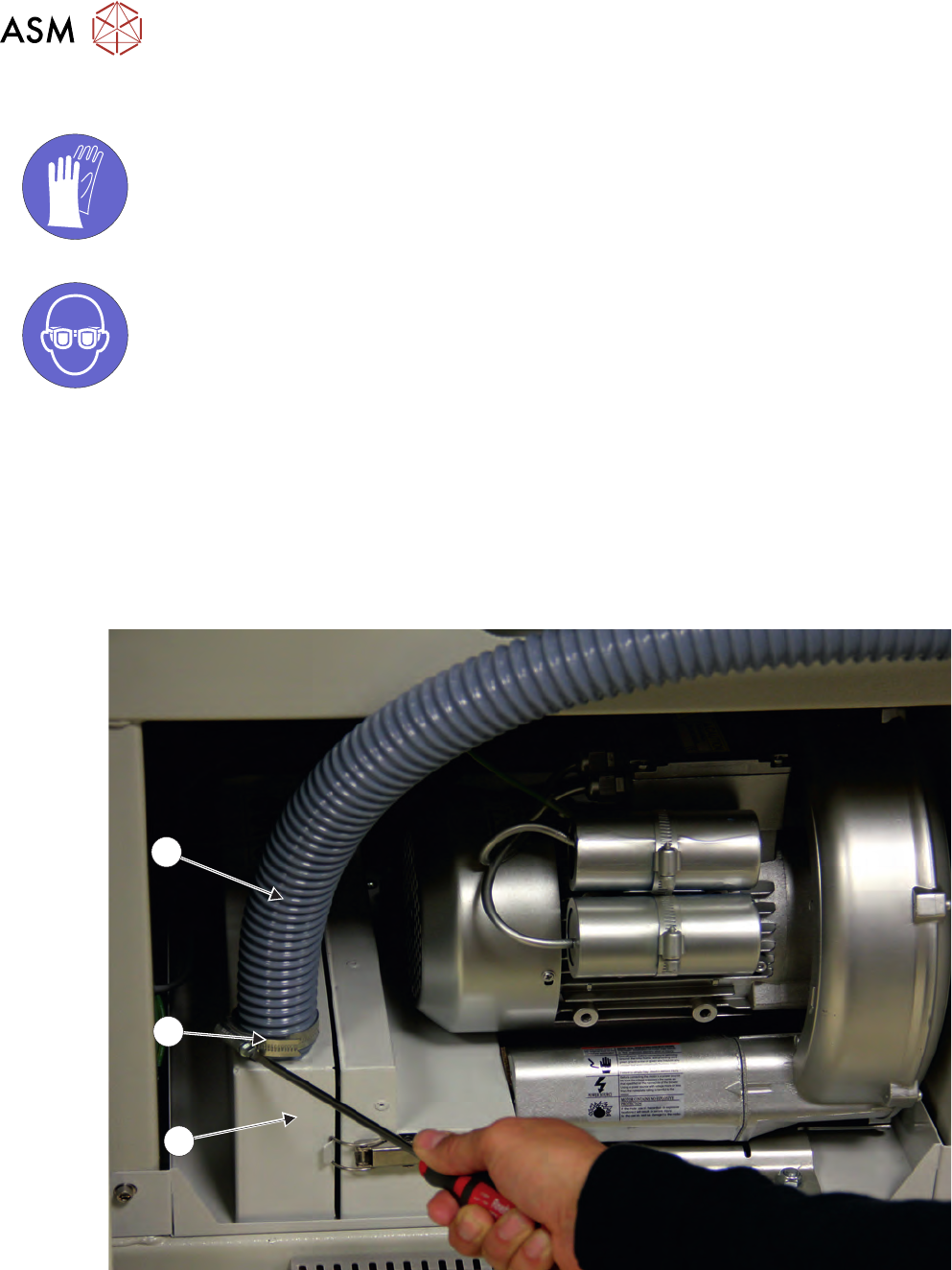
3. Remove the air duct (1) from the carbon filter unit (3) using a screwdriver or box spanner to
release the securing clip (2).
1
3
2
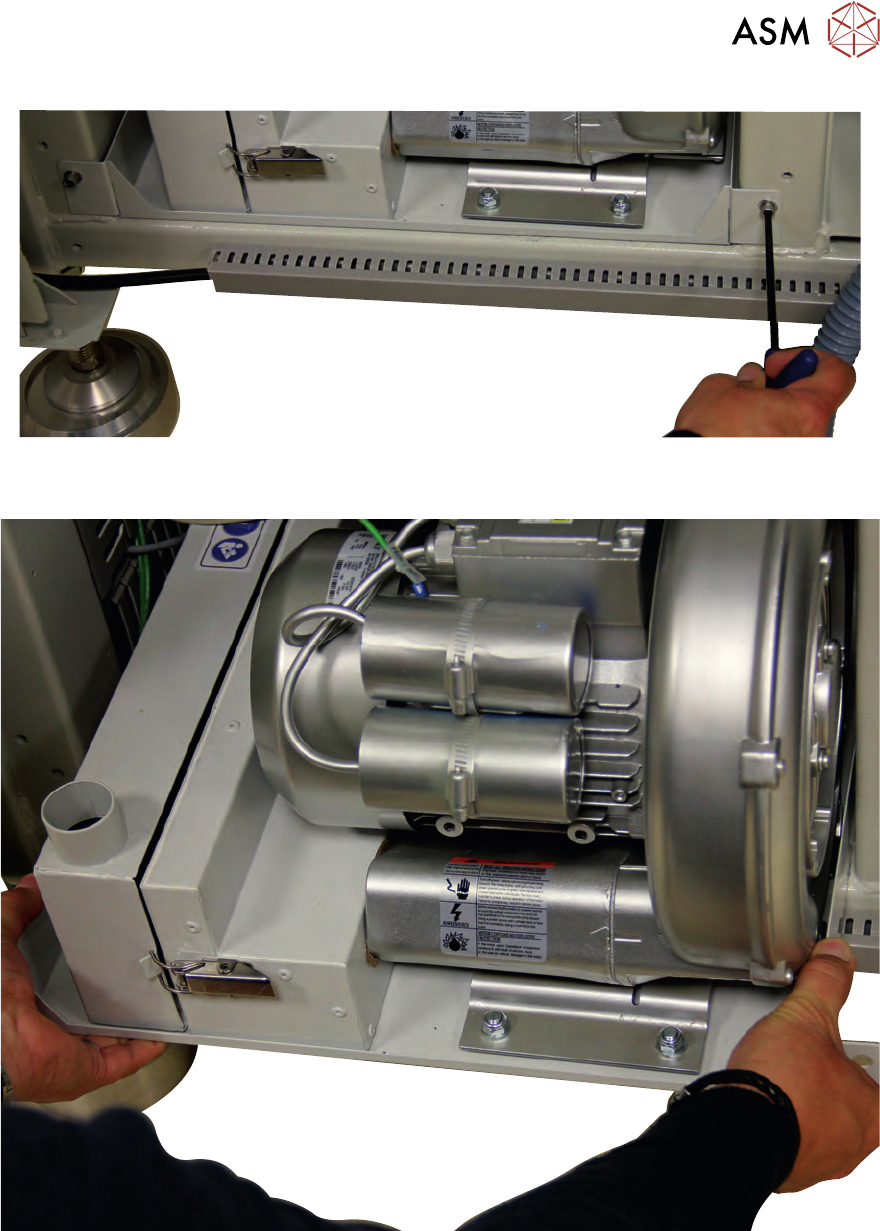
4. Using a 6mm Allen key, remove the two securing screws (4), one on the left side and one on
the right side of the vacuum filtration unit.
3 VACUUM FILTRATION UNITS
3.1 FILTER REPLACEMENT
MAINTENANCE MANUAL MICRON 11/2017 81
5. Carefully slide the vacuum filtration unit out of the printer ensuring that the cables do not snag
and place the unit on the floor.
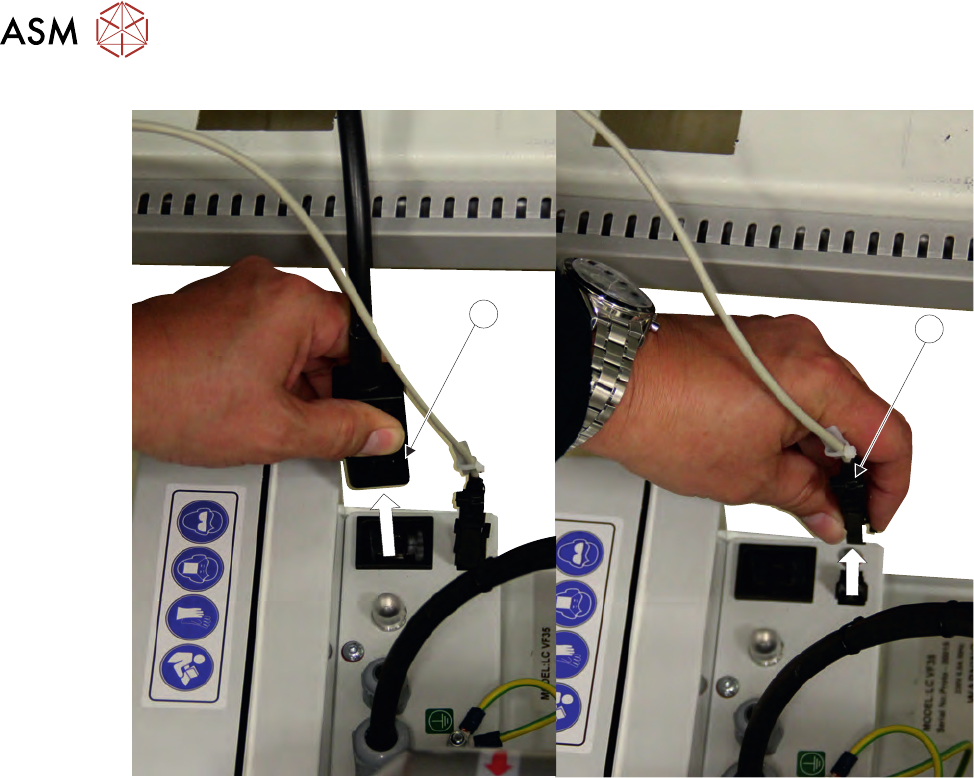
6. Disconnect the mains connector (5) from the vacuum filtration unit.
3 VACUUM FILTRATION UNITS
3.1 FILTER REPLACEMENT
82 MAINTENANCE MANUAL MICRON 11/2017
6
5
7. Disconnect the communications connector (6) from the vacuum filtration unit.