YS24_Mainte_E.pdf - 第102页
3-38 3 Periodic maintenance items 4.6 Checking the SC-axis flex cable T he SC-axis flex cable is a flat multi-cable designed for rigidity to prevent the harness from drooping as it moves along with the scan camer a. Howe…
3-37
3
Periodic maintenance items
4.5.3 Lubricating the spline shaft (as needed)
n
NOTE
Basically, the lubricating the spline shaft (Z-axis) is not required. However, the grease on the spline shaft surface is
removed by touching with hand or by sprinkling solvent. As a result, the spline shaft gets easily rusted. Apply the
specified grease (NSL) slightly for anti-rusting as needed.
e
1
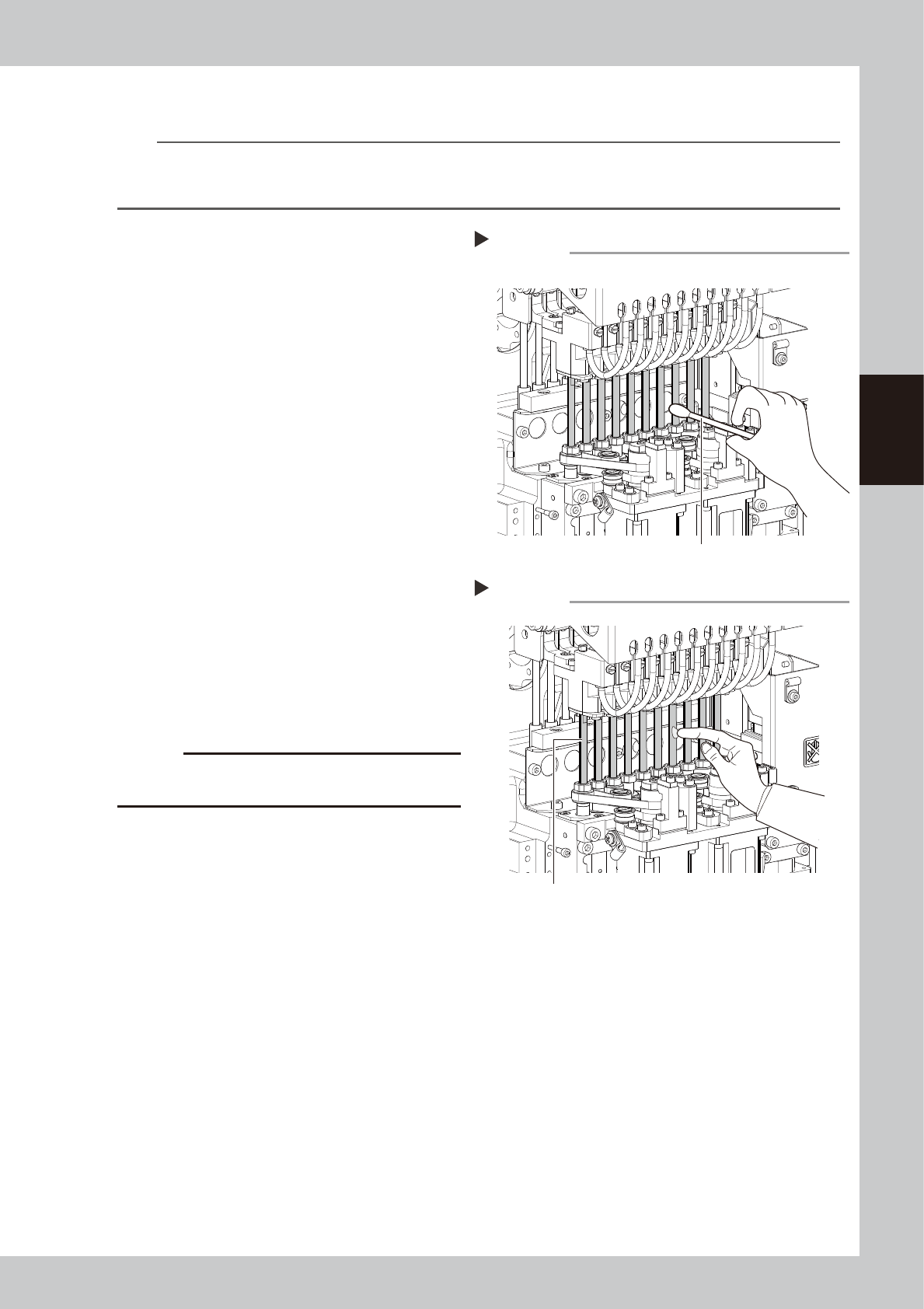
Move the head unit.
1. Press the emergency stop button and
then open the machine safety cover.
2. If the machine is equipped with a
carriage, remove the carriage to allow
you to easily access the head.
3. Move the head unit forward.
2
Clean the spline shaft.
Wipe the spline shaft with a lint-free cloth or
a cotton swab.
533F5-L2-00
3
Apply grease to spline shaft.
Apply the specified grease to finger slightly.
Spread the grease uniformly over the
surface of the shaft.
53335-L2-10
4
Wipe away grease.
1. Move the spline shaft up or down
manually.
2. Wipe away excess grease on the upper
and lower area of the shaft with a
lint-free cloth or a cotton swab.
c
CAUTION
Make sure not to wipe away the grease on the surface
of the spline shaft completely.
Cleaning the spline shaft
Step 2
Cotton swab
Applying grease to spline shaft
Step 3
Spline shaft
3-38
3
Periodic maintenance items
4.6 Checking the SC-axis flex cable
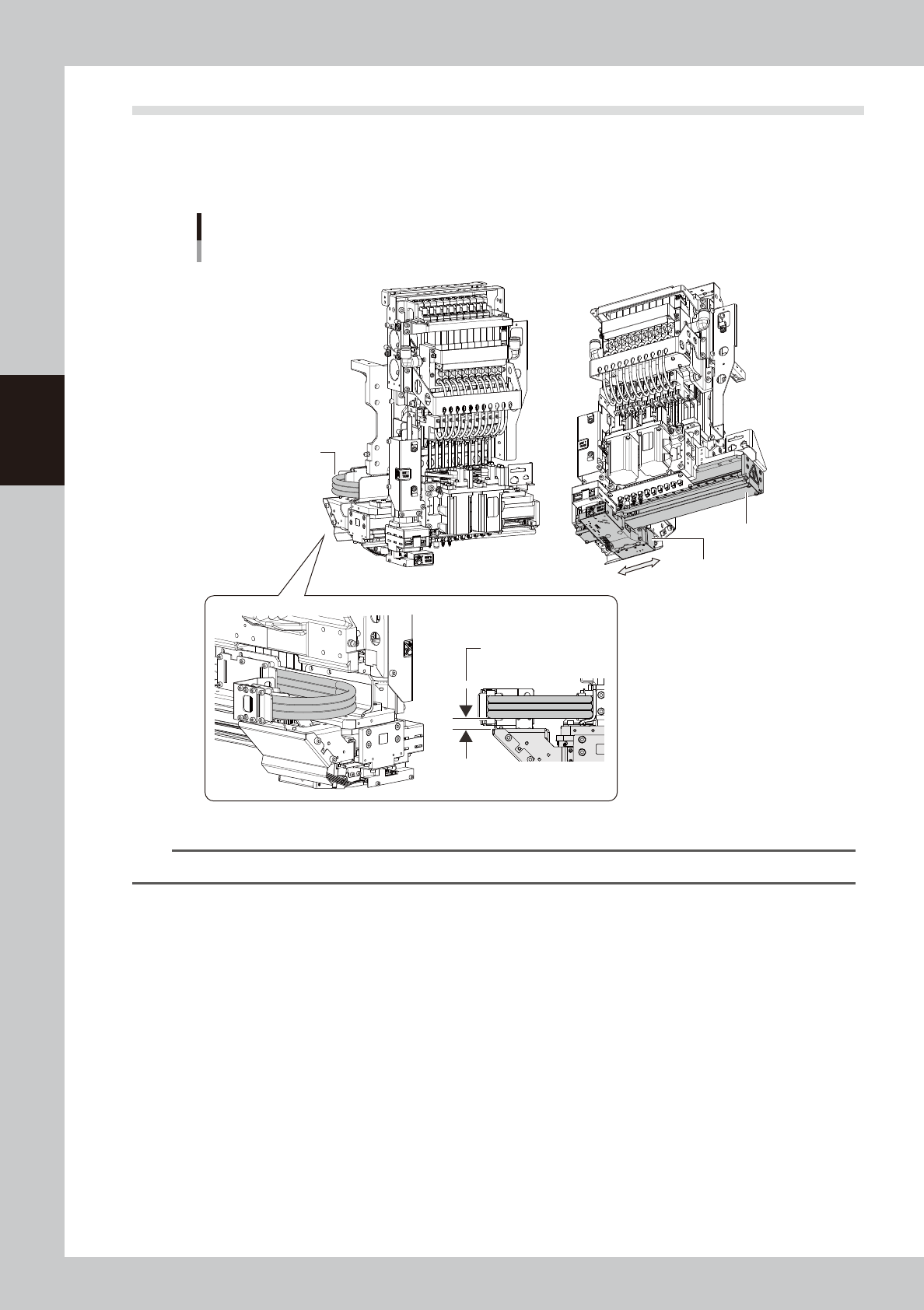
The SC-axis flex cable is a flat multi-cable designed for rigidity to prevent the harness from drooping as it
moves along with the scan camera. However, the cable may eventually droop due to warping or weakening
from long-term use. If cable drooping occurs, then the cable may come in contact with moving parts and cause
trouble. We recommend making periodic checks and replacing the cable if drooping becomes obvious.
SC-axis unit
Checking the SC-axis flex cable condition
Scan camera
Check for drooping
in the flex cable.
Head assembly
No drooping allowed
in the flex cable.
53351-L2-10
n
NOTE
If drooping in the SC-axis flex cable becomes obvious, contact YAMAHA sales representative.
3-39
3
Periodic maintenance items
4.7 Inspecting and replacing the air and oil mist filter
The air filter and oil mist filter are used in this unit to prevent oil, water, impure objects in the air compressor
from entering into the machine. In this section, inspection and cleaning of these filters, and replacing method
of the inside filter element are shown below. In order to perform this work safely, always remove the air
coupler at the air supply connection unit.
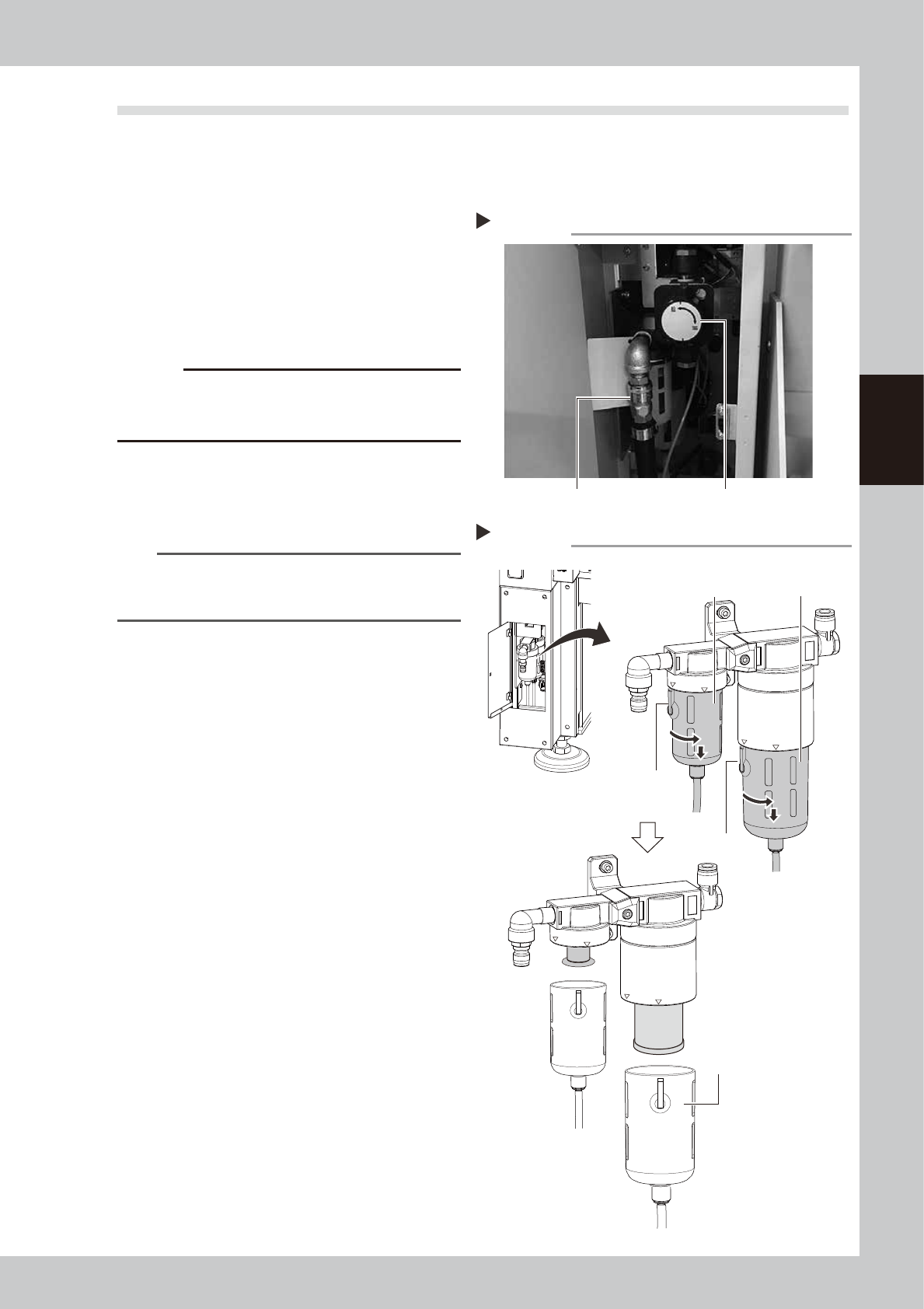
1
Remove the air coupler of air
supply.
1. Turn the air supply/exhaust switch
clockwise to turn air supply OFF.
2. Remove the air coupler on the air supply
connection unit.
53363-L2-10
c
CAUTION
Be aware that a loud air exhaust sound is heard when
disconnecting the air coupler. Use care to prevent oil,
water, and impurities, etc., from being sprayed out.
2
Check the inside of the filer cup.
Check if oil or water is in the cup. When oil
or water is dirty, clean it by following Step 3
to 4.
TIP
The drain valve at the bottom of cup is an auto-drain
type. When oil and water fills the cup, it is automatically
discharged.
3
Remove the cup.
1. While pressing the button on the filter
cup, turn the cup clockwise.
2. Match the button to the “IN” display
location on the filter housing, and pull
down the cup to remove.
53325-L2-10
Step 1
Removing the air coupler
Air coupler Air supply/exhaust switch
Removing the filter cup
Step 3
Oil mist filter
Button
LOCK
IN
LOCK
IN
Button
Air filter
Filter cup