YS24_Mainte_E.pdf - 第70页
3-6 3 Periodic maintenance items 1.3 Checking the conveyor sensor condition and operation T his machine uses a transmission type fiber sensor as the conv eyor sensor . As the convey or width changes, the distance between…
3-5
3
Periodic maintenance items
5
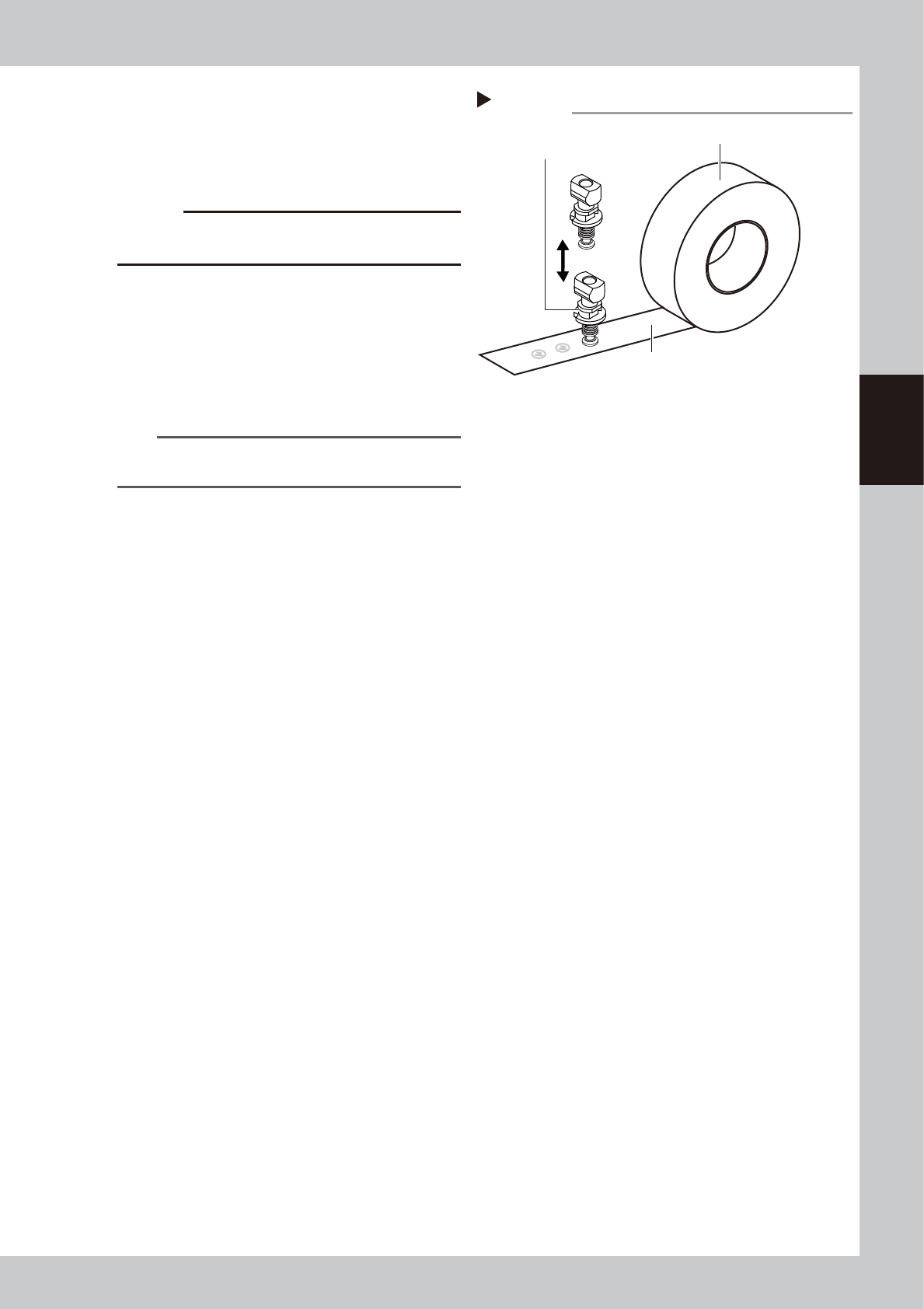
Clean the nozzle tip.
Push the nozzle tip vertically against the
adhesive surface of the nozzle tip cleaning
tape several times to remove dirt.
53320-L2-00
c
CAUTION
If turning or tilting a nozzle while pushing it against the
tape, the adhesive surface may stick to the nozzle.
6
Lubricate the slide section.
See "1.2.1 Cleaning and lubricating the
nozzle buffing area" in this chapter to
lubricate the nozzle buffing area.
7
Return nozzles to the head.
Return the removed nozzles to the head.
n
NOTE
If removed nozzles from the nozzle station, return them
to the nozzle storage positions.
Nozzle tip cleaning tape
Step 5
Nozzle tip cleaning tape
Adhesive surface
Push nozzle vertically.
3-6
3
Periodic maintenance items
1.3 Checking the conveyor sensor condition and operation
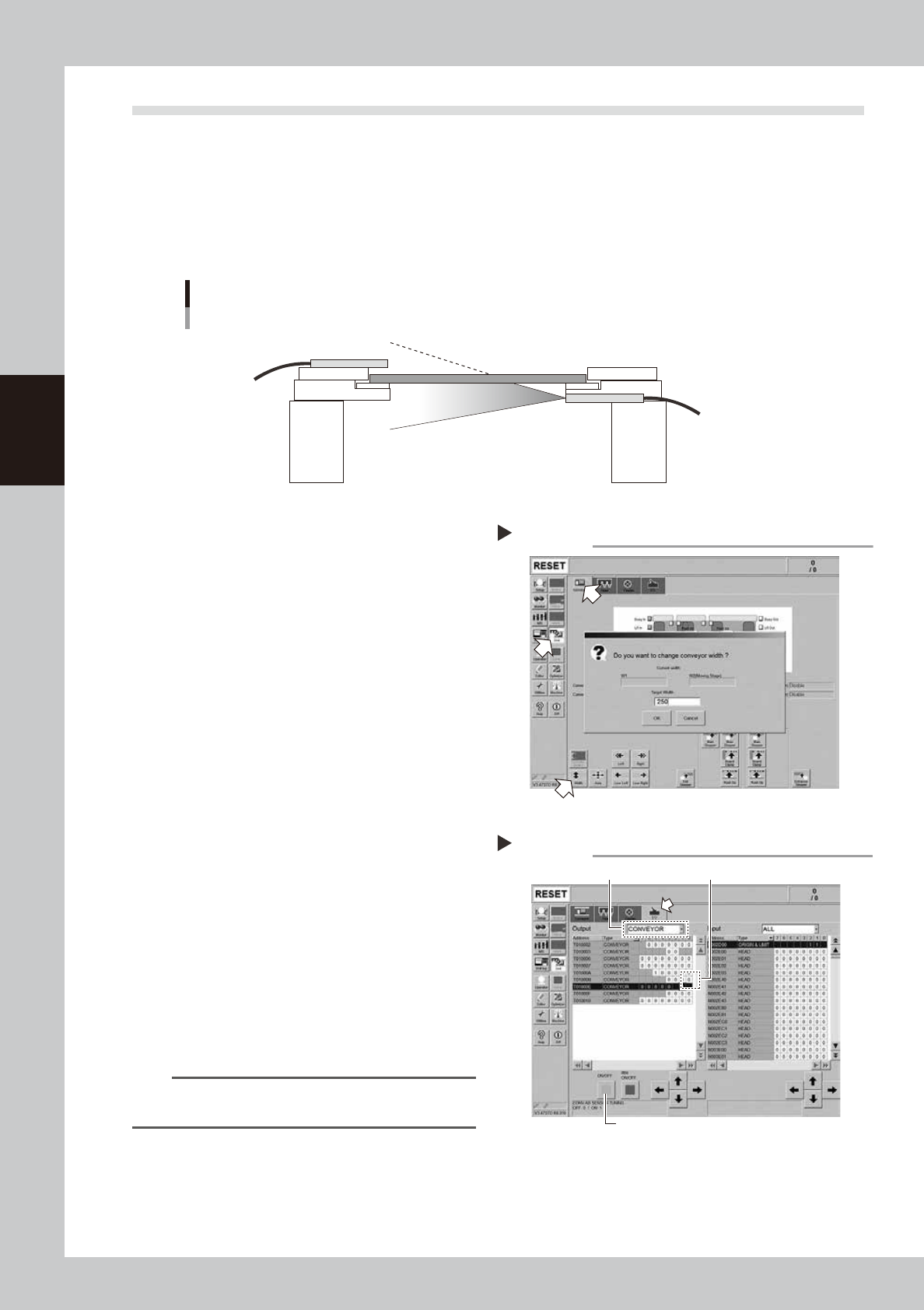
This machine uses a transmission type fiber sensor as the conveyor sensor.
As the conveyor width changes, the distance between the light emitting and light receiving sensors also
changes. Accordingly, the light receiving status of the sensor may change.
Therefore, a conveyor sensor tuning function is provided on this machine that stores the sensor light receiving
status after the conveyor rail width has been changed and automatically rewrites the sensor threshold value.
By changing the conveyor rail width periodically, you can check that the conveyor sensors and conveyor sensor
tuning operate correctly.
Checking the conveyor sensor condition and operation
Light emitting
Light receiving
53353-L2-10
1
Open the [Unit] – [Conveyor]
screen.
2
Press the [Width] button to change
the conveyor width.
In the "Conveyor Width" screen that
appears, enter a conveyor width and press
[OK] button.
The conveyor is changed to the width that
was just entered.
3
Check whether an error has
occurred.
The conveyor sensor is operating properly
unless an error message appears when the
conveyor width is changed. No further
check is necessary.
If an error occurred, perform "Conveyor
sensor tuning" from Step 4.
54301-L2-10
4
Perform the conveyor sensor
tuning.
1. Open the [Unit] – [I/O] screen.
2. From the "Output" drop-down list, select
"CONVEYOR".
3. Select "CONV SENSOR TUNING" (T01000E1)
in the output I/O list.
n
NOTE
In dual-lane machines, "T01000E1" corresponds to Lane
1, and "T01000E3" to Lane 2.
4. Press the [ON/OFF] button to switch the I/
O status from "0" (OFF)
→
"1" (ON)
→
"0"
(OFF) to perform auto tuning.
54302-L2-10
Conveyor sensor tuning
2
3
4
Step 4
Checking the conveyor sensor
Step 1-3

3-7
3
Periodic maintenance items
5
Check the sensor status.
Change the conveyor width again and
check that no error message appears.
6
Check the portion around the
sensor.
If the error message still appears, the light
receiving status around the sensor may be
poor, the sensor (amplifier) may be
malfunction, or the fiber may be broken.
First, remove contaminant or dust from the
sensor. Then perform the conveyor sensor
tuning again.