TK25619.NozzleHealthCheck.pdf - 第10页
SMT Software Engineering Group IMOperationsYAMAHAMOTOR CO.,LTD MDOC-SOFT50394 10/13 4.2 Sof twar e Setting When t he [Save NG images.] check box is ch ecked, it saves an ima ge o f NG nozzle detected …
SMT Software Engineering Group
IMOperationsYAMAHAMOTORCO.,LTD
MDOC-SOFT50394
9/13
- YS24 series mounter
- YS24X series mounter
・ [Setting] - [Machine Information] - [Installation] - [Cleaning Blow Unit] is set to “Exist”.
・ Head doesn’t have shaft buffing equipment.
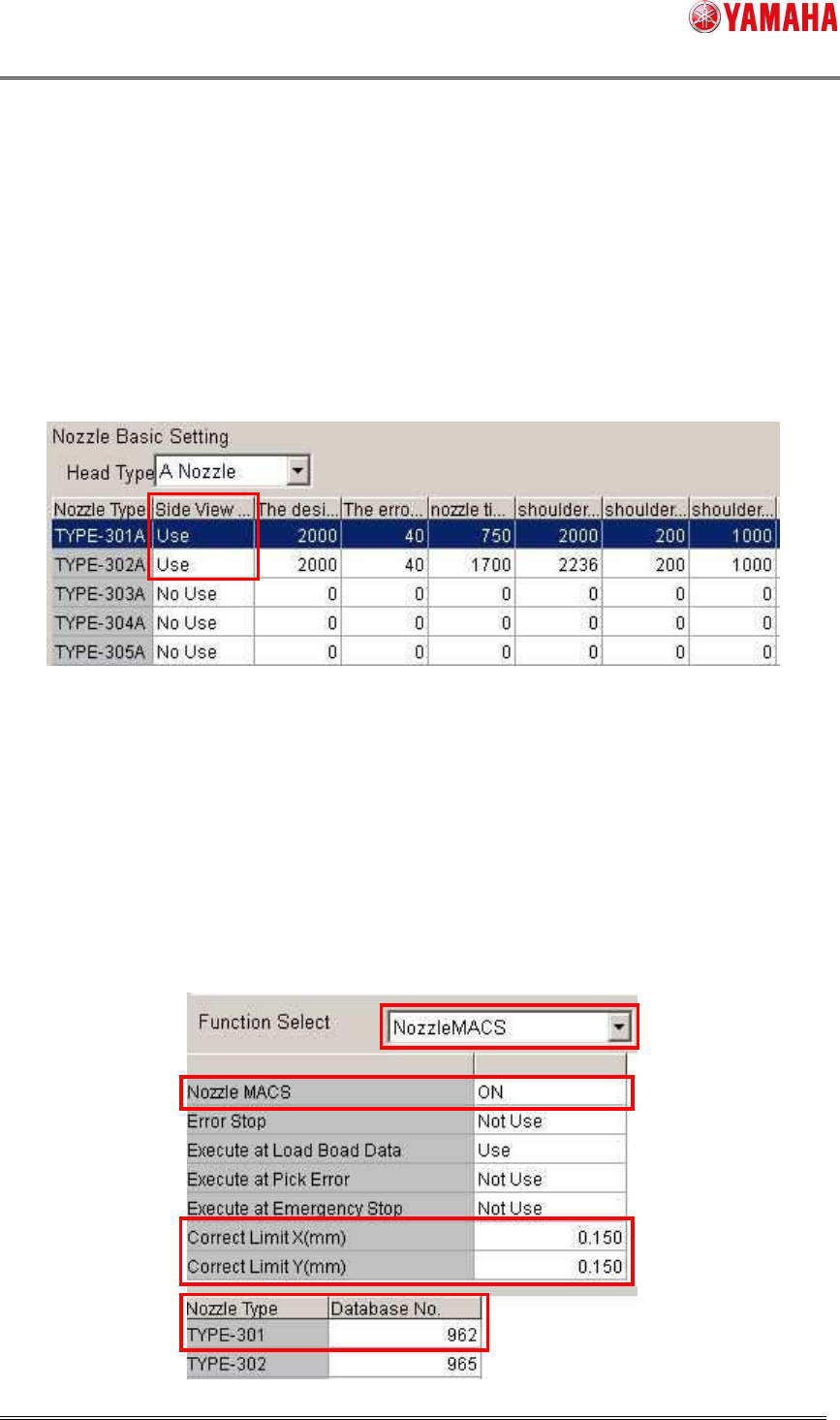
4) Nozzle Shape Check
Nozzle Shape Check is performed only for a nozzle with [Setting] - [Specification Information] -
[Side View Camera Spec] - [Nozzle Basic Setting] - [Side View Camera] is set to “Use”.
※ Nozzle Shape Check works under the following conditions.
・ On a machine equipped with a side view camera.
5) Nozzle Alignment Check
Nozzle Alignment Check is performed based on the setting of [Setting] - [Machine Data] -
[Precision] - [PickupMACS] - [NozzleMACS]. Set [Nozzle MACS] to “ON”.
The target nozzle type should be registered as database No.960/962/963. It is judged as “NG”
when misalignment from the rotation center of a nozzle is over [Correct Limit(mm)] of
NozzleMACS.
SMT Software Engineering Group
IMOperationsYAMAHAMOTORCO.,LTD
MDOC-SOFT50394
10/13
4.2 Software Setting
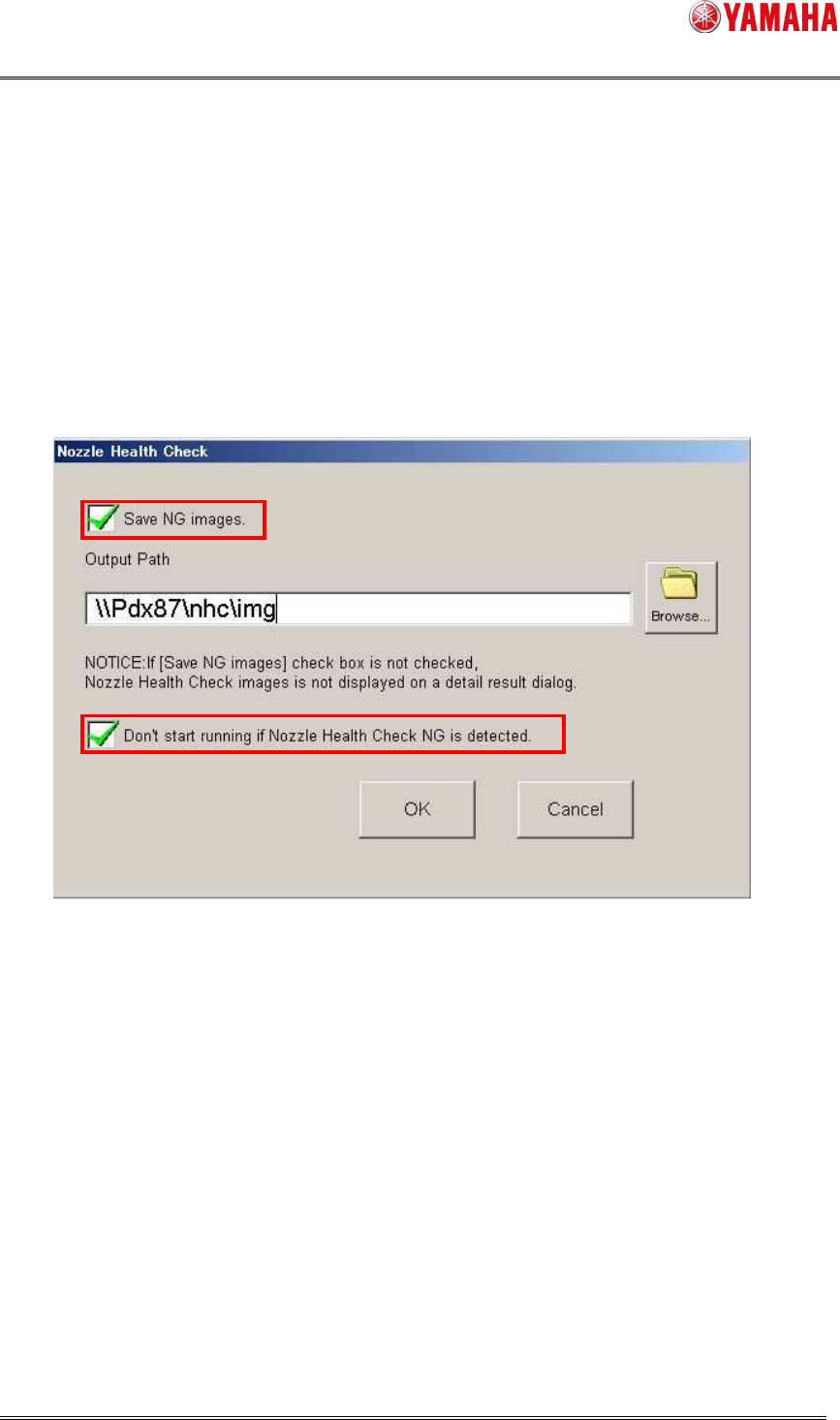
When the [Save NG images.] check box is checked, it saves an image of NG nozzle detected
by Tip Dirt Check, Shape Check, or Alignment Check.
When the [Don’t start running if Nozzle Health Check NG is detected.] check box is checked,
auto-running doesn’t start as long as Nozzle Health Check is not completed or an abnormal
nozzle is detected in board data.
You need to have administrator authority to make this setting.
The output path folder requires at least 100MB of free space.
These check boxes are unchecked by default.
SMT Software Engineering Group
IMOperationsYAMAHAMOTORCO.,LTD
MDOC-SOFT50394
11/13
5. Error Message
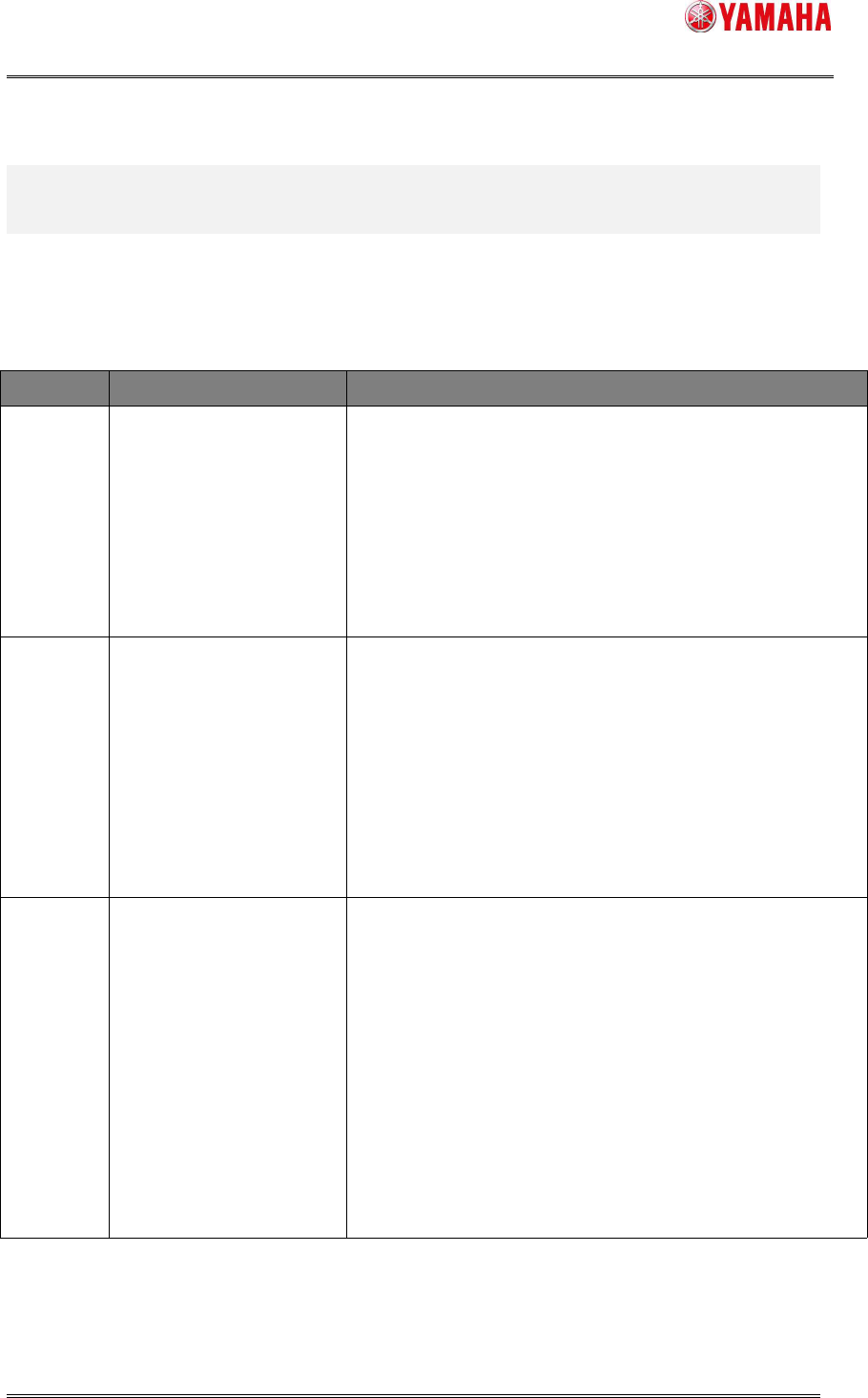
The table below is the error messages added for this function.
Error Message List
No. Title Cause and Solution
7573
Nozzle Health Check is
completed.
No abnormal nozzle was detected.
7574
Nozzle Health Check is
completed.
Abnormal nozzle was detected.
For details, refer to the [Monitor] - [Nzle Hlth Chk] screen.
7575
Abnormality detected at
Nozzle Health Check.
An abnormality was detected at Nozzle Health Check, so
that auto-running is not started.
Refer to the [Monitor] - [Nzle Hlth Chk] screen.