TK25619.NozzleHealthCheck.pdf - 第6页
SMT Software Engineering Group IMOperationsYAMAHAMOTOR CO.,LTD MDOC-SOFT50394 6/13 3.6 Det ails of result Select a nozzle indicated in red on the resu lt screen, and press the [Result Detai l] button. T…
SMT Software Engineering Group
IMOperationsYAMAHAMOTORCO.,LTD
MDOC-SOFT50394
5/13
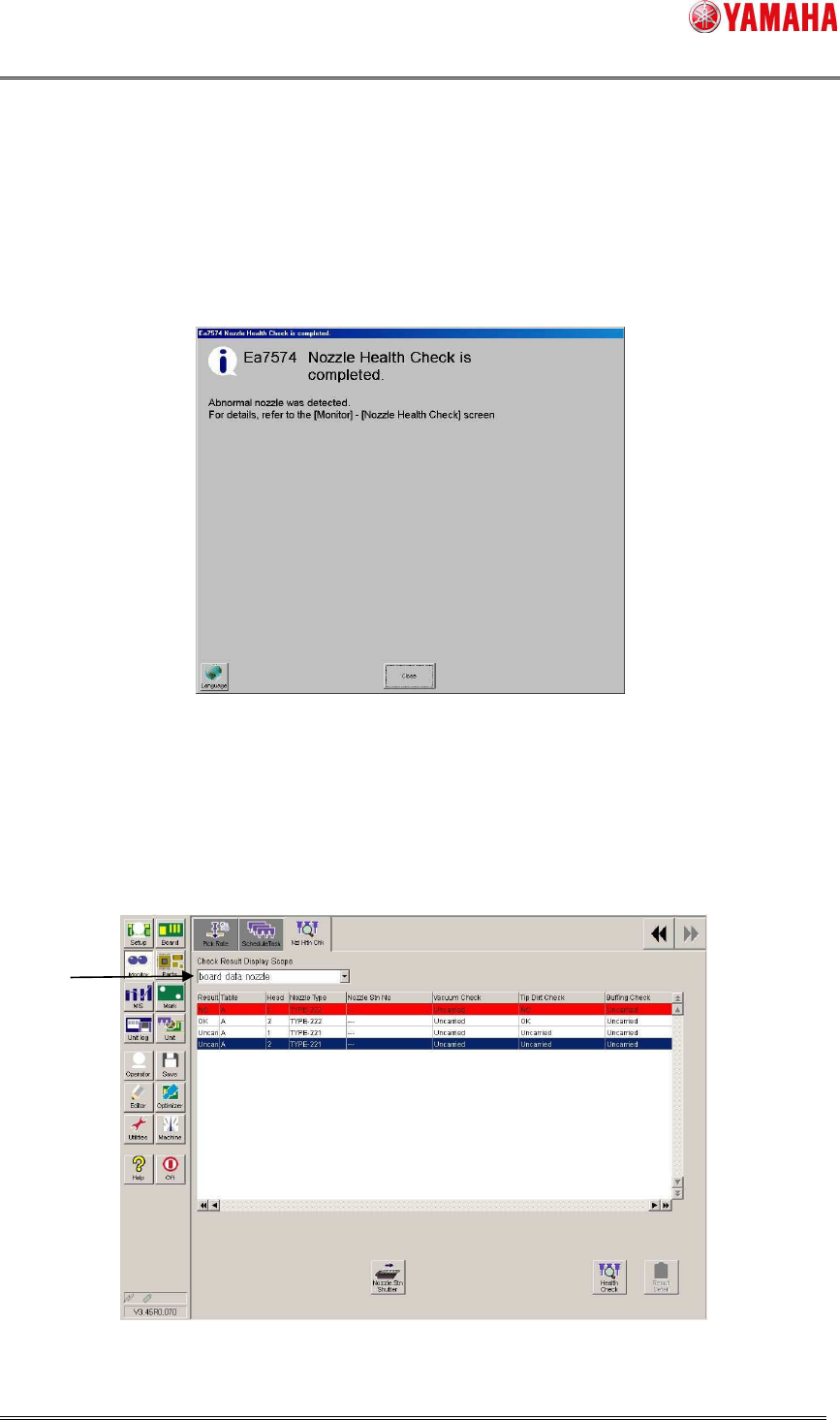
3.4 Nozzle Health Check completion screen
After Nozzle Health Check is completed, auto-changing nozzles are stored into the nozzle
station with or without any problem.
When a manual-changing nozzle has a problem, the head moves forward and blows. Close
the completion message and turn the blow off.
※ The below is the message displayed when an abnormal nozzle is detected.
3.5 Nozzle Health Check result screen
After Nozzle Health Check is completed, the result is displayed on the [Monitor] - [Nzl Hlth
Chk] screen. If an abnormity is detected, the nozzle is indicated in red with “NG”. On the result
screen, checking results of Schedule Specification and Utility are also applied.
※ Once a nozzle is judged as NG, the subsequent checks of the Nozzle Health Check are no
longer performed for the nozzle.
1. Select items to show on the list. (NG nozzle, board data nozzle, ALL)
1
SMT Software Engineering Group
IMOperationsYAMAHAMOTORCO.,LTD
MDOC-SOFT50394
6/13
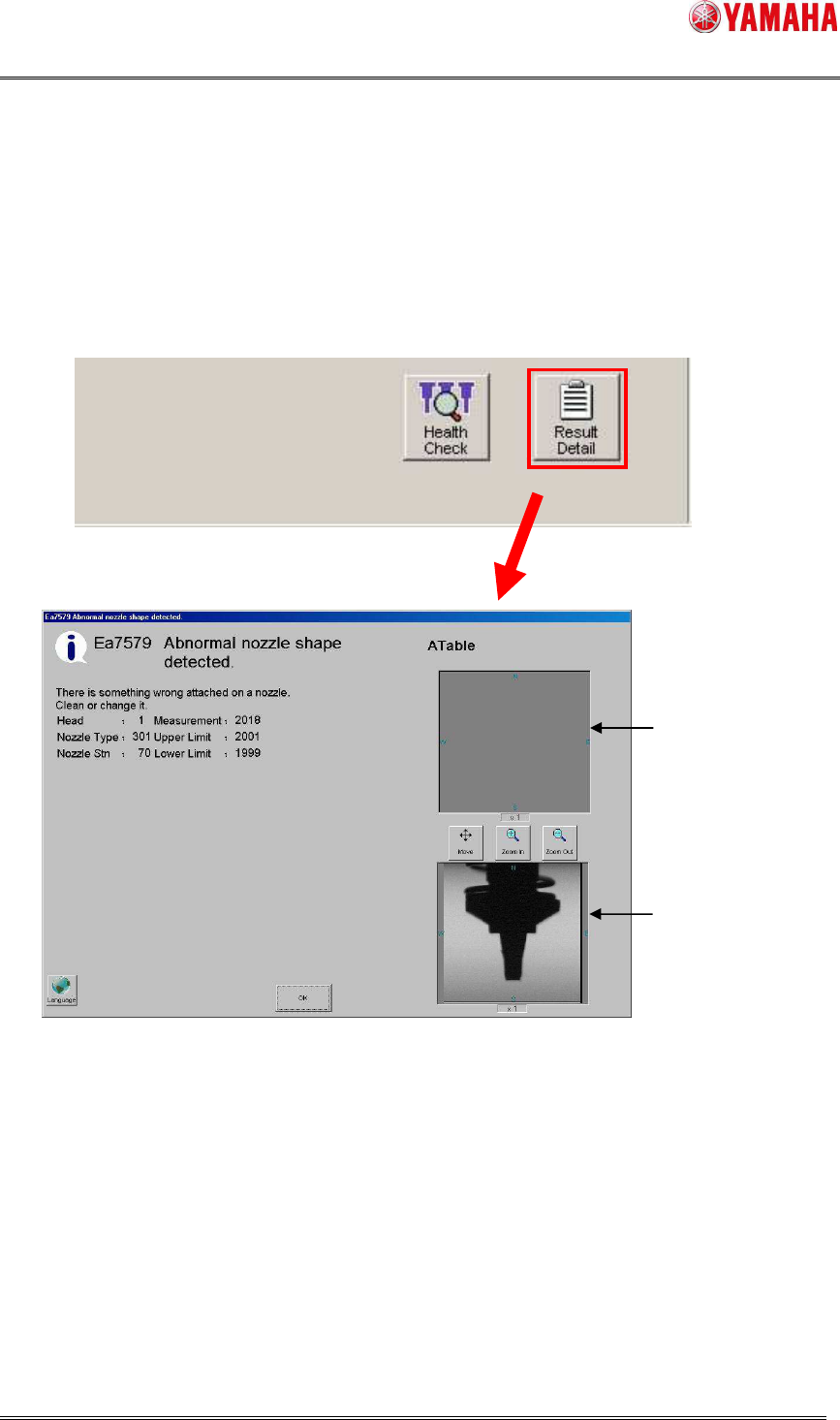
3.6 Details of result
Select a nozzle indicated in red on the result screen, and press the [Result Detail] button. The
details of the NG contents are displayed. In the veiw on the right shows an image of the NG
nozzle.
※Images are saved only when it is set to do so on [Software Setting] – [Health Check].
※ Images are taken only at Tip Dirt Check, Shape Check, or Alignment Check.
View from the bottom
View from the side
SMT Software Engineering Group
IMOperationsYAMAHAMOTORCO.,LTD
MDOC-SOFT50394
7/13
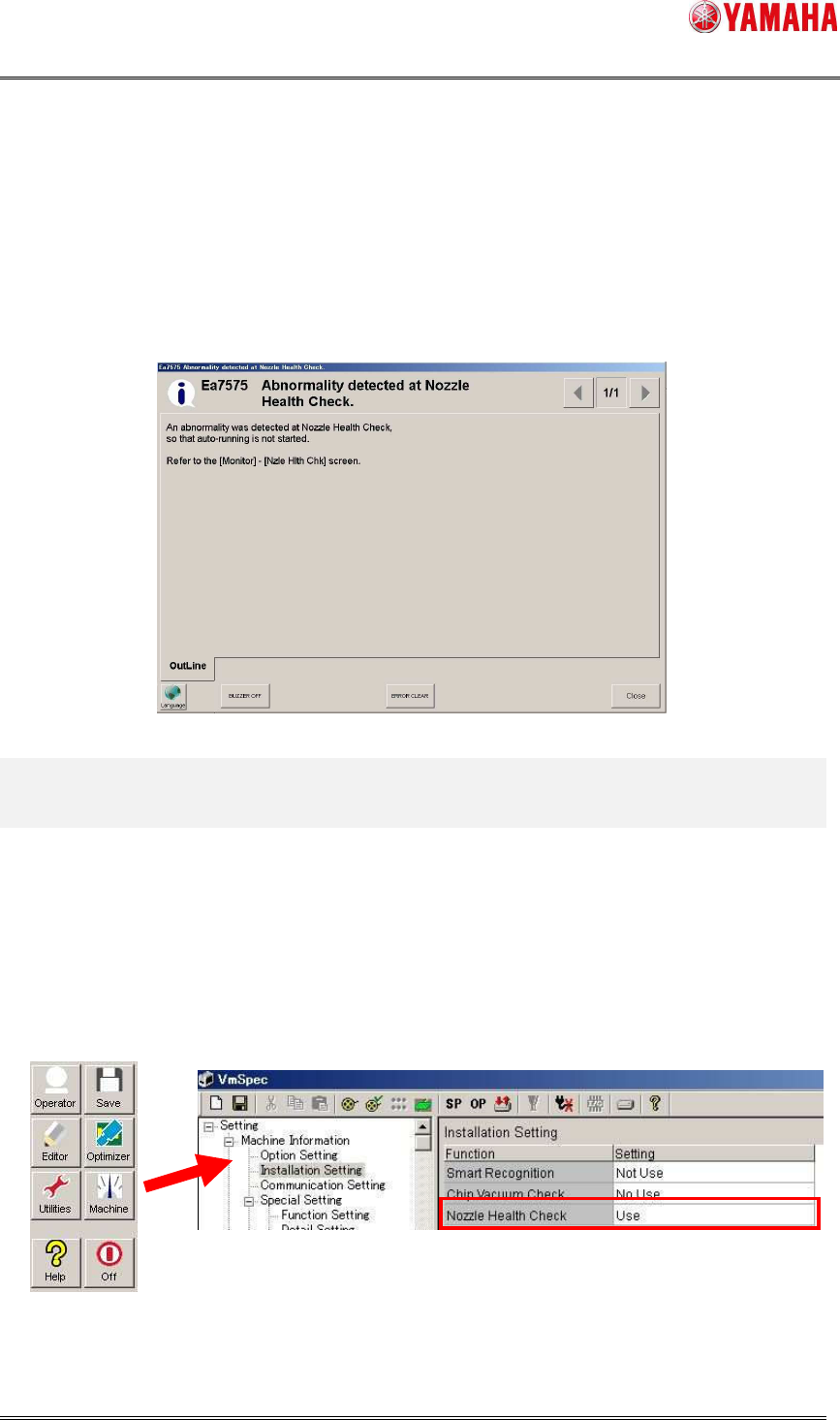
3.7 Operation control
When the [Setup] - [Software Setting] - [Health Check] - [Don’t start running if Nozzle Health
Check NG is detected.] check box is checked, auto-running doesn’t start as long as Nozzle
Health Check is not completed, or used nozzle is judged as “NG”.
When auto-running doesn’t start, clean or exchange the NG nozzle, and perform Nozzle
Health Check again.
4. Setting Method
4.1 Machine Setting
4.1.1 Installation Setting
Set [Machine] - [Setting] - [Machine Information] - [Installation Setting] - [Nozzle Health
Check] to “Use”.