TK25619.NozzleHealthCheck.pdf - 第4页
SMT Software Engineering Group IMOperationsYAMAHAMOTOR CO.,LTD MDOC-SOFT50394 4/13 1. Select a table to pe r form Nozzle Health Ch eck (each table or ALL) 2. Select a nozzle to perform Nozzle Health Che…
SMT Software Engineering Group
IMOperationsYAMAHAMOTORCO.,LTD
MDOC-SOFT50394
3/13
3. Function Details
3.1 Nozzle Health Check screen
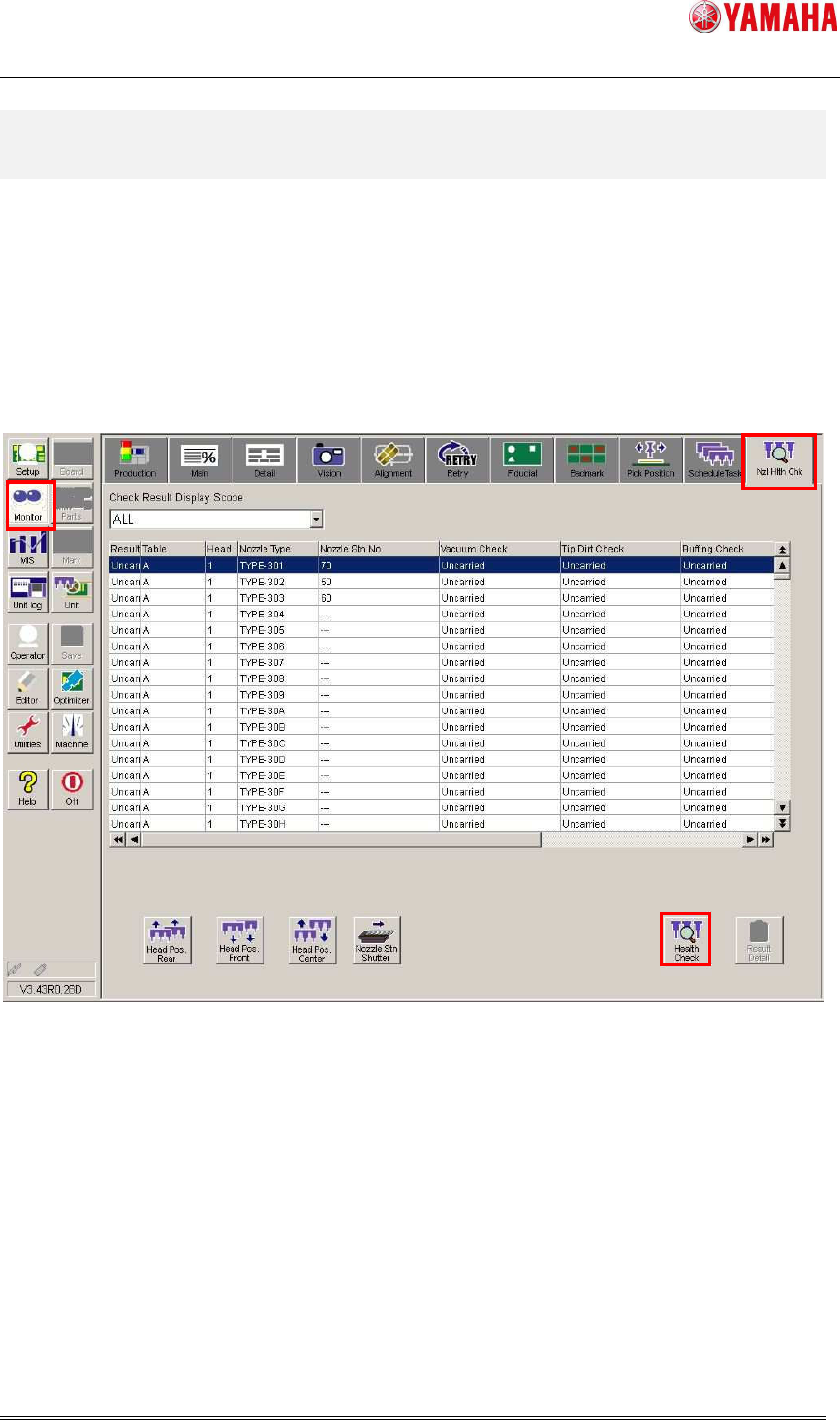
Open the [Monitor] - [Nzl Hlth Chk] tab. Checking results of each table, head, and nozzle type
are displayed. Nozzles without Nozzle Health Check performed are indicated with “Uncarried”,
abnormal nozzle are indicated with “NG”, and normal nozzles are indicated with “OK”.
To change the target, press the [Health Check] button and go to the selection dialog.
3.2 Selection dialog
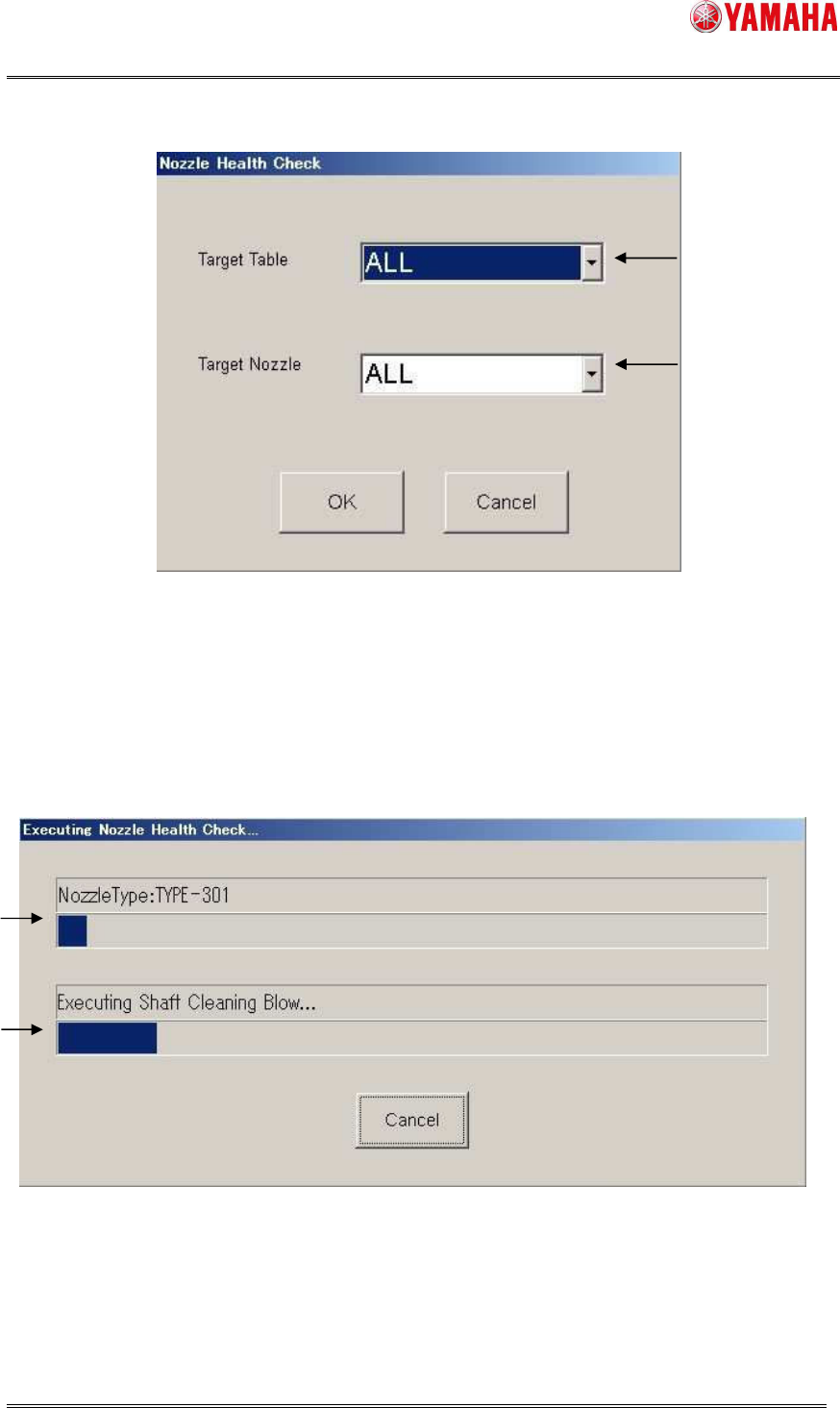
Select a table and nozzle to perform Nozzle Health Check. By clicking the [OK] button, Nozzle
Health Check starts. To go back to the [Nxl Hlth Chk] screen, press the [Cancel] button.
SMT Software Engineering Group
IMOperationsYAMAHAMOTORCO.,LTD
MDOC-SOFT50394
4/13
1. Select a table to perform Nozzle Health Check (each table or ALL)
2. Select a nozzle to perform Nozzle Health Check (NG nozzle, board data nozzle, ALL)
3.3 Progress window
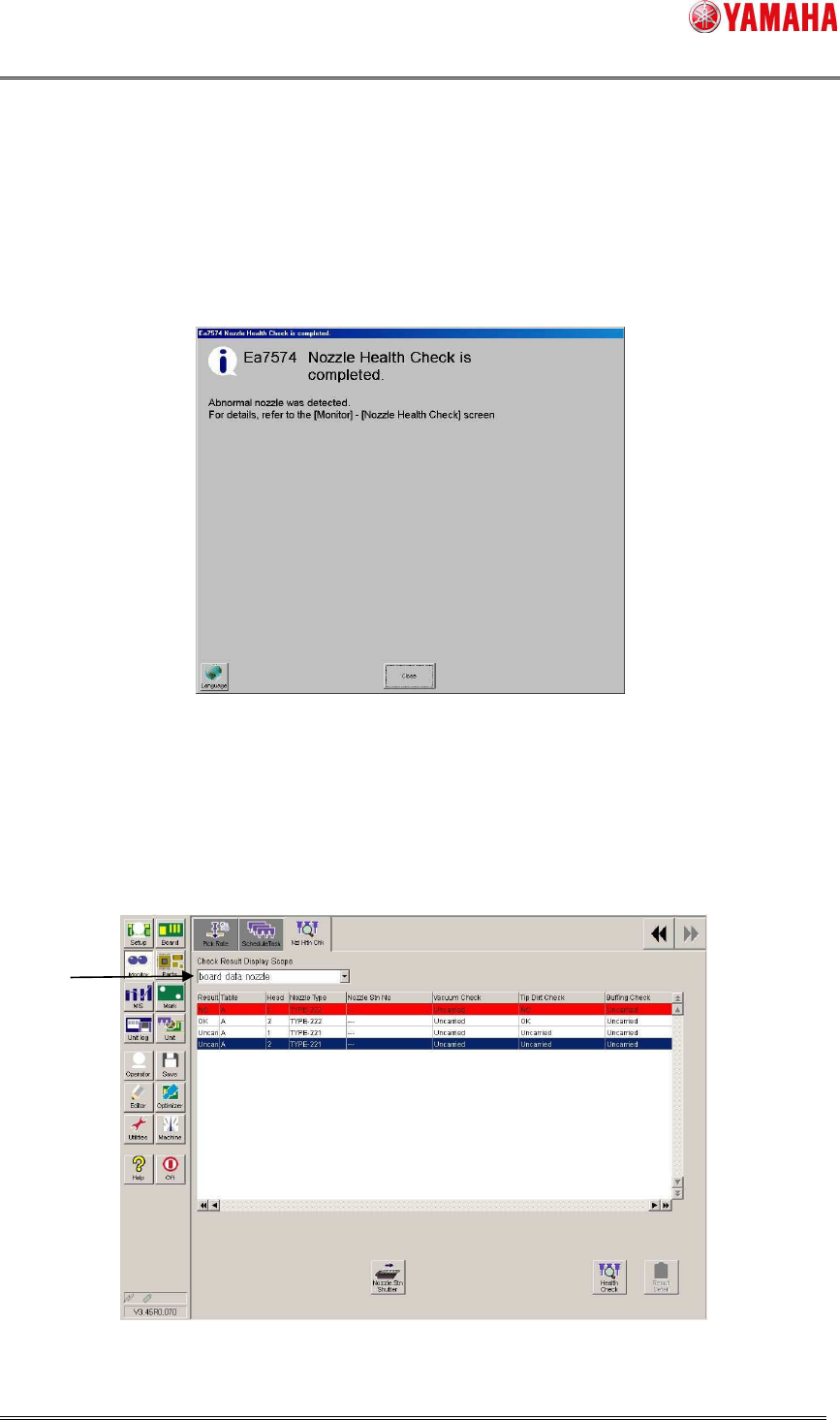
This window indicates progress situation of Nozzle Health Check. If you want to stop this
process, press the [Cancel] button.
1. Displays a nozzle type that is currently checked.
2. Displays a checking content in the process.
1
2
1
2
SMT Software Engineering Group
IMOperationsYAMAHAMOTORCO.,LTD
MDOC-SOFT50394
5/13
3.4 Nozzle Health Check completion screen
After Nozzle Health Check is completed, auto-changing nozzles are stored into the nozzle
station with or without any problem.
When a manual-changing nozzle has a problem, the head moves forward and blows. Close
the completion message and turn the blow off.
※ The below is the message displayed when an abnormal nozzle is detected.
3.5 Nozzle Health Check result screen
After Nozzle Health Check is completed, the result is displayed on the [Monitor] - [Nzl Hlth
Chk] screen. If an abnormity is detected, the nozzle is indicated in red with “NG”. On the result
screen, checking results of Schedule Specification and Utility are also applied.
※ Once a nozzle is judged as NG, the subsequent checks of the Nozzle Health Check are no
longer performed for the nozzle.
1. Select items to show on the list. (NG nozzle, board data nozzle, ALL)
1