TK25619.NozzleHealthCheck.pdf - 第3页
SMT Software Engineering Group IMOperationsYAMAHAMOTOR CO.,LTD MDOC-SOFT50394 3/13 3. Function Det ails 3.1 Nozzle Hea lth Ch e ck scree n Open the [Monitor] - [Nzl H lth Chk] tab. Checking r esult s o …
SMT Software Engineering Group
IMOperationsYAMAHAMOTORCO.,LTD
MDOC-SOFT50394
2/13
1. Introduction
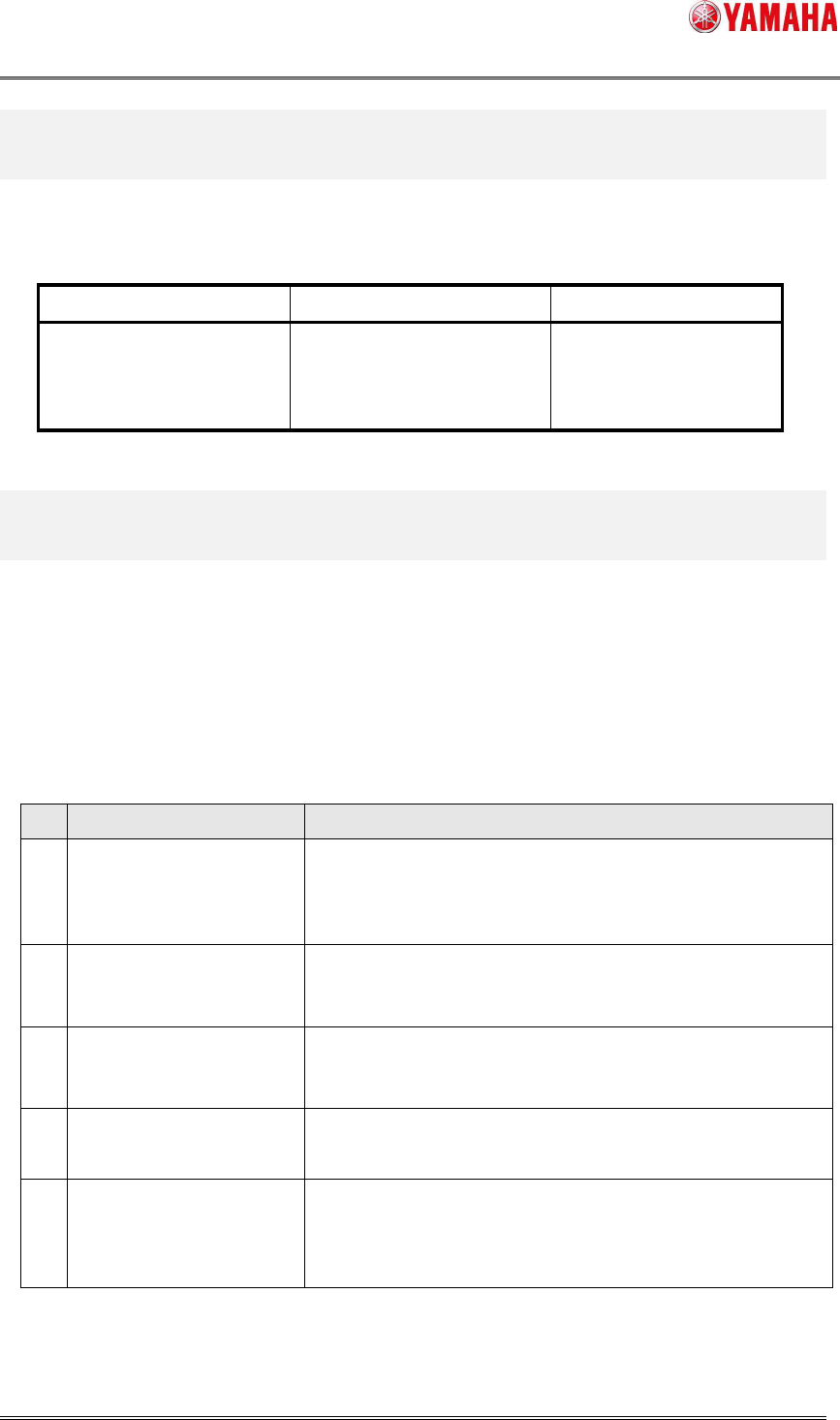
Nozzle Health Check is available in the following machine and software version.
Table 1. Machine and Version
Machine Version Note
YS88, YS100,
YS12 series, YG12 series
YS24(X) series
V3.45STD R1.000 or later
2. Function Overview
This function performs nozzle condition check before starting production to avoid using a
wrong nozzle, or using a nozzle in a bad condition. While this function is active, auto-running
doesn’t start if there is an abnormal nozzle or if Nozzle Health Check is not performed.
Contetns of Nozzle Health Check are as follows. These contents are checked in order of the
table below.
Table 2. Contents of Nozzle Health Check
No. Item Description
1 Vacuum Check Vacuum level of head shaft is measured and compared to the
defined value.
This will prevent falling parts and pick/mount failure.
2 Nozzle Tip Dirt Check Performs recognition of nozzle tip to find any dirt on it.
This will prevent recognition failure and mount failure.
3 Nozzle Buffing Check Checks if nozzle buffing is performed correctly.
This will prevent falling parts and pick/mount failure.
4 Nozzle Shape Check Checks if there is any problem with nozzle shape and recognition
error rate.
5 Nozzle Alignment Check Checks if misalignment from the rotation center of a nozzle is
within [Correct Limit] of NozzleMACS.
This will keep pickup rate properly and prevent mount failure.
SMT Software Engineering Group
IMOperationsYAMAHAMOTORCO.,LTD
MDOC-SOFT50394
3/13
3. Function Details
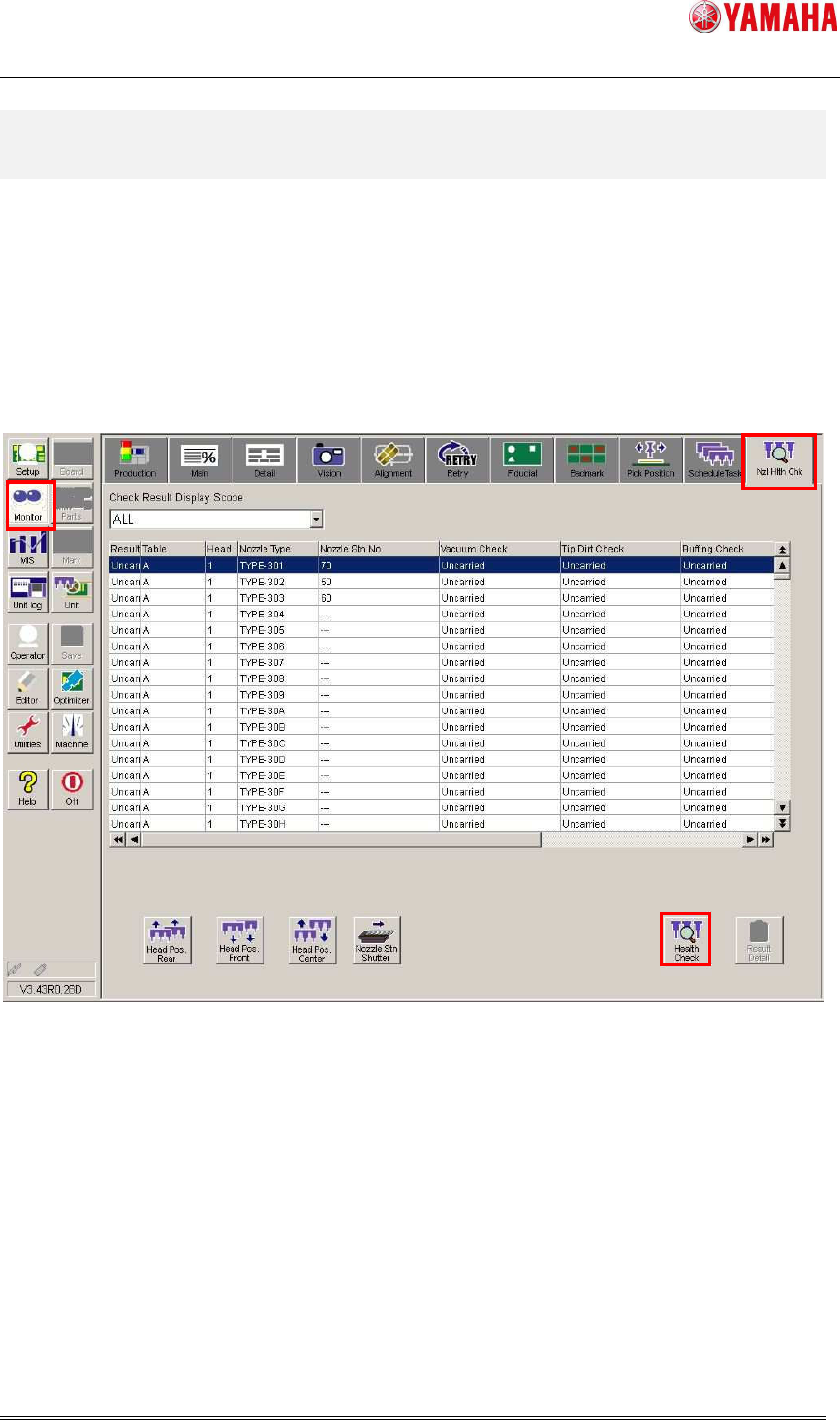
3.1 Nozzle Health Check screen
Open the [Monitor] - [Nzl Hlth Chk] tab. Checking results of each table, head, and nozzle type
are displayed. Nozzles without Nozzle Health Check performed are indicated with “Uncarried”,
abnormal nozzle are indicated with “NG”, and normal nozzles are indicated with “OK”.
To change the target, press the [Health Check] button and go to the selection dialog.
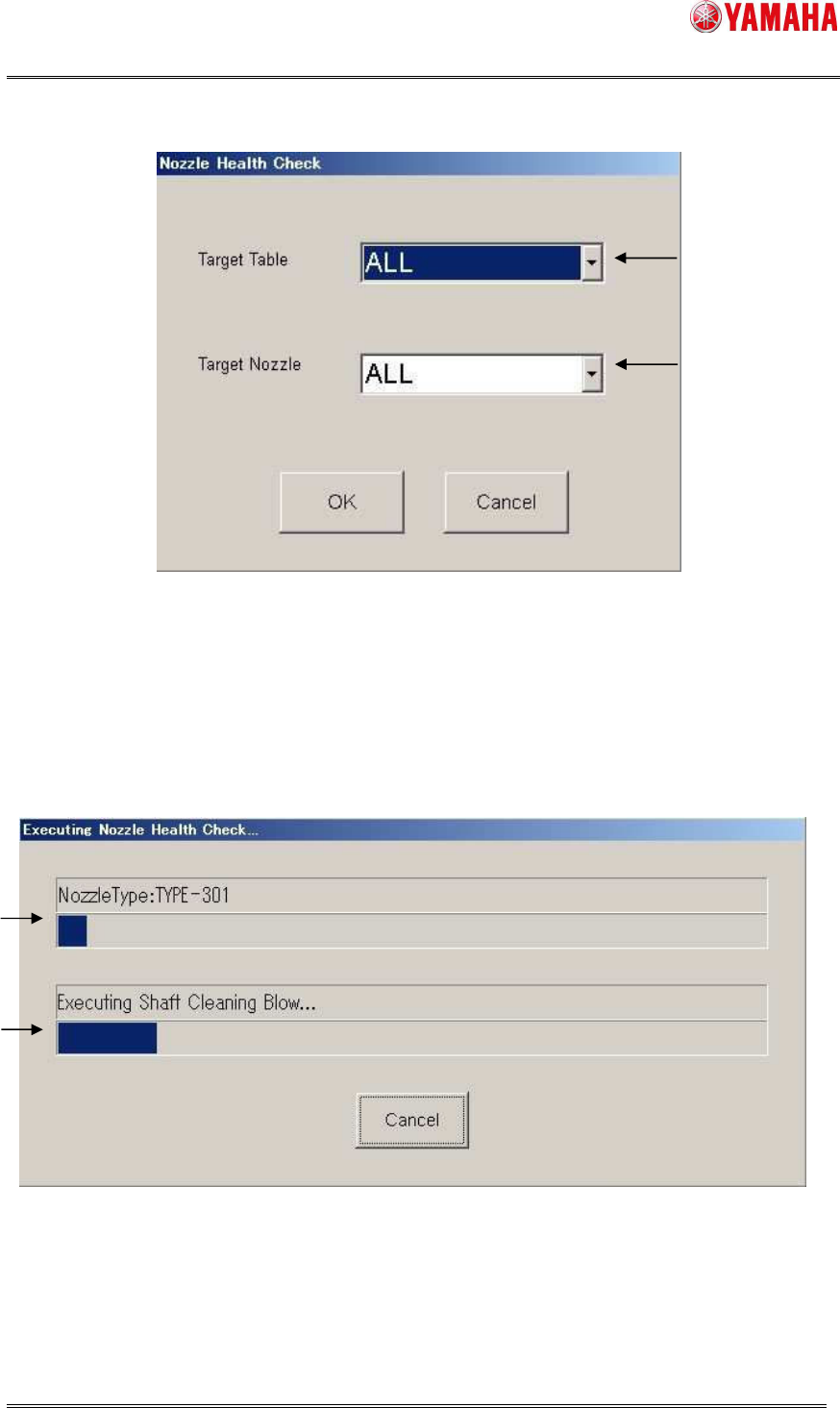
3.2 Selection dialog
Select a table and nozzle to perform Nozzle Health Check. By clicking the [OK] button, Nozzle
Health Check starts. To go back to the [Nxl Hlth Chk] screen, press the [Cancel] button.
SMT Software Engineering Group
IMOperationsYAMAHAMOTORCO.,LTD
MDOC-SOFT50394
4/13
1. Select a table to perform Nozzle Health Check (each table or ALL)
2. Select a nozzle to perform Nozzle Health Check (NG nozzle, board data nozzle, ALL)
3.3 Progress window
This window indicates progress situation of Nozzle Health Check. If you want to stop this
process, press the [Cancel] button.
1. Displays a nozzle type that is currently checked.
2. Displays a checking content in the process.
1
2
1
2