TK25619.NozzleHealthCheck.pdf - 第8页
SMT Software Engineering Group IMOperationsYAMAHAMOTOR CO.,LTD MDOC-SOFT50394 8/13 4.1.2 Checking condit ions Nozzle Health Check is perfor med based on the ma c hine setting. 1) V acuum Check Error r…
SMT Software Engineering Group
IMOperationsYAMAHAMOTORCO.,LTD
MDOC-SOFT50394
7/13
3.7 Operation control
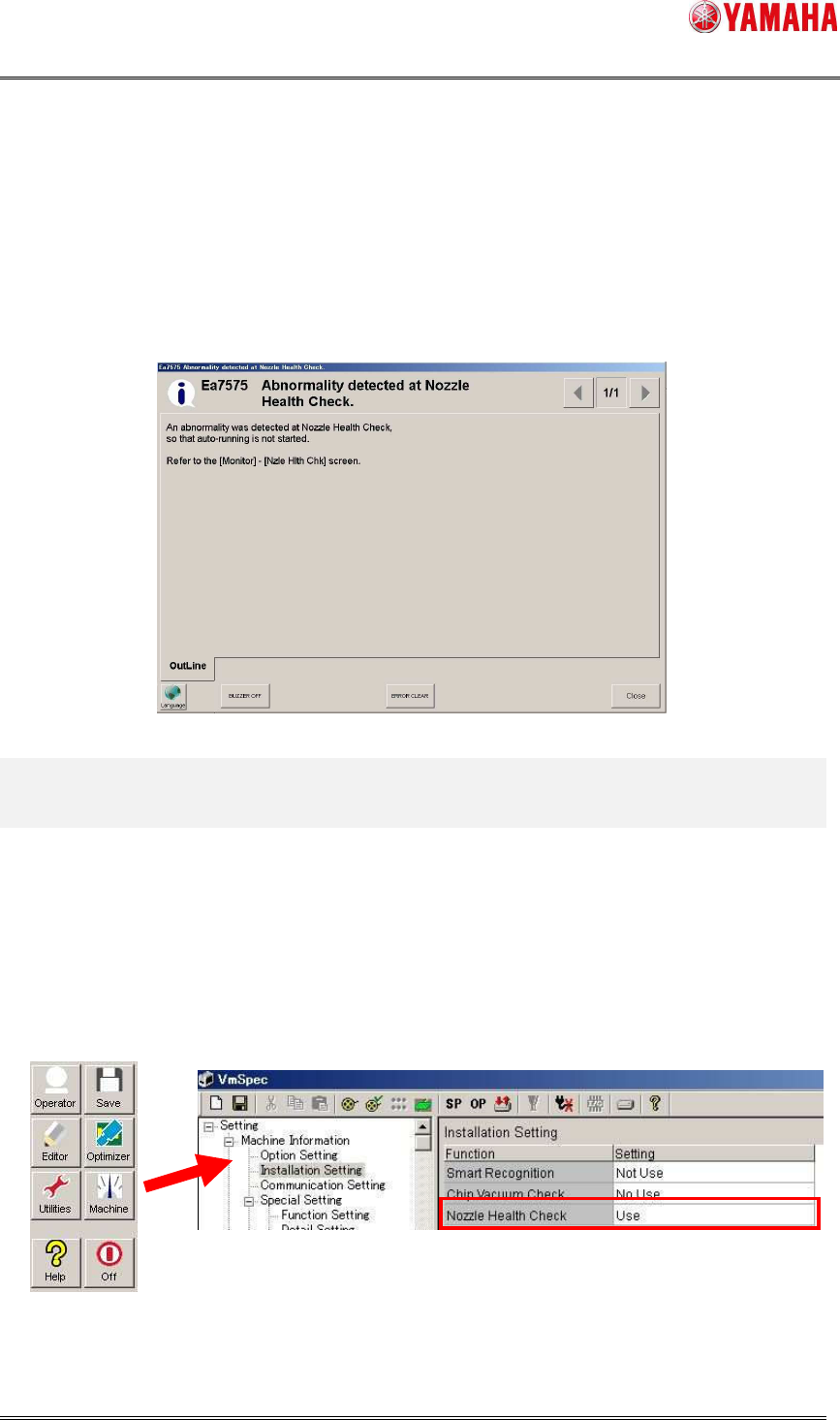
When the [Setup] - [Software Setting] - [Health Check] - [Don’t start running if Nozzle Health
Check NG is detected.] check box is checked, auto-running doesn’t start as long as Nozzle
Health Check is not completed, or used nozzle is judged as “NG”.
When auto-running doesn’t start, clean or exchange the NG nozzle, and perform Nozzle
Health Check again.
4. Setting Method
4.1 Machine Setting
4.1.1 Installation Setting
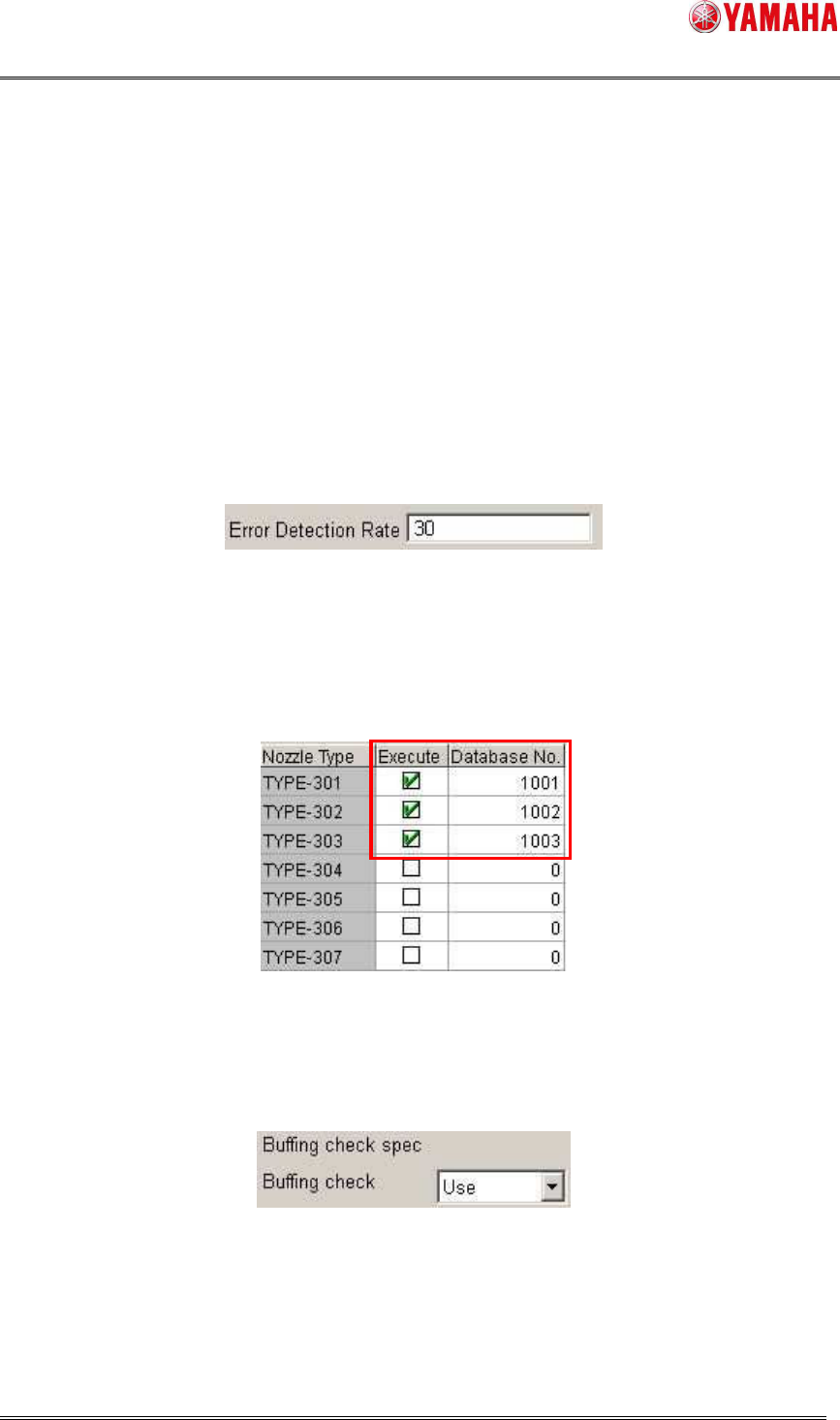
Set [Machine] - [Setting] - [Machine Information] - [Installation Setting] - [Nozzle Health
Check] to “Use”.
SMT Software Engineering Group
IMOperationsYAMAHAMOTORCO.,LTD
MDOC-SOFT50394
8/13
4.1.2 Checking conditions
Nozzle Health Check is performed based on the machine setting.
1) Vacuum Check
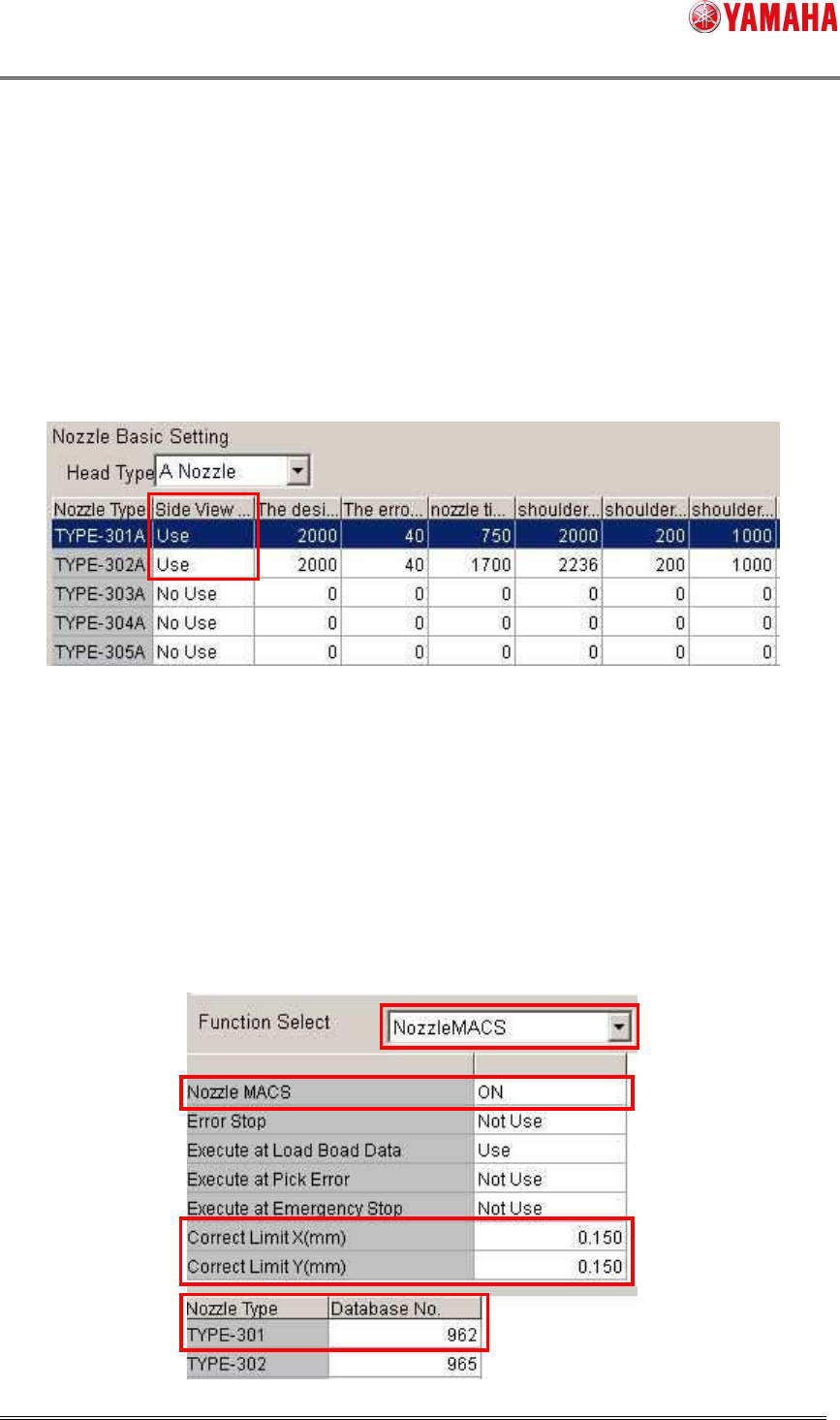
Error rate of vacuum check is calculated based on the setting of [Setting] - [Specification
Information] - [Schedule Specification] - [Vacuum Check]. In the sample below, if error rate of
vacuum check is over 30%, it is judged as “NG”. If smaller than that, it is judged as “OK”.
Error Detection Rate (%) = (Meaured – Minimum) / (Maximum – Minimum) x 100
※Minimum = Pick Level, Maximum = Mount Level
2) Nozzle Tip Dirt Check
Nozzle Tip Dirt Check is performed for a nozzle with [Setting] - [Specification Information] -
[Schedule Specification] - [Nozzle Tip Dirt Check] set to “Execute”.
3) Buffing Check
To execute Buffing Check, set [Setting] – [Specification Information] - [Buffing check spec] -
[Buffing check] to “Use”.
※ Nozzle Buffing Check works under the following conditions.
・On the following machines.
- YS12 series mounter
- YG12 series mounter
SMT Software Engineering Group
IMOperationsYAMAHAMOTORCO.,LTD
MDOC-SOFT50394
9/13
- YS24 series mounter
- YS24X series mounter
・ [Setting] - [Machine Information] - [Installation] - [Cleaning Blow Unit] is set to “Exist”.
・ Head doesn’t have shaft buffing equipment.
4) Nozzle Shape Check
Nozzle Shape Check is performed only for a nozzle with [Setting] - [Specification Information] -
[Side View Camera Spec] - [Nozzle Basic Setting] - [Side View Camera] is set to “Use”.
※ Nozzle Shape Check works under the following conditions.
・ On a machine equipped with a side view camera.
5) Nozzle Alignment Check
Nozzle Alignment Check is performed based on the setting of [Setting] - [Machine Data] -
[Precision] - [PickupMACS] - [NozzleMACS]. Set [Nozzle MACS] to “ON”.
The target nozzle type should be registered as database No.960/962/963. It is judged as “NG”
when misalignment from the rotation center of a nozzle is over [Correct Limit(mm)] of
NozzleMACS.