00198611-02_IM_712.1_R19-1_EN.pdf - 第11页
Station Software Version 7 12.1 (R19-1) / Installation Manual 05/2019 Edition 11 Loss of Calibration Data for Vacuum Tooling The following message ma y occur when upgrading the stati on software: Figure 3-4: Error messag…
Station Software Version 712.1 (R19-1) / Installation Manual 05/2019 Edition
10
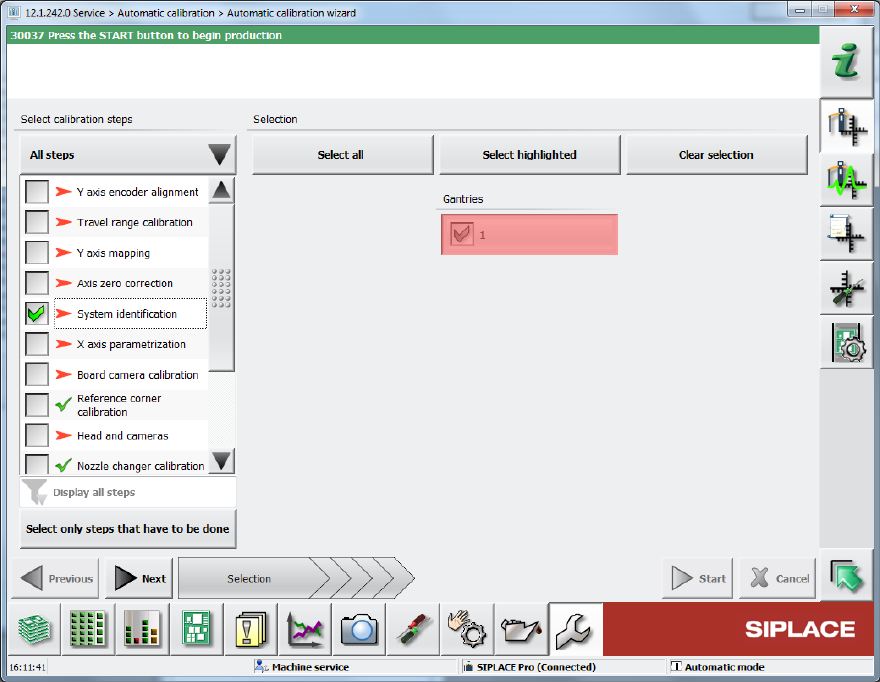
► Select the System identification calibration step.
Figure 3-3: System identification step
Station Software Version 712.1 (R19-1) / Installation Manual 05/2019 Edition
11
Loss of Calibration Data for Vacuum Tooling
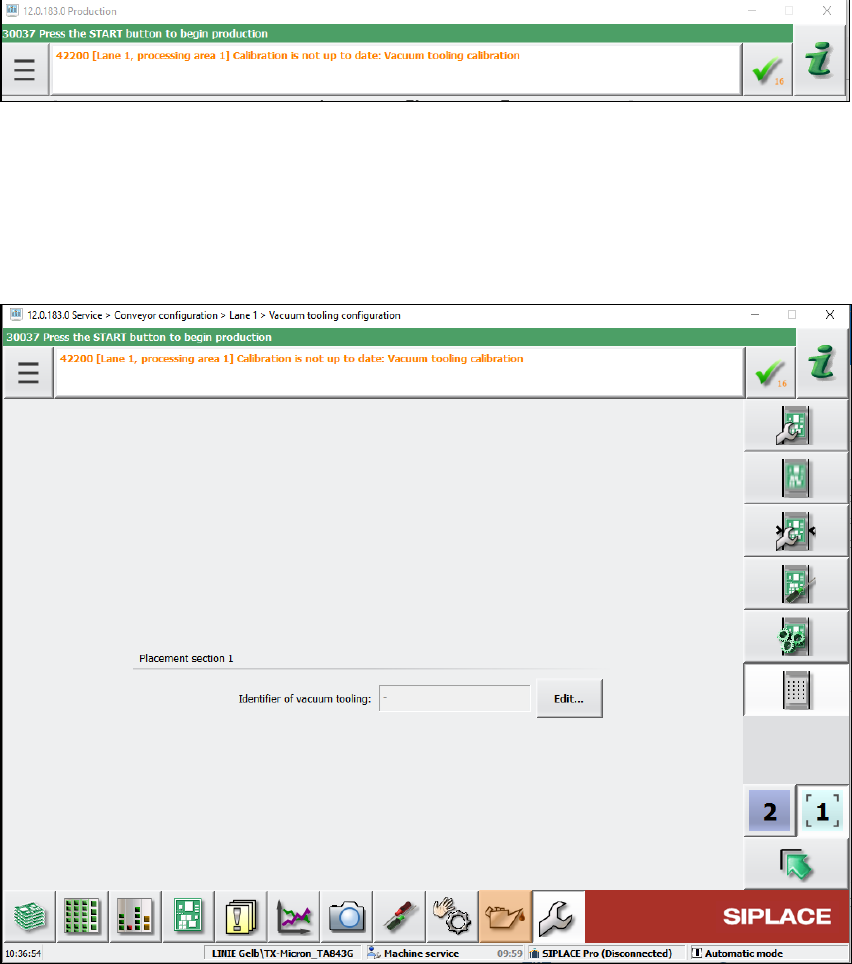
The following message may occur when upgrading the station software:
Figure 3-4: Error message: Vacuum tooling calibration
In this case, detailed information can be found in the assistance to this error message or in the
topic "Calibration/Vacuum Tooling" in the Online Help for the station software.
► The following steps must be performed:
Depending on the machine type, the vacuum tooling ID must be entered in the dialog below and
the corresponding file reloaded.
Figure 3-5: Vacuum tooling configuration
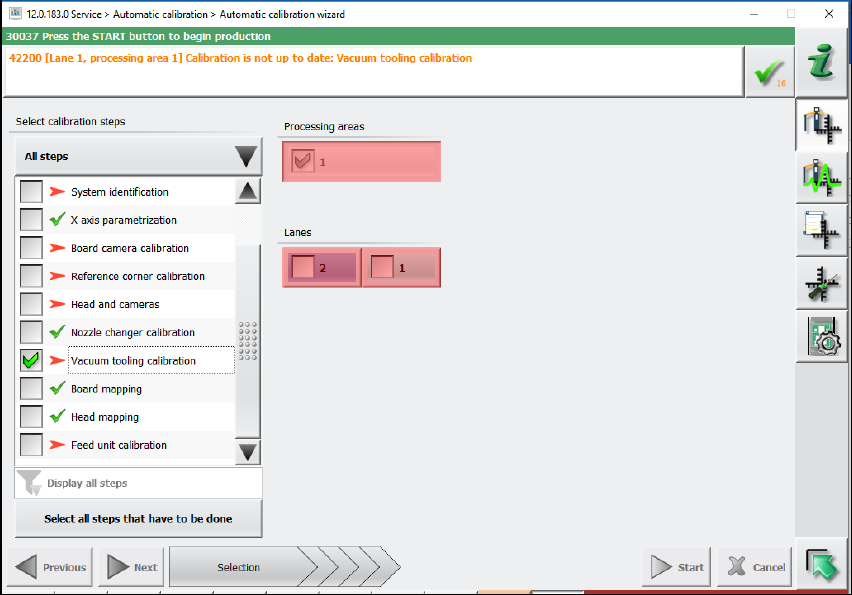
Additionally, the vacuum toolings must be recalibrated by selecting the vacuum tooling calibration
in the automatic calibration wizard.
Station Software Version 712.1 (R19-1) / Installation Manual 05/2019 Edition
12
Figure 3-6: Recalibrating vacuum tooling
3.1 Upgrading from the 711.1 Software Version
No further steps required.
3.2 Upgrading from the 711.0 Software Version
No further steps required.
3.3 Upgrading from the 710.1 Software Version
No further steps required.
3.4 Upgrading from the 710.0 Software Version
No further steps required.
3.5 Upgrading from the 709.1 Software Version
No further steps required.