00198611-02_IM_712.1_R19-1_EN.pdf - 第73页
Station Software Version 7 12.1 (R19-1) / Installation Manual 05/2019 Edition 73 ► Enter the 8-digit machine identificatio n number in the MID-Number entry field. ► Enter the serial number in the Seri alNumber entry fiel…
Station Software Version 712.1 (R19-1) / Installation Manual 05/2019 Edition
72
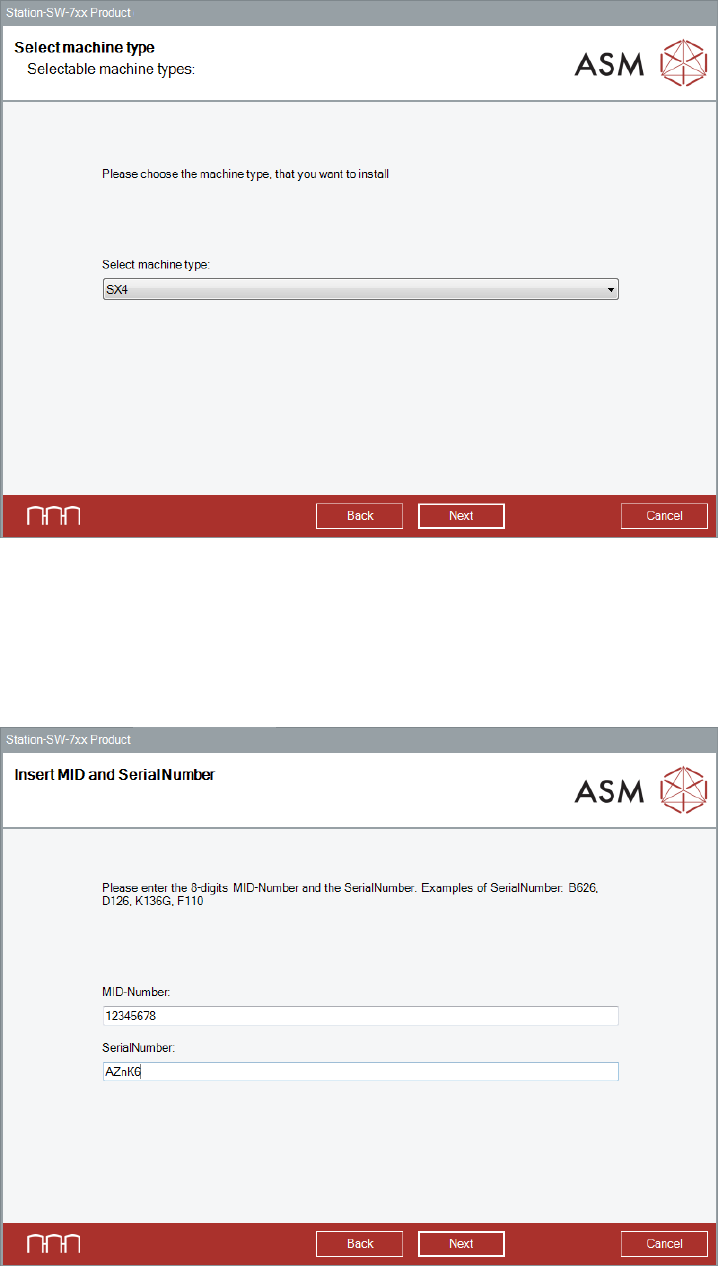
The Select machine type dialog box is displayed.
Figure 9-2: Selecting machine type
► Select the machine type for which the software shall be repaired.
► Click the Next button.
The Insert MID and SerialNumber dialog box is displayed.
Figure 9-3: Inserting machine ID and serial number
Station Software Version 712.1 (R19-1) / Installation Manual 05/2019 Edition
73
► Enter the 8-digit machine identification number in the MID-Number entry field.
► Enter the serial number in the SerialNumber entry field.
► Click the Next button.
After the repaired installation has been completed, it is recommended to restart your computer for
all changes to take effect.
Station Software Version 712.1 (R19-1) / Installation Manual 05/2019 Edition
74
10 Troubleshooting
10.1 Downgrading to a Lower Station Software Version
This section describes which steps you must attend when downgrading from the 712.x station
software version to a lower version.
There is no automatic support of downgrading the station software. To return to a lower station
software version, you must uninstall the 712.x station software manually before you can install the
lower station software version.
► Note some information before you start downgrading the station software.
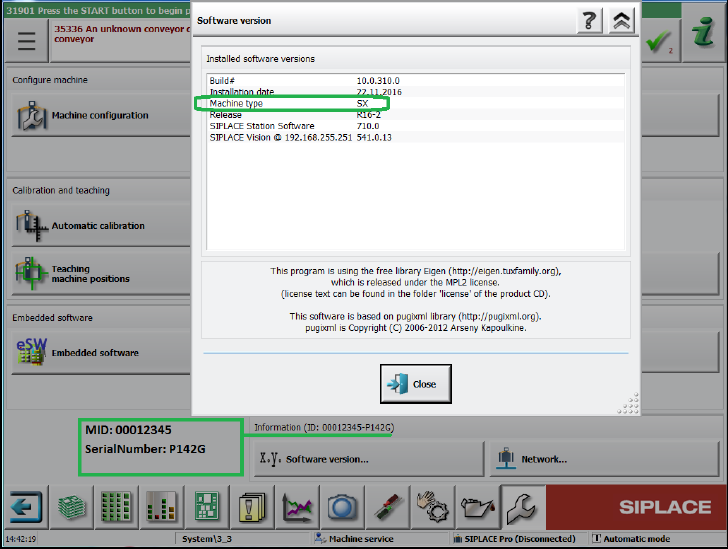
During downgrading from station software 712.x you will be asked for machine type, MID
number and serial number. These settings will not be transferred during downgrading (no
default settings!). You find this information on the station software GUI:
Figure 10-1: Example of machine information