00198611-02_IM_712.1_R19-1_EN.pdf - 第44页
Station Software Version 7 12.1 (R19-1) / Installation Manual 05/2019 Edition 44 No station software found If no station software was f ound, a corresponding error m essage appears. Figure 5- 33 : No station software ins…
Station Software Version 712.1 (R19-1) / Installation Manual 05/2019 Edition
43
5.5.2 Error Handling
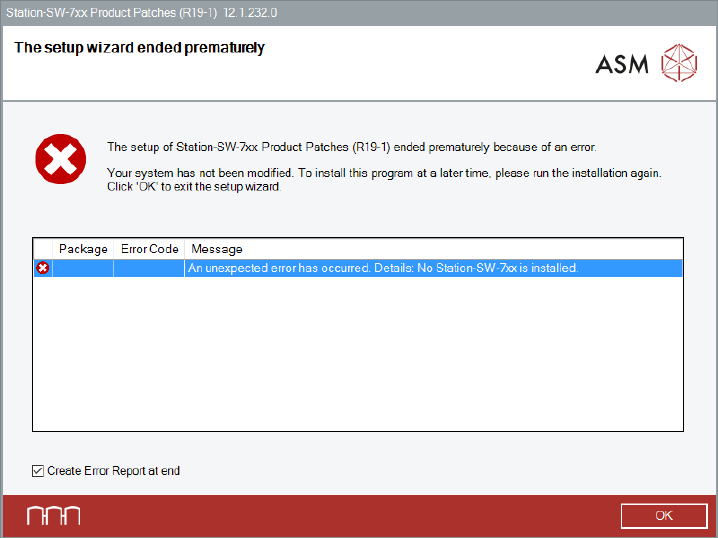
If an error occurs during installation, if possible, the setup will perform a rollback to return the
system to its original state. After a rollback a corresponding error message is displayed.
Figure 5-32: Error during installation
► Ensure that the Create Error Report at end option is selected (default).
► Click OK to exit the setup wizard.
You will be prompted to store the Error Report (as zip file).
► After the problem has been solved, start the Station_SW_Patches.exe file to run the installation
again.
At the beginning of the installation, the preconditions for a successful installation procedure are
checked. If one of the checks fails, the installation procedure will not start.
The errors that might occur are listed below.
Station Software Version 712.1 (R19-1) / Installation Manual 05/2019 Edition
44
No station software found
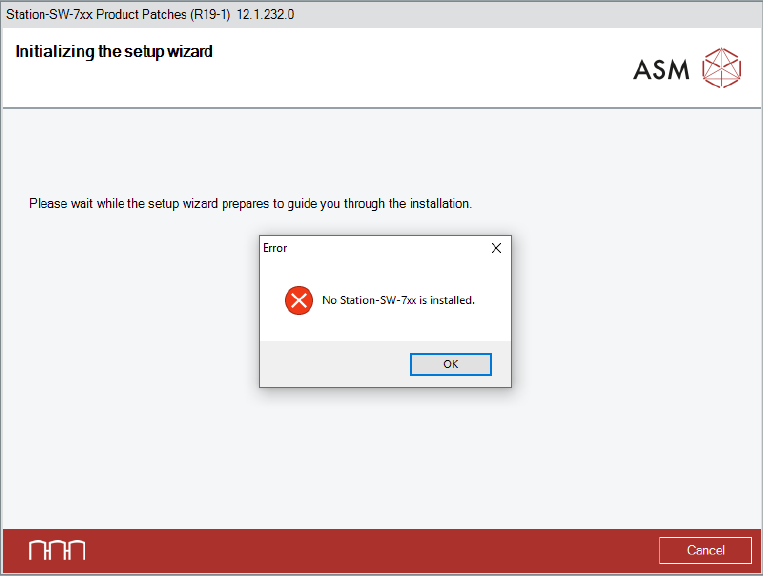
If no station software was found, a corresponding error message appears.
Figure 5-33: No station software installed
► Click the OK button to exit the setup wizard.
► After the problem has been solved, start the Station_SW_Patches.exe file to run the installation
again.
Station Software Version 712.1 (R19-1) / Installation Manual 05/2019 Edition
45
No suitable station software version found
Every patch only fits to one specific basic software version. This basic version is also called major
version. The installed basic version can be checked in the Control Panel under Programs and
Features, in the line Station-SW-7xx Product (RXX-x).
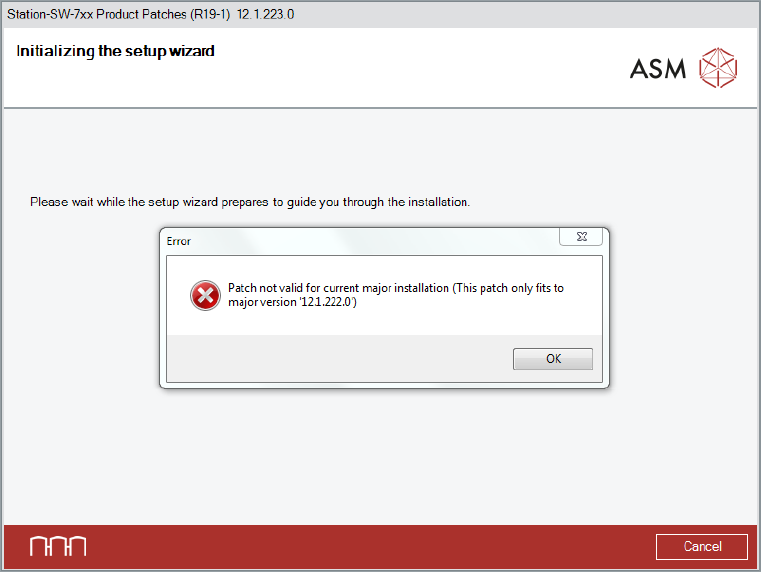
If the basic version does not fit to the patch, a corresponding error message is displayed.
Figure 5-34: No suitable station software version installed
► Click the OK button to exit the setup wizard.
► After the problem has been solved, start the Station_SW_Patches.exe file to run the installation
again.