00198611-02_IM_712.1_R19-1_EN.pdf - 第75页
Station Software Version 7 12.1 (R19-1) / Installation Manual 05/2019 Edition 75 NOTICE Important note: All station software version s < 710.0 are not able to detect station software 710.0 or higher. This is caused by…
Station Software Version 712.1 (R19-1) / Installation Manual 05/2019 Edition
74
10 Troubleshooting
10.1 Downgrading to a Lower Station Software Version
This section describes which steps you must attend when downgrading from the 712.x station
software version to a lower version.
There is no automatic support of downgrading the station software. To return to a lower station
software version, you must uninstall the 712.x station software manually before you can install the
lower station software version.
► Note some information before you start downgrading the station software.
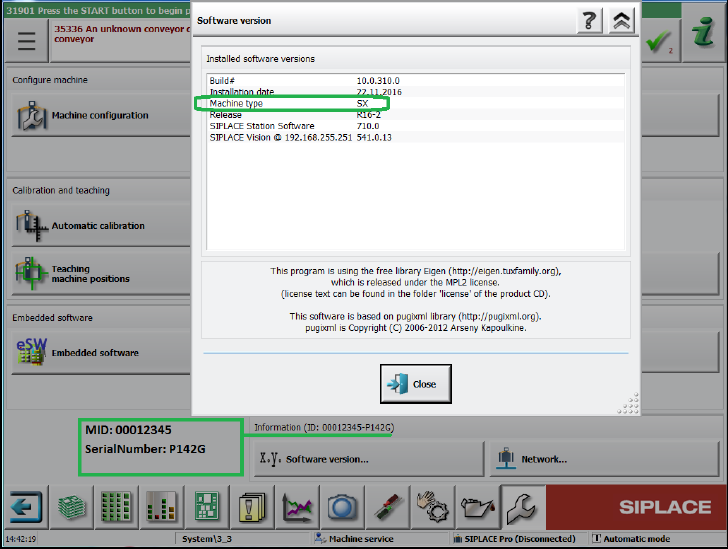
During downgrading from station software 712.x you will be asked for machine type, MID
number and serial number. These settings will not be transferred during downgrading (no
default settings!). You find this information on the station software GUI:
Figure 10-1: Example of machine information
Station Software Version 712.1 (R19-1) / Installation Manual 05/2019 Edition
75
NOTICE
Important note:
All station software versions < 710.0 are not able to detect station software 710.0 or
higher. This is caused by the system migration to Windows Installer XML and a
standardized deployment framework for all SIPLACE products.
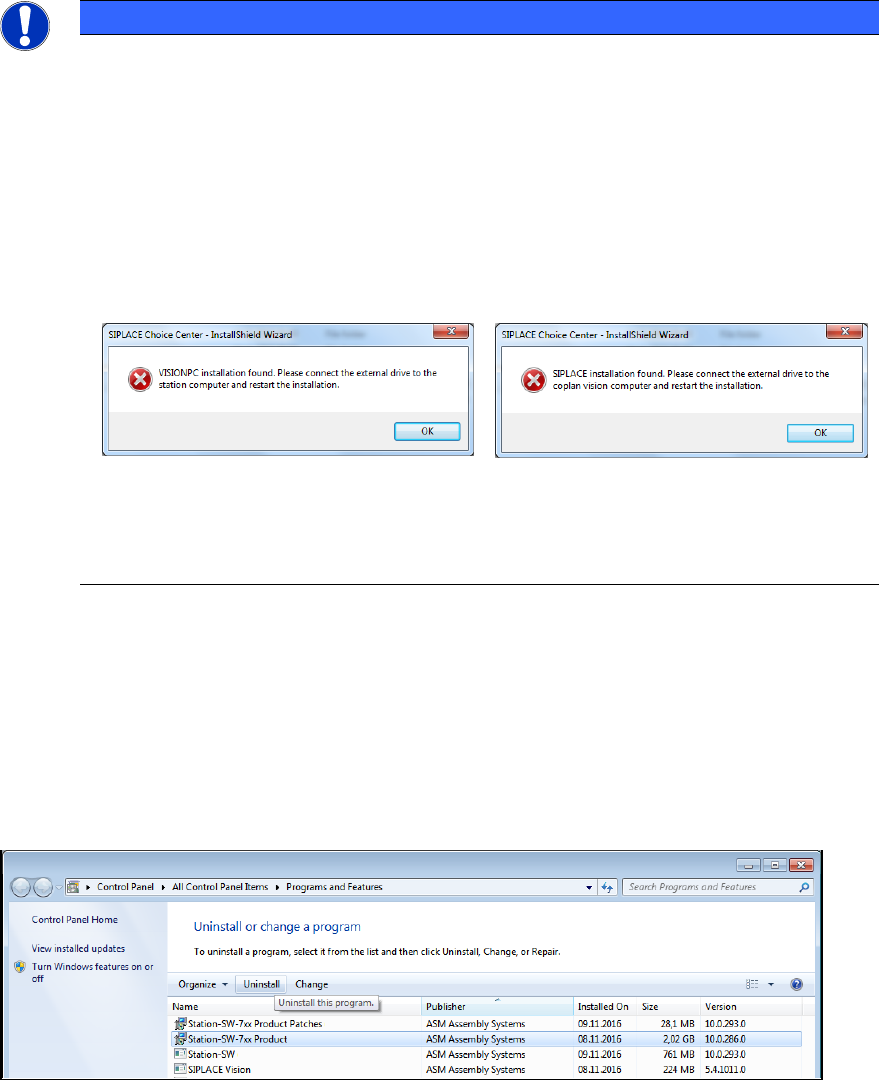
In order to avoid a mix of installed new and older station software versions, we use a
workaround. For this, a feature of station software 709 or lower is used, preventing the
installation of station software on a Vision computer and vice versa. If you try to install a
station software version < 710.0 on a system on which station software 710 or higher is
installed, a dialog will appear, saying, you are trying to install a SIPLACE station
computer on a Vision computer or vice versa.
This dialog will be displayed as long as there is a station software 710 installed!
If you are trying to downgrade to a version 710.0 or higher from a higher version, the
installation will detect that a newer version is already installed and display a correct
message.
10.1.1 Uninstalling Station Software 712.1
► Log off from the station computer.
► Log in under the ASM_Admin user account.
► Open the Start menu and select Control Panel – Uninstall a program – Programs and
Features (Category: Small Icons).
Figure 10-2: Uninstalling station software
► Sort by Publisher.
► Select Station-SW-7xx Product (RXX-x) from publisher ASM Assembly Systems.
► Click the Uninstall button.
► In the next dialog, click the Remove button.
Station Software Version 712.1 (R19-1) / Installation Manual 05/2019 Edition
76
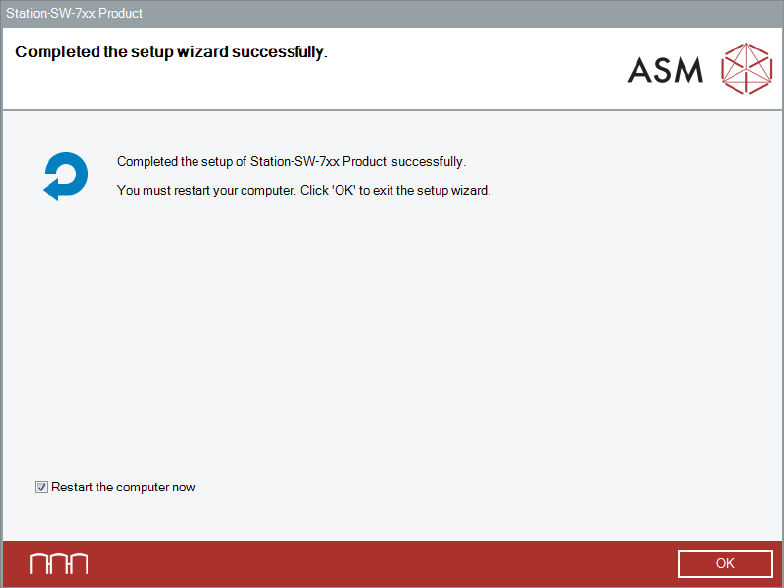
After successful removal, the following dialog is displayed.
Figure 10-3: Uninstalling completed
► Click OK to exit the wizard and restart the computer.
After restart, an automatic login under the Operator user account will be done.
► Log off from the Operator user account.
► Log in under the ASM_Admin user account again.
► Continue with the installation of the station software version you want to downgrade to.