TK33045_PickHeightTeaching.pdf - 第19页
2nd SMT En gineering Division So ftware Group IM Operations Y AMAHA MOTOR CO., L TD MD OC-SOFT50389 19/24 4.2 T akeover of Parts Dat a Part s data takeov er fil e is saved in “D:¥Machine¥ S tatus¥ PartsT akeOv…
2nd SMT Engineering Division Software Group
IM Operations
YAMAHA MOTOR CO., LTD
MDOC-SOFT50389
18/24
Item Range Default Description
[End Pos. Offset]
[Detail Phase]
0.0~10.0
12mm/2.0
Tray/0.0
Enter an offset value from the end of the
[Search Phase] to finish [Detail Offset].
For Tray parts, an offset value is from the
pallet bottom.
[Step Volume]
[Detail Phase]
0.0~1.0
0.05 Amount of descent step at [Detail
Phase].
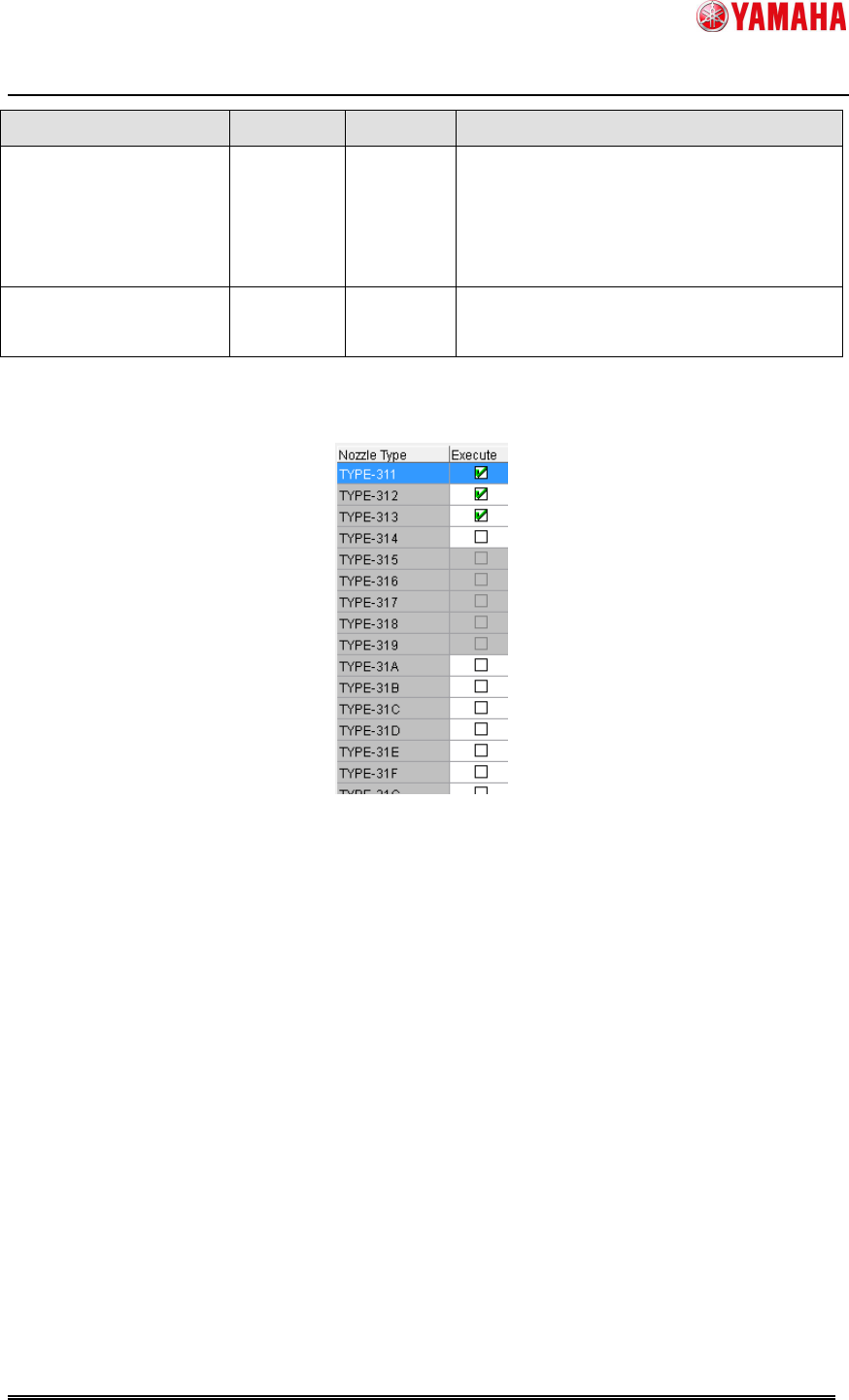
Check a nozzle type to be measured.
It is necessary to select nozzle type for measurement of 8mm feeder and 12mm feeder.
Fig 4.2 Nozzle type selection on the [Pick Height Teach] screen
Checked nozzles are used for height teaching.
With 8mm feeder, on a machine supported with head variation, you can select several
nozzle groups. In that case, it is necessary to select nozzles for each group. Select a nozzle
group from the combo box.
< Caution >
When a carbon tape guide is used, 303, 314, 603, 503, and 514 nozzles are not available
for pick height teaching.
2nd SMT Engineering Division Software Group
IM Operations
YAMAHA MOTOR CO., LTD
MDOC-SOFT50389
19/24
4.2 Takeover of Parts Data
Parts data takeover file is saved in “D:¥Machine¥Status¥PartsTakeOver¥” by default. By
setting the saving path to the server, the teaching results can be taken over among several
machines.
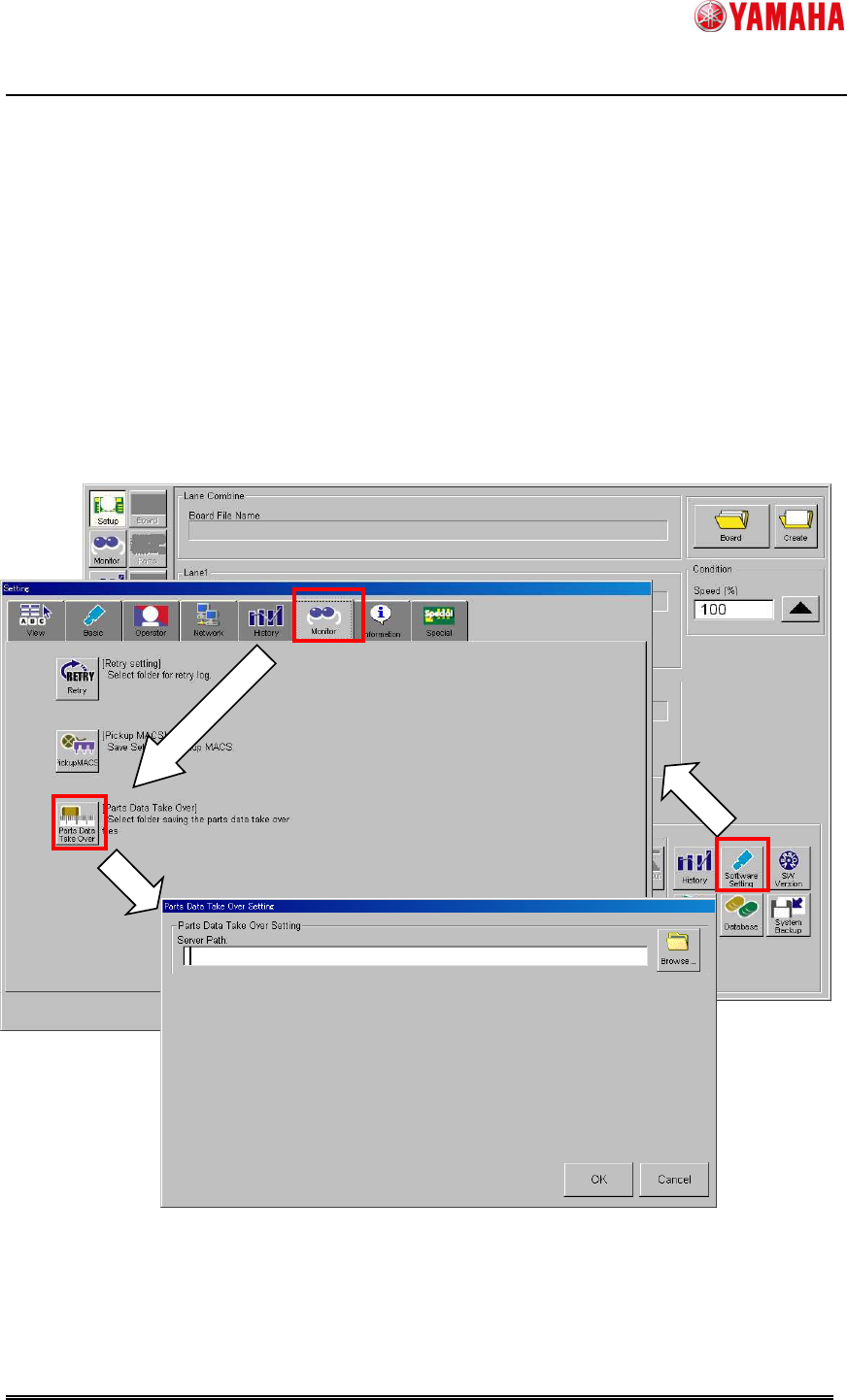
To change the takeover file path, open the [Software Setting] – [Monitor] – [Parts Data Take
Over] – [Parts Data Take Over Setting] screen, and enter a file path in [Server Path].
< Caution >
Files in the specified folder can be deleted automatically, so that do not save any other files
than a parts data takeover file "Feeder_*.sts" there.
Fig 4.2 [Parts Data Take Over Setting] screen
2nd SMT Engineering Division Software Group
IM Operations
YAMAHA MOTOR CO., LTD
MDOC-SOFT50389
20/24
4.3 Reading fixed board data
This function is supposed to be used with board data that has mount data, but it is available
without mount data as long as fixed board data is read. In this case, mounting heads and
nozzles are automatically determined. Please note that the determined combination of
heads and nozzles will be different from that you want to set.
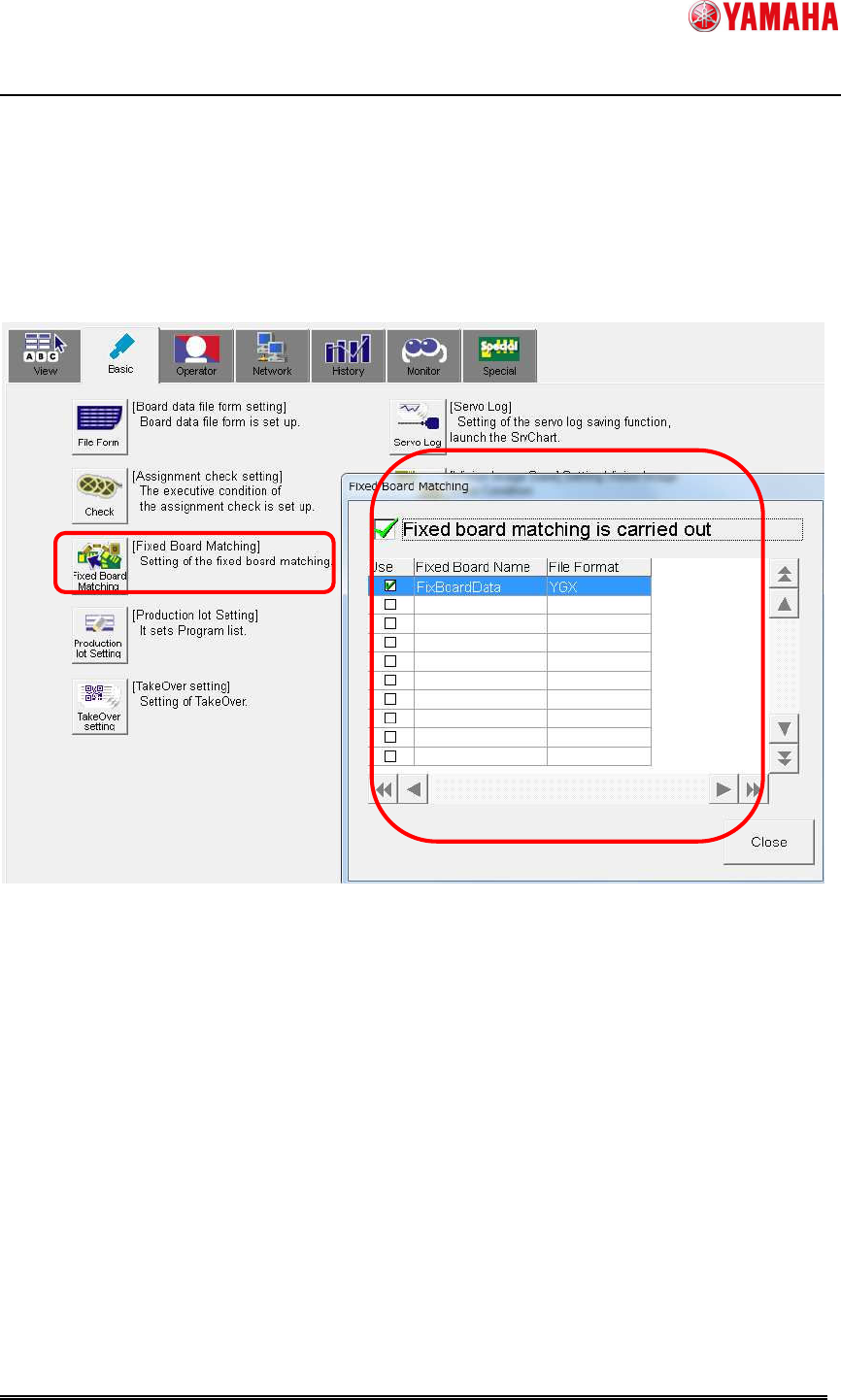
Read the fixed board data specified in the following screen.
(▲1)
Fig 4.3 Fixed board data setting