cps編輯及應用手冊.pdf - 第23页
22 P a r t s U t i l i ty : B a t c h I np u t A p p li c a t i o n 視 窗下拉 Err o r( 紅色 ) 若 讀取 之 . C SV 檔 有 C PS 中 未 建 立之零件 碼 , 則會 顯 示 E rr o r E rr or 即 顯 示 未 建 立之 零件 碼 P a r t s 游標點 選 視 窗下拉 U t ili t y B a t c h I n p ut…
21
附件:列印標題項目明細表
Sequence
項目
Feeder
項目
Part Code
項目
Nozzle
項目
No. Feeder No. Part Number No.
Reference Part Number Feeder No. Machine Type
Part Number Reference Polarity Nozzle Pos.
Polarity Polarity Inserts Nozzle ID
Description Inserts Cassette Type Nozzle Name
Position X Cassette Type Description
Position Y Description Nozzle ID
Dir Nozzle ID Nozzle Pos.
Feeder No. Nozzle Pos. Containment Dir
Record No. Containment Dir Tape Width
Comment Tape Category Tape Category
Left Width Left Width
Right Width Right Width
22
Parts Utility
:
Batch Input Application
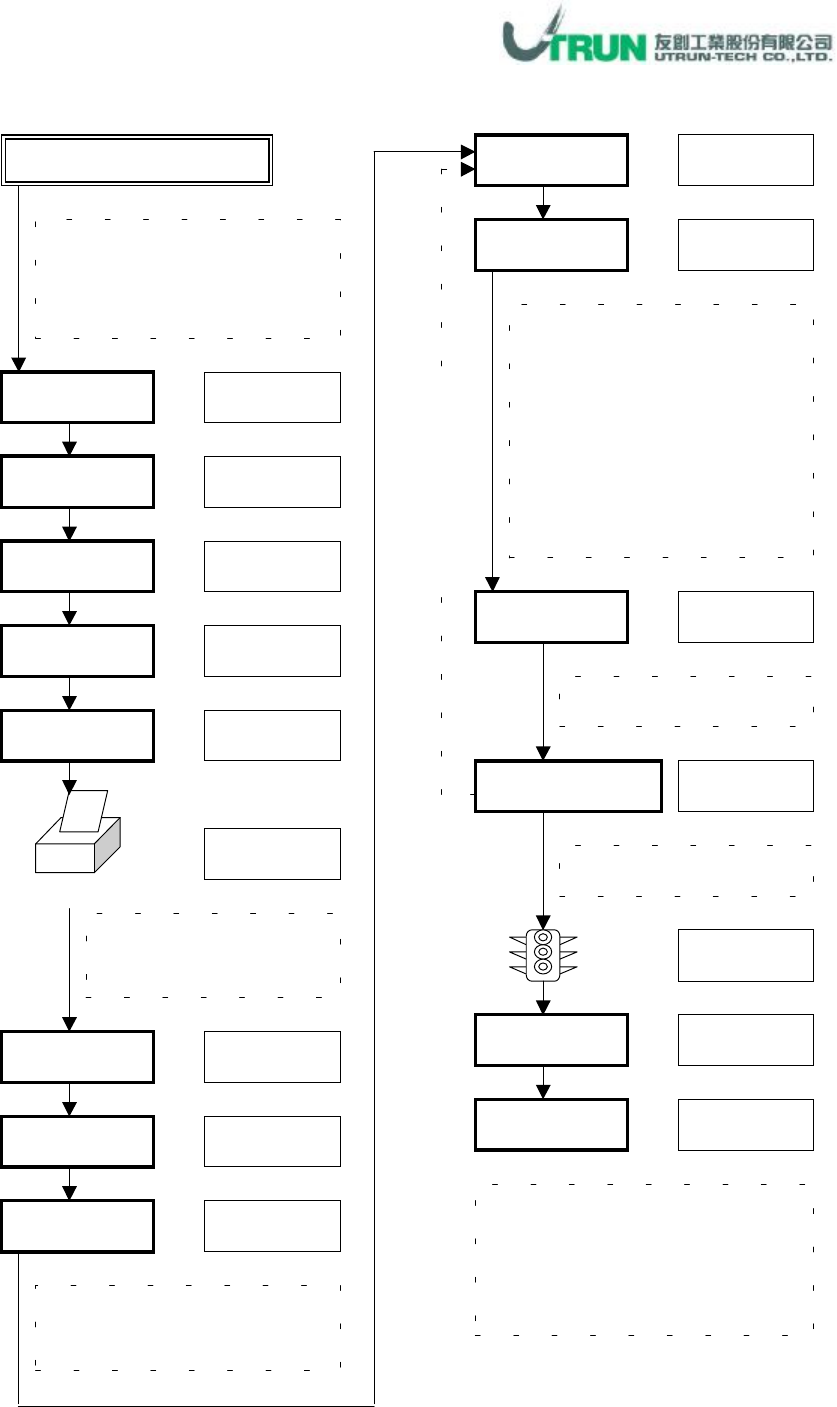
視窗下拉
Error(
紅色
)
若讀取之
.CSV
檔有
CPS
中未
建立之零件碼
,
則會顯示
Error
Error
即顯示未建立之零件碼
Parts
游標點選
視窗下拉
Utility
Batch Input
游標點選
游標選擇
檔名輸入
LST 1~N
By Parts
Record No.
記錄碼輸入
游標點選
游標點選
列印 Error 顯示之零件碼
供建立資料庫時參考使用
Print
游標點選
End
游標點選
Panel 資料:Import 讀取
視窗下拉
根據此 LST 所顯示的零件碼,
判定此零件種類
,
於樣本零件
資料庫找尋到類似零件資料
後
,
輸入其
Record No.,
此查詢
動作可於列印 Error 零件碼時,
事先全部查詢記錄
,
重覆已輸
入 Record No.可視窗下拉點選
View
Display By
視窗下拉
Verify Error
游標點選
此機種中未建立於資料庫中之
零件碼會顯示在Part Code 行中
Part Name
資料輸入
Secondary Name
Part Name
可不輸入資炓
資料輸入
Secondary Name 可不輸入
Save
此步驟可不執行,點選 Cancel 亦
可建立新零件資料
,
若執行
Save
動作者,可再開啟 Save 之檔案查
詢輸入之記錄
(Batch Input
畫面
)
全
部
LST
執
行
輸
入
23
Parts Utility
:
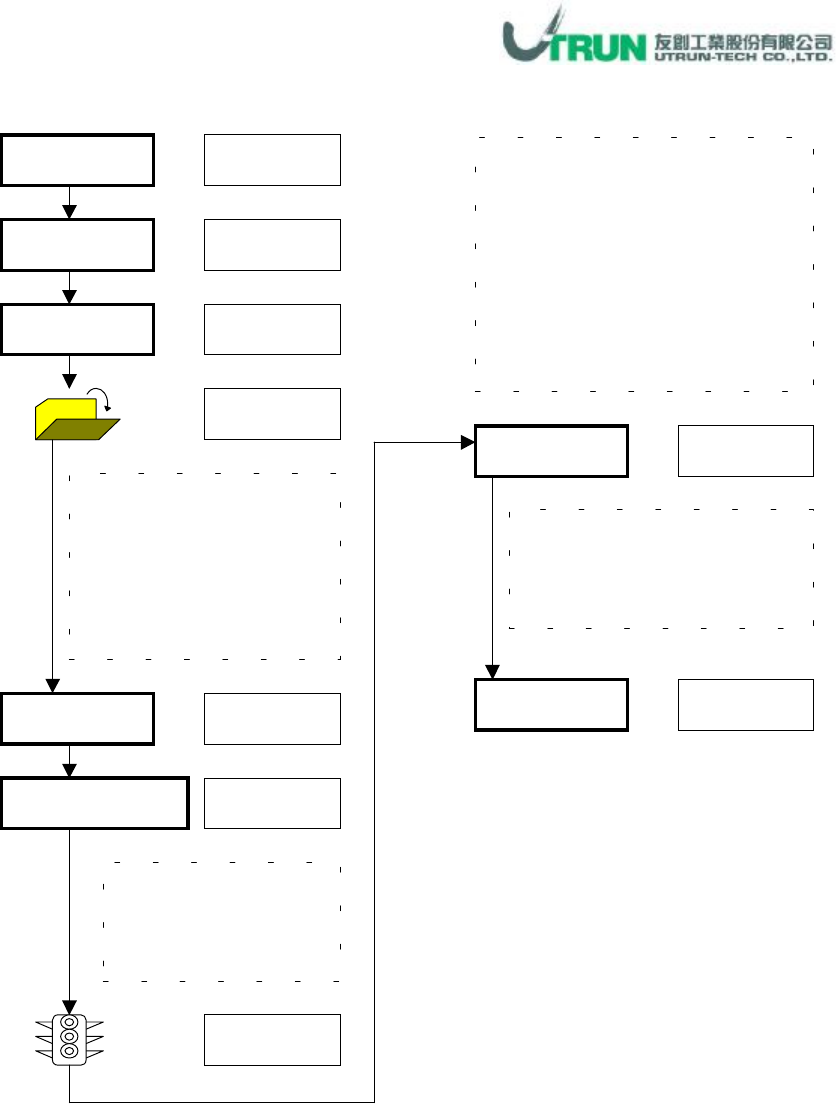
PSA Import Application
Parts
視窗下拉
Utility
PSA Import
游標點選
End
開啟
游標點選
Yes/Yea All
游標點選
視窗下拉
回讀程式中之零件資料
,
未建立
於
CPS
零件資料庫中者
,
會自動
進行
Add
動作
,
程式修改過之零
件資料與
CPS
零件資料庫不相同
者會進行
Updata
動作
,
執行前會
詢問是否覆蓋
,
程式中未修改之
零件資料回讀時
,
顯示
The Same
Target Cell No.
檔名選取
,
此處所讀取之
檔案為.PWB 檔,為欲覆
蓋
CPS
中零件資料之已
修正零件(通常為上線生
產中己修正之程式
)
所開啟之欲回讀程式
Cell No.
為何
,Target Cell
No.
就勾選此數
PSA Import
畫面中顯示回讀
狀況
,Add
:新增、
Updata
:
更新、
The same
:未變動
游標點選
游標點選
游標勾選
游標點選