cps編輯及應用手冊.pdf - 第7页
6 P a r t s E d it : E d i t A pp l i c a t i o n ( 1) - N ew P a r t L i b r a r y M a k i n g P a r t s T e mp l a t e 視 窗下拉 游標點 選 游標點 選 R ec o g n it i o n M e t h od M ac h i n e T y pe 游標點 選 游標點 選 C o p y 游標點 選 E ND…
5
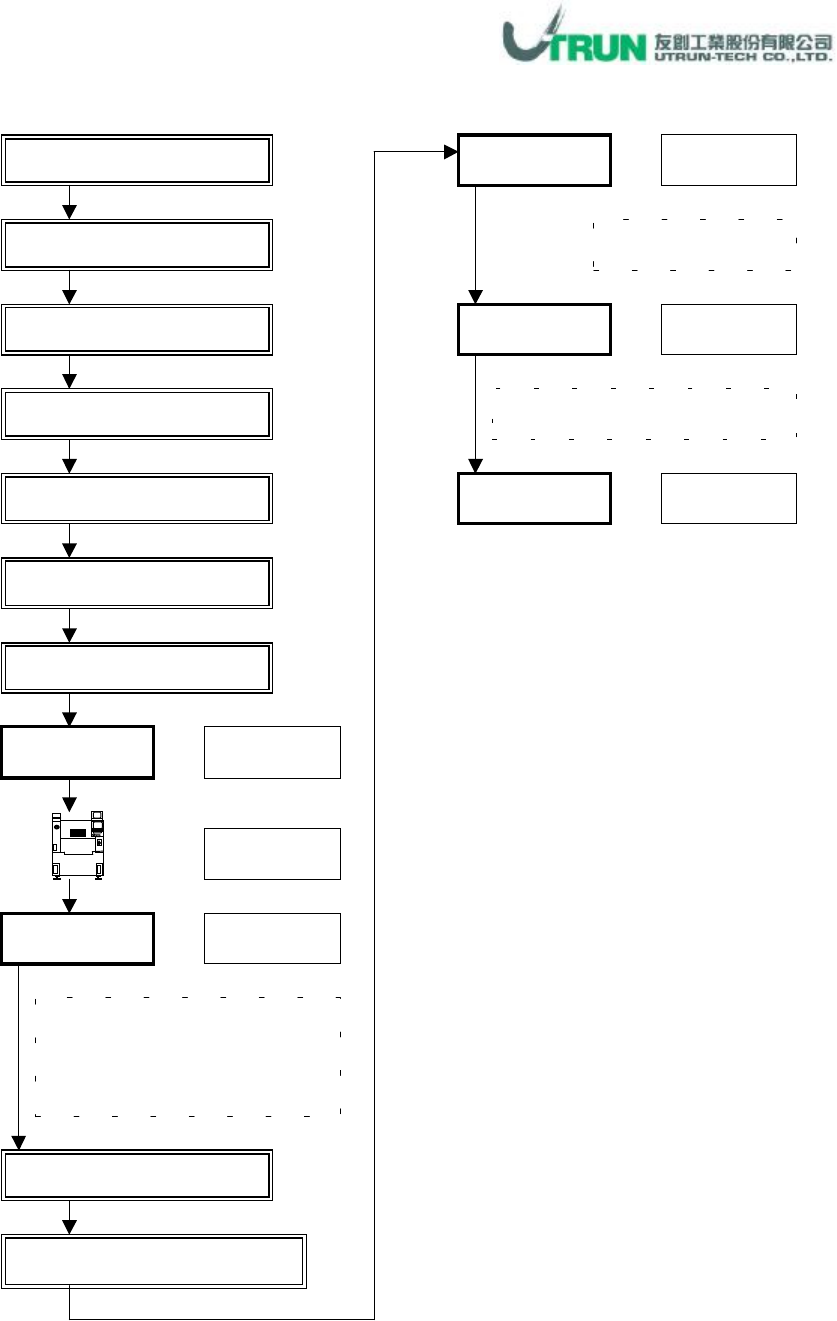
CPS Edit & DAS Processing
Output Cell Data Separately 選擇
Part 資料:Parts Edit
Panel 資料:Import 讀取
Panel 資料:Alignment
編輯
Panel 資料:Block 編輯
Panel 資料:Size 編輯
Panel
資料:
Bad Mark
編輯
Check
游標點選
游標點選
CPS DAS
:
DAS Process
OK
游標點選
確認
NCA
、供料配置及吸嘴配
置有無問題
,
若有問題
,
執行下
步驟,若無問題,跳至 Send 步驟
輸入機種檔名
存檔
Send
游標點選
▼
游標點選
CPS Tool
:
Check
Application
CPS Tool:
Fixed Opt Application (1)
游標點選
6
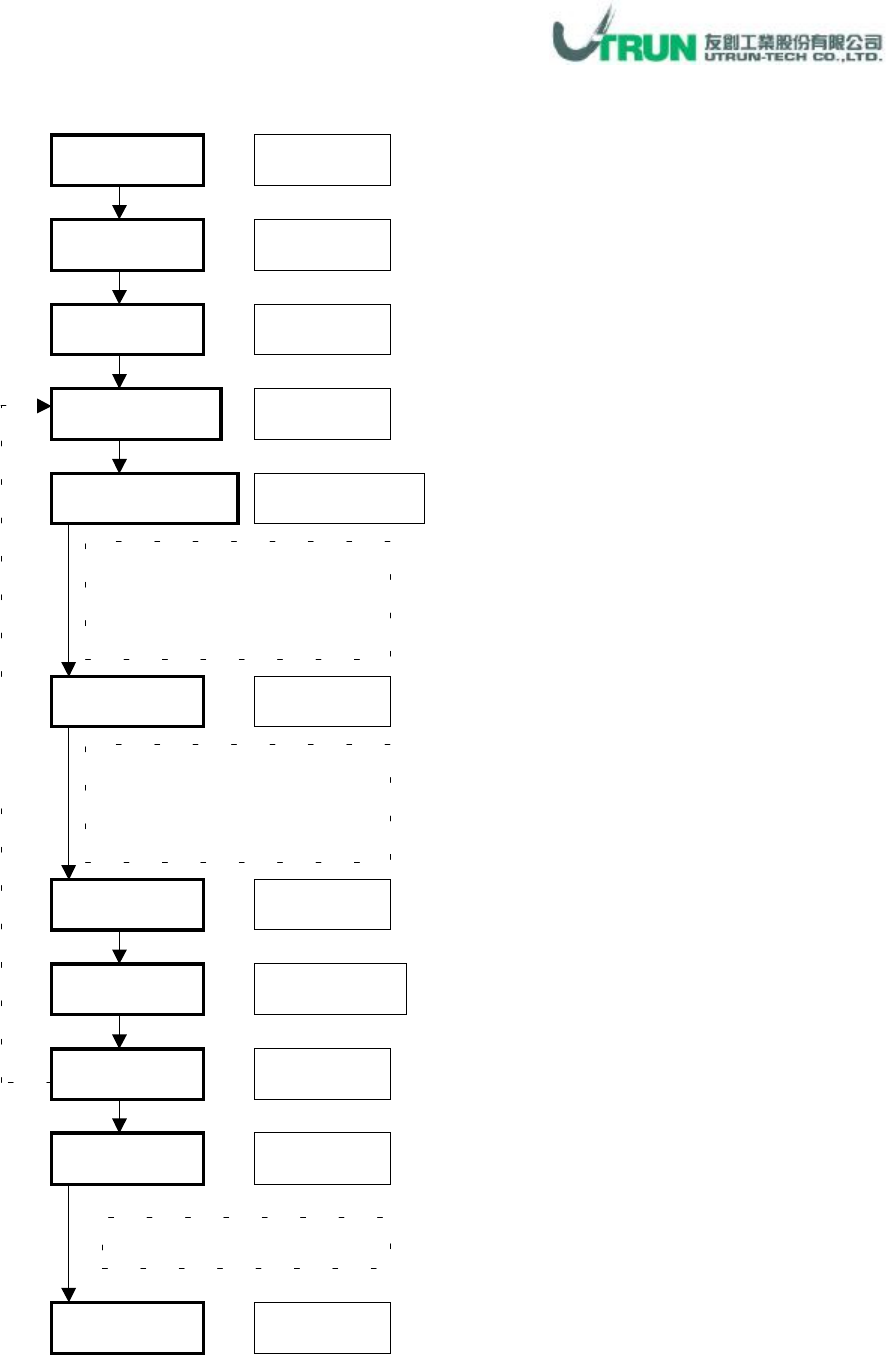
Parts Edit
:
Edit Application(1)
-
New Part Library Making
Parts
Template
視窗下拉
游標點選
游標點選
Recognition Method
Machine Type
游標點選
游標點選
Copy
游標點選
END
游標點選
Recognition Method
項目
請參考零件明細說明
(零件資料:新零件資料庫建立)
Edit
視窗下拉、
點選
樣本資料
移動選擇
樣本資料碼
參考樣本零件範例說明
(零件資料:新零件資料庫建立)
Part Code
零件碼鍵入
Updata
游標點選
Parts Library
確認新零件碼是否有建立
重
覆
設
定
7
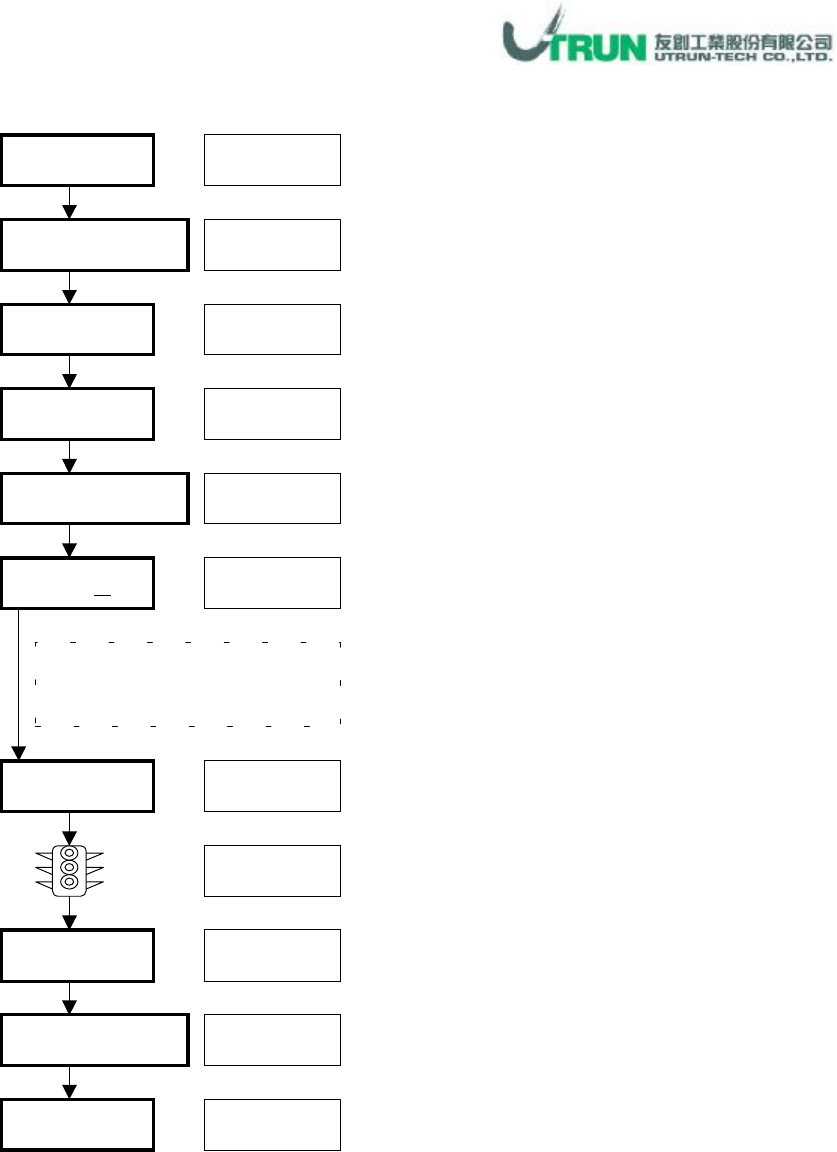
Panel Information
:
Import Application
* Skip NO.
、
Side
視需求狀況輸入。
* Panel Name
填入或不填入皆可。
Panel
Panel Information
Import
視窗下拉
游標點選
游標點選
CSV File Open
Manual
游標點選
檔案點選
開啟
(O)
游標點選
游標點選
OK
END
游標點選
游標點選
Background Scale
Scale
確認
OK
游標點選
Part code、X、Y、R、Ref.
資料出現
,
可進行編輯修改