cps編輯及應用手冊.pdf - 第9页
8 P a n e l I n f o r m a t i on : S i z e E d i t 附件:裝著參數說明 參數 名稱 參數說明 P WB S i z e P WB L e n g t h( 長 ) 、 W i d t h( 寬 ) 、 T h i c k n e s s( 高 ) 等 尺寸 資料 。 F i x O r i g i n (X 、 Y ) 以 基板 反 面 側 為 主 , 基板標 準 定 位孔 座標 ( 原…
7
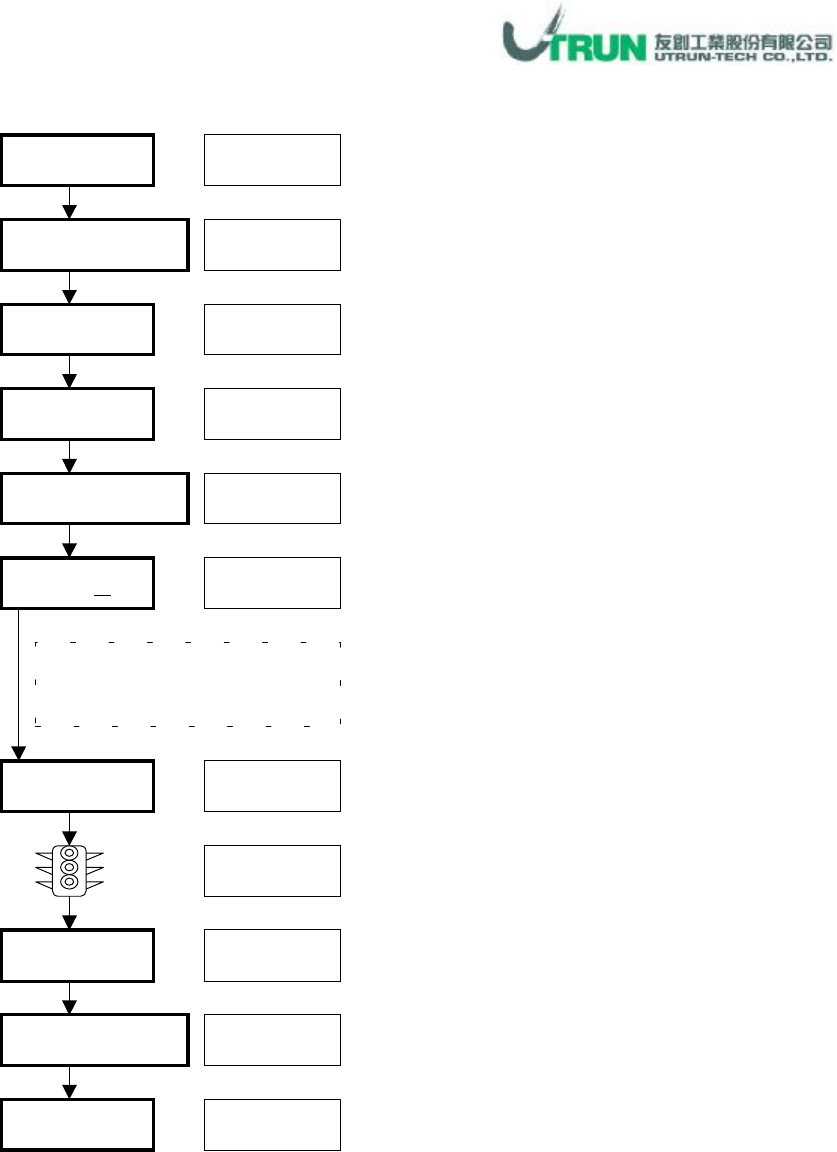
Panel Information
:
Import Application
* Skip NO.
、
Side
視需求狀況輸入。
* Panel Name
填入或不填入皆可。
Panel
Panel Information
Import
視窗下拉
游標點選
游標點選
CSV File Open
Manual
游標點選
檔案點選
開啟
(O)
游標點選
游標點選
OK
END
游標點選
游標點選
Background Scale
Scale
確認
OK
游標點選
Part code、X、Y、R、Ref.
資料出現
,
可進行編輯修改
8
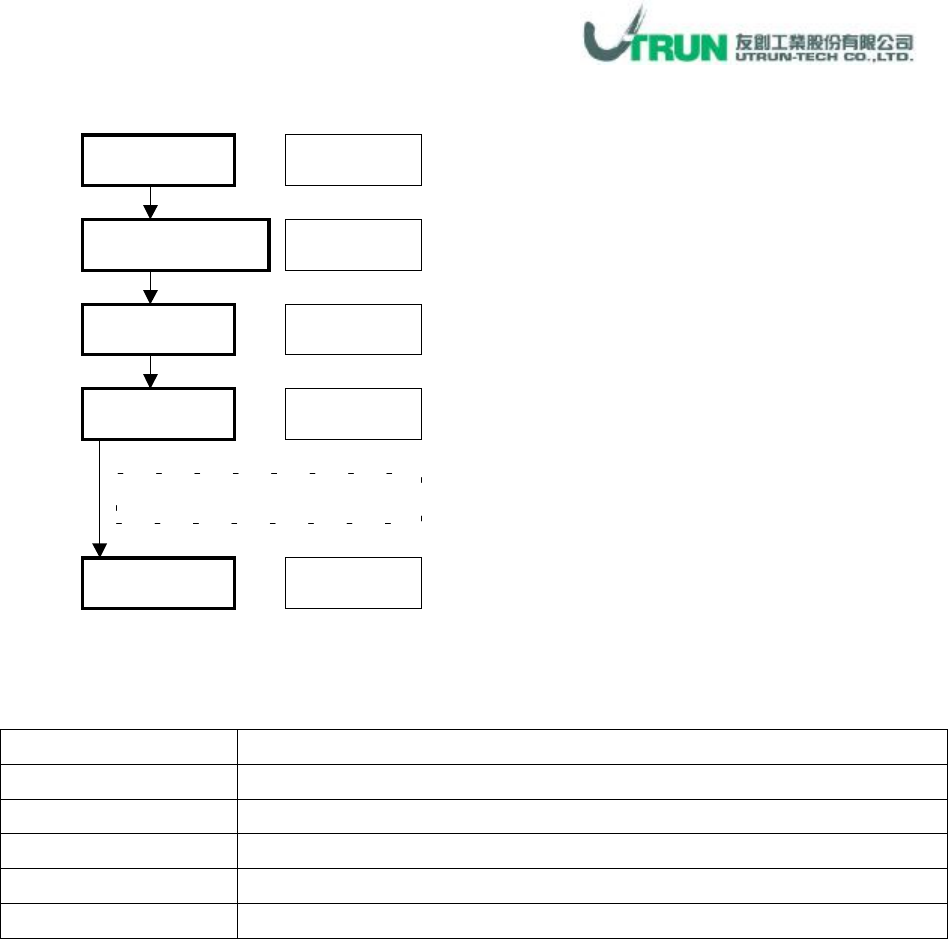
Panel Information
:
Size Edit
附件:裝著參數說明
參數名稱
參數說明
PWB Size
PWB Length(長)、Width(寬)、Thickness(高)等尺寸資料。
Fix Origin(X
、
Y)
以基板反面側為主
,
基板標準定位孔座標
(
原點在左下角
)
Movable Origin(X
、
Y)
以基板反面側為主
,
基板另一邊定位孔座標
(
原點在左下角
)
Skip NO.
跳躍號碼。
1~9
為有條件跳躍
,7
為無條件跳躍。
Side
基板面
,Mount
為反面
,Printer
為正面。
Panel
Panel Information
Size
Size
參數
OK
視窗下拉
游標點選
游標點選
數值鍵入
游標點選
Size
參數見附件說明
9
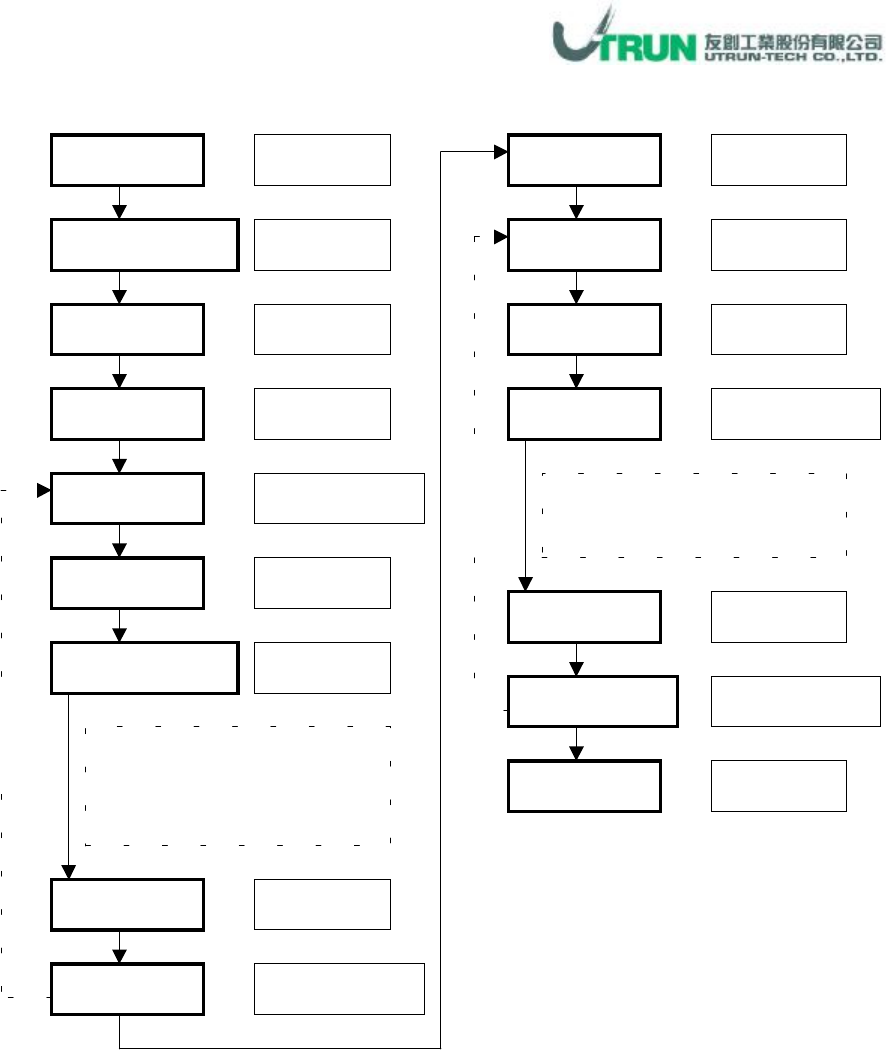
Panel Information
:
Alignment Edit
*重覆設定視機種狀況需求而執行
* Recognition Library
部份
,
點選
SMD3
或
SONY
即可。其餘視狀況需求輸入。
*
已編輯好之資料
,
若要修改
,
參數修改後按
Updata
即可更新。
*
已編輯好之資料
,
若要刪除
,
選欲刪之
ID
按
Dll
即可刪除。
Panel
Panel Information
Alignment
Mark Type
Size
視窗下拉
游標點選
游標點選
游標點選
數值輸入
Sharp Type
視窗下拉、
點選
Recognition Library
游標點選
Add
Recognition Library
參數
參考定位標記形式參數說明
(見 NC 資料:定位標記編輯
)
Mark Type
游標點選
數值自動設定
Mark Position
游標點選
Point 1
、
2
數值輸入
Mark Type
游標點選
Area
視窗下拉、
點選
Panel
:
Mark
座標為整片板
Block:Mark 座標為個別連板
Add
游標點選
Alignment ID
數值自動設定
OK
游標點選
重
覆
設
定
重
覆
設
定