YS100_Ope_E.pdf - 第84页
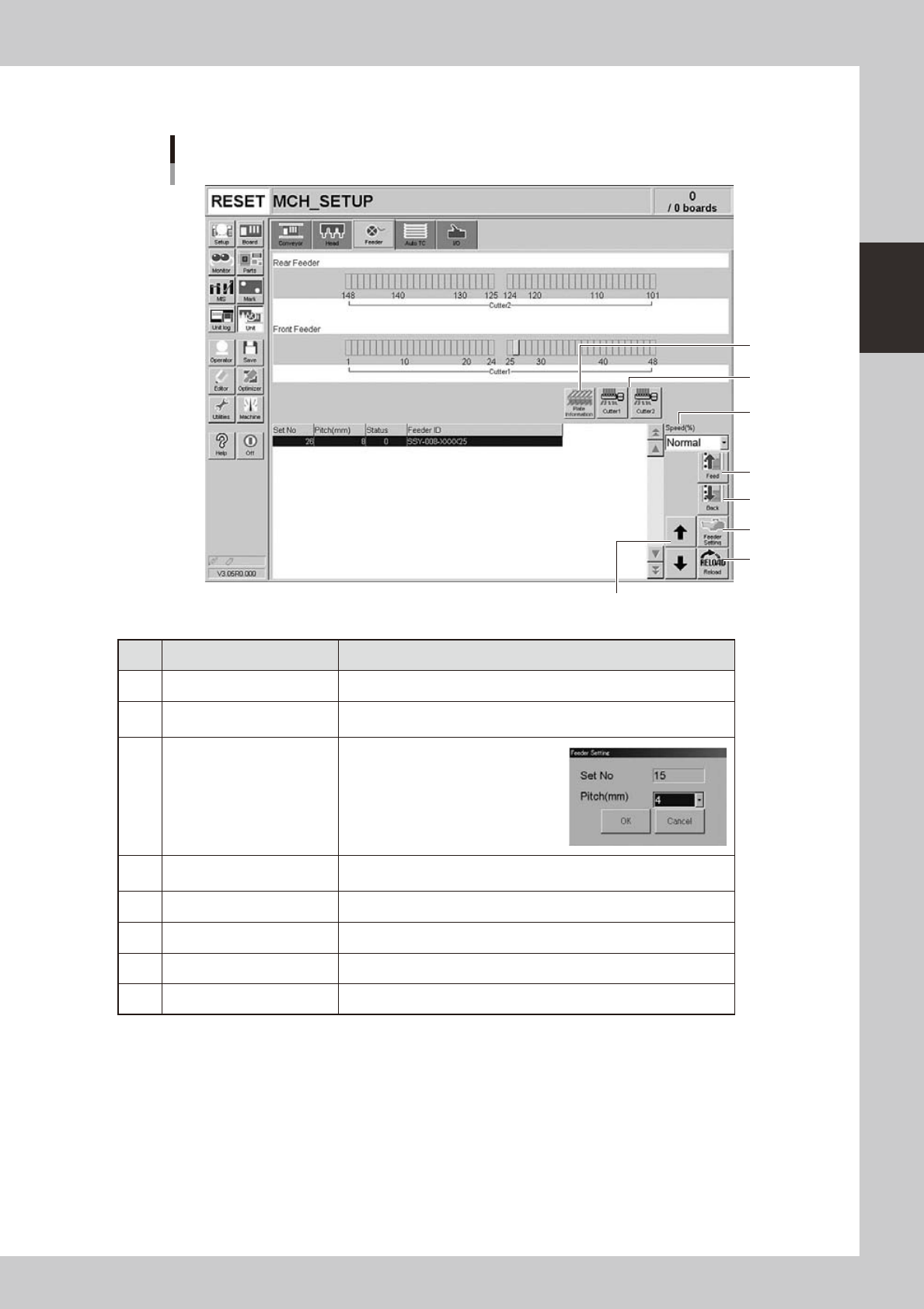
2-17 2 asic operation n Manual feeder operation [Unit] – [Feeder] screen 1 4 7 2 6 5 3 8 24210-L1-10 Button name Function 1 Feed Each time pressing this button advances the tape at the specified pitch. 2 Back Each time…
2-16
2
asic operation
n
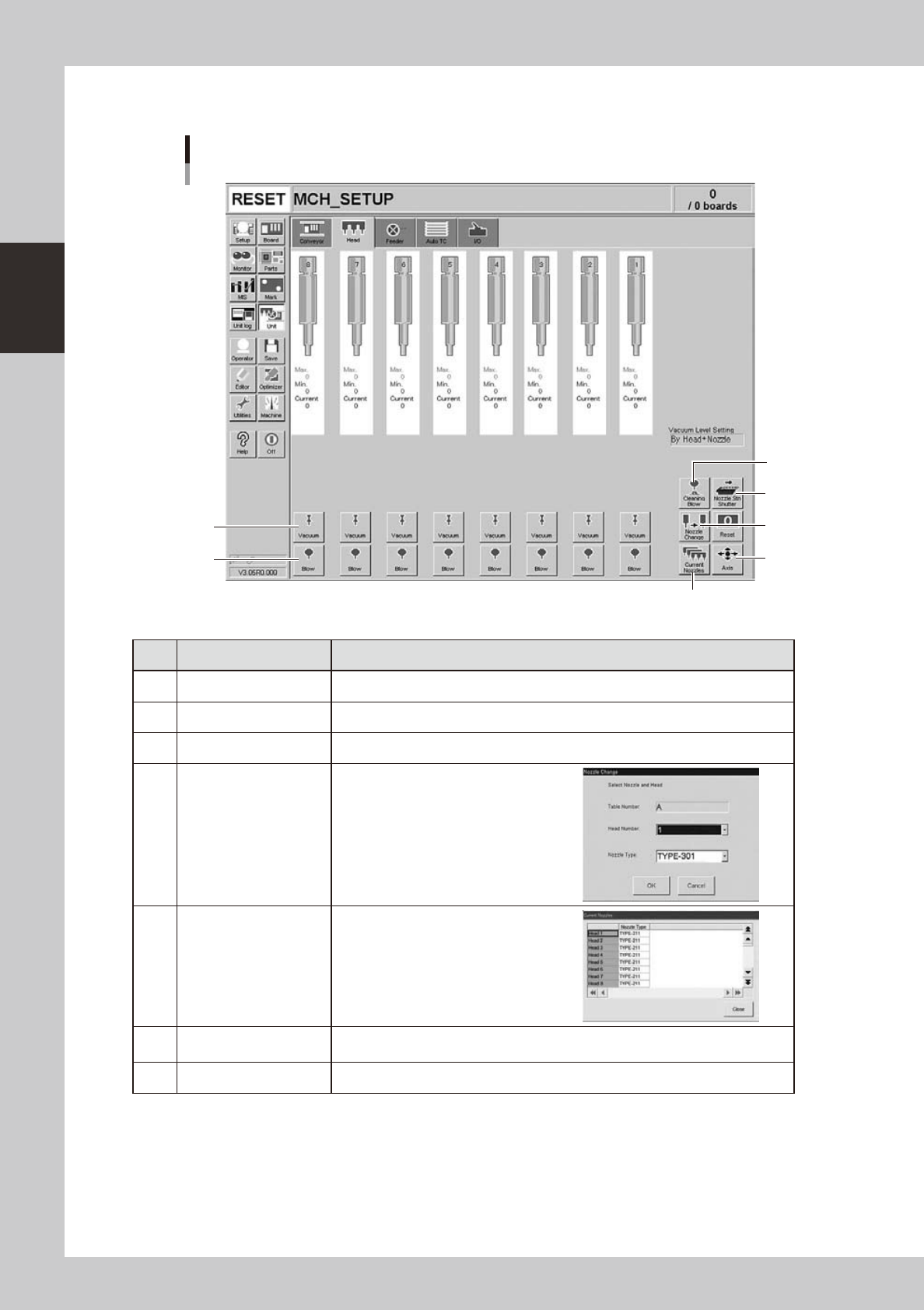
Manual head operation
[Unit] – [Head] screen
1
2
3
4
5
6
7
24207-L1-00
Button name Function
1 Vacuum Turns the vacuum of each head on or off.
2 Blow Turns the air blow in each head on or off.
3 Nozzle STN Shutter Opens or closes the nozzle station shutter.
4 Nozzle Change
Opens the "Nozzle Change" dialog box.
Specify the head and nozzle type to
perform nozzle change.
5 Current Nozzles
Shows a list of nozzle types currently
attached to each head.
6 Axis
Opens the "Move Axis" screen. This is the same as the [Axis] button on the [Unit]-
[Conveyor] screen.
7 Cleaning Blow Displays a confirmation dialog box for nozzle shaft blow.
2-17
2
asic operation
n
Manual feeder operation
[Unit] – [Feeder] screen
1
4
7
2
6
5
3
8
24210-L1-10
Button name Function
1 Feed Each time pressing this button advances the tape at the specified pitch.
2 Back
Each time pressing this button moves the tape backward at the specified
pitch.
3 Feeder Setting
Pressing this button opens the
feeder setting dialog box that
allows selecting a feed pitch from
2 to 56mm.
Set the feed pitch and press the
[OK] button. The set feeder pitch
is stored in memory.
4 Speed
Select the feed speed from the drop-down list. The selectable speeds
are "Normal", 90, 80, … 10%.
5 Reload Clears the feeder condition (memory) and reloads the setting.
6 Up/down arrows Moves the selected row up or down.
7 Cutter Opens or closes the tape cutter (option).
8 Plate Information Allows you to check the version of the plate board in the feeder plate.
2-18
2
asic operation
n
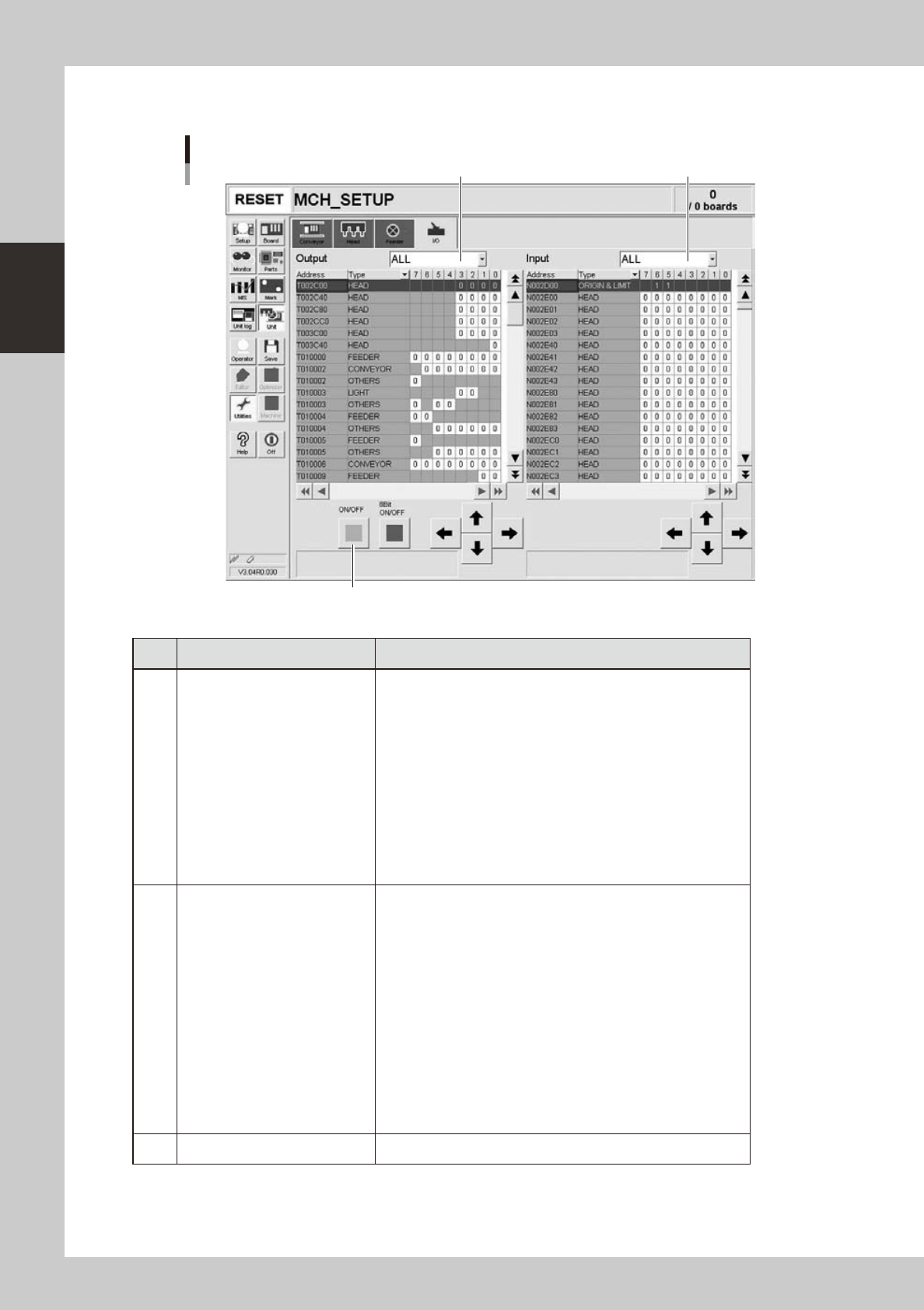
Manual I/O operation
[Unit] – [I/O] screen
1 2
3
24212-L1-00
Button name Function
1 Select output display group
Select the output group for display in the "Output" status list. The
following groups can be selected:
• ALL
• NSTA (nozzle station)
• PP (tray changer)
• LIGHT
• CONV (conveyor)
• HEAD
• WAFFLE (waffle tray)
• BSTA (blow station)
• ATS
• YTF
• OTHERS
2 Select input display group
Select the input group for display in the "Input" status list. The
following groups can be selected:
• INTLCK (interlock)
• SRV (servo origin limit)
• ATS
• DSTA (dump station)
• FDR (feeder)
• NSTA (nozzle station)
• CONV (conveyor)
• LIGHT
• HEAD
• WAFFLE (waffle tray)
• SPARE
• YTF
• OTHERS
3 ON/OFF Turns the selected valve on or off.