00195421_OIS_SIS_Install_de_en.pdf - 第6页
Installationsanleitung OIS Client, OIS Server, SIS Server Version 5.0 Installation Manual 2 Prerequisites 2.1 OIS/SIS Server • One of the following preferred operating system s: • Windows XP Professional with Service Pac…

OIS Client, OIS Server, SIS Server Version 5.0 Installationsanleitung
Installation manual
1 Scope of delivery
SIPLACE OIS Application V5.0 (item number: 00385470-01) contained:
Quantity Item Item number
1 CD-ROM with V5.0 of the OIS and SIS software 00385471-01
1 Installation Manual 00195421-01
1 DVD Support Media 00383100-02
Note to Support Media DVD:
Please use the document “Navigation Guide for the Installation Procedure of SIPLACE
Software Systems” (Item No. 00195050-xx) to navigate through the documentation.
The navigation guide and all related documents are available on the Support Media DVD (Item
No. 00383100-xx) that is included to every software product.
5 von 50

Installationsanleitung OIS Client, OIS Server, SIS Server Version 5.0
Installation Manual
2 Prerequisites
2.1 OIS/SIS Server
• One of the following preferred operating systems:
• Windows XP Professional with Service Pack 2
• Windows Server 2003 with Service Pack 1
Note
Starting with OIS/SIS 5.0, Windows NT and Windows 2000 are no longer supported.
• The hard disk must have at least 200 MB of free memory.
• One of the following Microsoft SQL Server versions:
• Microsoft SQL Server 2000 (Version 8.0) with SP4
• Microsoft SQL Server 2005 (Version 9.0) with SP1
2.2 OIS Client
• The preferred operating system:
• Windows XP Professional with Service Pack 2
• Internet Explorer 4.01 SP2 or later must be installed.
• The hard disk must have at least 20 MB of free memory.
• When the system is used on a SIPLACE machine, the station computer must have at least 128 MB
of main memory.
• An OIS Server must already be installed.
• You must know the TCP/IP address or the UNC name (e.g. \\server-name) of the OIS Server.
• A compatible version of the station software must be installed (see chapter 3, Interfaces).
• A network connection to the OIS Server is available.
6 von 50
OIS Client, OIS Server, SIS Server Version 5.0 Installationsanleitung
Installation manual
3 Installation
3.1 Starting the Installation
¾ Start Windows.
¾ Log in with administrative permissions.
¾ Put the CD-ROM in the drive.
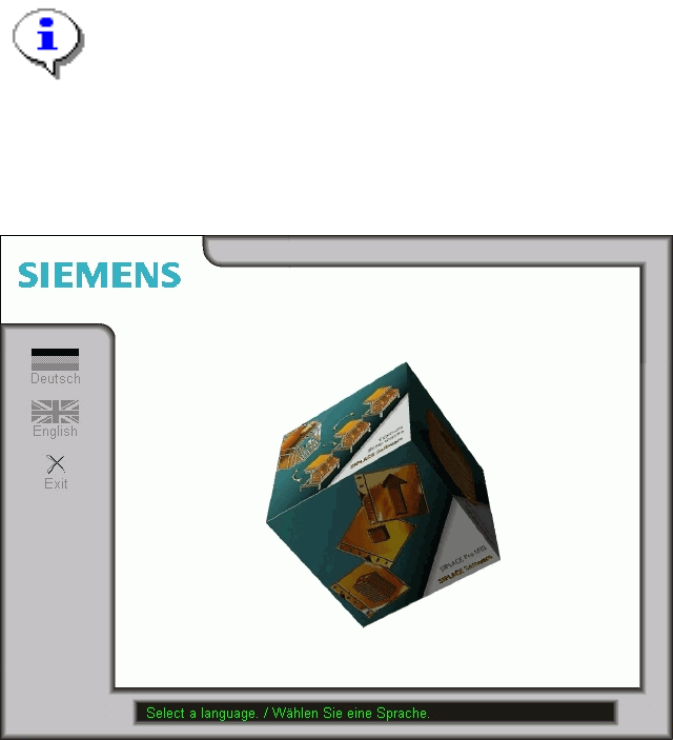
After a few seconds, the CD browser will be started automatically.
Note:
If the CD browser does not start automatically, manually start the Start.exe program from the
root directory of the CD-ROM.
The CD browser provides support as you install the individual software packages.
¾ Select a language to enter the main view of the CD browser.
7 von 50