00198611-01_IM_712.0_R18-2_EN.pdf - 第10页
Station Software Ver sion 712.0 (R18 - 2) / Installation Manual 11/2018 Edition 10 Loss of Calibration Data for Vacuum T ool ing The following mes sage may occur when upgrading the station s oftware: Figure 3-3: Error me…
Station Software Version 712.0 (R18-2) / Installation Manual 11/2018 Edition
9
Automatic Calibration – System Identification for SX-Series
The System identification calibration feature has been introduced for the SX-series placement
machines in the automatic calibration. Therefore, an additional calibration step may be required
after installation. In this case, a warning is displayed that the calibration is not up to date. This also
applies for the respective station software version in compatible mode. Proceed as follows:
► Log in on the Machine service activity level.
► Switch to the Configure, update and calibrate machine menu.
► Press the Automatic calibration button.
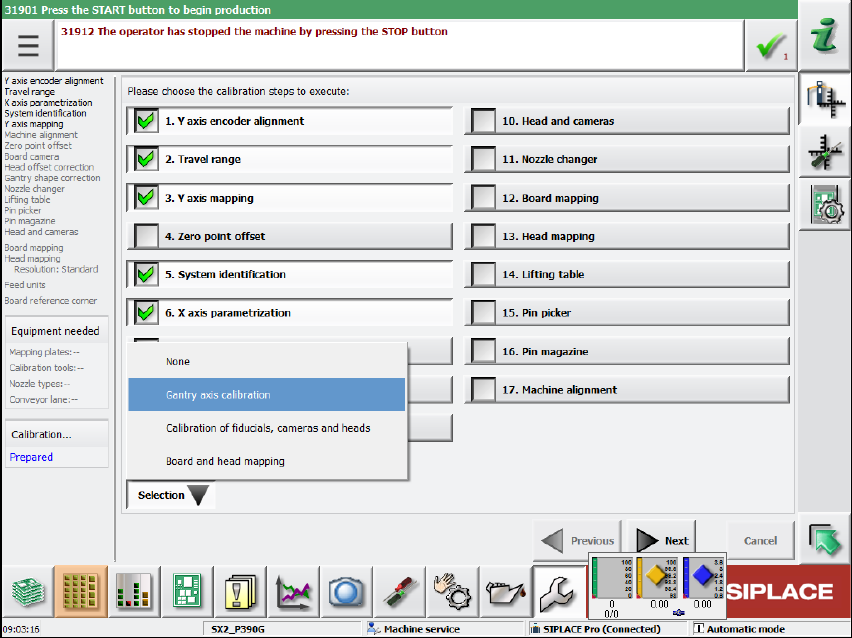
The following dialog box is displayed:
Figure 3-2: Calibration steps dialog box
► Select the System identification calibration step.
Or
► Select Selection – Gantry axes calibration.
All required calibrations will then be performed for the main axes and the machine provided
with the current data.
Station Software Version 712.0 (R18-2) / Installation Manual 11/2018 Edition
10
Loss of Calibration Data for Vacuum Tooling
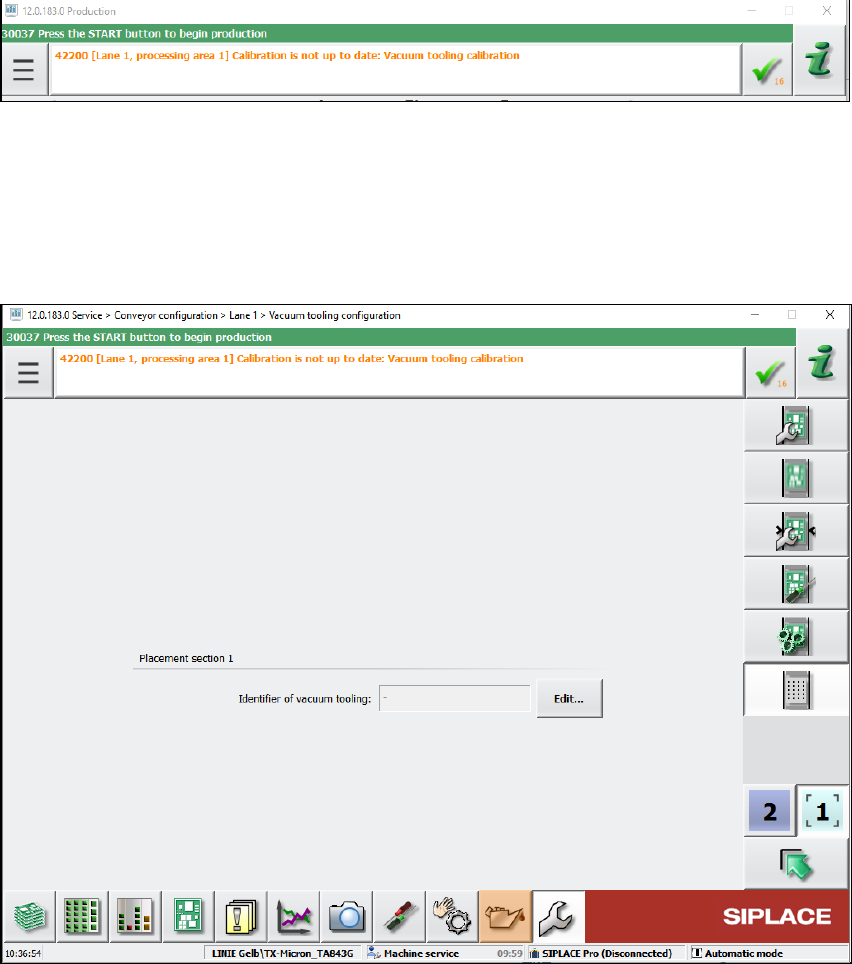
The following message may occur when upgrading the station software:
Figure 3-3: Error message: Vacuum tooling calibration
In this case, detailed information can be found in the assistance to this error message or in the
topic "Calibration/Vacuum Tooling" in the Online Help for the station software.
► The following steps must be performed:
Depending on the machine type, the vacuum tooling ID must be entered in the dialog below and
the corresponding file reloaded.
Figure 3-4: Vacuum tooling configuration
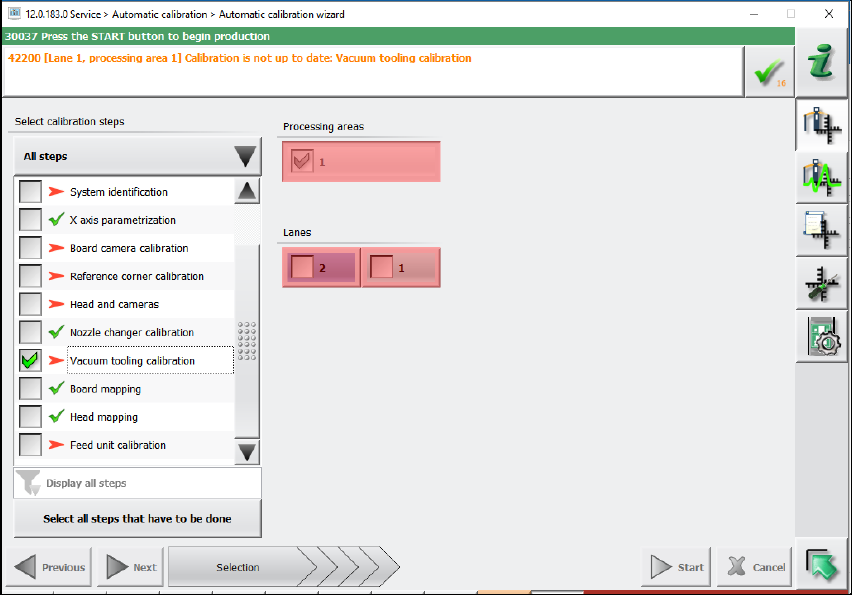
Additionally, the vacuum toolings must be recalibrated by selecting the vacuum tooling calibration
in the automatic calibration wizard.
Station Software Version 712.0 (R18-2) / Installation Manual 11/2018 Edition
11
Figure 3-5: Recalibrating vacuum tooling
3.1 Upgrading from the 711.1 Software Version
No further steps required.
3.2 Upgrading from the 711.0 Software Version
No further steps required.
3.3 Upgrading from the 710.1 Software Version
No further steps required.
3.4 Upgrading from the 710.0 Software Version
No further steps required.
3.5 Upgrading from the 709.1 Software Version
No further steps required.