00196624-04_Service Manual WPC5_6_EN_01-2019.pdf - 第107页
Service Ma nual W PC5 / WPC6 See a ls o … . @3.5.2 Replacing th e Load Axis Drive Motor [ ➙ 3-34 ] ➢ Loosen the counternut fastening the sensor on the underside of the base plate and unscrew the sensor (1). ➢ Screw the n…
Service Manual WPC5 / WPC6
3.7.16 Sensor 14 NSM module (WPC6) – Tray detection sensor
Spare Parts
• Sensor Tray detection load axis [03056989-xx]
Removal / Installation
➢ Remove the cover on the load unit (see "3.5.1.1 Remove the Cover on the Load Unit" [➙ 3-
32]).
➢ Dismantle the lifting magnets (see "3.5.4 Replace the Lifting Magnets" [➙ 3-39]).
Legend
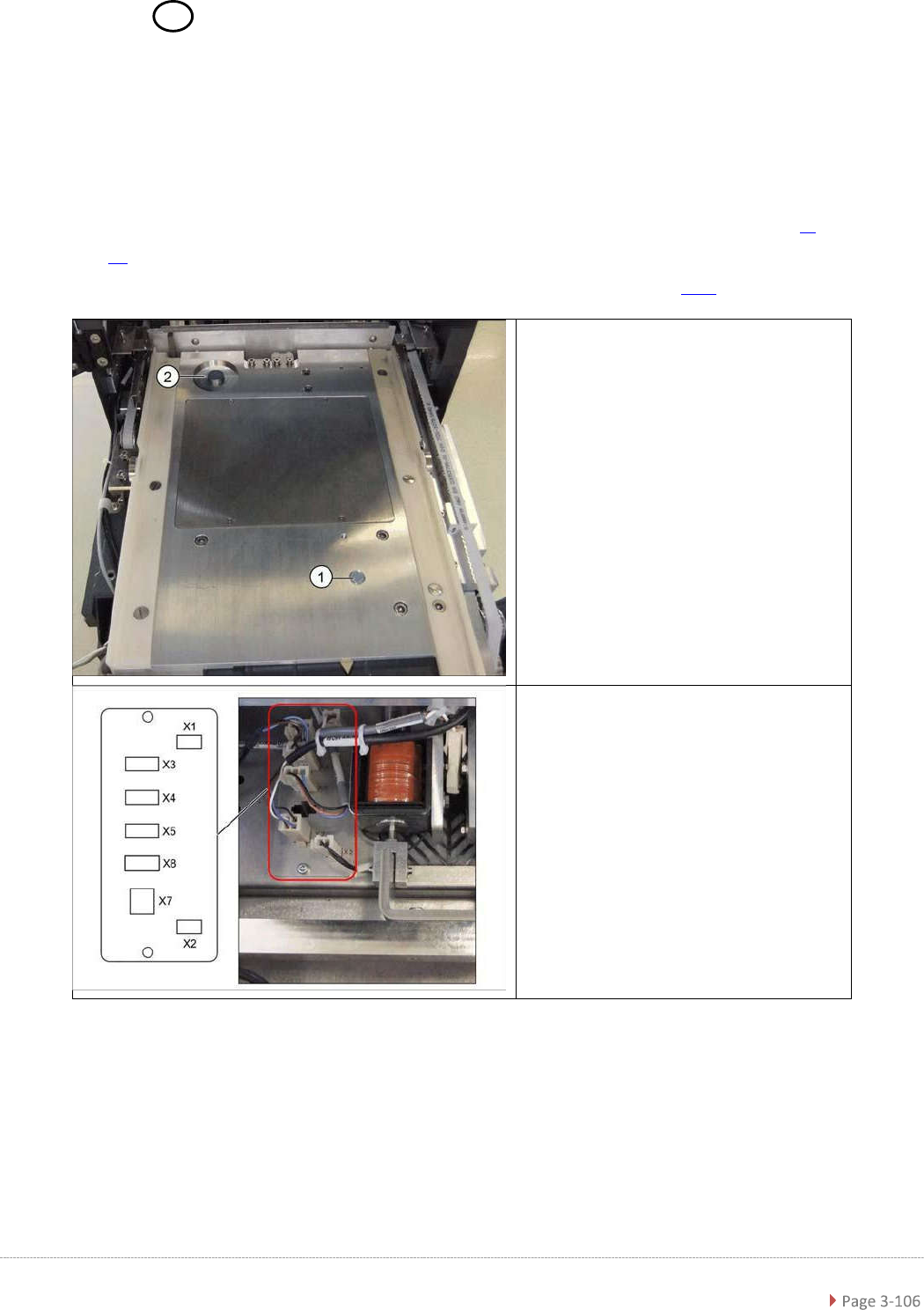
1. Sensor tray correctly inserted
2. Sensor tray detection load axis
➢ Disconnect connector X5 from the
circuit board.
Service Manual WPC5 / WPC6
See also….
@3.5.2 Replacing the Load Axis Drive Motor [
➙
3-34]
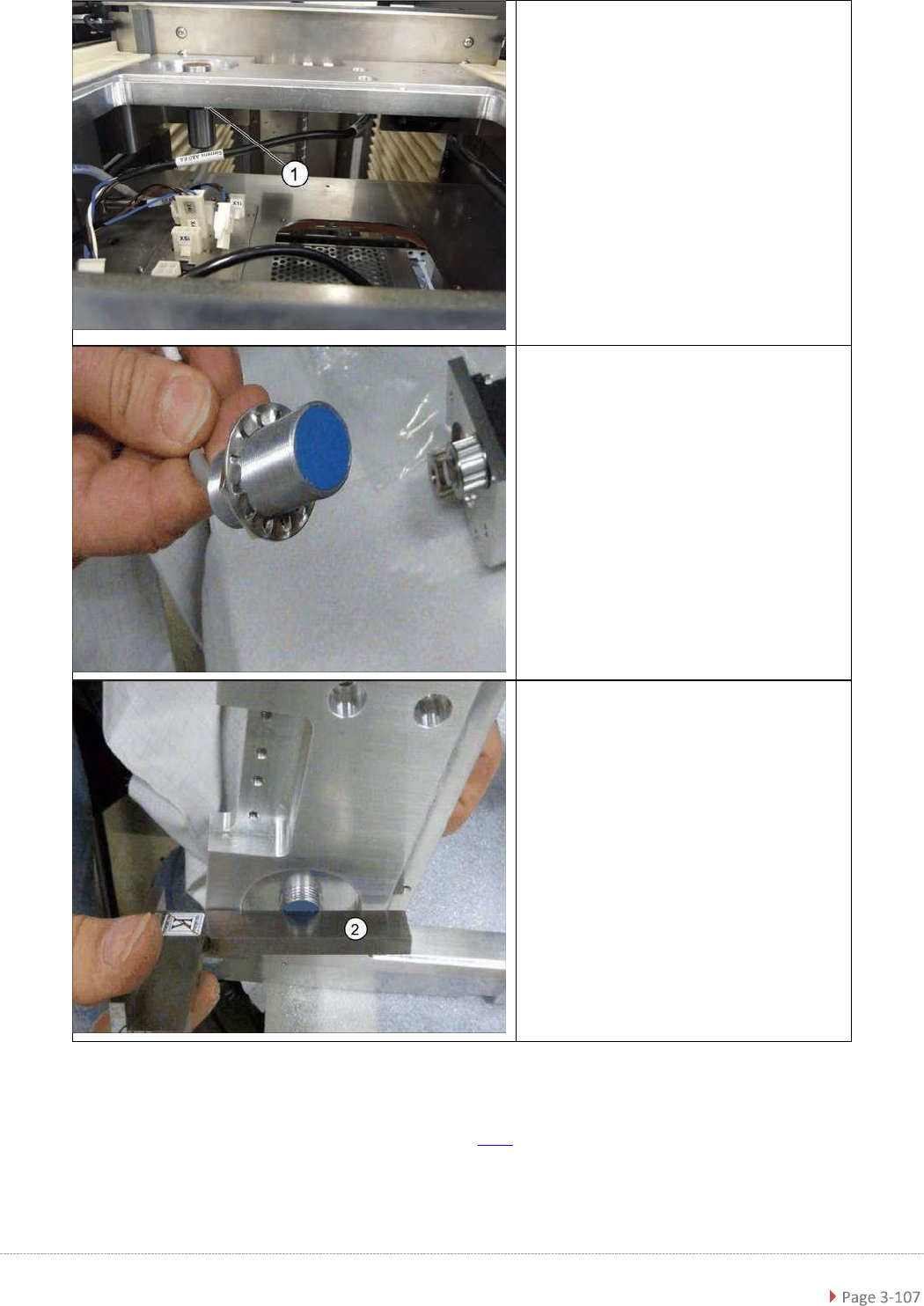
➢ Loosen the counternut fastening
the sensor on the underside of the
base plate and unscrew the sensor
(1).
➢
Screw the new sensor into the table
plate.
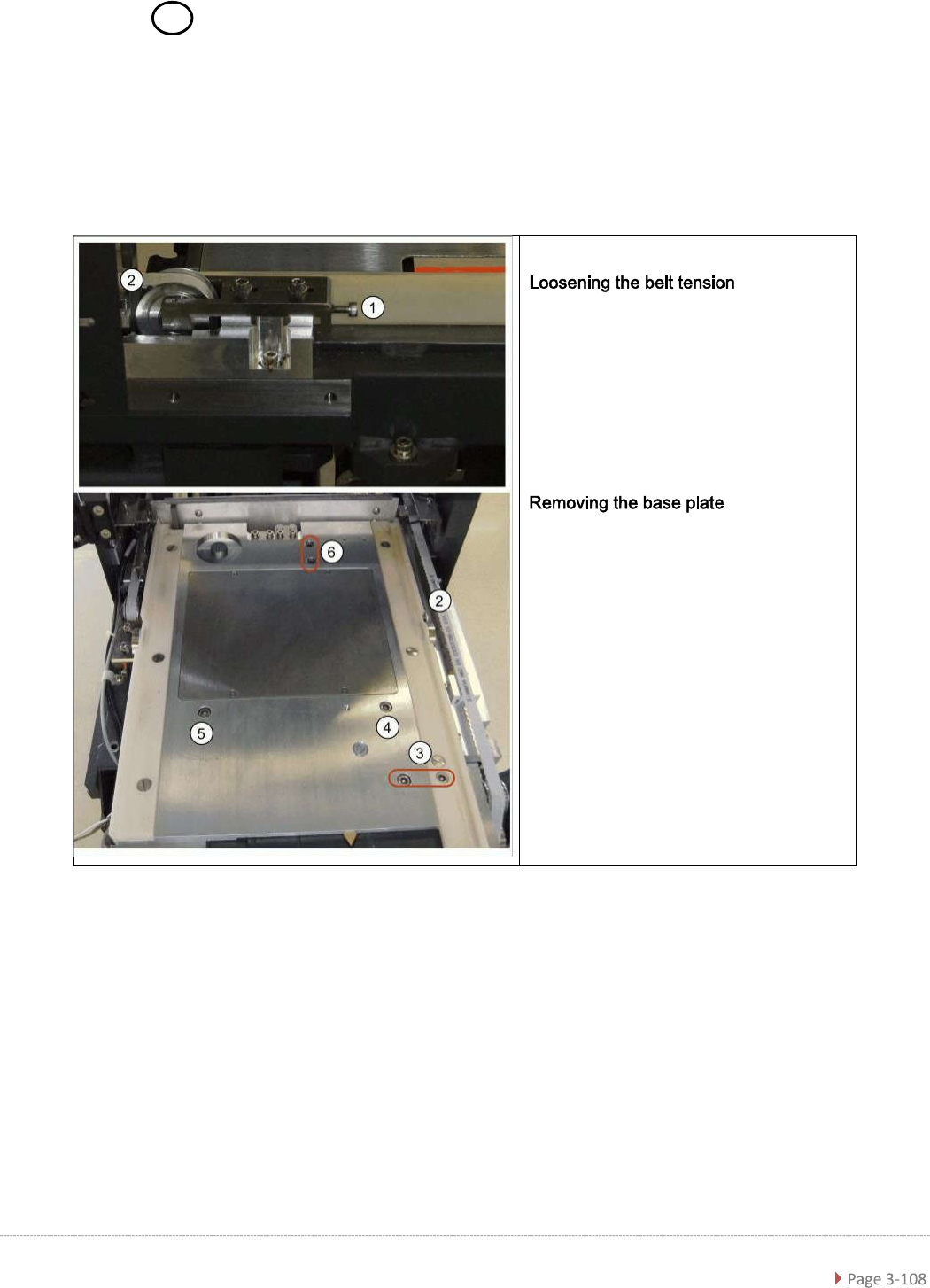
➢ The sensor should protrude
between 0.2 mm and 0.5 mm
above the table plate. Check this
with a straight edge (2).
➢ Use a counternut to fix the sensor
on the underside (1).
➢ Reconnect connector X5 to the
circuit board.
Service Manual WPC5 / WPC6
3.7.17 Sensor 16 NSM module (WPC6) – Safety Sensor for the Hand Guard
Spare Part
• Safety sensor hand guard [03056990-xx]
Preparations
➢ Loosen the tension of the load axis
drive belt (2) at the tensioning
screw behind the tower (1).
➢ Loosen the screws fixing the motor
to the base plate at (3).
➢ Lift off the base plate and turn it
over.