00196624-04_Service Manual WPC5_6_EN_01-2019.pdf - 第128页
Service Ma nual W PC5 / WPC6 4.2.4 Calibrating the Limit Switch The p lus and min us positio n of the limit switc hes nee d to be cali brate d. Calibrating the limit sw itch - ➢ Select the feed ax is (1). ➢ Select the fu…
Service Manual WPC5 / WPC6
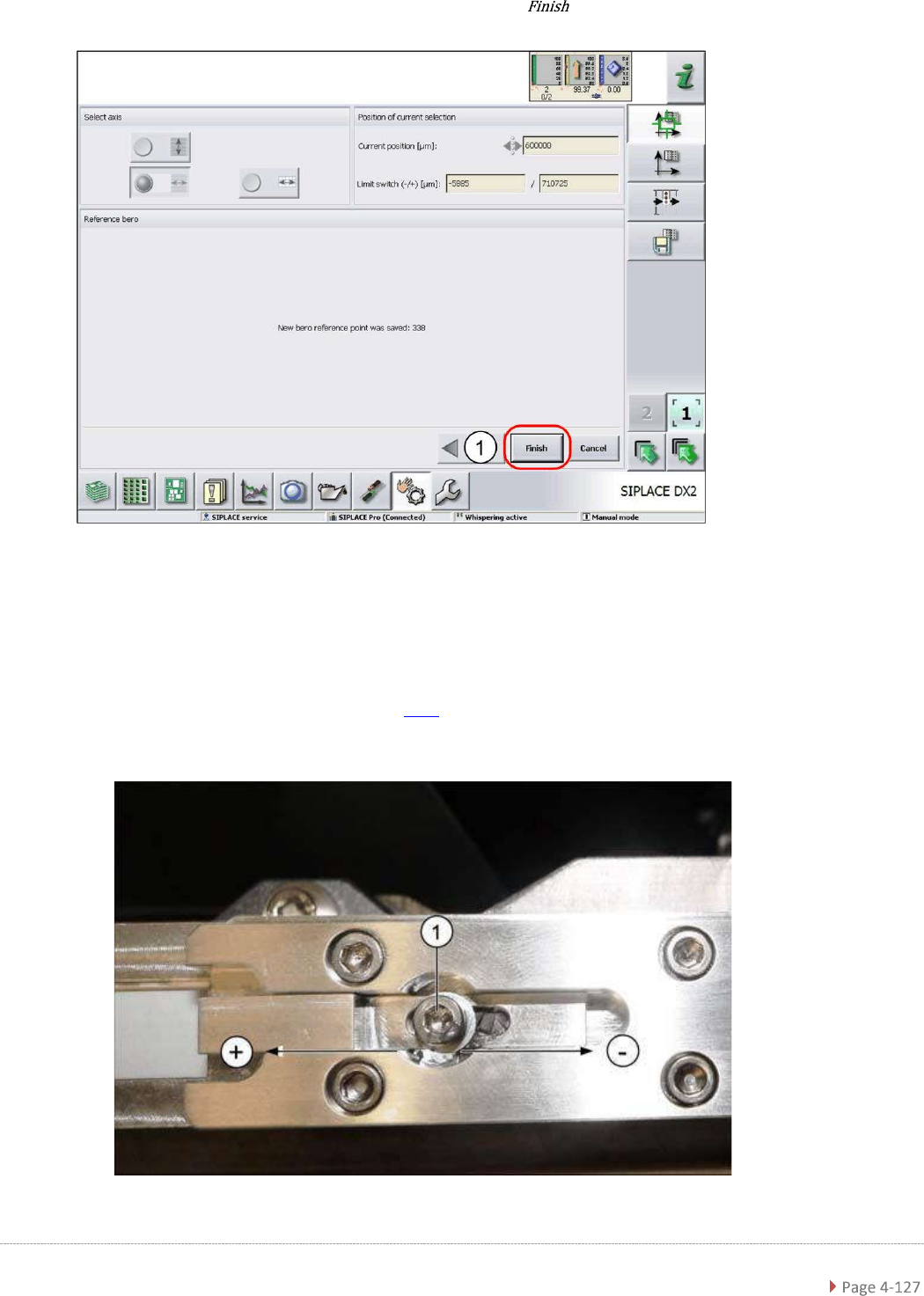
➢ Confirm the new reference point proximity switch with (1).
Setting the Driver Cam
➢ Loosen the screw (1), fastening the cam to the driver.
➢ Correct the position of the cam by moving it accordingly in either the – or + direction.
➢ Retighten the screw (1) and repeat the measuring steps (see "3.7.5 Replace the Reference
Sensor, Feed Axis [03057837-xx]" [➙ 3-79]).
➢ Repeat the individual steps until no more error messages appear.
Service Manual WPC5 / WPC6
4.2.4 Calibrating the Limit Switch
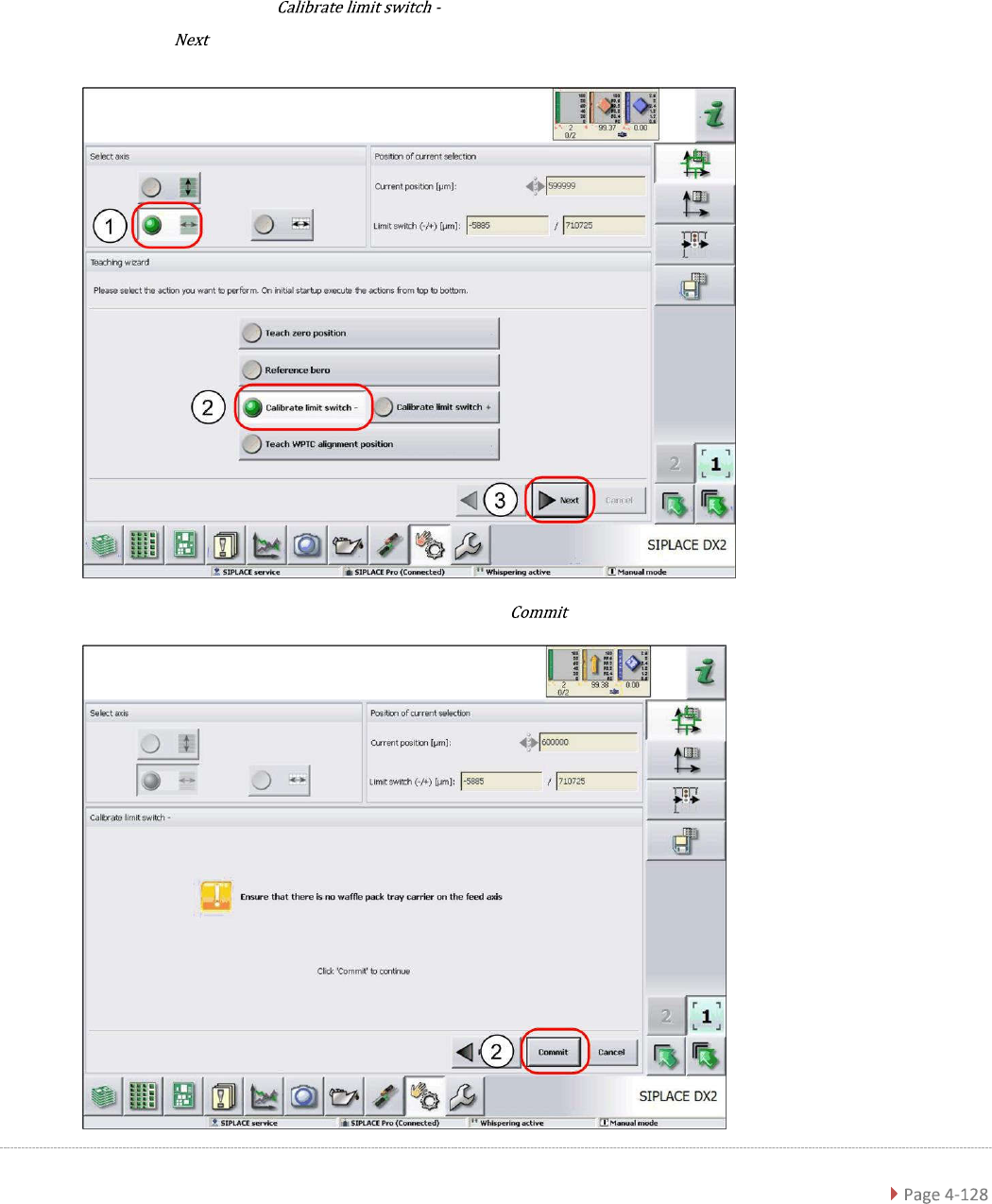
The plus and minus position of the limit switches need to be calibrated.
Calibrating the limit switch -
➢ Select the feed axis (1).
➢ Select the function (2).
➢ Select (3).
➢ Follow the instruction shown and continue with (1).
Service Manual WPC5 / WPC6
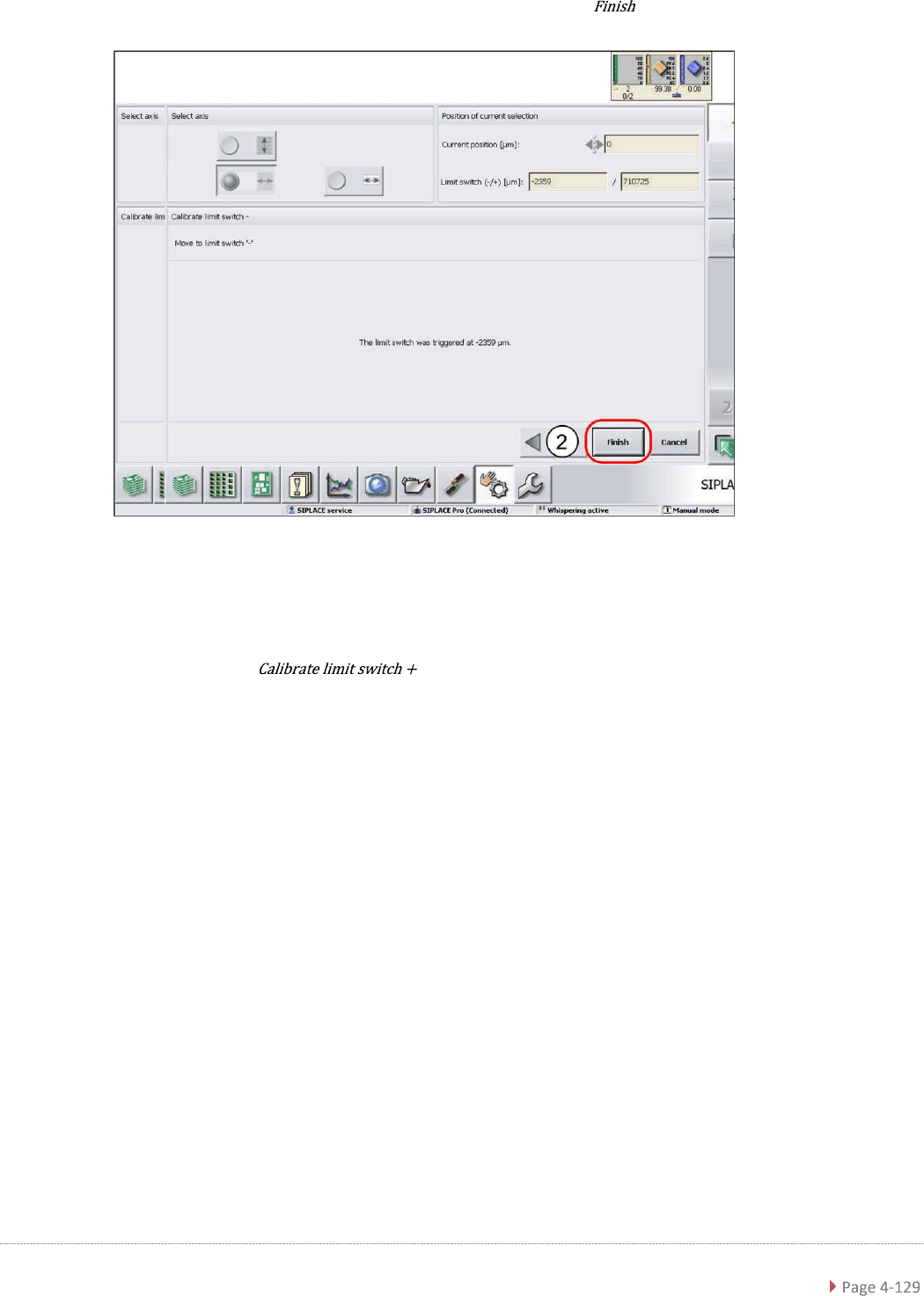
➢ Confirm the new position at which the limit switch triggers with (1).
Calibrating the limit switch +
➢ Select the feed axis (1).
➢ Select the function and continue with the same procedure as that
used for calibrating the limit switch.