SM321 Service-CHI.pdf - 第120页
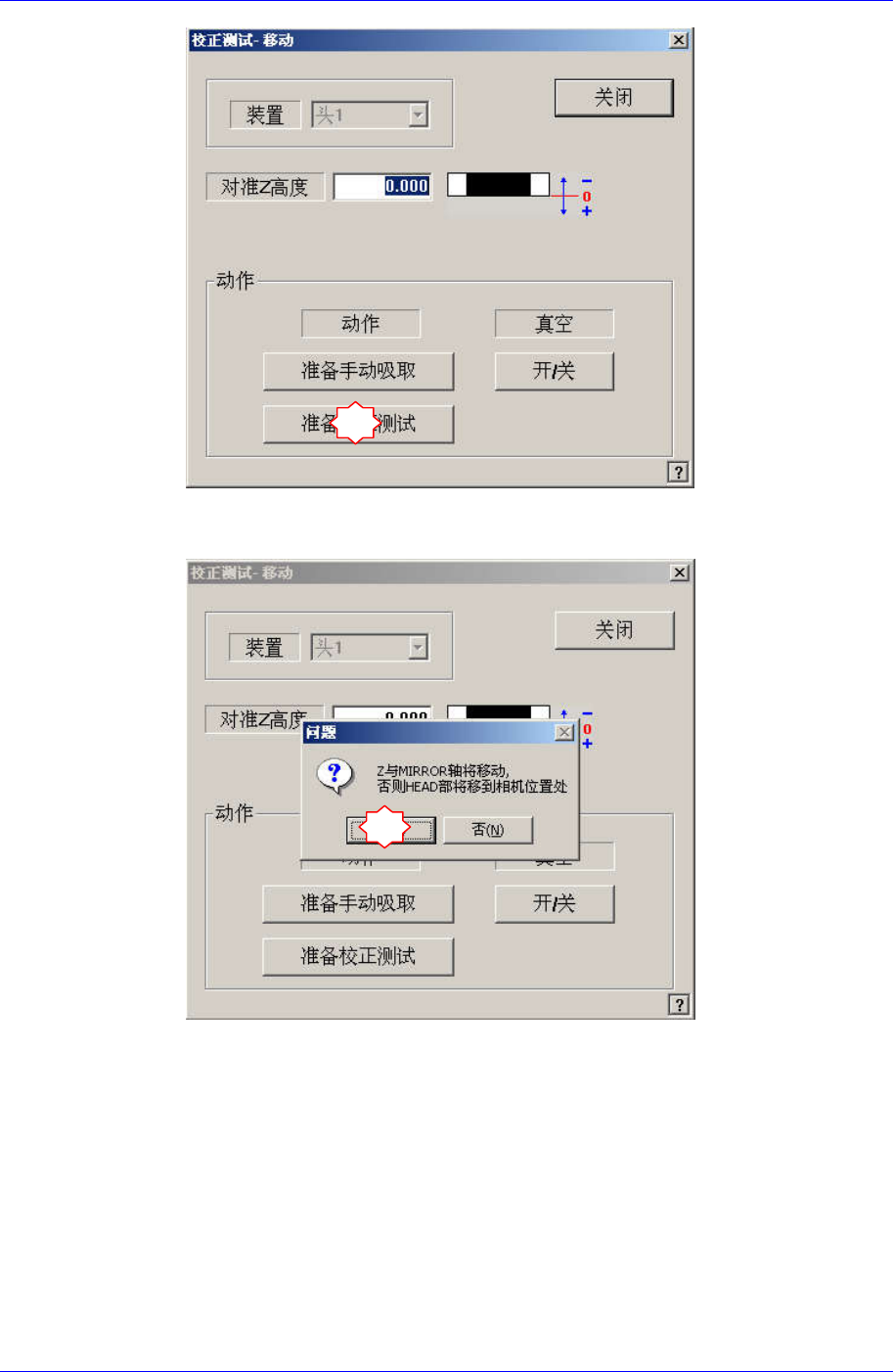
Samsung Component Plac er SM321 Service Manu al 如果显示 “Z and Mirror axi s wil l move or Head Bloc k will move tothe Fix Camera Position” 信息, 请点击 Y es 。 那么 , Z 轴和 M irror 移动到识别位置。 6 7 4-16
Head Module
1
2
3
4
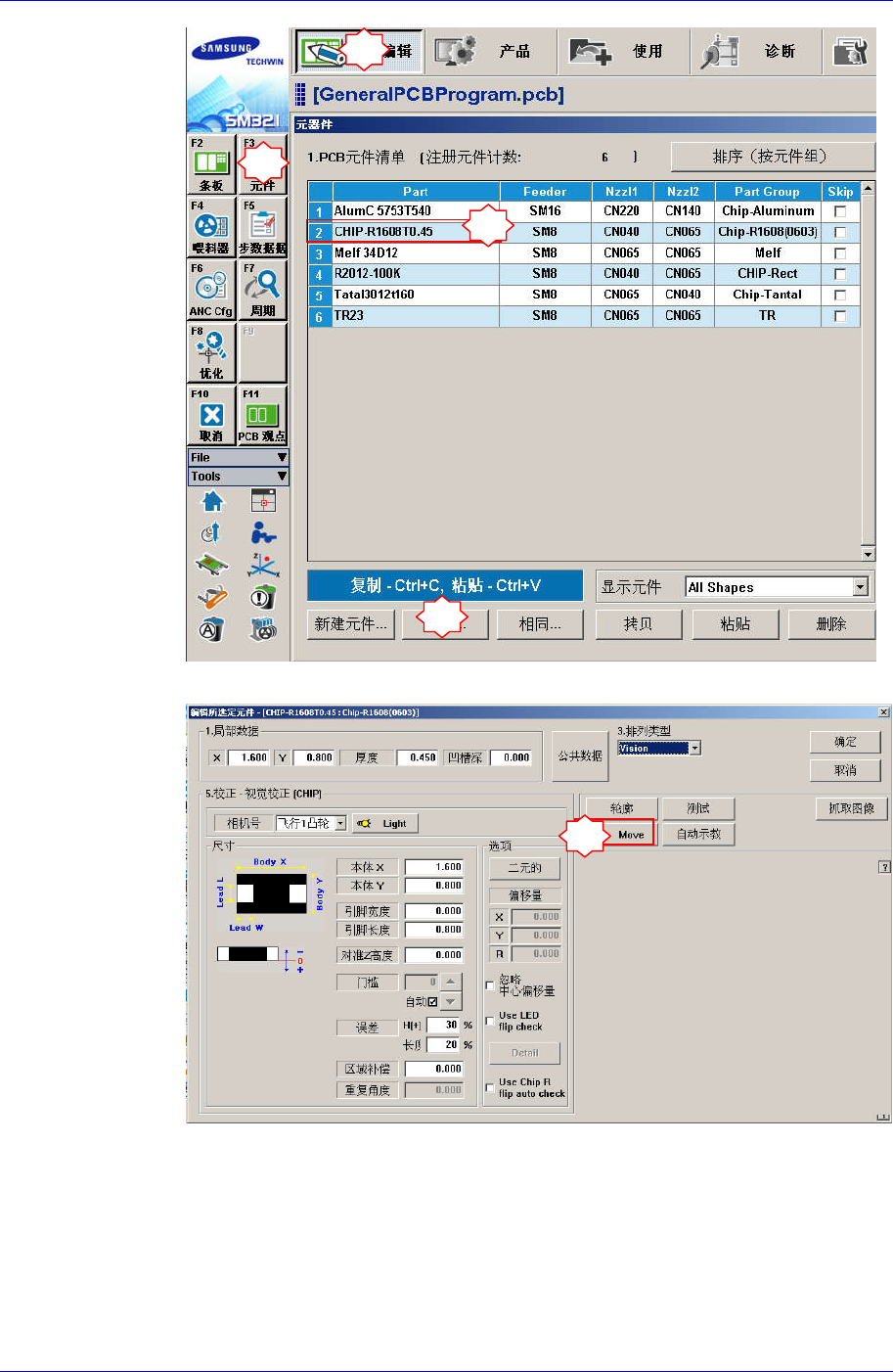
点击<Move> 按钮后, 再点击<Prepare Aligne Test>按钮。
5
4-15
Samsung Component Placer SM321 Service Manual
如果显示“Z and Mirror axis will move or Head Block will move tothe Fix
Camera Position”信息,请点击Yes。
那么, Z轴和Mirror移动到识别位置。
6
7
4-16
Head Module
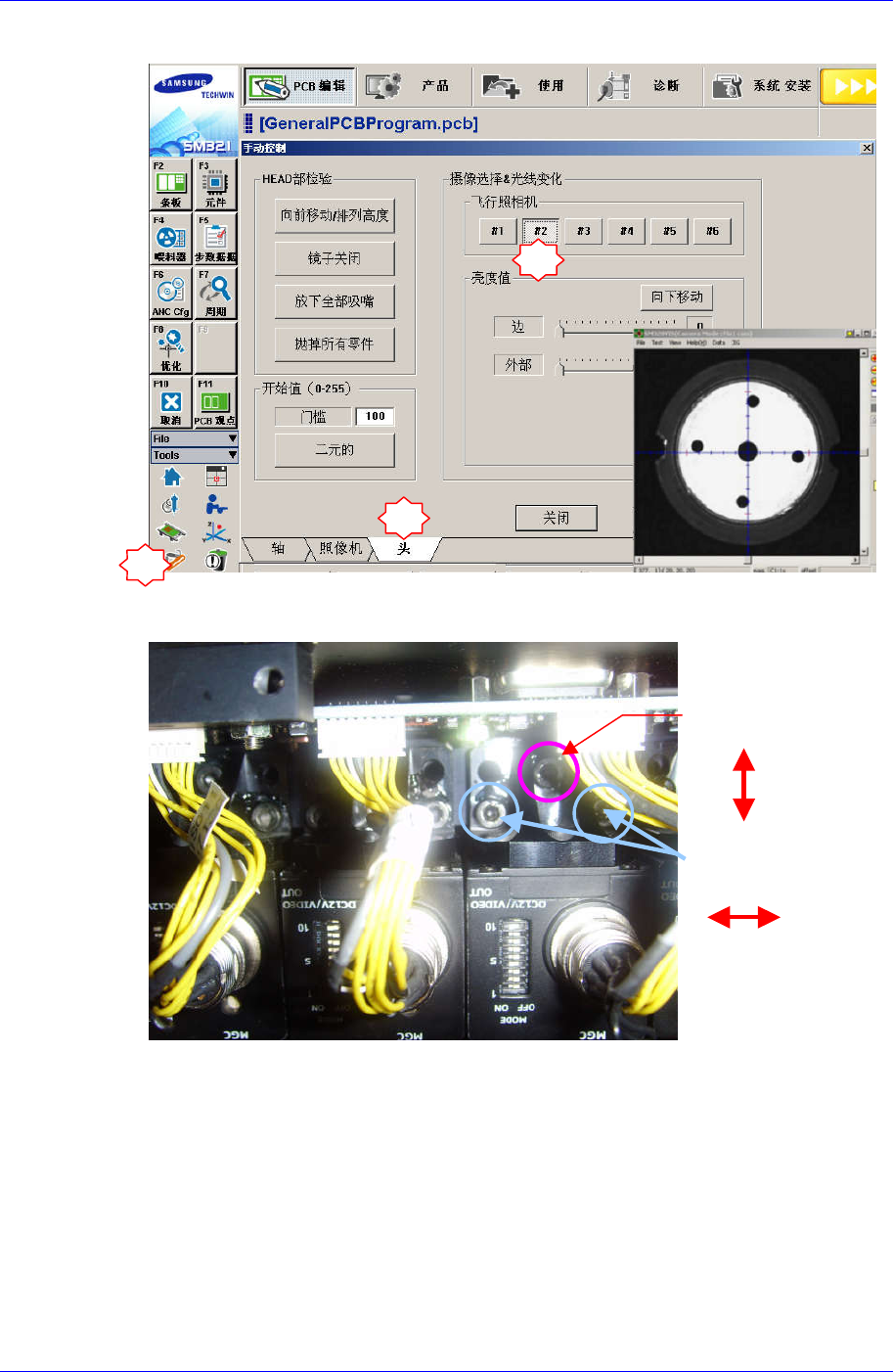
9. 执行Manual Control对话框,选择Head tap画面后请选择替换的Flying Camera。
2
3
10. 请利用下图所示的摄像机固定螺丝(M3-3个)调整X, Y坐标。通过VisFrame 窗使
Calibration Tool中心和十字线一致为止调整固定螺丝.。
1
Y方向调整
X方向调整
4-17