SM321 Service-CHI.pdf - 第189页
Conveyor & BUT 5-1 1 [ ] 1 2 3
Samsung Component Placer SM321 Service Manual
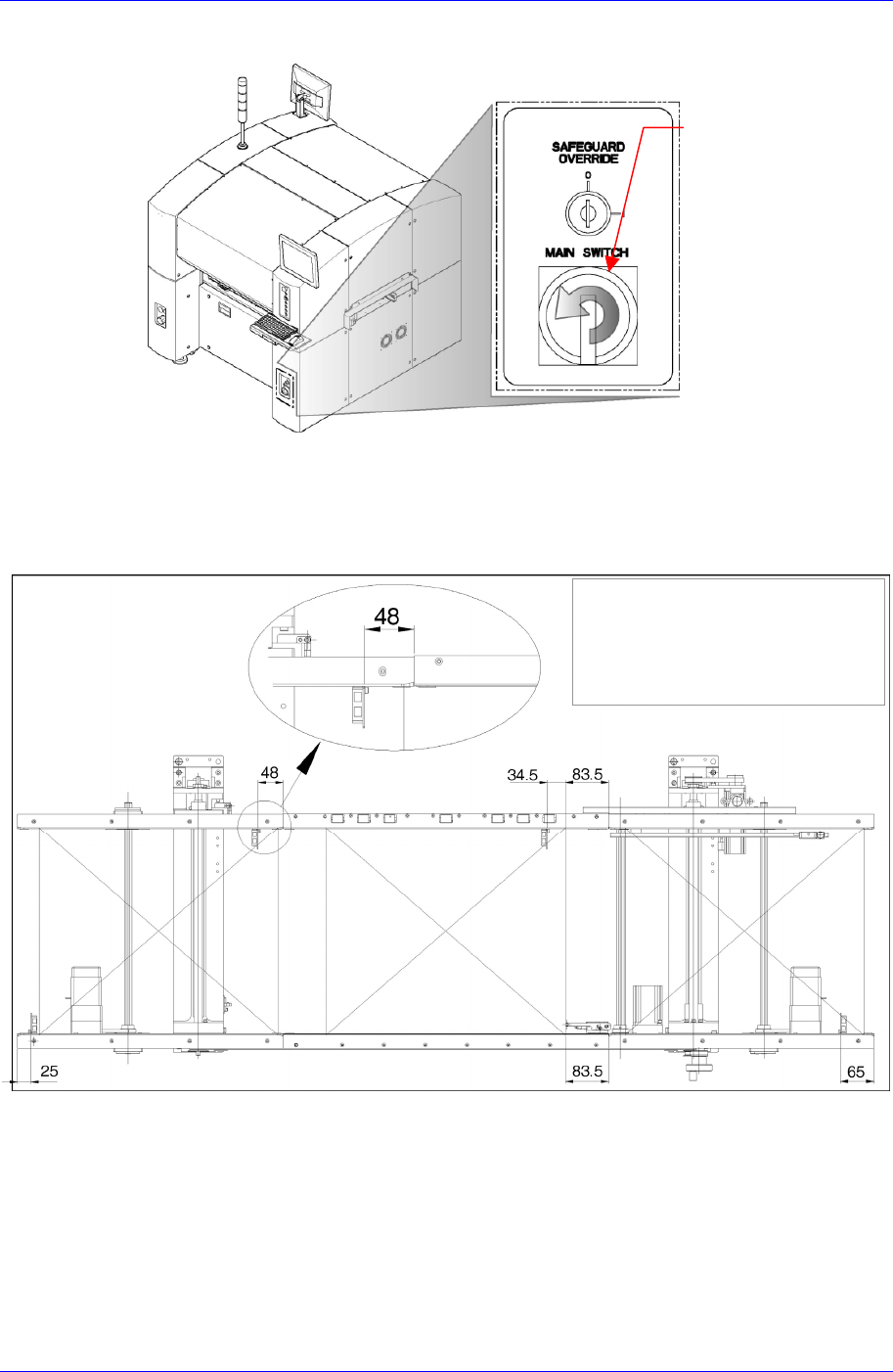
2. 正常关闭PC后关闭设备前面的M
6. 传感器 Setting后执行调整。
PCB
输送机可作 业Zone 的 末 端到
Sensor Bracket的距离
ain Switch。
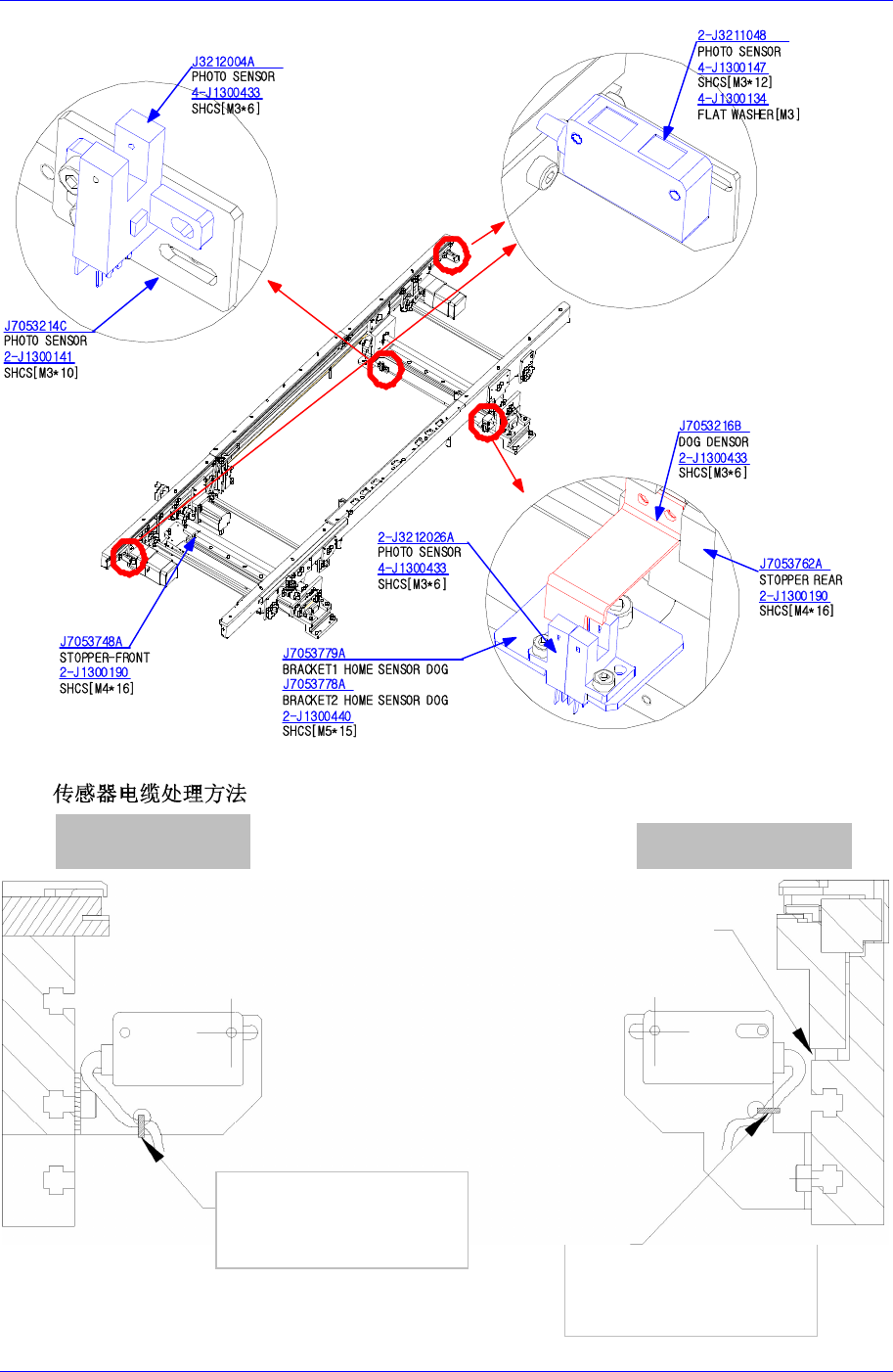
3. 请确认Sensor位置是否准确。
4. 请确认Place Sensor位置是否附着在从Working Stopper34.5mm处。
5. 在Sensor Rail区间活动Quick load Sensor,确认在各个位置有无配线干扰及
PCB 感知与否。
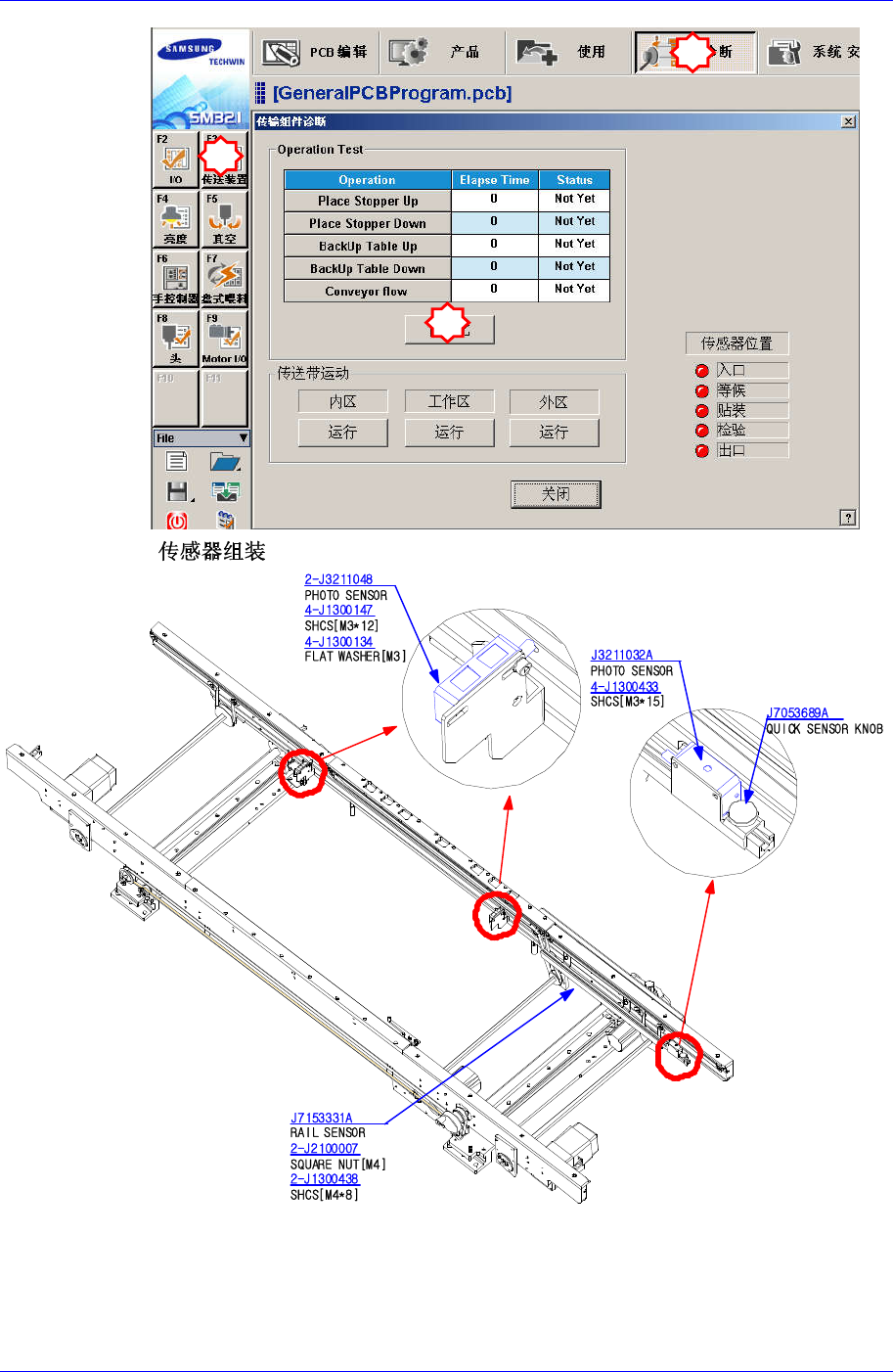
7. 为了确认传感器工作与否,请执行“Conveyor Module Diagnosis”对话框。请点
击 <Automatic> 按钮确认传感器正常工作与否。
Main Switch 关闭 方
向(逆时针方向)
5-10
Conveyor & BUT
5-11
[ ]
1
2
3
Samsung Component Placer SM321 Service Manual
[PCB
]
确保传感器电缆的余裕
后, 用连接电缆固定
Clamp Unit 的 Up/Down 时 ,
住防止传感器电缆被夹
确保传感器电缆的余裕
后, 用连接
电缆固定
In / Out 传感器
Wait / Work 传感器
5-12